
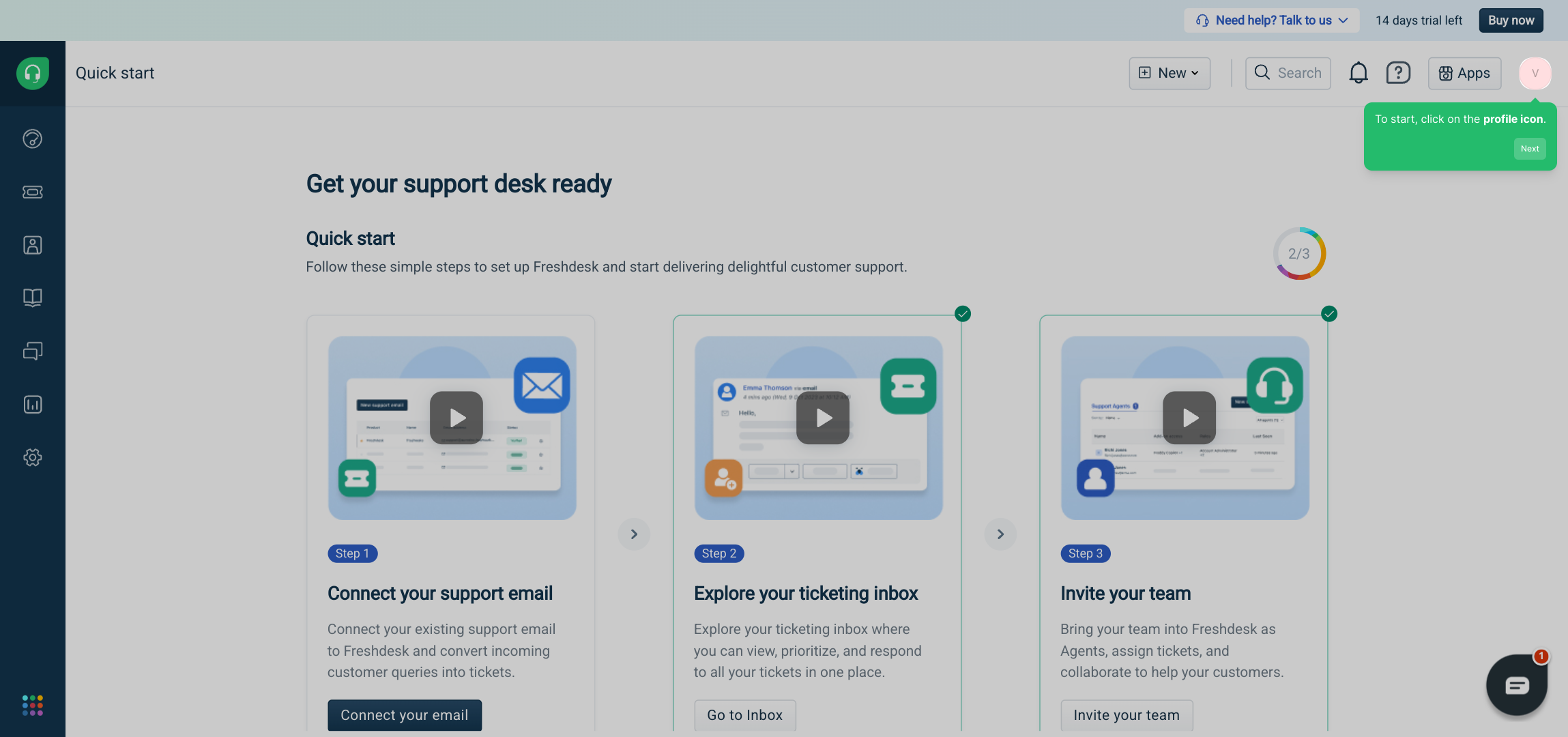
1. To start, click on the profile icon.
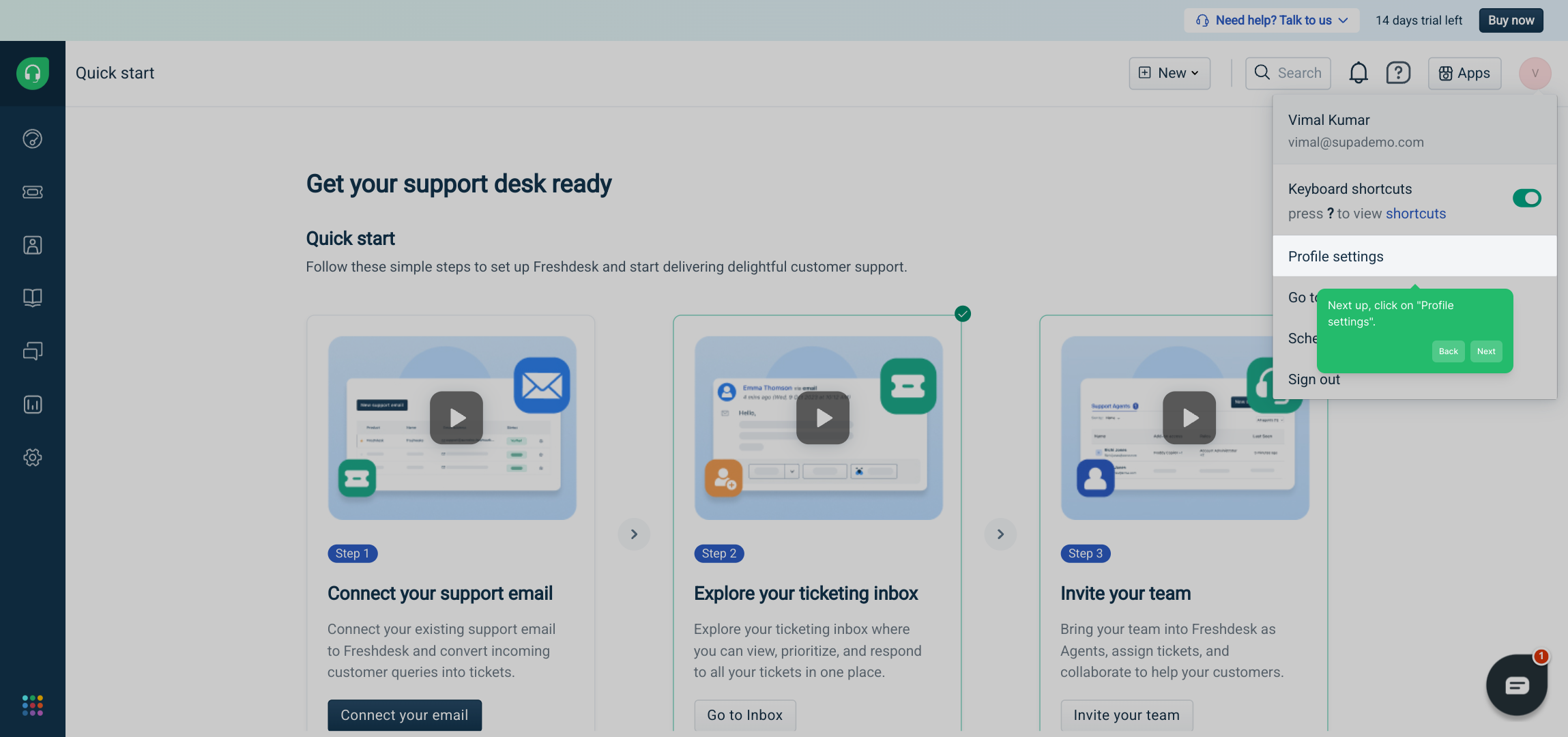
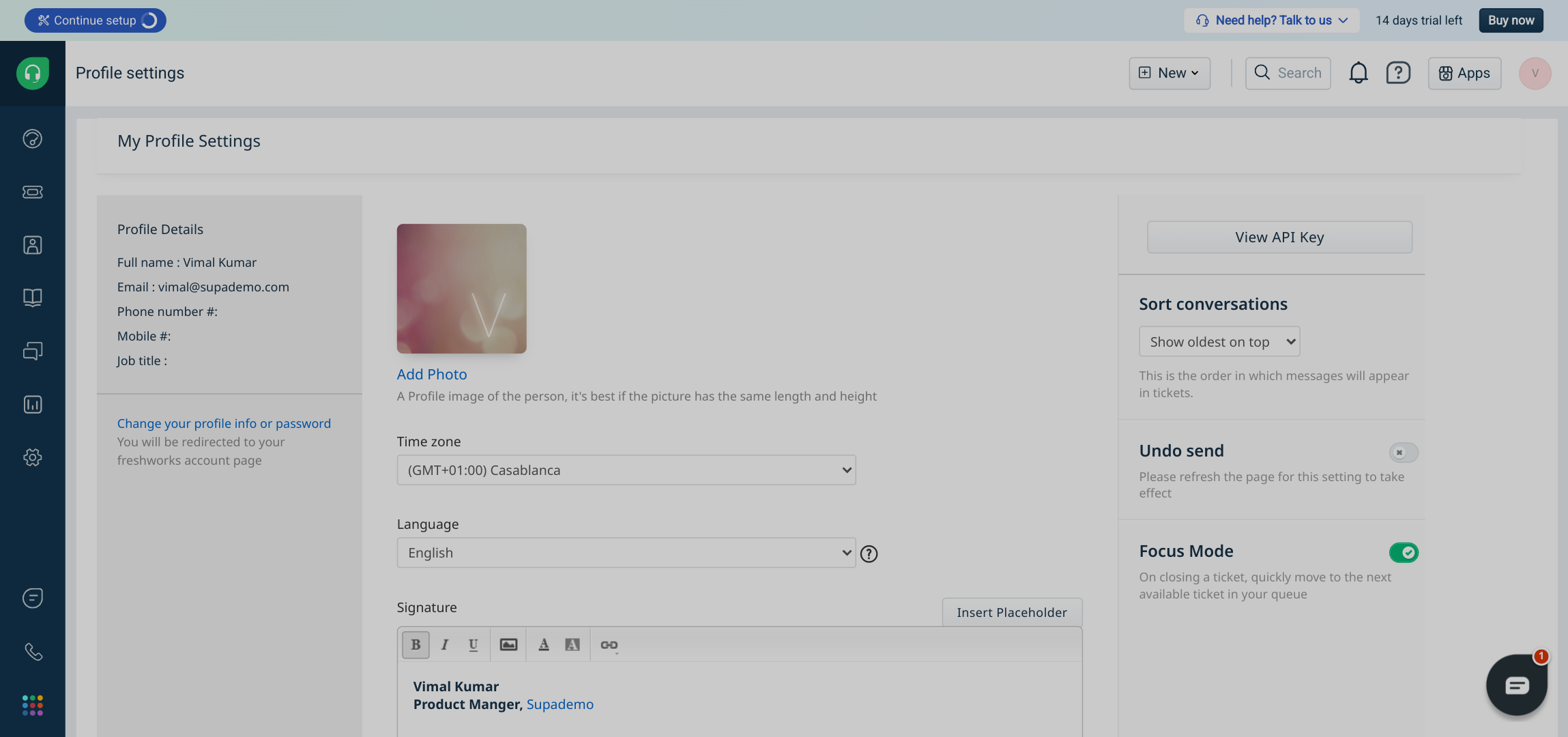
2. Next up, click on "Profile settings".
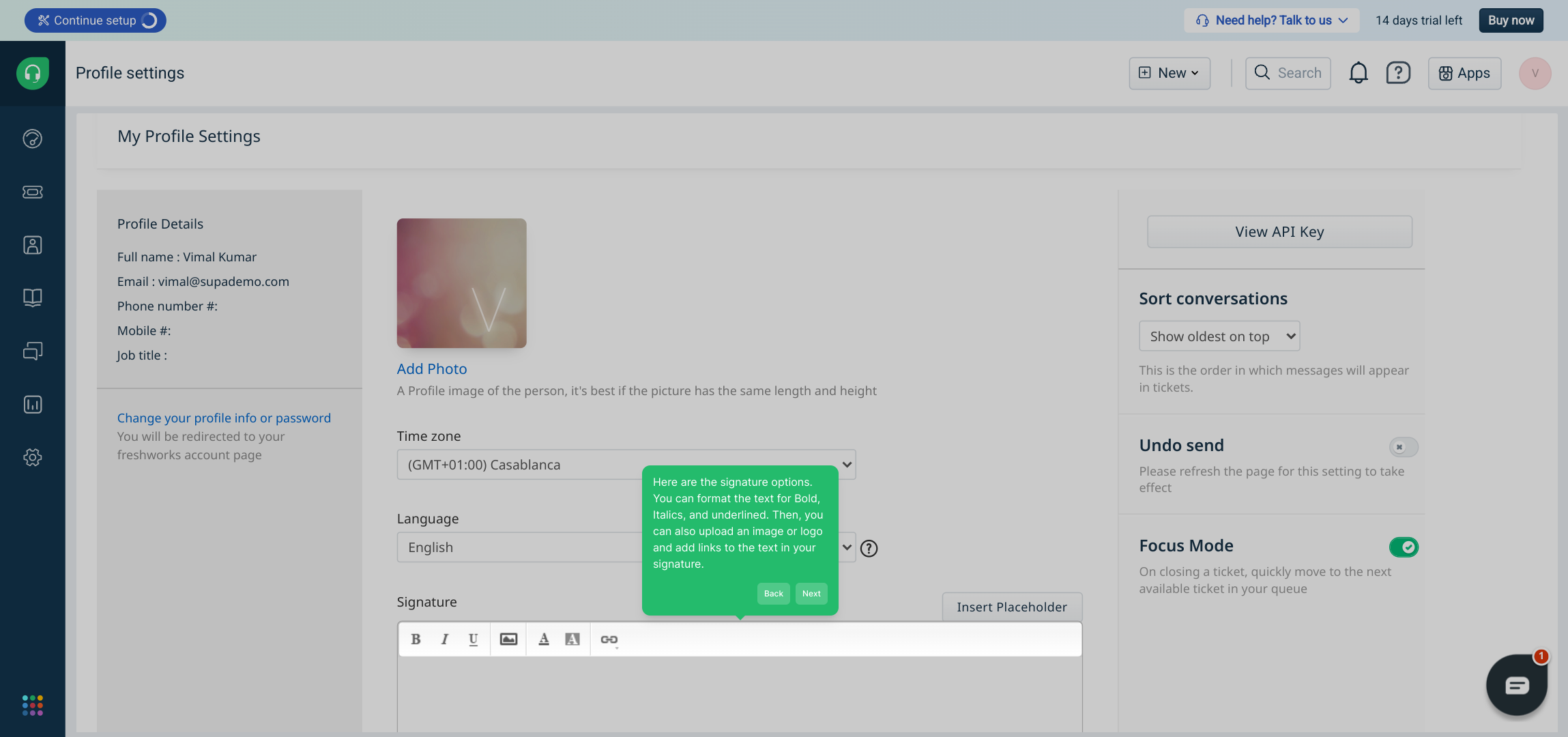
3. Here are the signature options. You can format the text for Bold, Italics, and underlined. Then, you can also upload an image or logo and add links to the text in your signature.
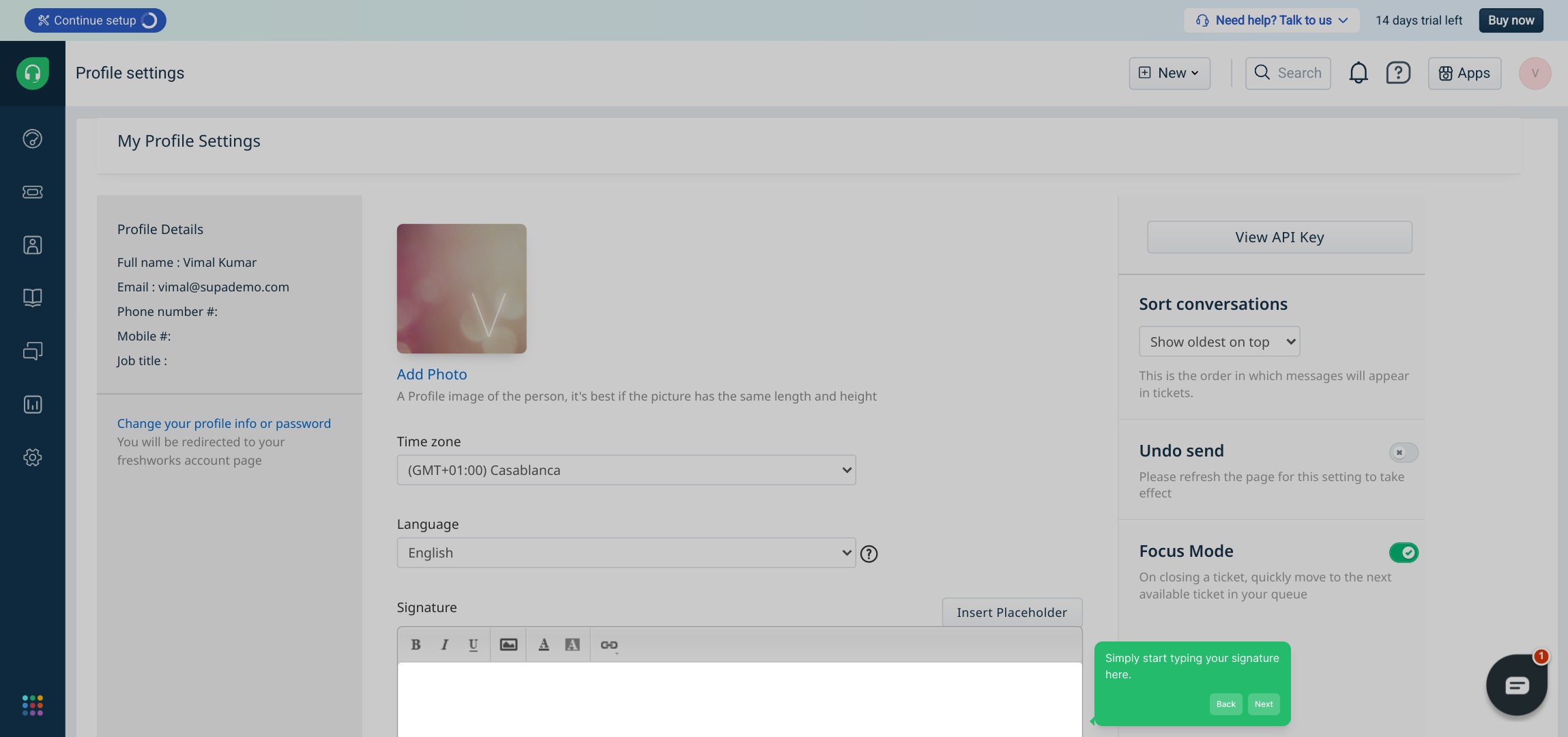
4. Simply start typing your signature here.
5. Once you are done formatting it. Click on Save Changes. You can also preview the signature before saving it.
6. Create a Supademo in seconds
This interactive demo/guided walkthrough on How to Add Signature in Freshdesk was created using Supademo.
How to Add Signature in Freshdesk: Step-by-Step Guide
Begin by locating and selecting the profile icon usually found at the top right of your dashboard. This is your gateway to customizing your personal settings.
After opening your profile menu, look for the option labeled "Profile settings". Clicking this will take you to the area where you can adjust and personalize your profile details, including your email signature.
Within the signature settings, you’ll find a variety of formatting tools to help you craft a professional signature. You can apply styles like bold, italics, and underline, upload your company logo or any image, and even embed hyperlinks to direct recipients to relevant sites.
This is where the creative part begins — start typing your signature directly into the editor. Feel free to include your name, role, contact info, and any other details that represent you or your brand.
Once you’re satisfied with the appearance and content of your signature, make sure to save your work by clicking on Save Changes. You can also use the preview function to see exactly how your signature will look in emails before finalizing it.
And you’re all set! You’ve quickly created a professional-looking Supademo signature that will be appended to your emails, helping you stand out and make a great impression effortlessly.
Create your own interactive demos in < 5 mins with Supademo
You can create your own interactive product demo in minutes using Supademo. Drive growth, scale enablement, and supercharge product-led onboarding with Supademo. Sign up for free here with no credit card required.
FAQs
Commonly asked questions about this topic.
How do I add a signature in Freshdesk?
Can I add images or logos to my Freshdesk signature?
Is it possible to format text in the Freshdesk email signature?
Will my signature appear automatically on all outgoing emails?
Can I preview my signature before saving it?
How do I update or change my signature later?
Are there any size limits for images in the signature?
Can I include clickable links in my Freshdesk email signature?
Does the signature support HTML customization?
What if my signature doesn’t show up in emails?

Product Operations Associate
Vimal Kumar helps build and grow Supademo’s team and GTM efforts, with a focus on figuring out growth levers and improving product traction.






