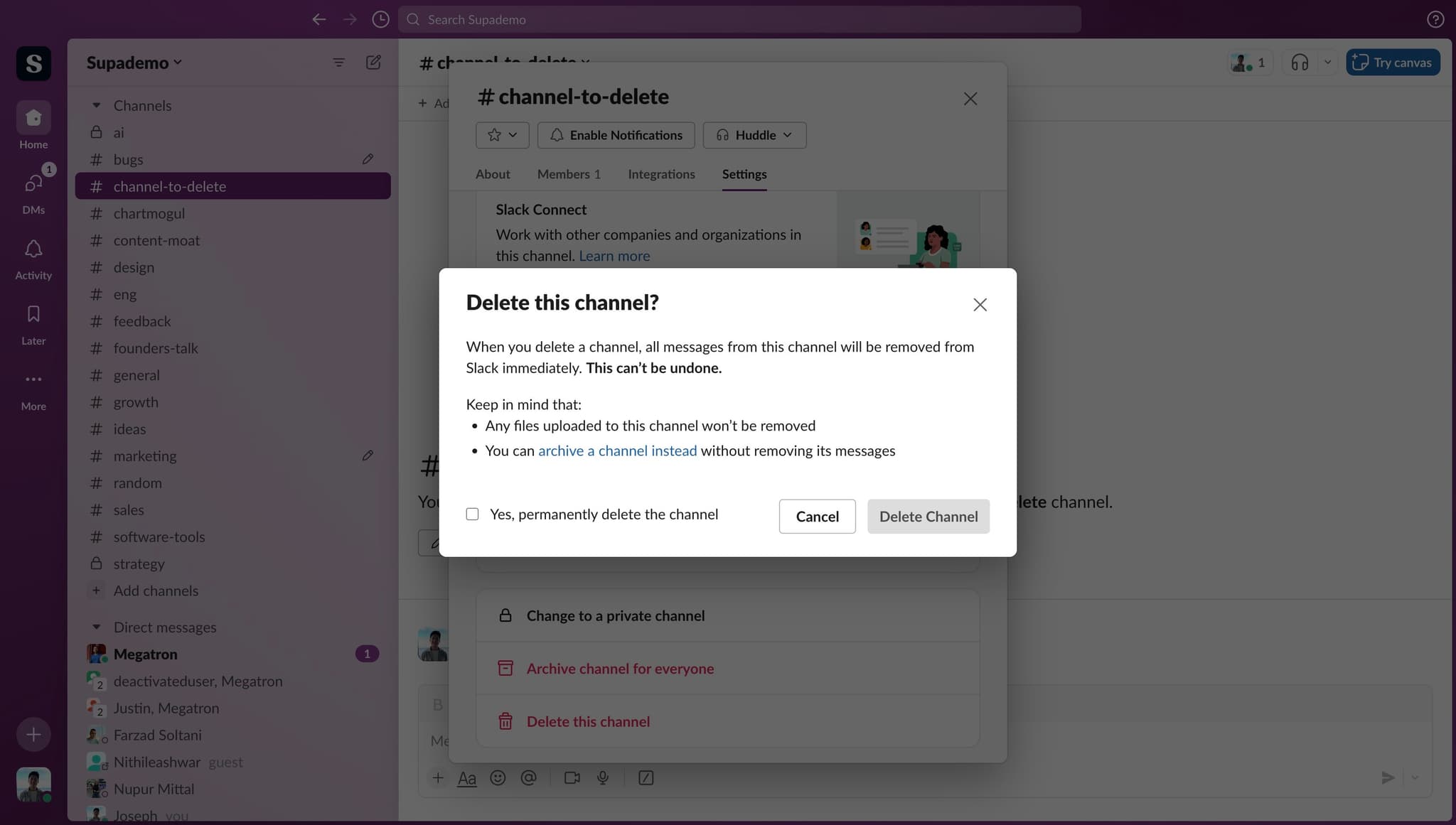
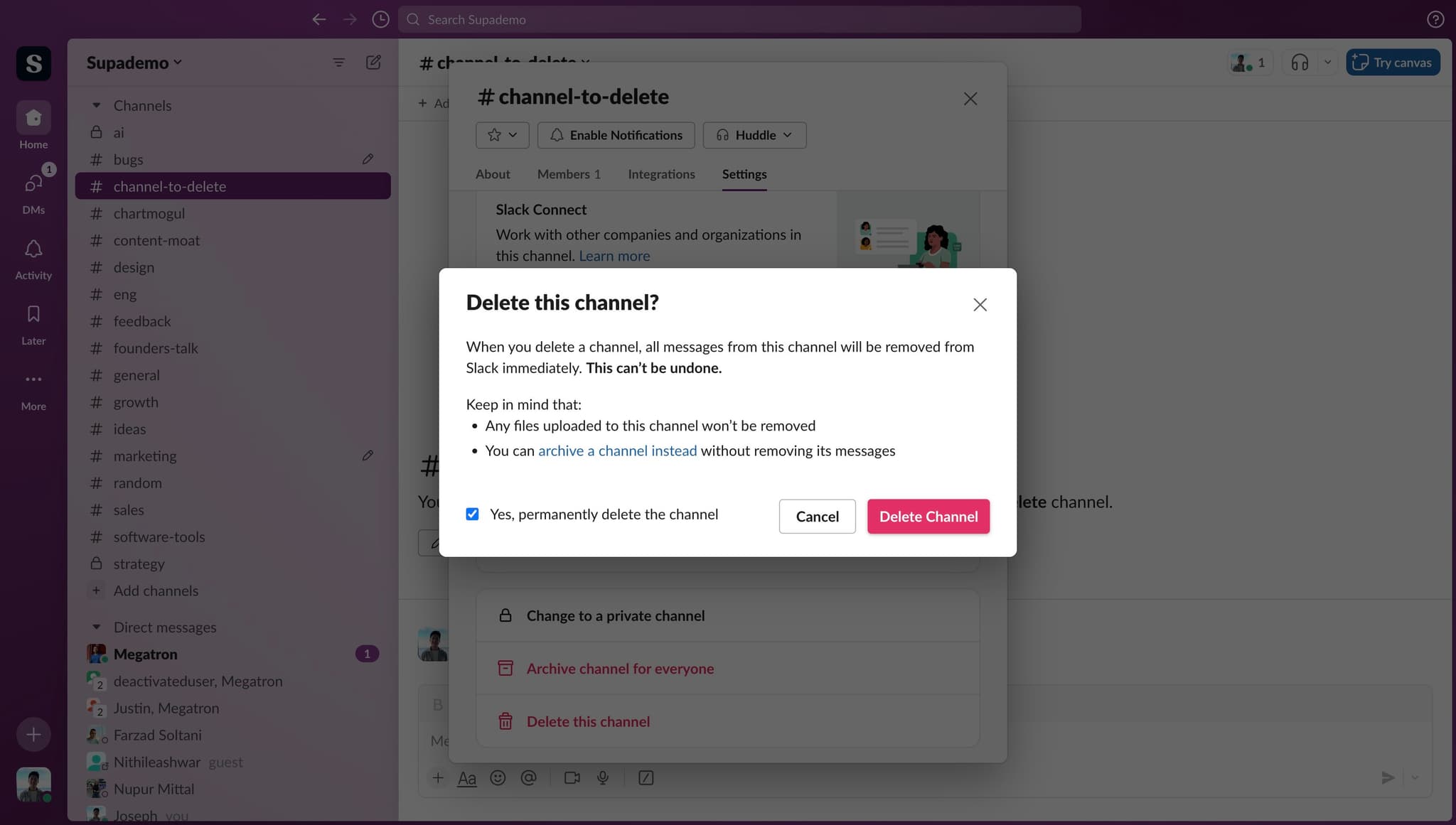
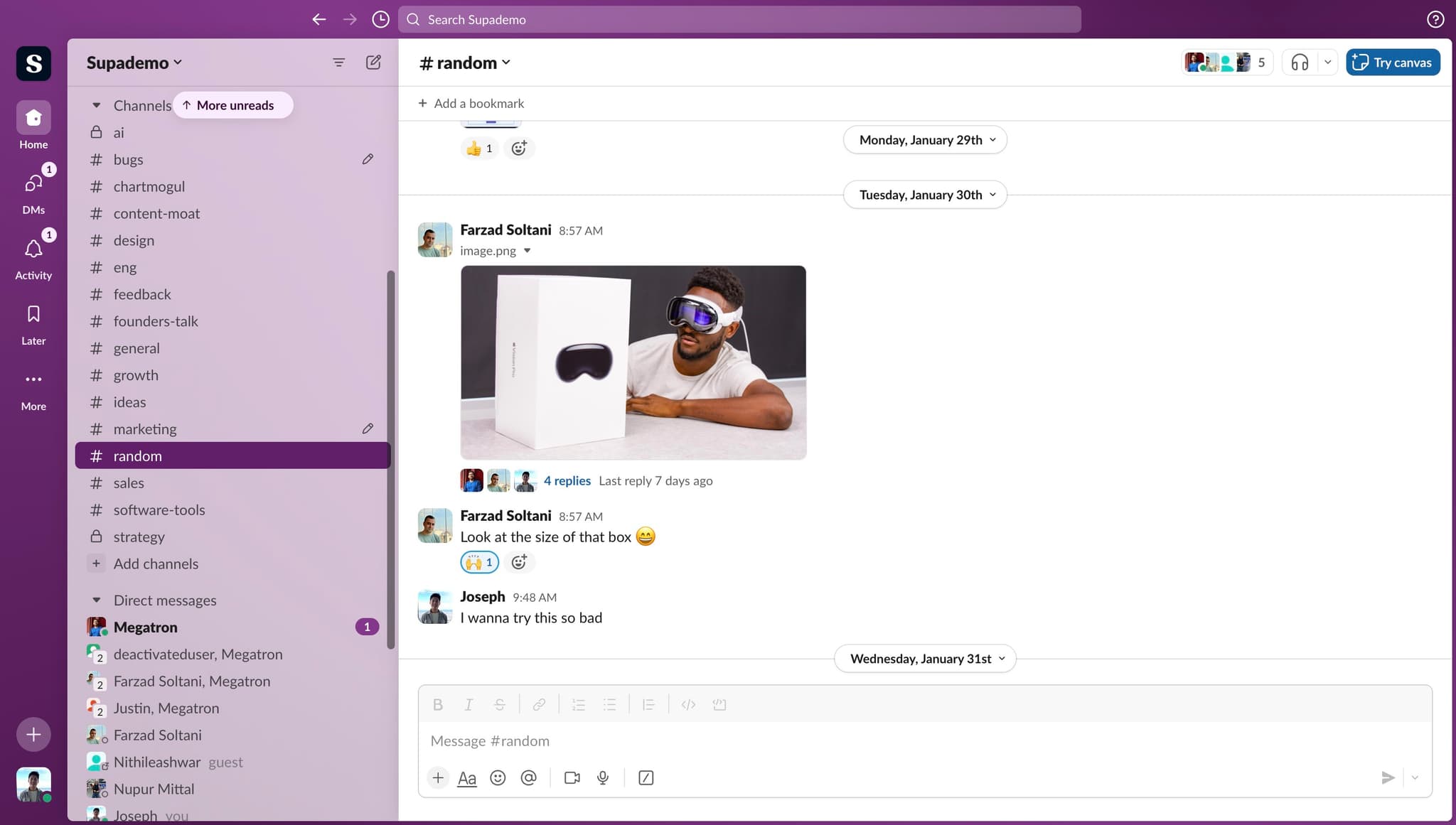
How to Delete a channel in Slack

Justin James
Justin James·
How to Delete a channel in Slack

Overview

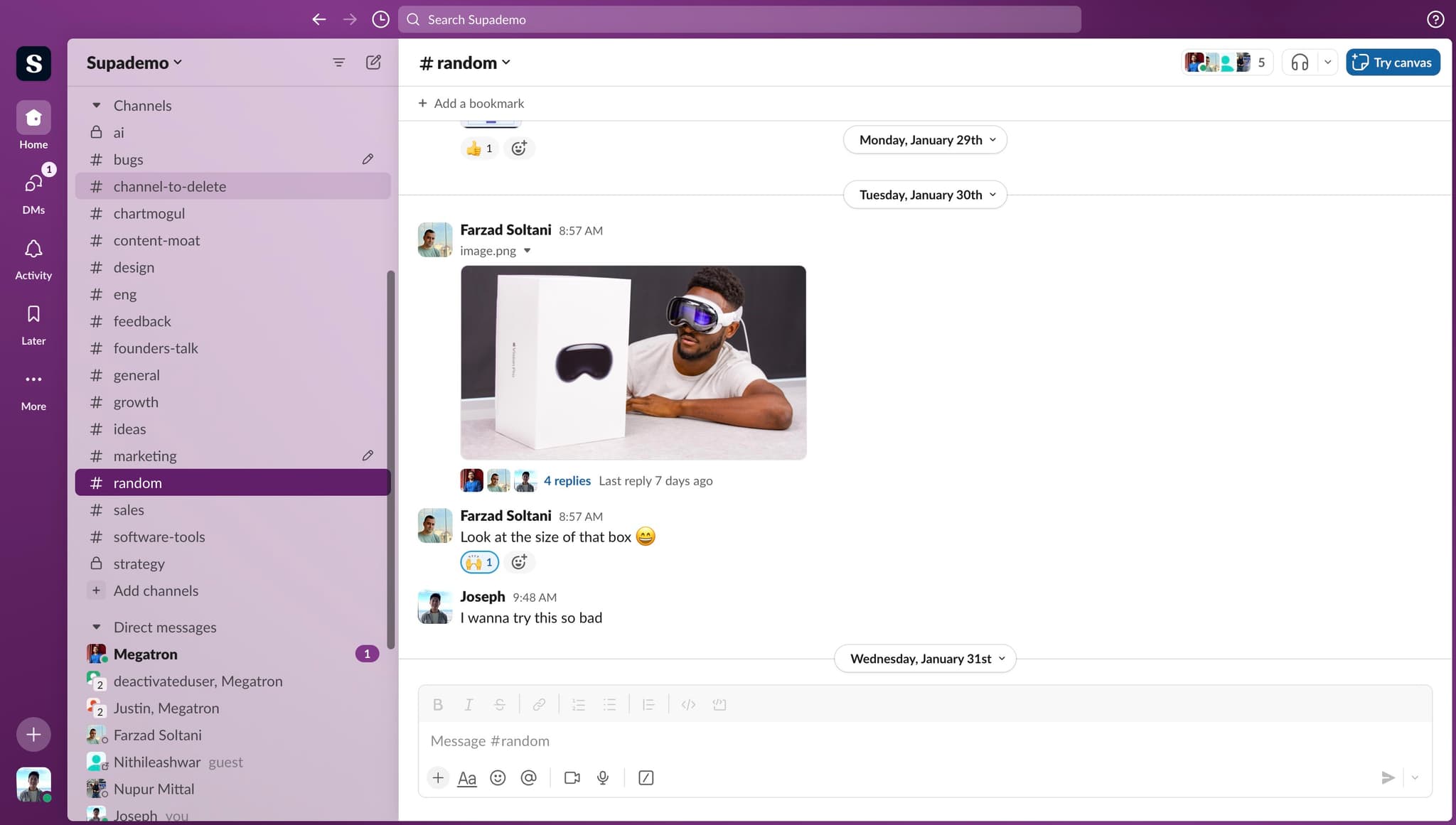
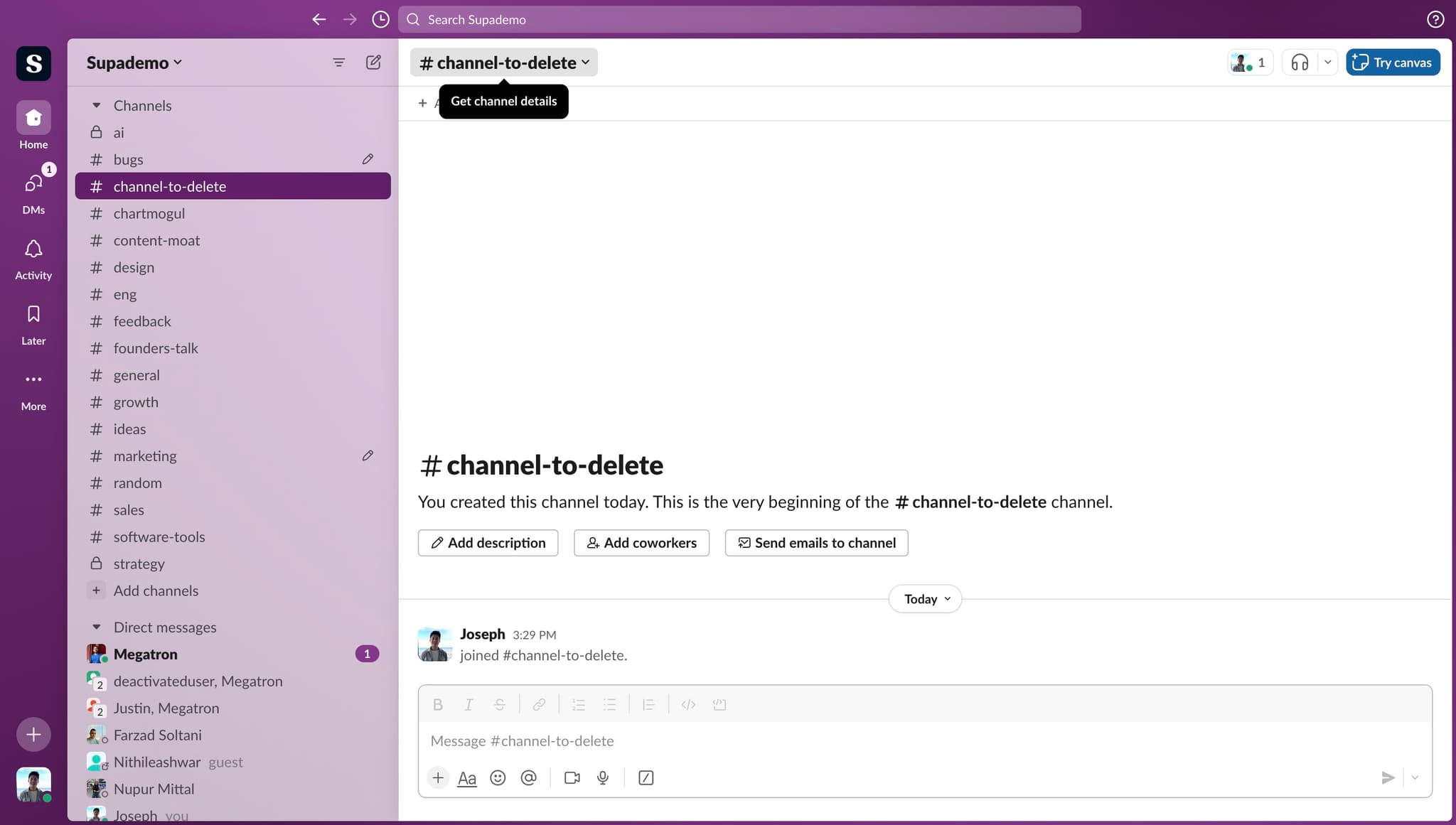
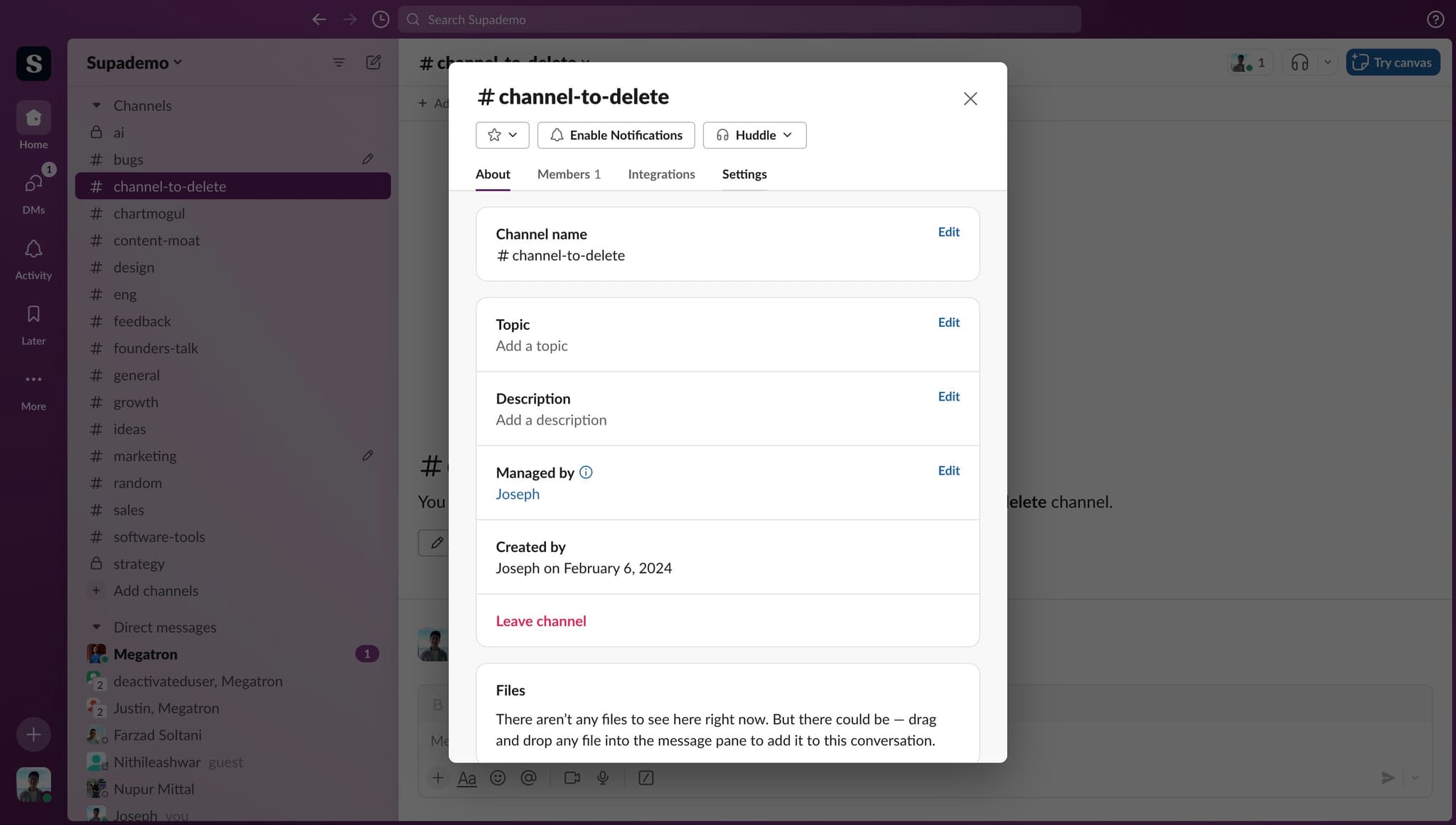
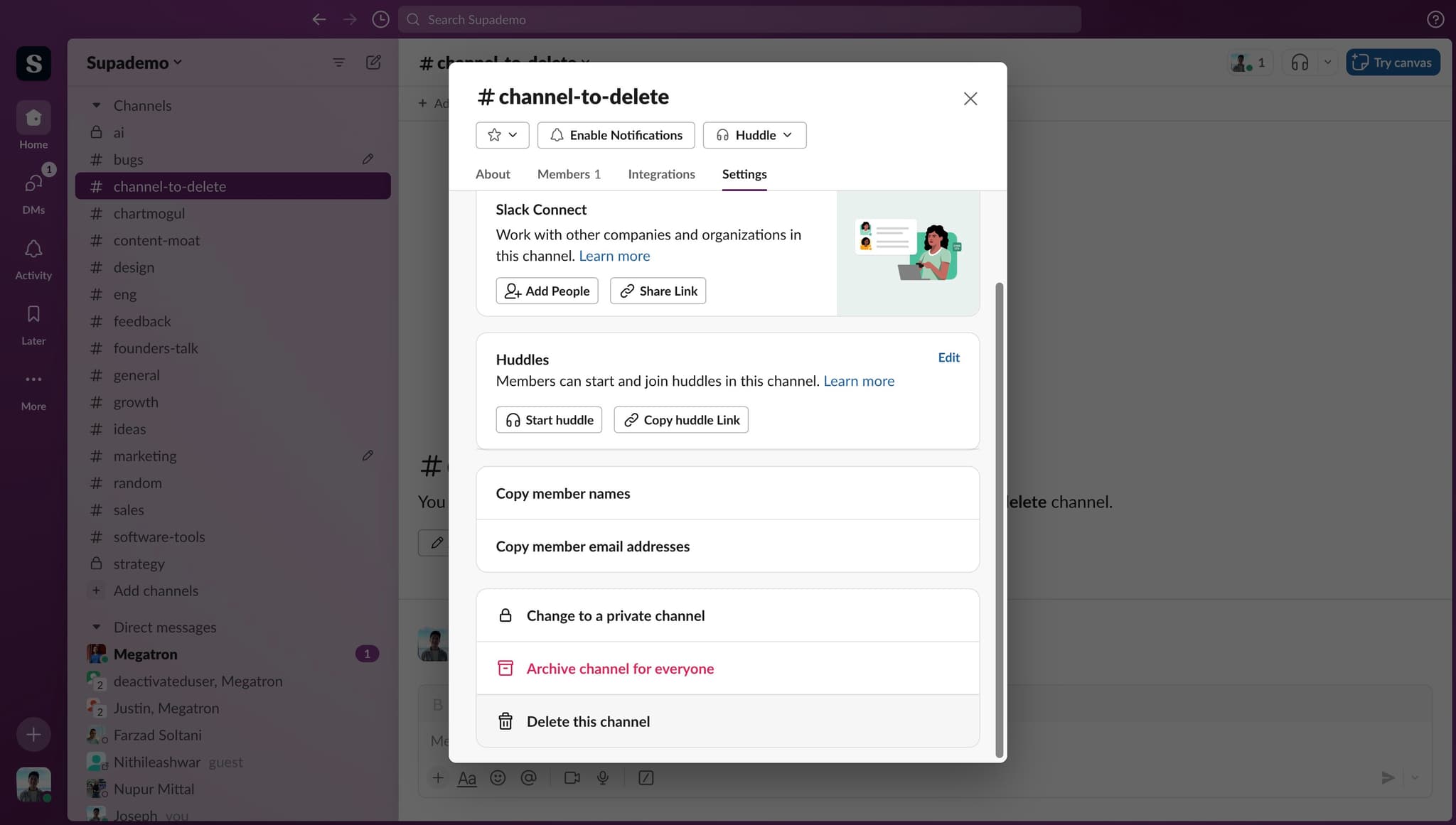
Embark on a channel-cleansing journey with ease! Discover the art of channel management as we unveil the secrets to effortlessly deleting unwanted channels in Slack, empowering you to declutter your workspace and streamline collaboration in a couple of clicks. This comprehensive guide provides you step by step instructions on how to Delete a channel in Slack.

Who is Slack best suited for?

Slack is best suited for a wide range of professionals, including Team Leaders, Remote Workers, and Customer Support Teams. For example, Team Leaders can use Slack for facilitating team communication and coordinating projects, Remote Workers can leverage it for staying connected and collaborating with their teams, and Customer Support Teams can use it for managing support requests and ensuring quick, efficient responses, all benefiting from Slack's real-time messaging and integration capabilities.

Step by step interactive walkthrough

Interactive demo powered by Supademo

Common FAQs on Slack

Commonly asked questions about this topic.

How do I create a new Slack workspace?

To create a new Slack workspace, go to the Slack website and click on “Create a new workspace.” Follow the prompts to enter your email address, verify it, and then provide details like your company name and workspace name. You’ll be guided through setting up channels and inviting team members.

How can I customize my Slack notifications?

To customize your Slack notifications, click on your profile picture in the top-right corner and select “Preferences.” Go to the “Notifications” tab, where you can adjust settings for direct messages, mentions, and keyword alerts. You can choose to receive notifications via desktop, mobile, or email and set notification preferences for different channels and threads.

How do I integrate apps and services with Slack?

To integrate apps and services with Slack, click on your workspace name in the top-left corner and select “Apps & integrations” from the menu. Browse or search for the app you want to add. Click on it and follow the instructions to install and authorize the app. Once integrated, you can use the app’s features directly within Slack, such as sending data or automating tasks.

Enjoyed this interactive product demo of Slack?

Create your own interactive product demo in minutes. Drive growth, scale enablement and supercharge product led-onboarding with Supademo.

Sign up for free here with no credit card required.

Frequently Asked Questions about how to delete a channel in slack

Commonly asked questions about this topic.

What permissions do I need to delete a Slack channel?

Most platforms offer role-based permissions that control who can view, edit, or admin your channel. Slack typically supports workspace-level, project-level, and item-level permissions. Review your sharing settings before collaborating with external stakeholders — default permissions may expose more data than intended. 68% of teams rate support and self-service impact from interactive demos as high or very high.

Can I back up channel data before deleting it in Slack?

Most platforms support exporting to CSV, PDF, or through API access for custom integrations. When sharing externally, consider whether the recipient needs a live view or a static snapshot — live links require account access while exports may go stale. For recurring reports, set up automated exports or scheduled summaries. For context, Supademo holds a 4.7/5 rating on G2 with top marks for ease of use. Teams save an average of 85% of the time previously spent on demo creation. Processmaker saved hundreds of hours by replacing manual demo processes with interactive walkthroughs.

Are there Slack channel deletion best practices?

Most modern platforms like Slack include starter templates for common use cases-vs-storylane-vs-supademo), including channel. Templates save setup time but should be customized to match your team's specific needs — default configurations rarely fit every workflow. Check Slack's template gallery or community library for options relevant to your industry. Over 150,000 professionals use Supademo to create and share best Arcade alternativess. 81% of teams rate onboarding impact from Supademo as high or very high.

What happens to my messages and files after I delete a Slack channel?

The biggest mistake is overcomplicating the setup — adding too many fields, views, or automations before validating the basic workflow. Another common issue is inconsistent naming conventions, which makes searching and filtering unreliable at scale. Finally, skipping regular reviews leads to outdated channel data that erodes team trust in the system. Supademo integrates with 30+ tools including HubSpot, Salesforce, Slack, and more. Teams save an average of 85% of the time previously spent on product demo video maker.

How can I create a step-by-step guide for deleting a channel in Slack?

The most effective guides combine brief written instructions with visual walkthroughs showing each click. Screen recording tools and interactive demo platforms can capture your exact workflow in Slack, creating guides that viewers navigate at their own pace. This approach reduces follow-up questions compared to static screenshots or long text documents. For context, over 150,000 professionals use Supademo to create interactive demos. Companies using interactive demos report an average 28% reduction in customer acquisition cost.

What should a well-structured channel include?

A strong channel includes clear labels, defined owners, status indicators, and relevant dates or milestones. Avoid including information that belongs elsewhere — keep each element focused on its core purpose. The right level of detail depends on your audience: executives need summaries while team leads need actionable specifics. Learn more about Supademo's features. 45% of teams adopted interactive demos specifically to solve onboarding friction.

How do I organize channels effectively before deletion?

Use a consistent layout with clear headings, logical groupings, and visual hierarchy. Keep individual items concise — if a channel element needs a paragraph of explanation, it probably should be broken into smaller pieces. Color-coding or tagging by category helps teams scan quickly without reading every detail. Learn more about product demonstration software. Bullhorn achieved 2x faster production and a 20% increase in demo engagement with Supademo.
Justin James

Justin James

Justin is a growth intern focused on content generation and marketing. He's passionate about making an impact across various startup roles.

More from the blog

How to Remove 'Powered by Shopify'

How to Remove 'Powered by Shopify'

Learn how to easily remove the 'Powered by Shopify' text from your online store with step-by-step instructions and tips to customize your Shopify storefront.

Vimal Kumar
Vimal KumarJan 3, 2026
How to Add Products to Shopify

How to Add Products to Shopify

Learn step-by-step how to add products to your Shopify store effortlessly, including tips on product details, images, pricing, and inventory management to boost your online sales.

Vimal Kumar
Vimal KumarDec 17, 2025
How to Deactivate Your Shopify Store

How to Deactivate Your Shopify Store

Learn step-by-step how to deactivate your Shopify store easily, including important considerations and tips to pause or close your shop without losing data.

Vimal Kumar
Vimal KumarDec 17, 2025
How to Remove 'Powered by Shopify'

How to Remove 'Powered by Shopify'

Learn how to easily remove the 'Powered by Shopify' text from your online store with step-by-step instructions and tips to customize your Shopify storefront.

Vimal Kumar
Vimal KumarDec 17, 2025
How to Create a Shopify Account

How to Create a Shopify Account

Learn step-by-step how to create a Shopify account quickly and easily, set up your online store, and start selling your products in no time.

Vimal Kumar
Vimal KumarDec 17, 2025
How to Create a Stripe Account

How to Create a Stripe Account

Learn how to create a Stripe account quickly and easily with our step-by-step guide, perfect for beginners looking to start accepting online payments.

Vimal Kumar
Vimal KumarDec 17, 2025