How to Embed Typeform in a Website

Vimal Kumar
Vimal Kumar·
How to Embed Typeform in a Website
Interactive demo powered by Supademo

1. First, open the form.

2. Following that, click on "Share".

3. After, click on Embed in a web page.

4. Then, configure the embed design and settings as per your needs.

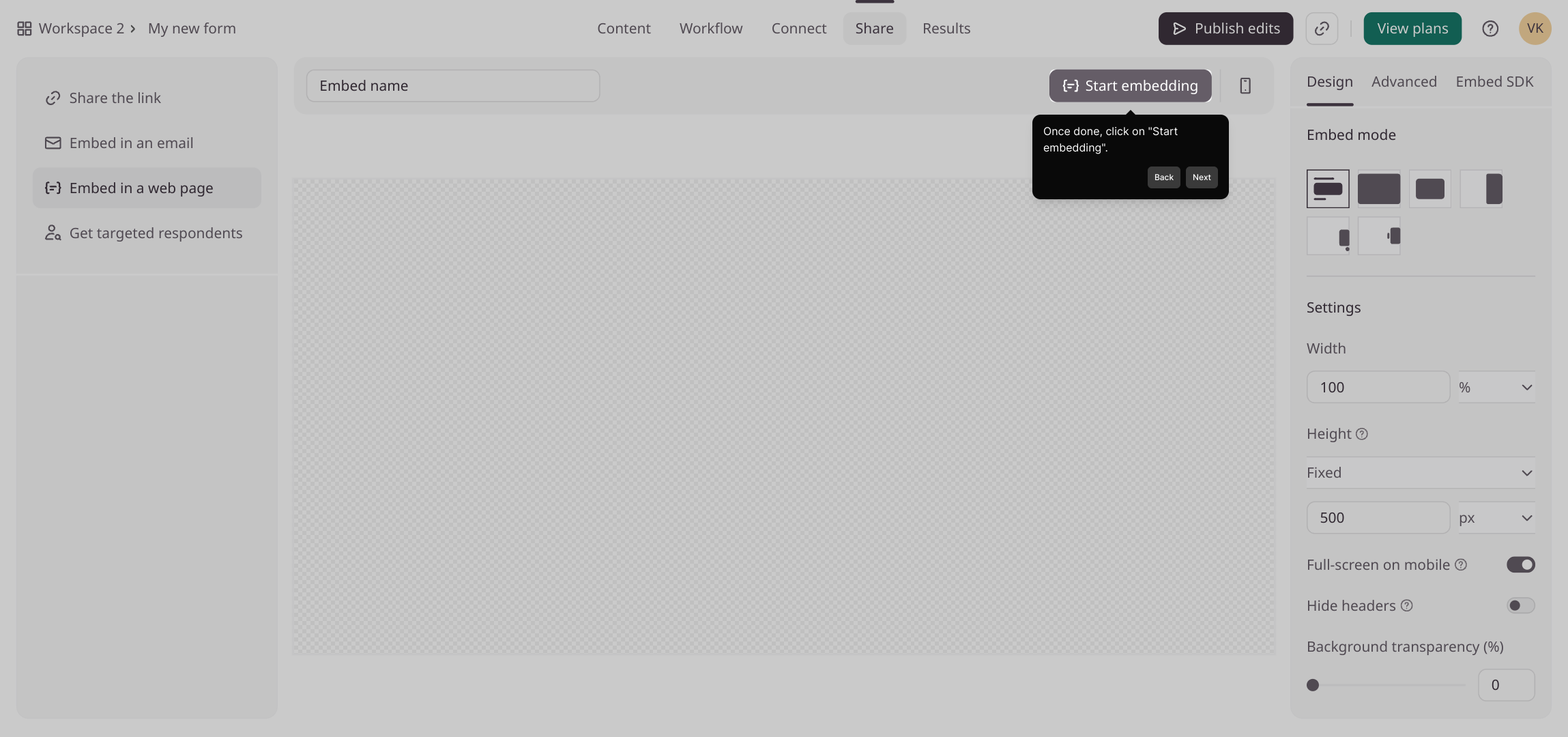
5. Once done, click on "Start embedding".

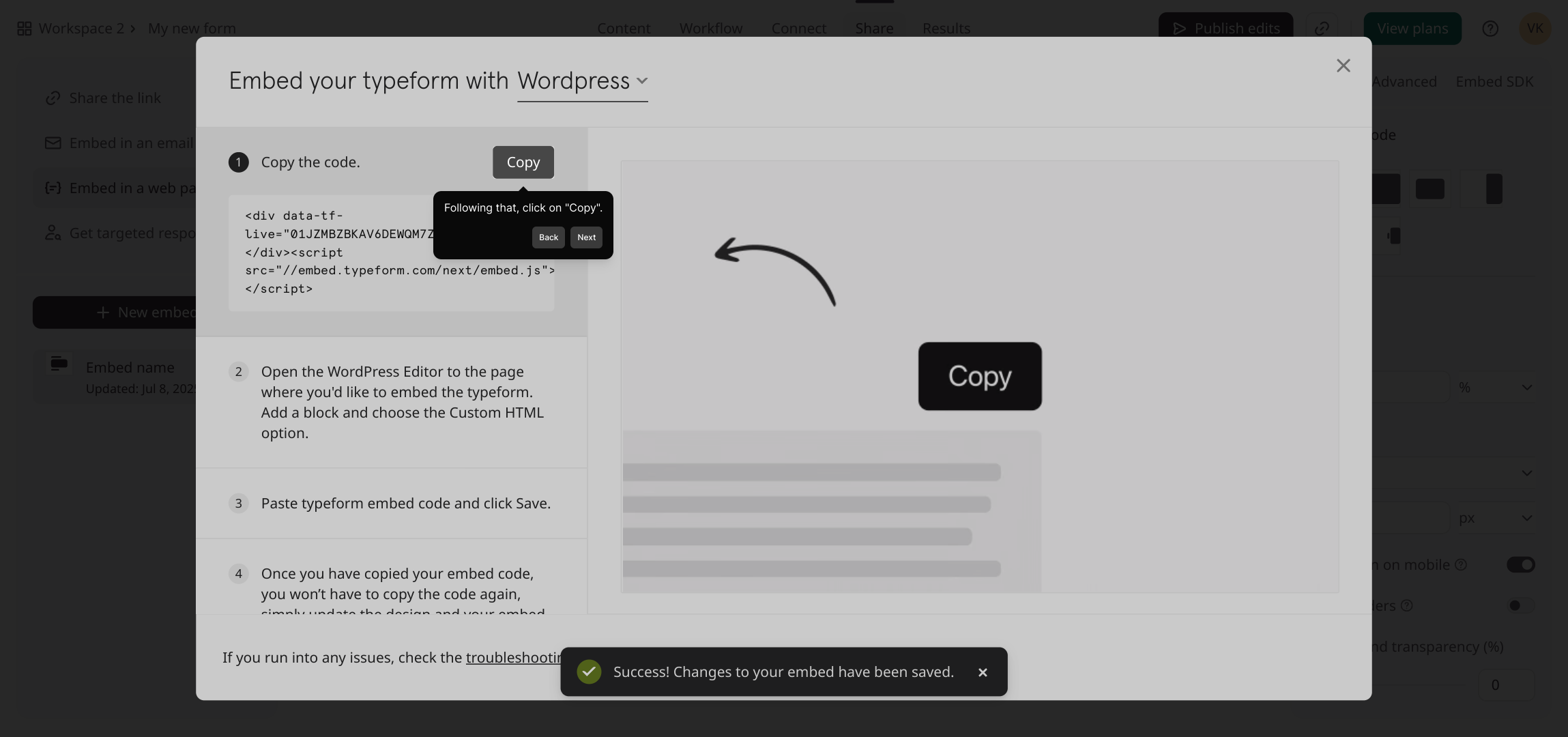
6. Following that, click on "Copy".

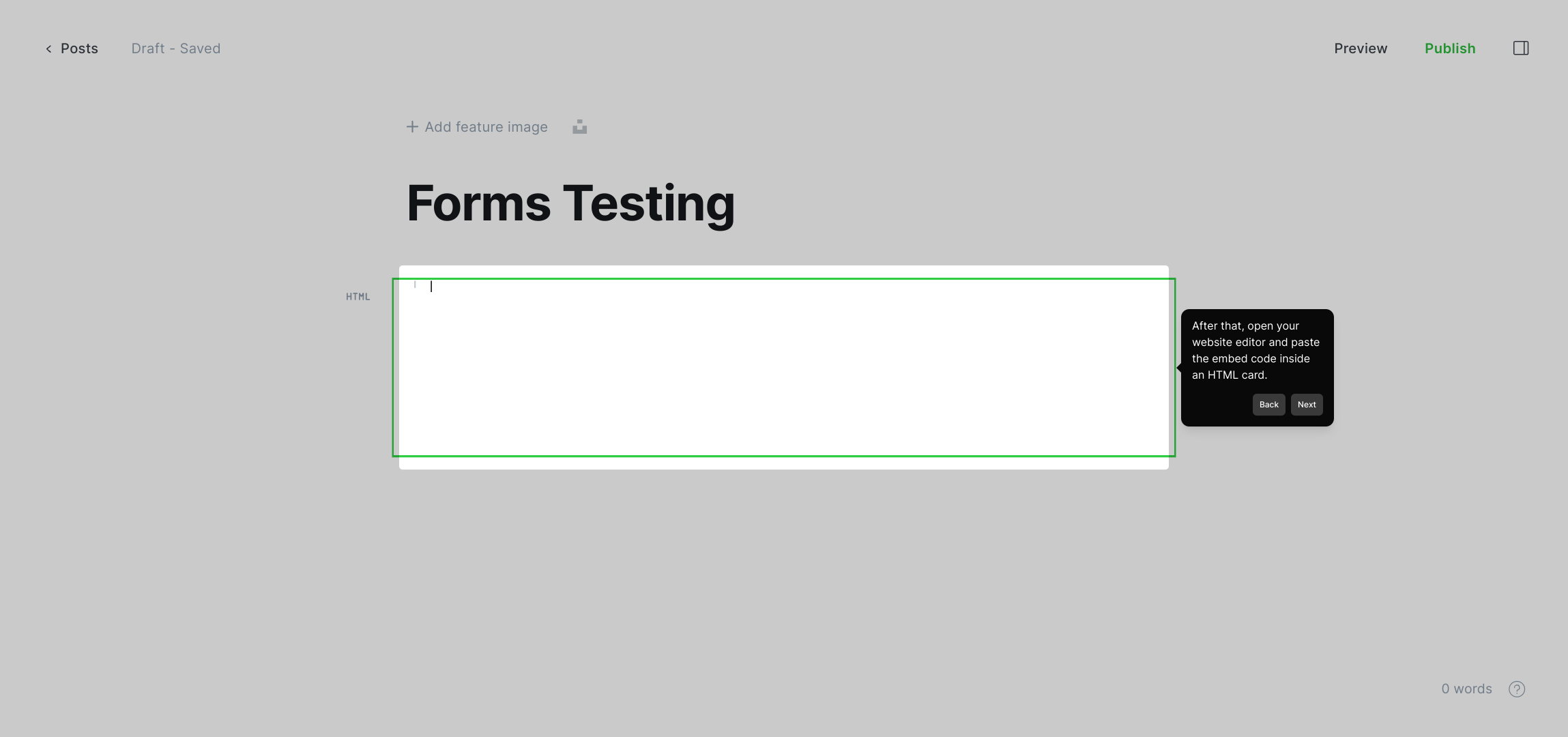
7. After that, open your website editor and paste the embed code inside an HTML card.

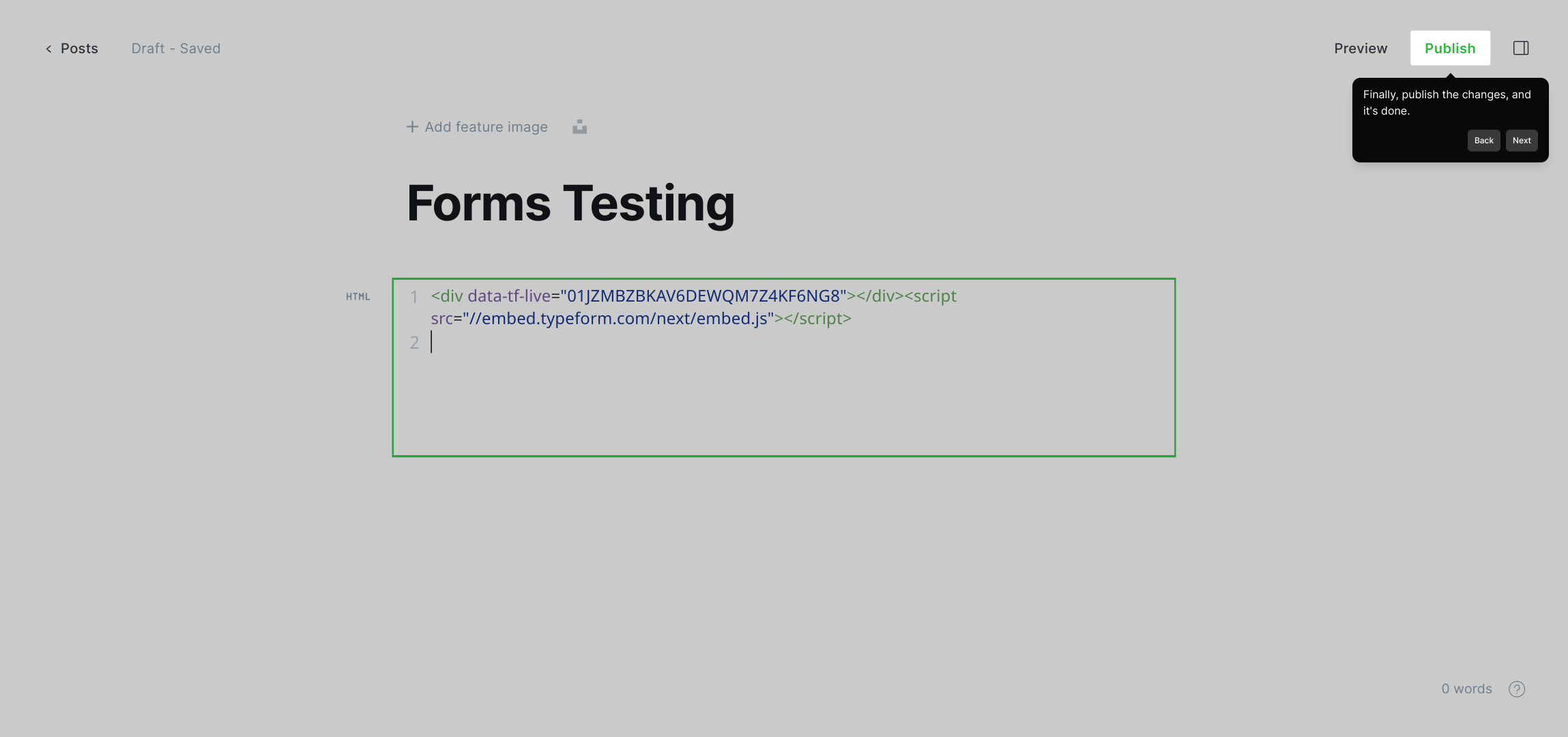
8. Finally, publish the changes, and it's done.

9. Create a Supademo in seconds

This interactive demo/guided walkthrough on How to Embed Typeform in a Website was created using Supademo.


How to Embed Typeform in a Website : Step-by-Step Guide

To get started, locate and open the form you want to work with in your Supademo dashboard. This will bring you to the workspace where you can begin managing your content.
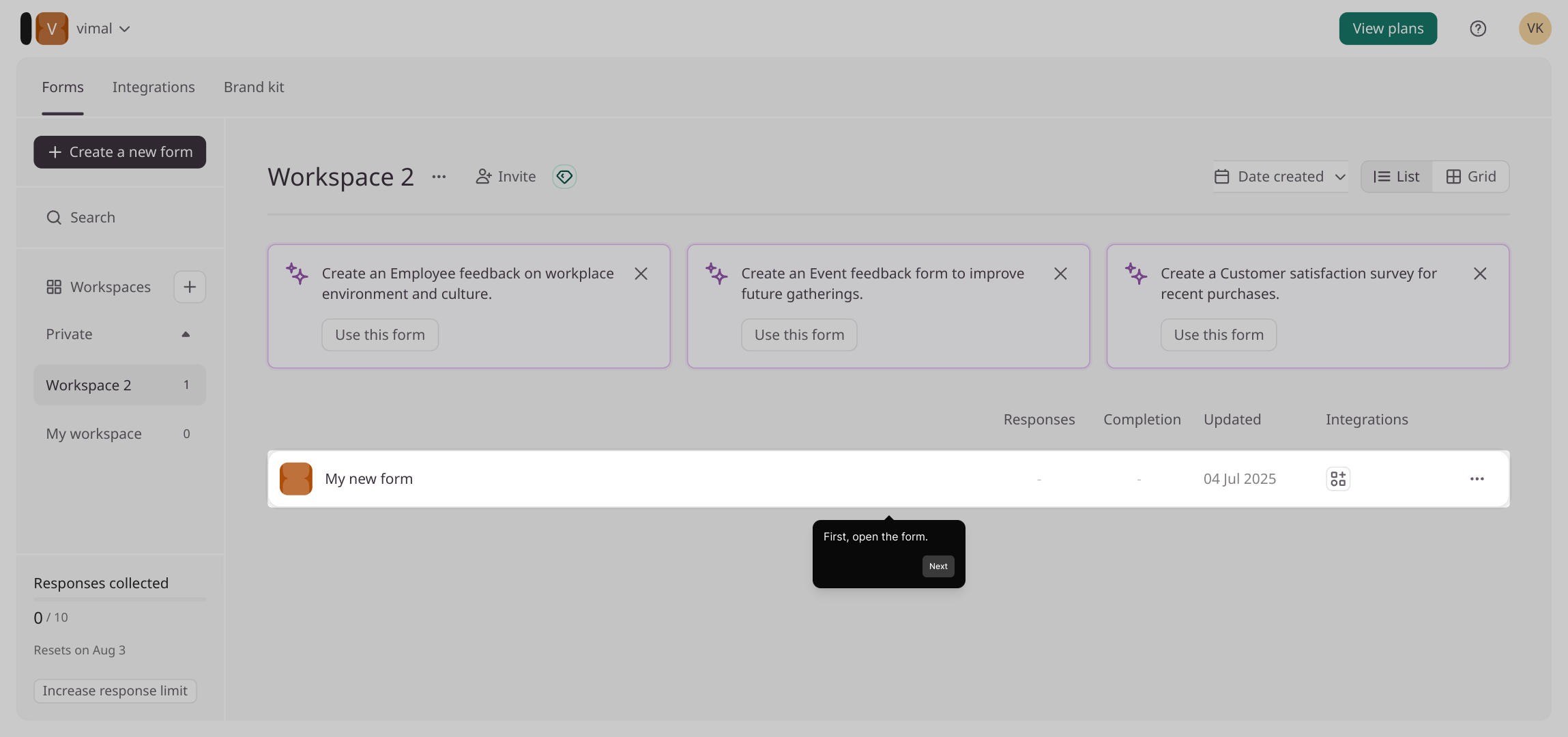
1

Next, look for the “Share” option within the form’s interface. Clicking this will open the sharing settings, allowing you to control how your form can be accessed or embedded.
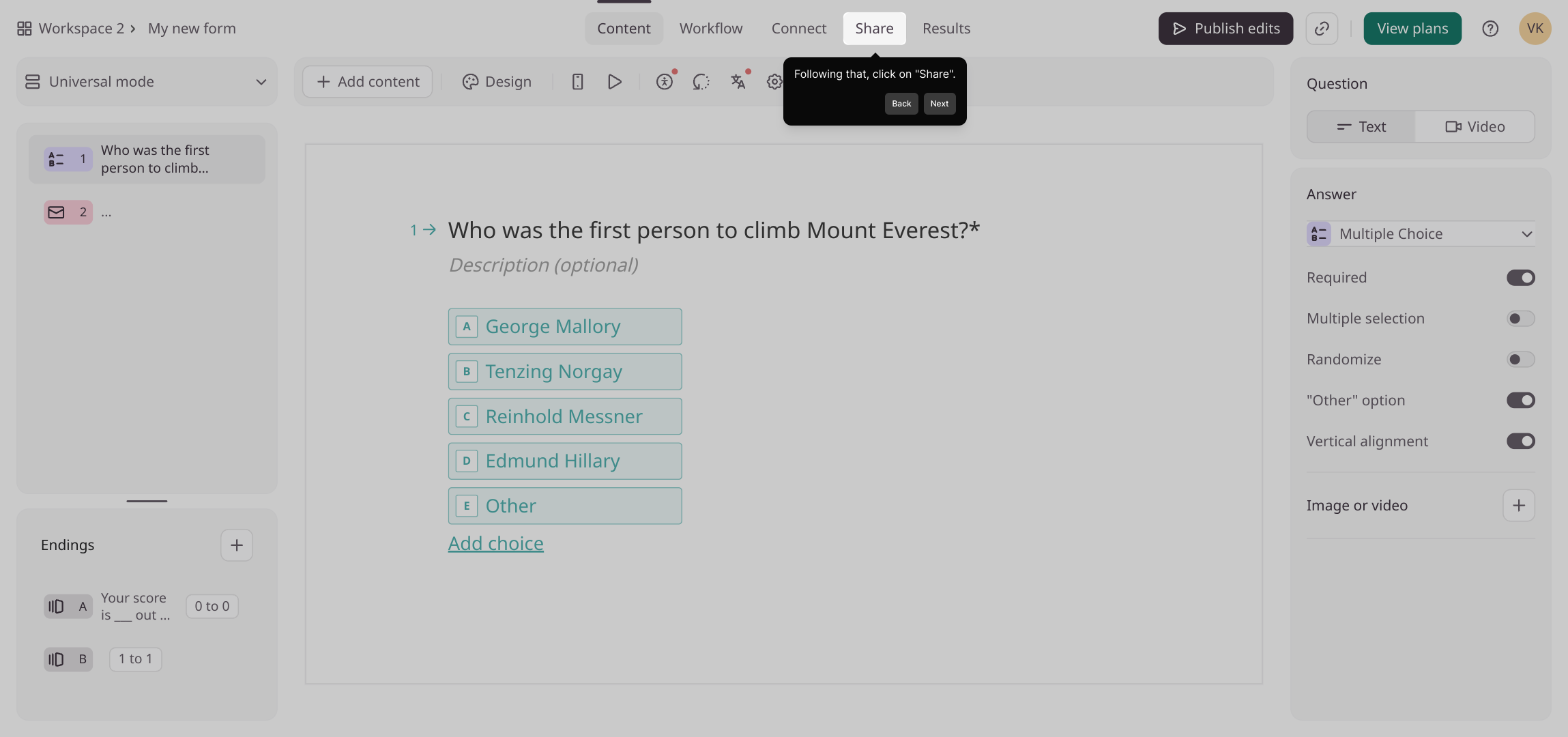
2

Once the sharing panel appears, select the option labeled Embed in a web page. This feature enables you to seamlessly insert your form into your own website or online platform.
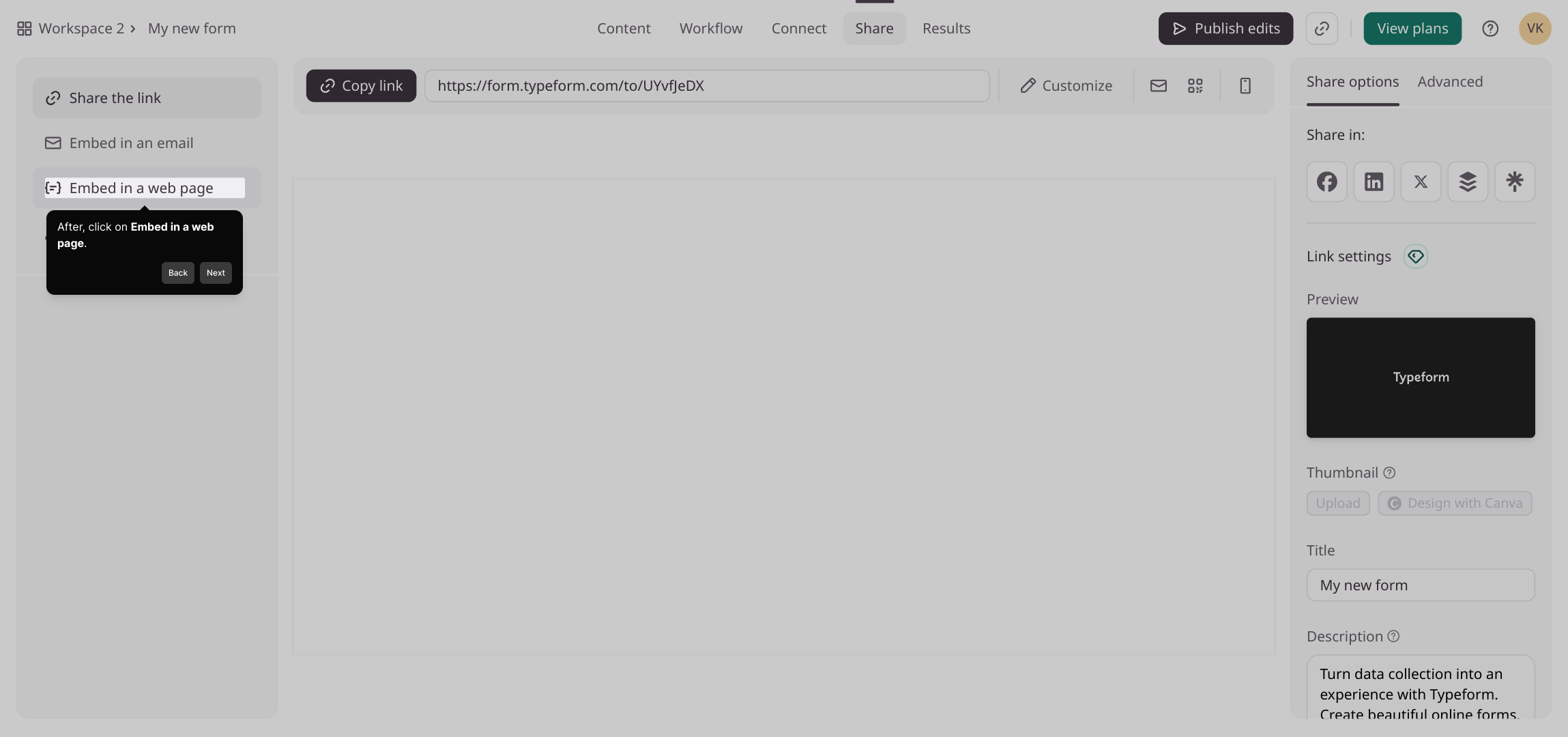
3

Here you can customize how the embedded form looks and behaves. Adjust the design elements and settings to match your site’s style and ensure the best user experience.
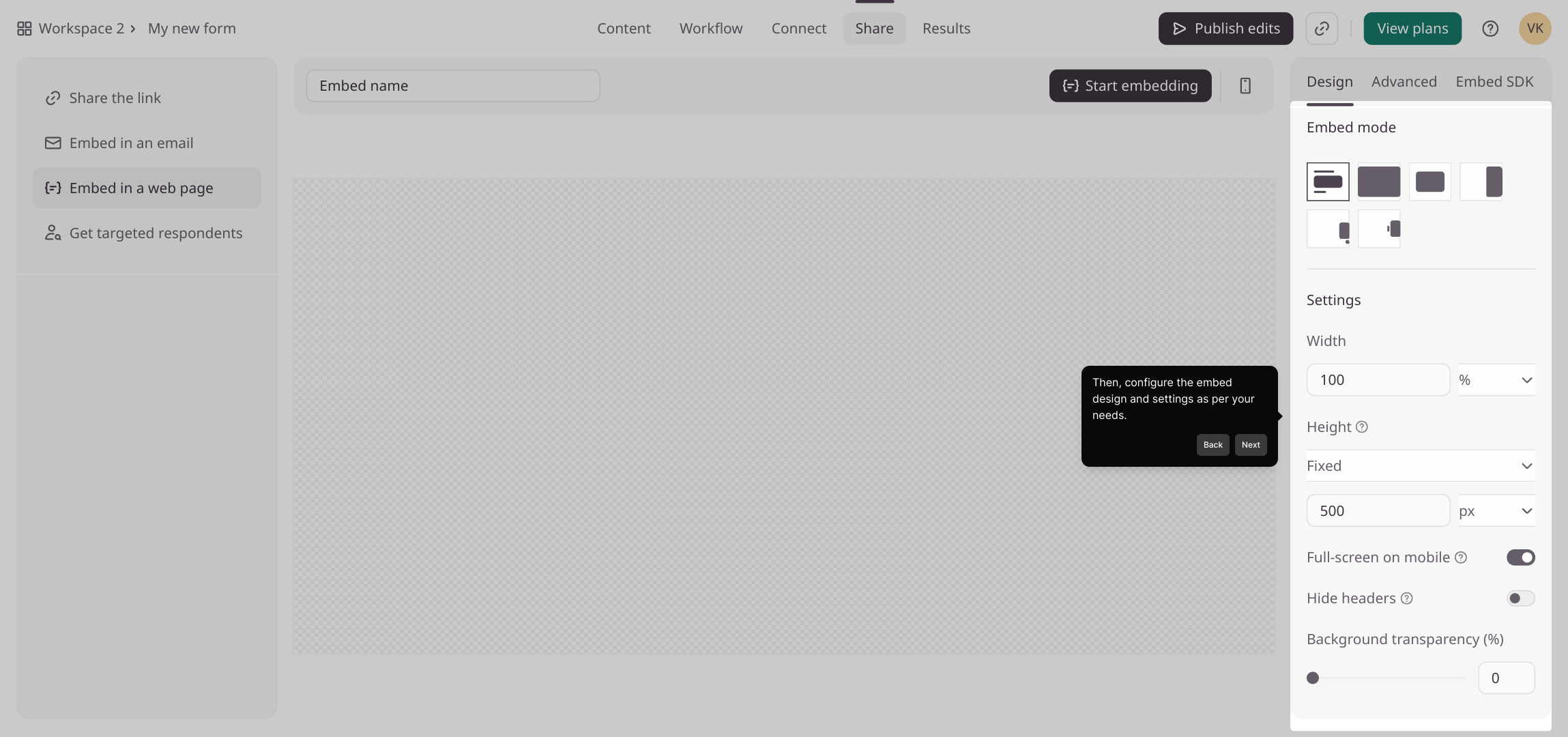
4

When you’re happy with your embed configuration, click the “Start embedding” button to generate the embed code for your form. This step prepares everything for integration.
5

In the next view, you’ll see the embed code ready for use. Click the “Copy” button to save this code to your clipboard—it’s what you’ll add to your website’s HTML.
6

Head over to your website editor and find the section where you can add custom HTML or embed content. Paste the copied code here to embed your form directly into the page.
7

Once the embed code is in place, publish or update your website to make the form live. Visitors will now be able to interact with your embedded form seamlessly.
8

And that’s it—you’ve successfully created and embedded your Supademo form! Enjoy the smooth integration and the new ways to engage your audience.

9

Create your own interactive demos in < 5 mins with Supademo

You can create your own interactive product demo in minutes using Supademo. Drive growth, scale enablement, and supercharge product-led onboarding with Supademo. Sign up for free here with no credit card required.


FAQs

Commonly asked questions about this topic.

What is Typeform?

Typeform is an online platform that allows you to create interactive forms, surveys, and quizzes with an engaging and user-friendly interface, designed to improve response rates and data collection.

How do I get the embed code from Typeform?

Log in to your Typeform account, open the desired form, click on “Share,” select “Embed in a web page,” customize your embed settings, then click “Start embedding” and copy the generated embed code.

Can I customize the appearance of the embedded Typeform?

Yes, Typeform lets you adjust size, layout, and appearance settings during the embedding process to ensure the form matches your website’s look and feel.

Is it possible to embed Typeform on any website?

Typeform embed codes work on most website platforms that support custom HTML embedding, such as WordPress, Wix, Squarespace, and many others.

What should I do if the Typeform doesn’t display correctly after embedding?

Check if the iframe code is correctly placed in your website’s HTML and ensure no conflicting CSS or script prevents it from rendering properly. Also, adjust height and width settings if necessary.

Can I embed multiple Typeforms on one webpage?

Yes, you can embed several Typeforms on a single page by inserting each embed code in separate HTML blocks; however, ensure the layout remains user-friendly and the load time is not affected.

Do I need to republish my website after embedding the Typeform?

Yes, after pasting the embed code into your website’s HTML editor, you must publish or update your site to make the form visible and functional for visitors.

What is Supademo and how does it help with embedding?

Supademo is a platform that enables you to create interactive guided demos like the one shown here, simplifying complex tasks such as embedding forms, offering a smoother onboarding experience.

Can I track Typeform submissions if the form is embedded?

Absolutely. Typeform tracks responses regardless of how the form is accessed, so embedded forms will still send submission data to your Typeform account dashboard.

Is embedding Typeform mobile-friendly?

Yes, Typeform embeds are responsive and designed to work well on mobile devices, ensuring usability across different screen sizes when properly configured.
Vimal Kumar
Vimal Kumar

Product Operations Associate

Vimal Kumar helps build and grow Supademo’s team and GTM efforts, with a focus on figuring out growth levers and improving product traction.


More from the blog

How to Add a Thank You Page in Typeform

How to Add a Thank You Page in Typeform

Learn how to easily add a custom Thank You page in Typeform to enhance user experience and boost engagement with our step-by-step guide.

Vimal Kumar
Vimal KumarSep 16, 2025
Featured image for How to embed Supademo on Webflow

How to embed Supademo on Webflow

Interactive Supademo Take your website to new heights of interactivity by embedding your demo on Webflow, engaging visitors with a captivating and immersive user experience.

Justin James
Justin JamesJul 18, 2023
Featured image for How to embed Supademo on Framer

How to embed Supademo on Framer

Interactive Supademo Discover the power of engaging user experiences by effortlessly embedding an interactive product demo on Framer. In Supademo 1) Choose the demo you want to embed.

Justin James
Justin JamesJul 20, 2023
Featured image for How to embed Supademo on Wordpress

How to embed Supademo on Wordpress

Step-by-step interactive Supademo Enhance your WordPress blog with the dynamic and engaging capabilities of Supademo, effortlessly embedding interactive demos to captivate and impress your audience.

Justin James
Justin JamesJul 20, 2023
Featured image for How to embed Supademo on Bubble

How to embed Supademo on Bubble

Interactive Supademo Elevate your app-building experience on Bubble by effortlessly embedding your interactive demo, captivating users with immersive functionality and design.

Justin James
Justin JamesJul 20, 2023
Featured image for How to embed iFrame in Airtable

How to embed iFrame in Airtable

Overview: Enhance your Airtable experience by seamlessly embedding Supademo to optimize your workflow. This guide offers a straightforward process to integrate Supademo, allowing for a smoother and...

Nithil Shanmugam
Nithil ShanmugamFeb 6, 2024

