
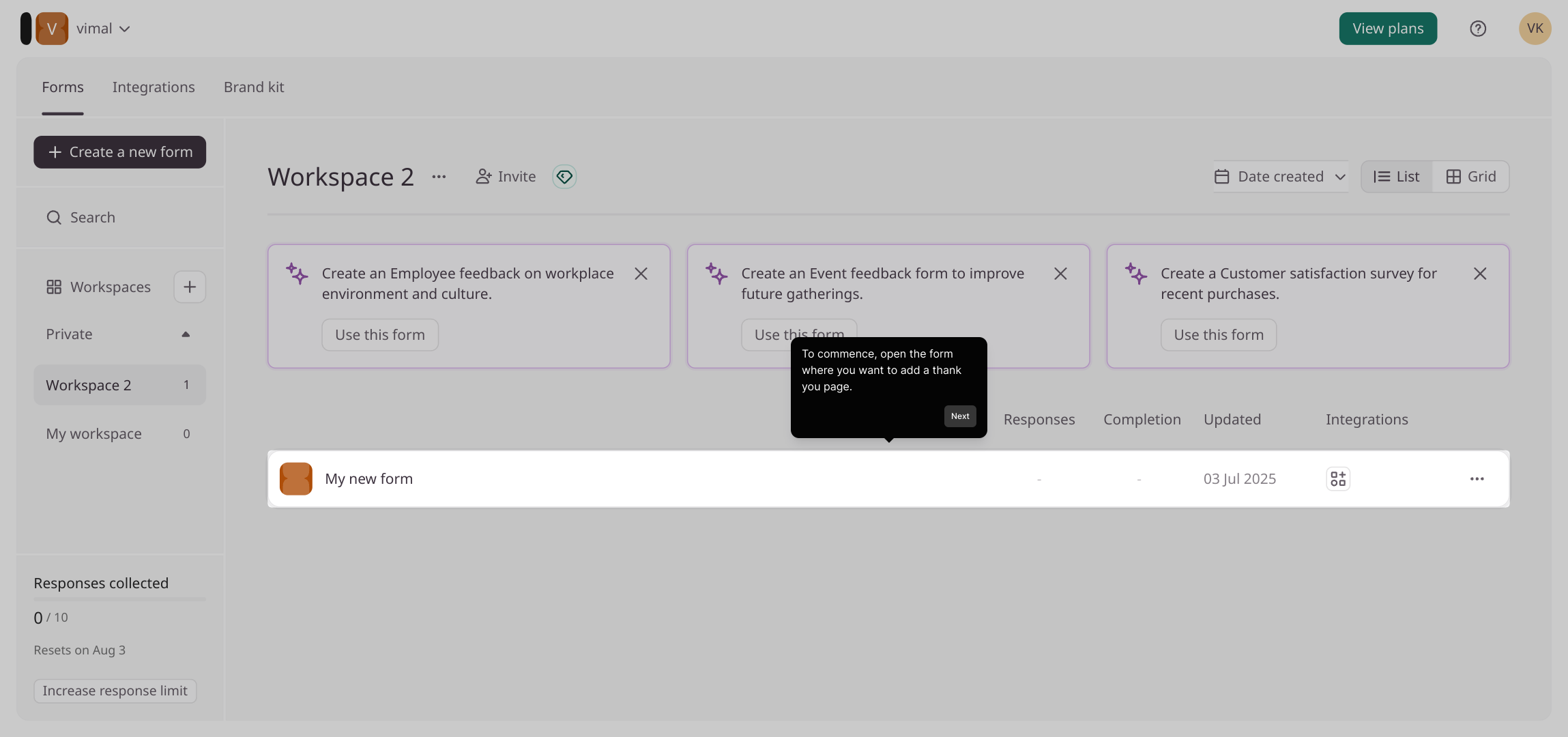
1. To commence, open the form where you want to add a thank you page.
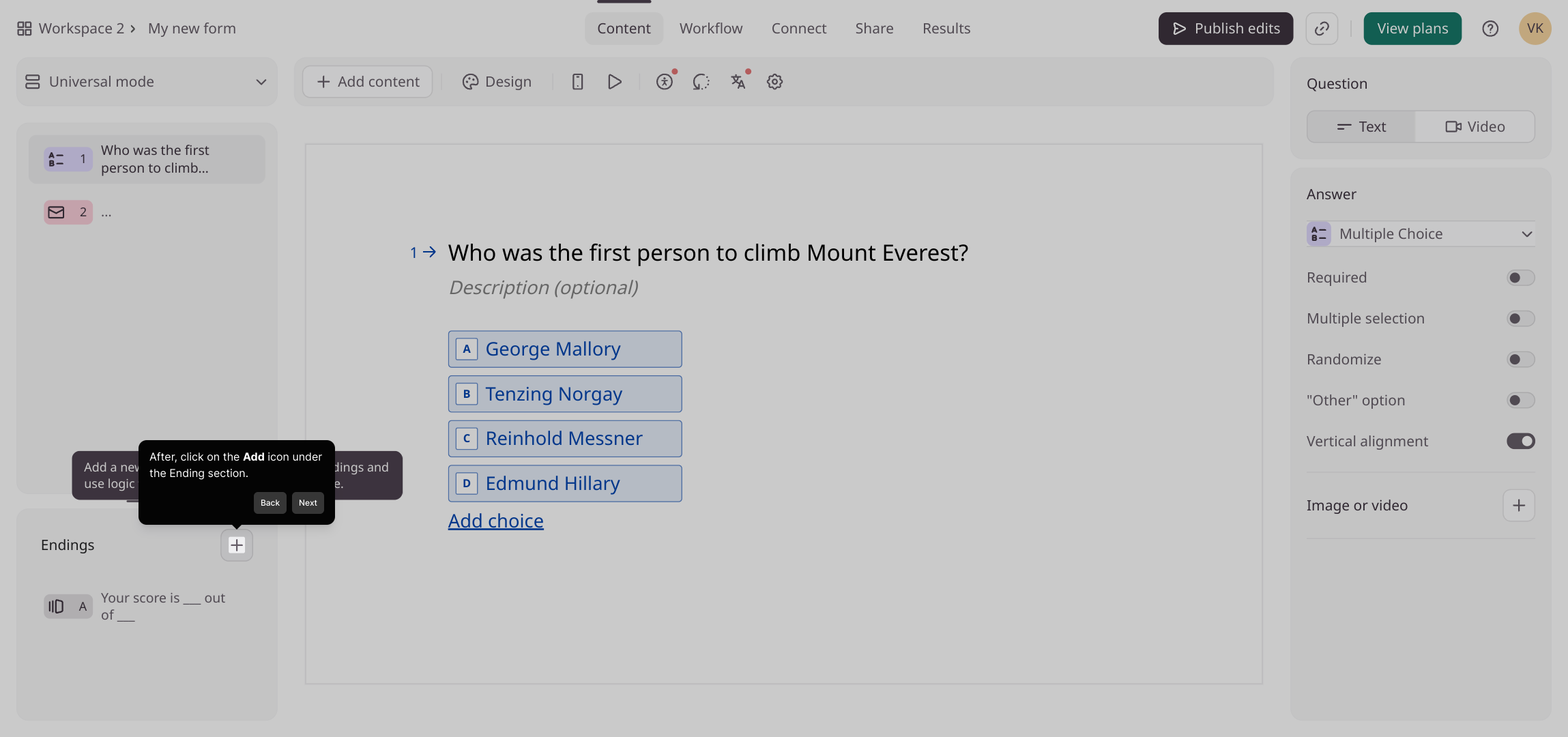
2. After, click on the Add icon under the Ending section.
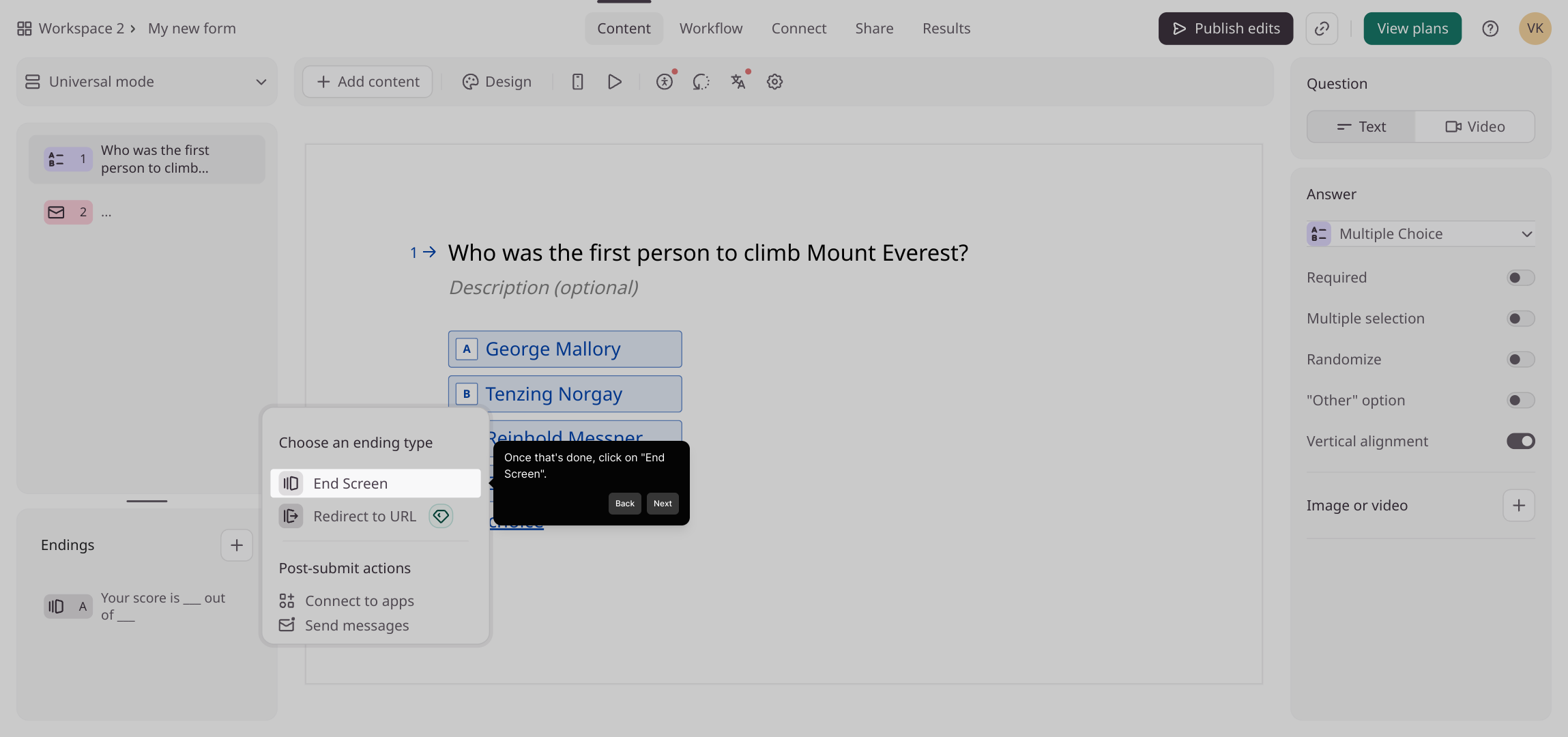
3. Once that's done, click on "End Screen".
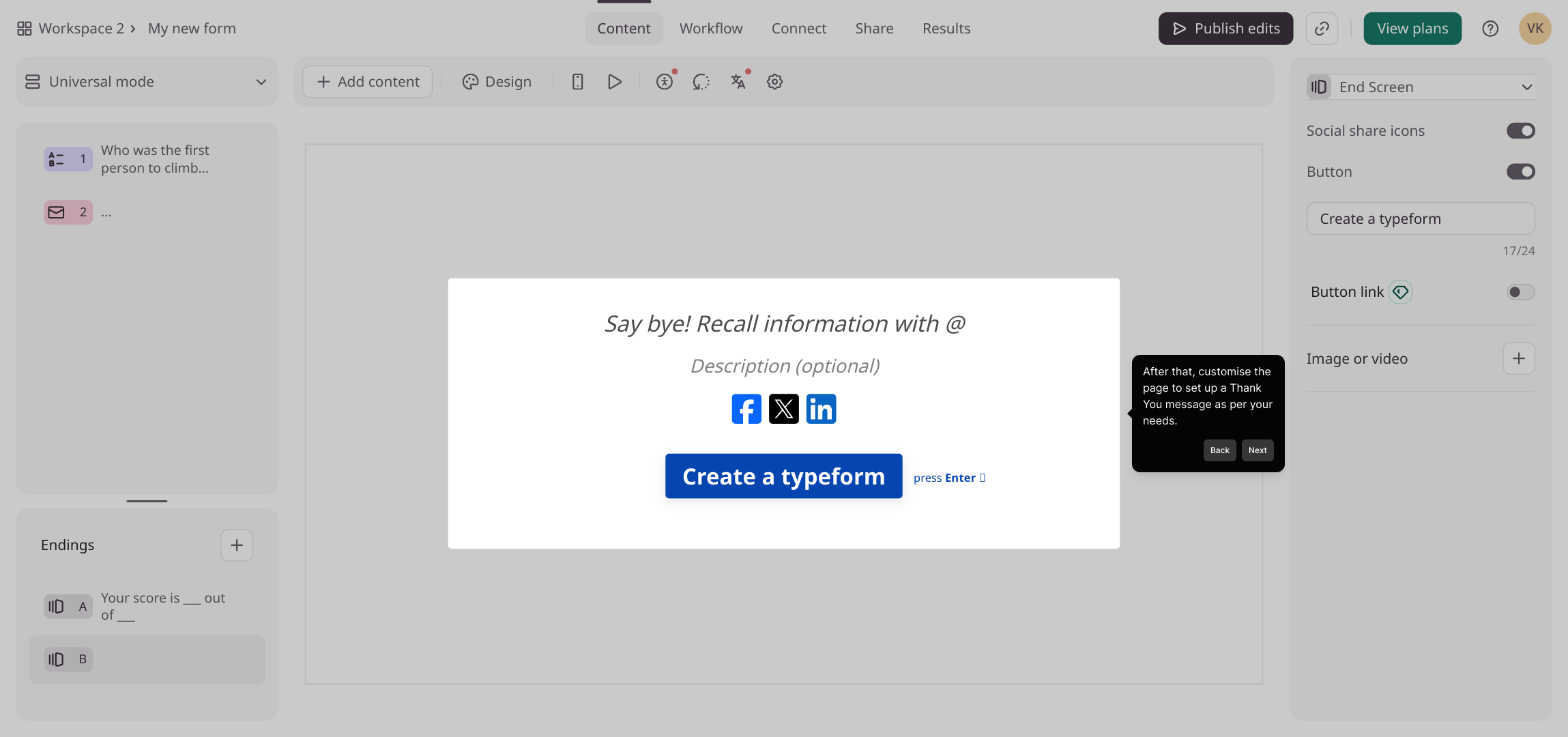
4. After that, customise the page to set up a Thank You message as per your needs.
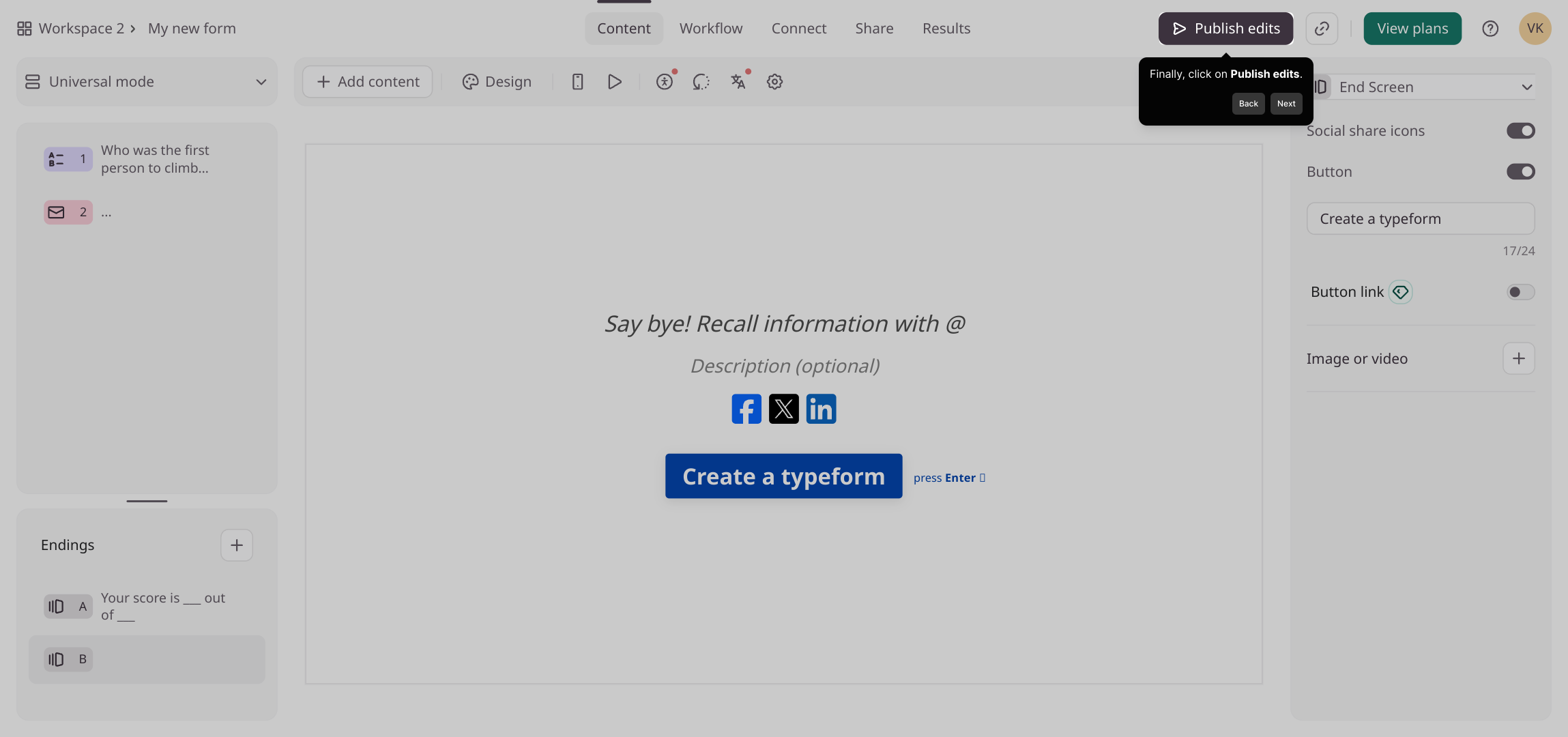
5. Finally, click on Publish edits.
6. Create a Supademo in seconds
This interactive demo/guided walkthrough on How to Add a Thank You Page in Typeform was created using Supademo.
How to Add a Thank You Page in Typeform : Step-by-Step Guide
Begin by navigating to the form where you would like to add a personalized thank you page. This is the first step towards enhancing the user experience once someone completes your form.
Next, look for the Ending section within the form editor. Here, you’ll find an Add icon—clicking this will allow you to insert additional elements that appear after the form is submitted.
Once the options expand, select the "End Screen" option. Choosing this will open the interface where you can design the final screen your form visitors will see.
Now it’s time to customize your Thank You page. Modify the text and layout here to convey a message that feels warm, professional, and aligned with your brand’s voice.
After reviewing your changes and making sure everything looks great, confirm your updates by clicking the Publish edits button. This will make the new thank you page live on your form.
With your thank you page set up, you’re ready to create and share your Supademo quickly and effortlessly with your audience.

Create your own interactive demos in < 5 mins with Supademo
You can create your own interactive product demo in minutes using Supademo. Drive growth, scale enablement, and supercharge product-led onboarding with Supademo. Sign up for free here with no credit card required.
FAQs
Commonly asked questions about this topic.
What is a Thank You page in Typeform?
Can I fully customize the Thank You page content?
Where do I find the option to add a Thank You page?
Is it possible to add multimedia on the Thank You page?
Do I need to publish the form after adding the Thank You page?
Can I edit the Thank You page after publishing?
What if I want to redirect users from the Thank You page?
Does adding a Thank You page impact form performance?
Can I use Supademo to create a demo for this setup?
Is the Thank You page feature available on all Typeform plans?

Product Operations Associate
Vimal Kumar helps build and grow Supademo’s team and GTM efforts, with a focus on figuring out growth levers and improving product traction.


