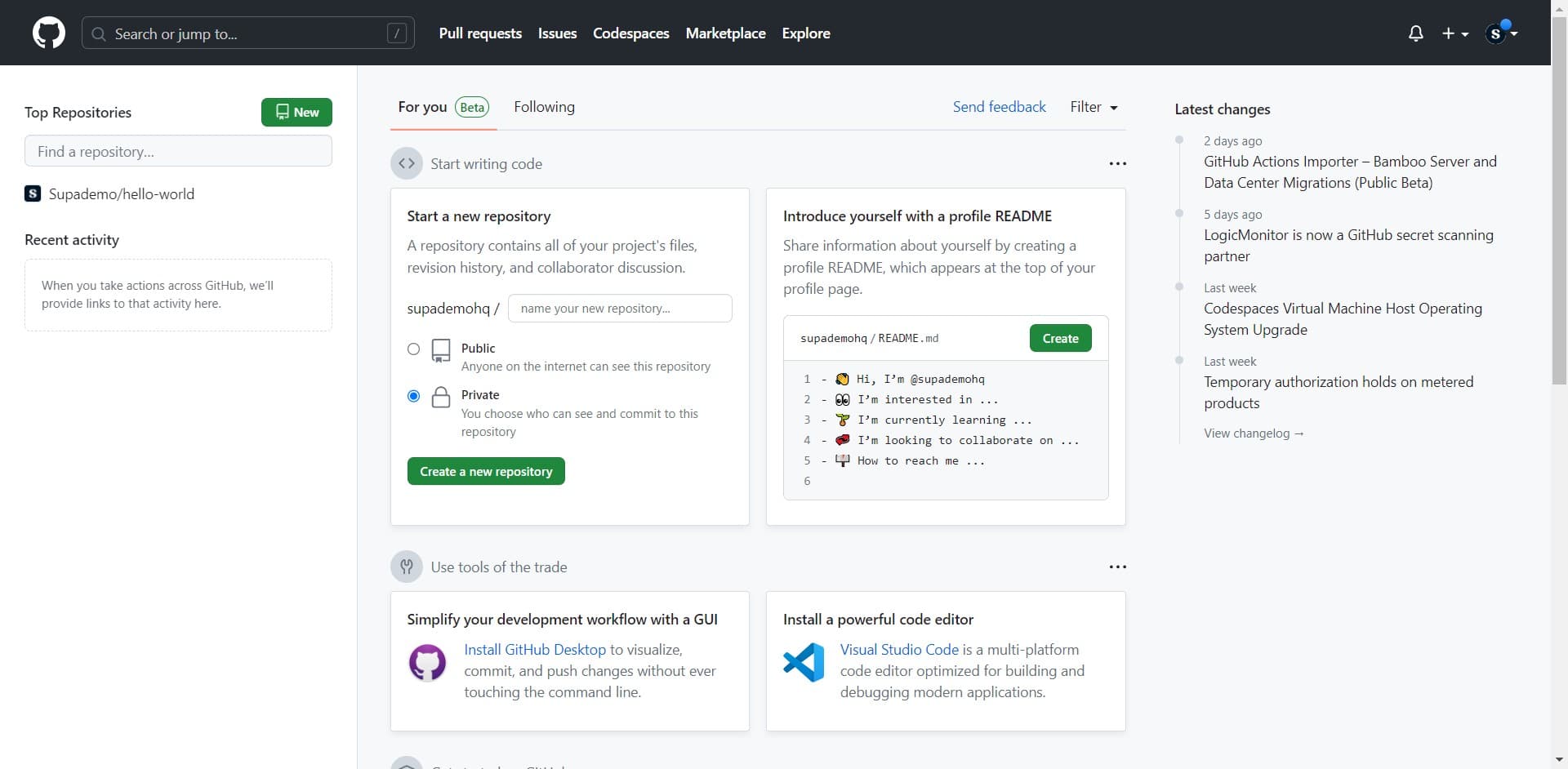
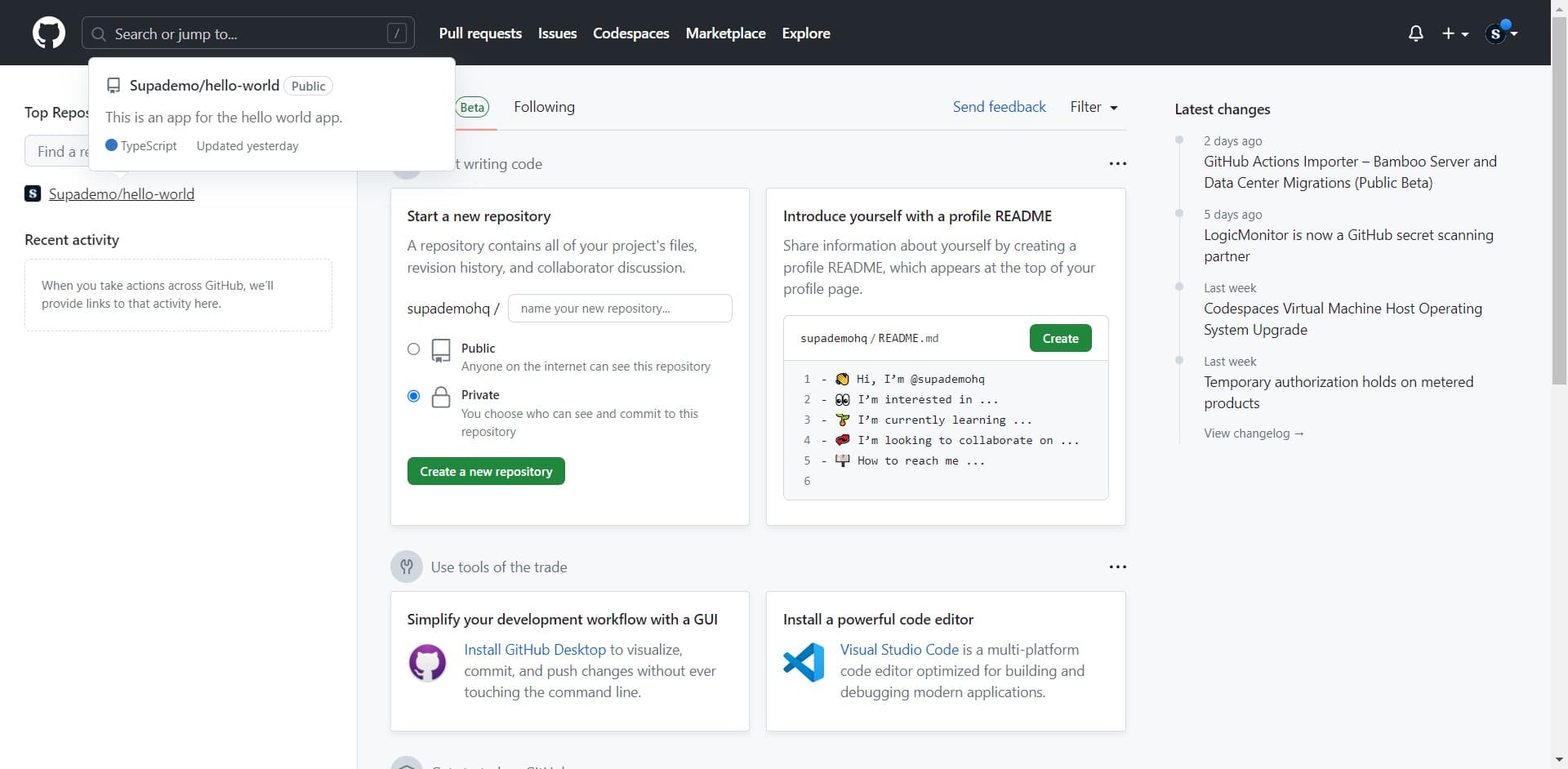
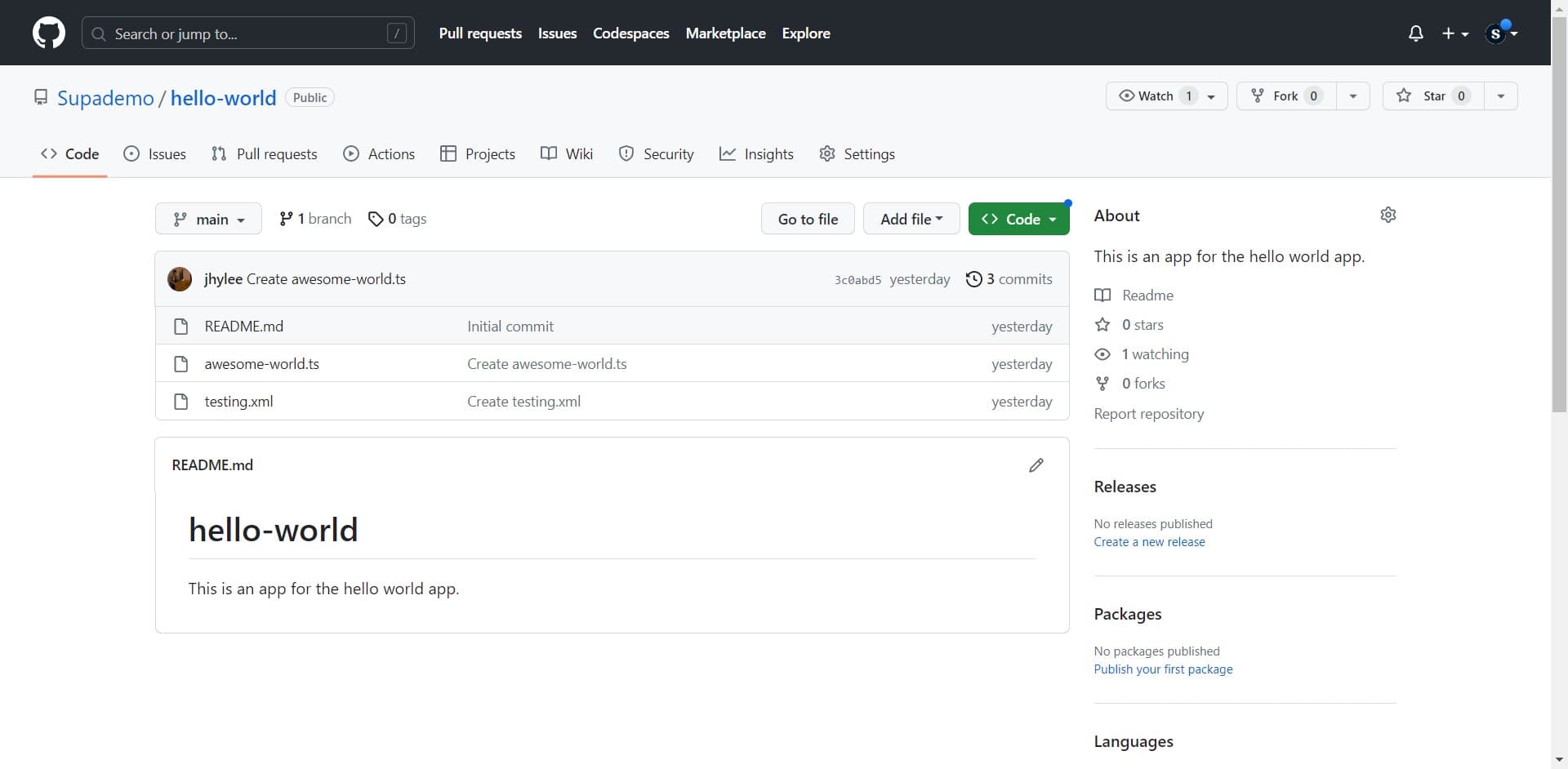
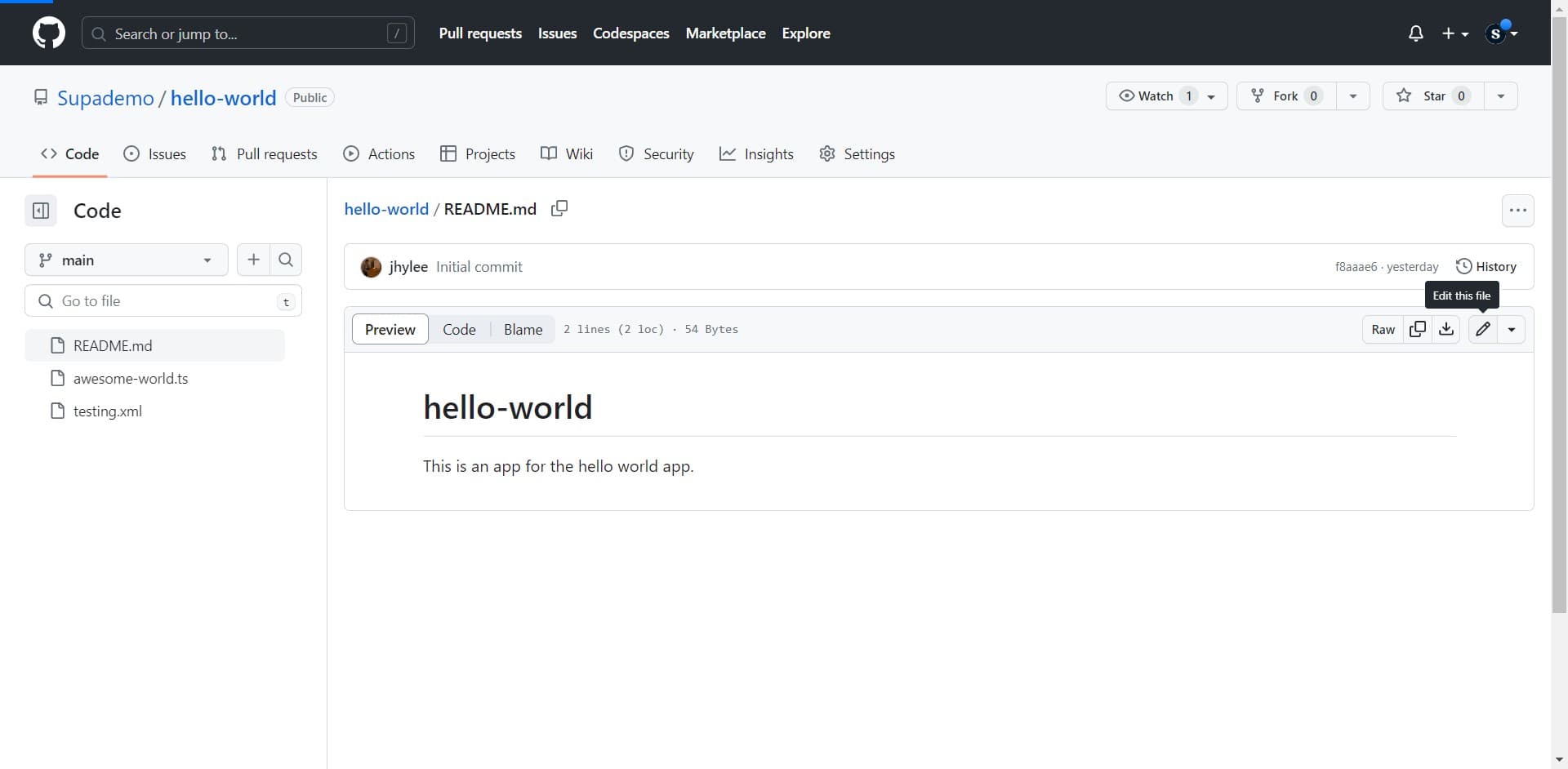
How to Rename a File in GitHub

Justin James
Justin James·
How to Rename a File in GitHub

Overview

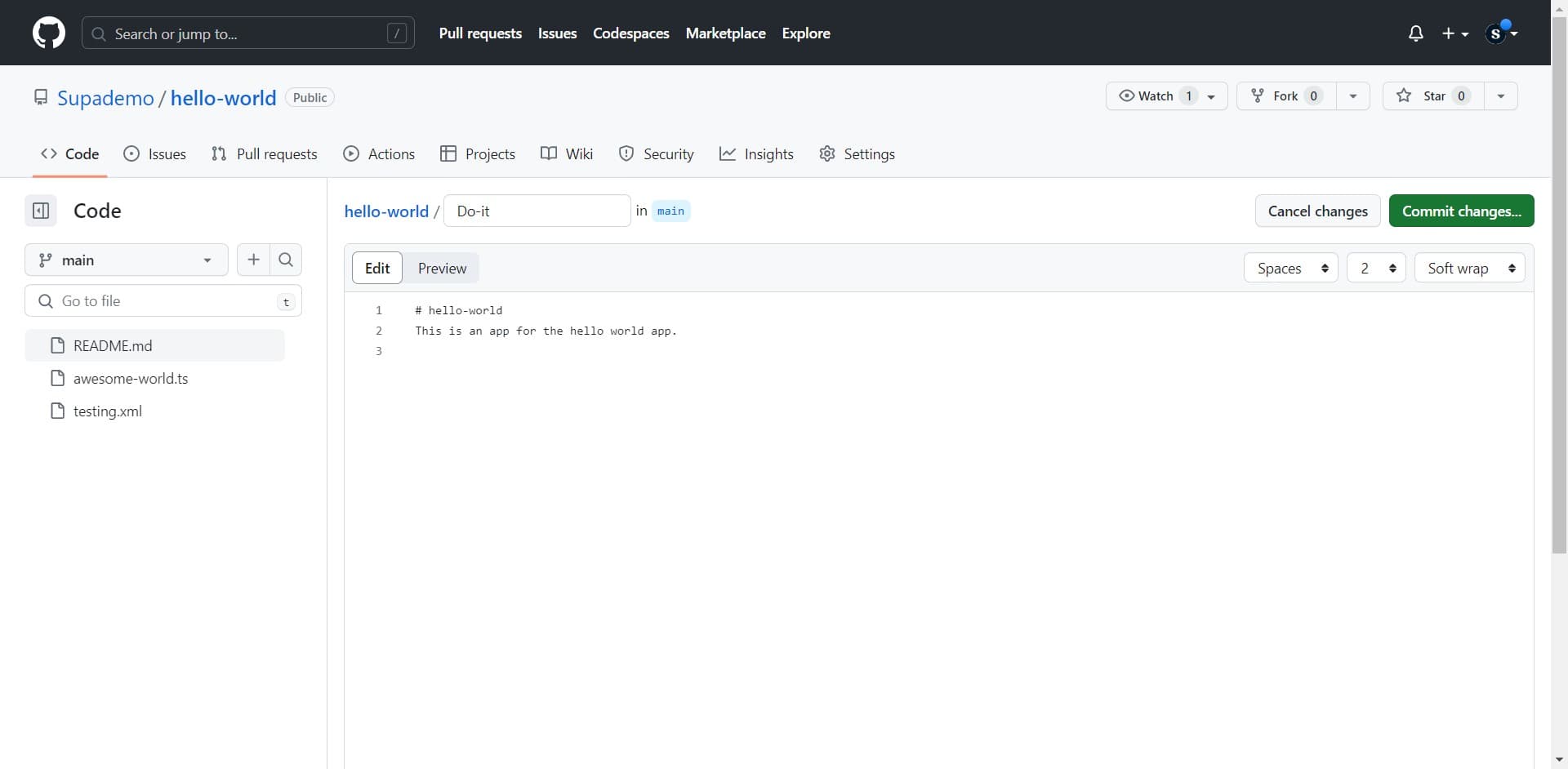
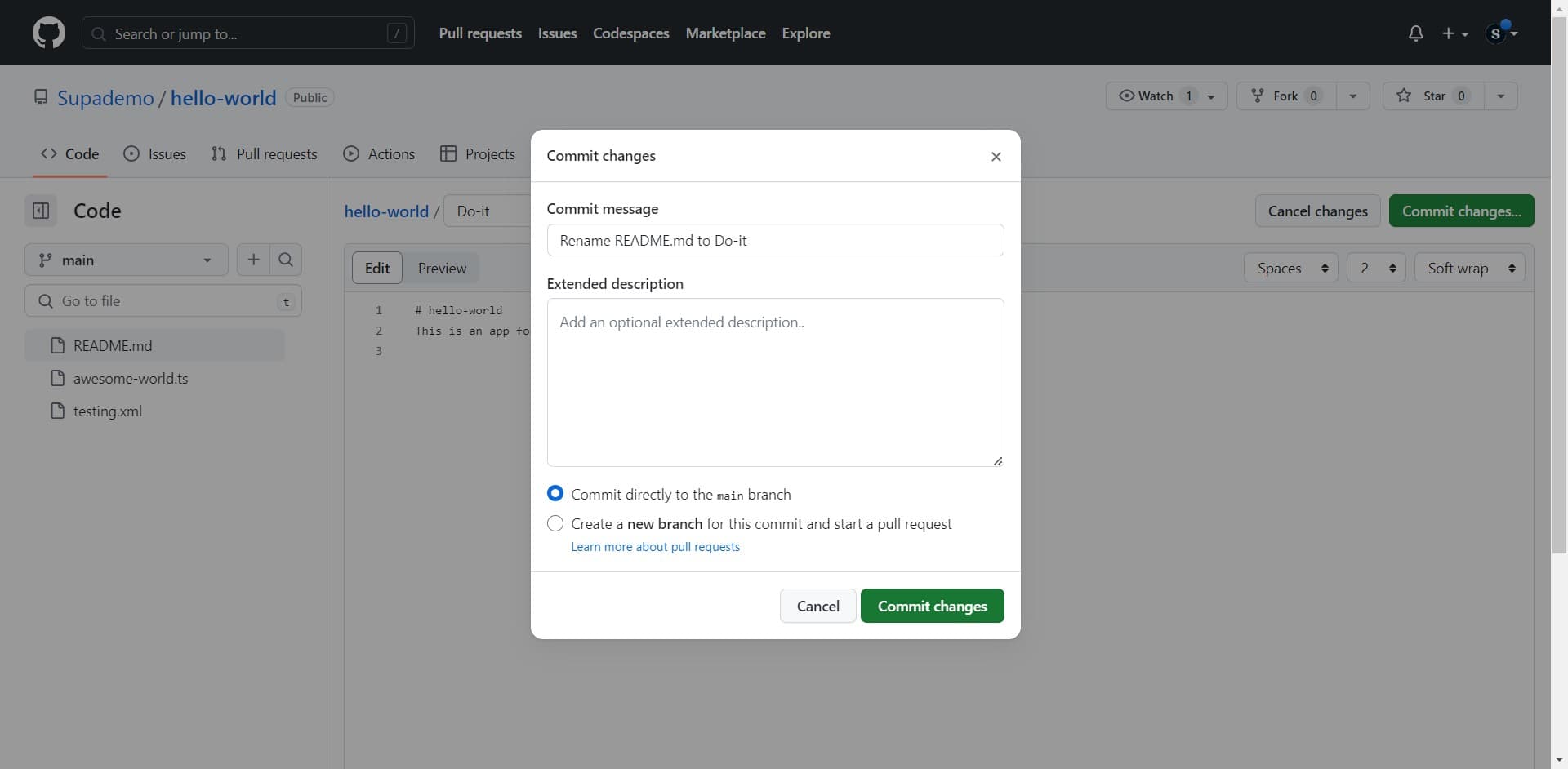
Learn how to rename files in GitHub with ease and style. Discover the secrets to customizing your codebase effortlessly. Make your work stand out by following a few easy steps.

Who is GitHub best suited for?

GitHub is best suited for a wide range of professionals, including Software Developers, DevOps Engineers, and Project Managers. For example, Software Developers can use GitHub for version control and collaborative coding, DevOps Engineers can leverage it for managing deployment pipelines and integrating continuous integration/continuous deployment (CI/CD) processes, and Project Managers can use it for tracking.

How to Rename a File in GitHub

Interactive demo powered by Supademo

Common FAQs on GitHub

Commonly asked questions about this topic.

How do I create a new repository on GitHub?

To create a new repository, log in to your GitHub account and click the “+” icon in the upper-right corner of the page, then select “New repository.” Enter a name for your repository, choose its visibility (public or private), and initialize it with a README if you wish. Click “Create repository” to finalize the setup.

How do I clone a repository from GitHub?

To clone a repository, navigate to the repository page on GitHub and click the “Code” button. Copy the URL provided under “Clone with HTTPS” or “Clone with SSH.” Open your terminal or command prompt and use the git clone command followed by the URL you copied, like this: git clone https://github.com/username/repository.git.

How can I contribute to a project on GitHub?

To contribute to a project, first fork the repository by clicking the “Fork” button on the project’s GitHub page. Clone your forked repository to your local machine using the git clone command with the URL of your forked repository. Create a new branch for your changes, make your edits, and commit them. Push the changes to your forked repository on GitHub, then open a pull request to the original repository, describing your changes and why they should be merged. The project maintainers will review your pull request and may merge it into the main project.

Enjoyed this interactive product demo of Google Sheets?

Create your own interactive product demo in minutes. Drive growth, scale enablement and supercharge product led-onboarding with Supademo.

Sign up for free here with no credit card required.

Frequently Asked Questions about how to rename a file in github

Commonly asked questions about this topic.

What's the best way to onboard new team members to renaming a File in GitHub?

Combine a brief overview document with a hands-on walkthrough they can follow independently. Interactive walkthroughs are more effective than recorded videos because new hires can proceed step-by-step at their own pace and revisit specific sections. Pair the walkthrough with a simple checklist of tasks to complete during their first week. Data supports this approach: the State of Interactive Demos 2026 report shows 78% of teams now use interactive demos in 2 or more use cases.

What plan do I need on GitHub for full Rename a File features?

Free tiers on platforms like GitHub often include basic Rename a File functionality, while advanced features like automation, custom fields, and timeline views typically require paid plans. Compare your must-have features against each tier's offering — paying for features you don't use wastes budget, but outgrowing a free plan mid-project is disruptive. Supademo integrates with 30+ tools including HubSpot, Salesforce, Slack, and more. Supademo is rated #1 for easiest setup and fastest implementation on G2.

What should a well-structured Rename a File include?

A strong Rename a File includes clear labels, defined owners, status indicators, and relevant dates or milestones. Avoid including information that belongs elsewhere — keep each element focused on its core purpose. The right level of detail depends on your audience: executives need summaries while team leads need actionable specifics. Learn more about Supademo's features. For example, VRIFY reduced enablement content production time by 75% using Supademo.

How can I create a step-by-step guide for renaming a File in GitHub?

The most effective guides combine brief written instructions with visual walkthroughs showing each click. Screen recording tools and interactive demo platforms can capture your exact workflow in GitHub, creating guides that viewers navigate at their own pace. This approach reduces follow-up questions compared to static screenshots or long text documents. As a reference point, Supademo was recognized as the #5 fastest-growing software product on G2 in 2025. According to Supademo's 2026 report, 78% of teams now use interactive demos across 2+ use cases.

How does GitHub handle permissions and sharing for Rename a File?

Most platforms offer role-based permissions that control who can view, edit, or admin your Rename a File. GitHub typically supports workspace-level, project-level, and item-level permissions. Review your sharing) settings before collaborating with external stakeholders — default permissions may expose more data than intended. According to Supademo's 2026 report, 78% of teams now use interactive demos across 2+ use cases.

What integrations does GitHub support for renaming a File?

GitHub typically integrates with popular tools like Slack, Google Workspace, Microsoft 365, and Zapier for cross-platform automation. These integrations help connect renaming a File workflows with your existing tech stack. Check GitHub's integration marketplace for specific connectors relevant to your use case. beehiiv saw 50% better conversion rates after implementing interactive product demos.

Can I rename a file directly in the GitHub web interface without using the command line?

Capture the end-to-end process with annotated screenshots or clickable walkthroughs — written-only SOPs often go unread. Tools like Supademo let you record the exact steps in GitHub, creating a living reference that stays current with UI changes. Store documentation where your team already works, not in a separate wiki they'll forget to check. For example, VRIFY reduced enablement content production time by 75% using Supademo.
Justin James

Justin James

Justin is a growth intern focused on content generation and marketing. He's passionate about making an impact across various startup roles.

More from the blog

How to Remove 'Powered by Shopify'

How to Remove 'Powered by Shopify'

Learn how to easily remove the 'Powered by Shopify' text from your online store with step-by-step instructions and tips to customize your Shopify storefront.

Vimal Kumar
Vimal KumarJan 3, 2026
How to Add Products to Shopify

How to Add Products to Shopify

Learn step-by-step how to add products to your Shopify store effortlessly, including tips on product details, images, pricing, and inventory management to boost your online sales.

Vimal Kumar
Vimal KumarDec 17, 2025
How to Deactivate Your Shopify Store

How to Deactivate Your Shopify Store

Learn step-by-step how to deactivate your Shopify store easily, including important considerations and tips to pause or close your shop without losing data.

Vimal Kumar
Vimal KumarDec 17, 2025
How to Remove 'Powered by Shopify'

How to Remove 'Powered by Shopify'

Learn how to easily remove the 'Powered by Shopify' text from your online store with step-by-step instructions and tips to customize your Shopify storefront.

Vimal Kumar
Vimal KumarDec 17, 2025
How to Create a Shopify Account

How to Create a Shopify Account

Learn step-by-step how to create a Shopify account quickly and easily, set up your online store, and start selling your products in no time.

Vimal Kumar
Vimal KumarDec 17, 2025
How to Create a Stripe Account

How to Create a Stripe Account

Learn how to create a Stripe account quickly and easily with our step-by-step guide, perfect for beginners looking to start accepting online payments.

Vimal Kumar
Vimal KumarDec 17, 2025