
If you're searching for top-notch Chrome extensions to enhance your training processes by creating efficient and effective training manuals, you've come to the right place! This blog article will present a comprehensive list of the best Chrome extensions available in 2023.
Here are some of the top Chrome extensions that excel at assisting you in creating superior training manuals: 1) Supademo
2) Find Manual 3) Scribe
4) Dubble 5) Trainual
What is a Training Manual Chrome Extension?
A training manual Chrome extension is a software tool or application that you can add to your Chrome web browser to improve the process of creating, editing, and organizing training manuals. These extensions offer a range of features specifically designed to streamline the creation of training materials. It empowers users with tasks such as content creation, formatting, collaboration, search capabilities, and overall efficiency, making it easy to create comprehensive and beautiful training guides on the Chrome browser.
Features of a Best Training Manual Chrome Extension
Within numerous training manual Chrome extensions, you will find a valuable feature: the capability to generate comprehensive step-by-step guides. These guides serve as instructional resources for training employees on specific tasks or processes. They encompass various media elements, such as text and images, ensuring trainees grasp and accomplish each task with clarity and precision.
Other Features also include: Collaborative Capabilities: The extension enables real-time collaboration, allowing multiple users to work on the same manual simultaneously. It provides features such as commenting, tracking changes, and assigning tasks to facilitate efficient teamwork.
- Annotation and Highlighting Tools: Users can annotate and highlight important sections of the manual to draw attention, emphasize key points, or provide additional explanations for trainees. These tools enhance comprehension and engagement.
- Integration with Productivity Tools: The extension seamlessly integrates with other productivity tools, such as project management platforms or learning management systems (LMS), to streamline workflows, facilitate content distribution, and enhance overall productivity.
- Customization Options: Users have the ability to customize the appearance and branding of their training manuals to align with their organization's visual identity. This allows for a consistent and professional look across all training materials.
- Collaborative Capabilities: The extension enables real-time collaboration, allowing multiple users to work on the same manual simultaneously. It provides features such as commenting, tracking changes, and assigning tasks to facilitate efficient teamwork.
The finest training manual Chrome extensions in 2023
1) Supademo
Let's begin with Supademo, the cutting-edge Chrome extension that has taken the training manual creation process by storm. With its intuitive interface and powerful features, Supademo enables you to build captivating training manuals with ease and efficiency.
Supademo offers a user-friendly and intuitive interface, making it easy for users of all skill levels to navigate and utilize its features effectively. It also provides a wide range of powerful features specifically designed for creating training manuals. From content editing tools to collaboration and sharing capabilities, Supademo has you covered.
With rich-text documents, you can create captivating and informative demos. Sharing or embedding your Supademos on existing tools and platforms is a breeze.
Supademo is actively maintained and regularly updated to ensure compatibility and address any issues. Additionally, it offers reliable customer support, ensuring that you have assistance when needed.
2) Scribe
Scribe is a remarkable Chrome extension designed to expedite the process of creating training manuals. Its user-friendly interface and advanced editing capabilities make it a valuable tool for crafting clear and concise content.
Scribe is a time-saving tool that boosts team productivity by making process documentation quicker and easier. Its user-friendly interface, customizable features, and robust security controls make it an essential tool for creating thorough and impactful process documentation.
3) Find Manual
Another indispensable extension for training manual creation is Find Manual. With its robust search functionality, Find Manual allows you to quickly locate relevant information and seamlessly integrate it into your manuals, saving you valuable time and effort.
Find Manual is a Chrome extension that combines power and user-friendliness, granting you immediate access to a vast library of user manuals for popular brand products.
With Find Manual, there's no need to spend precious time scouring search engines for the specific manual you require. Simply click on the extension icon in your browser's toolbar, enter the product name in the manual search field, and locate the desired manual within seconds. This extension boasts an extensive collection of user manuals, encompassing home appliances, cars, garden technics, and much more.
4) Dubble
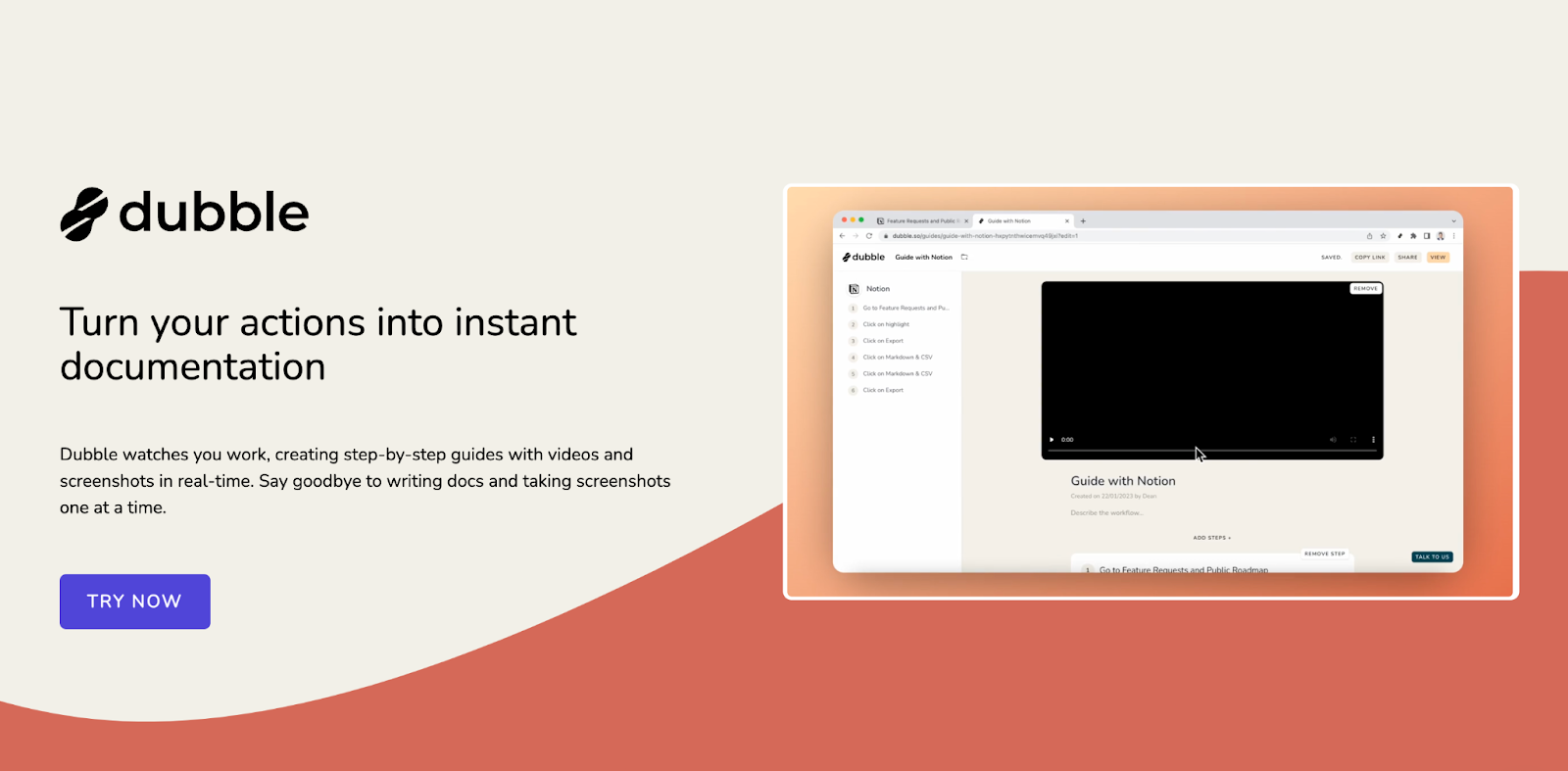
Another great browser extension that makes creating process documentation easy is Dubble’s step-by-step guide creator. This browser extension tracks your actions and automatically generates written instructions with videos and screenshots, perfect for tutorials. Simply hit record, carry out your tasks, and Dubble takes care of the rest.
One standout feature compared to other similar extensions is its ability to craft clear descriptions for screenshots and include screen recordings with front camera footage and voice overs. You can edit the AI-generated text, add markups, and adjust screenshots, or choose new ones from the recording to ensure your documentation stays up-to-date.
5) Trainual
Trainual is a robust platform designed to streamline training and documentation processes for businesses and organizations, ensuring uniformity among employees.
The Trainual Chrome extension offers convenient access to your training manual from any web page. It provides various features such as the ability to search through all Trainual content, view relevant training materials with automatic context slideouts, and seamlessly resume training where you left off. This extension simplifies the training of new hires, promotes adherence to policies and procedures within your team, and keeps everyone informed as your organization grows and evolves.
Conclusion
To summarize, these exceptional Chrome extensions, with Supademo leading the way, provide a comprehensive set of features that simplify and elevate the creation of training manuals in 2023. Whether you require assistance in content creation, efficient information retrieval, or refining your writing, these extensions offer all the necessary tools. By embracing their capabilities, you can revolutionize the process of creating training manuals and achieve remarkable results. Don't hesitate to harness their power today and embark on a transformative journey in training manual creation.
Frequently Asked Questions about top 5 training manual chrome extensions for 2023
Commonly asked questions about this topic.
How is AI changing training manual Chrome extensions?
Who benefits most from training manual Chrome extensions?
What are the core components of effective training manual Chrome extensions?
What are proven strategies for training manual Chrome extensions?
What are training manual chrome extensions?
What KPIs should I track for training manual Chrome extensions?
How do you measure training manual Chrome extensions success?

Growth Intern
Justin is a growth intern focused on content generation and marketing. He's passionate about making an impact across various startup roles.


