
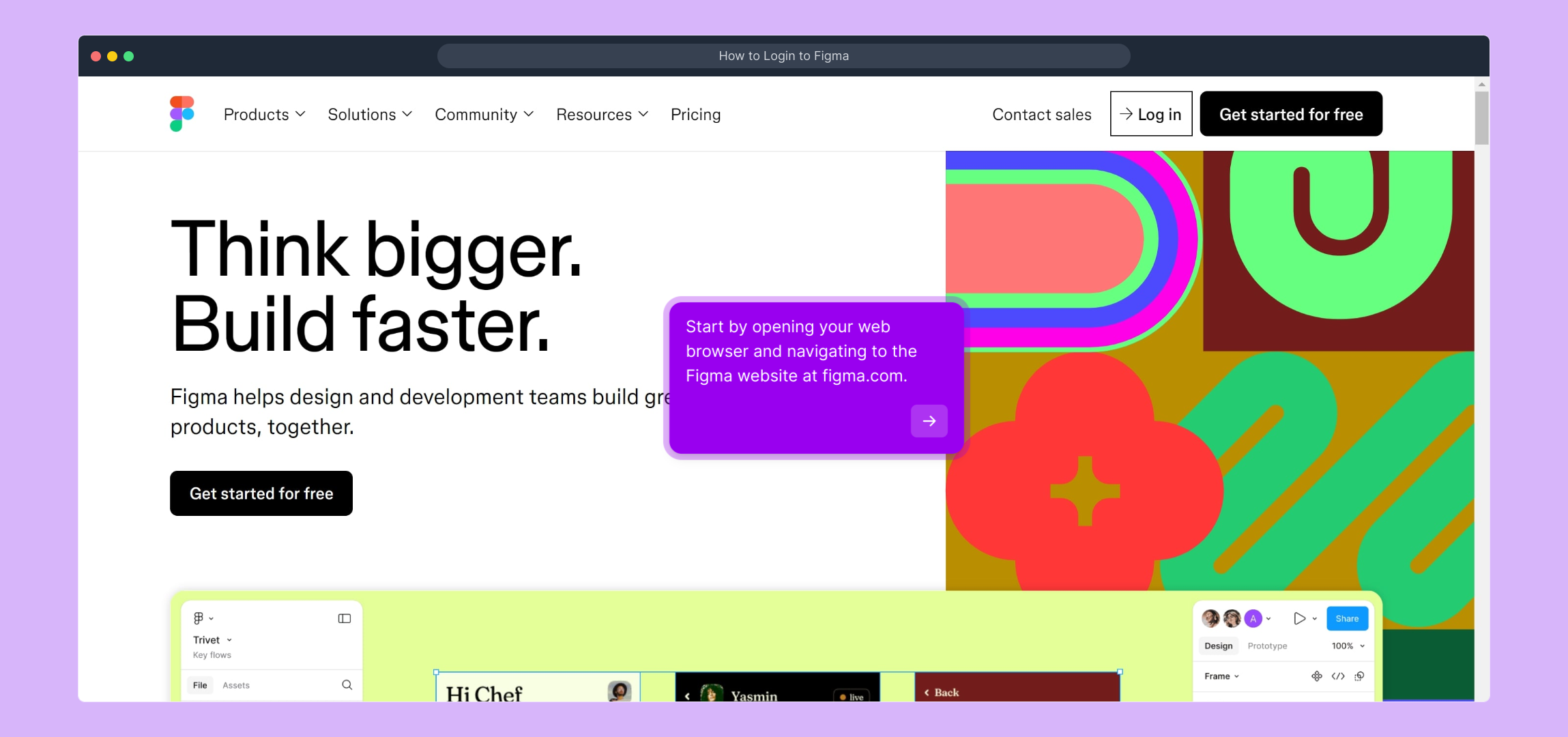
1. Start by opening your web browser and navigating to the Figma website at figma.com.
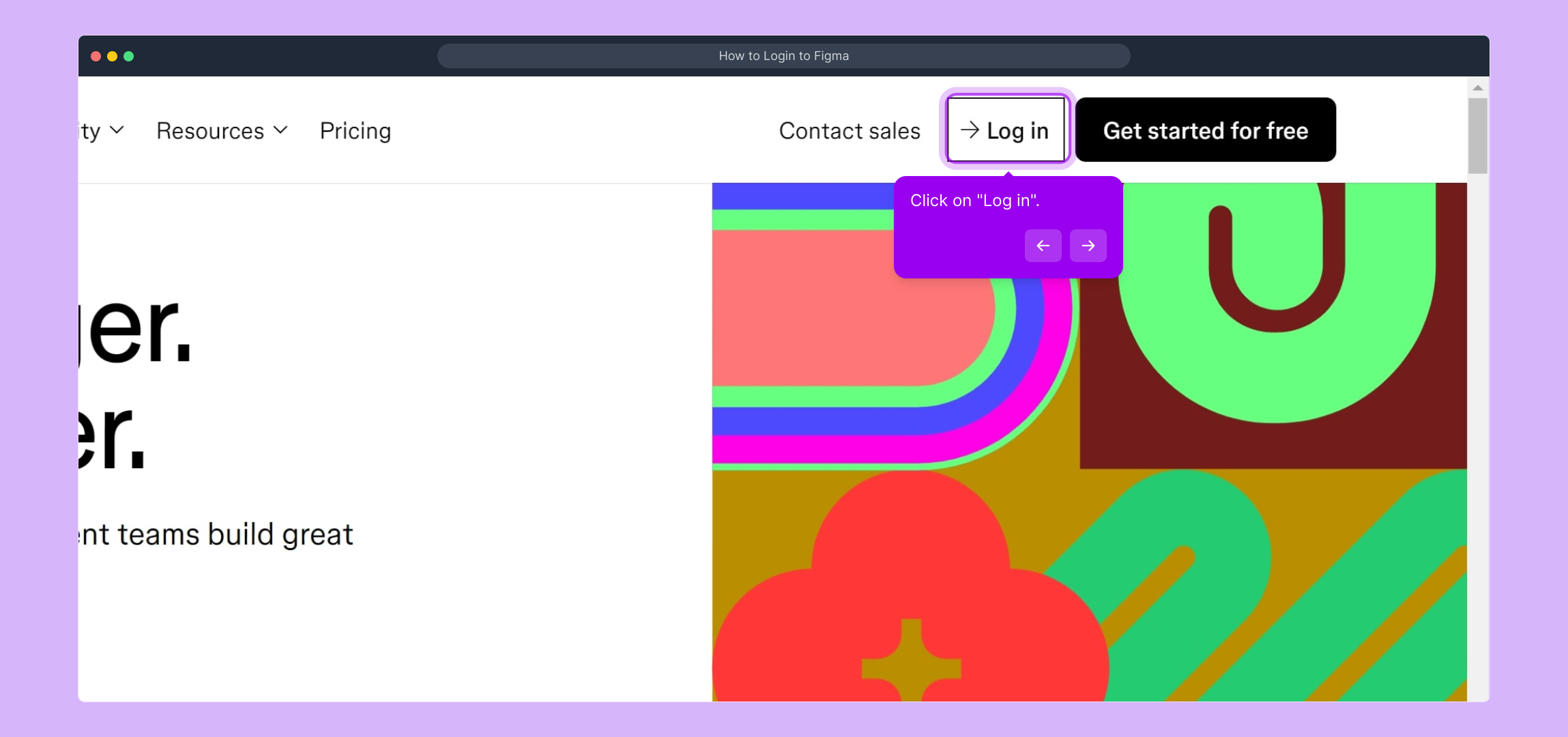
2. Click on "Log in".
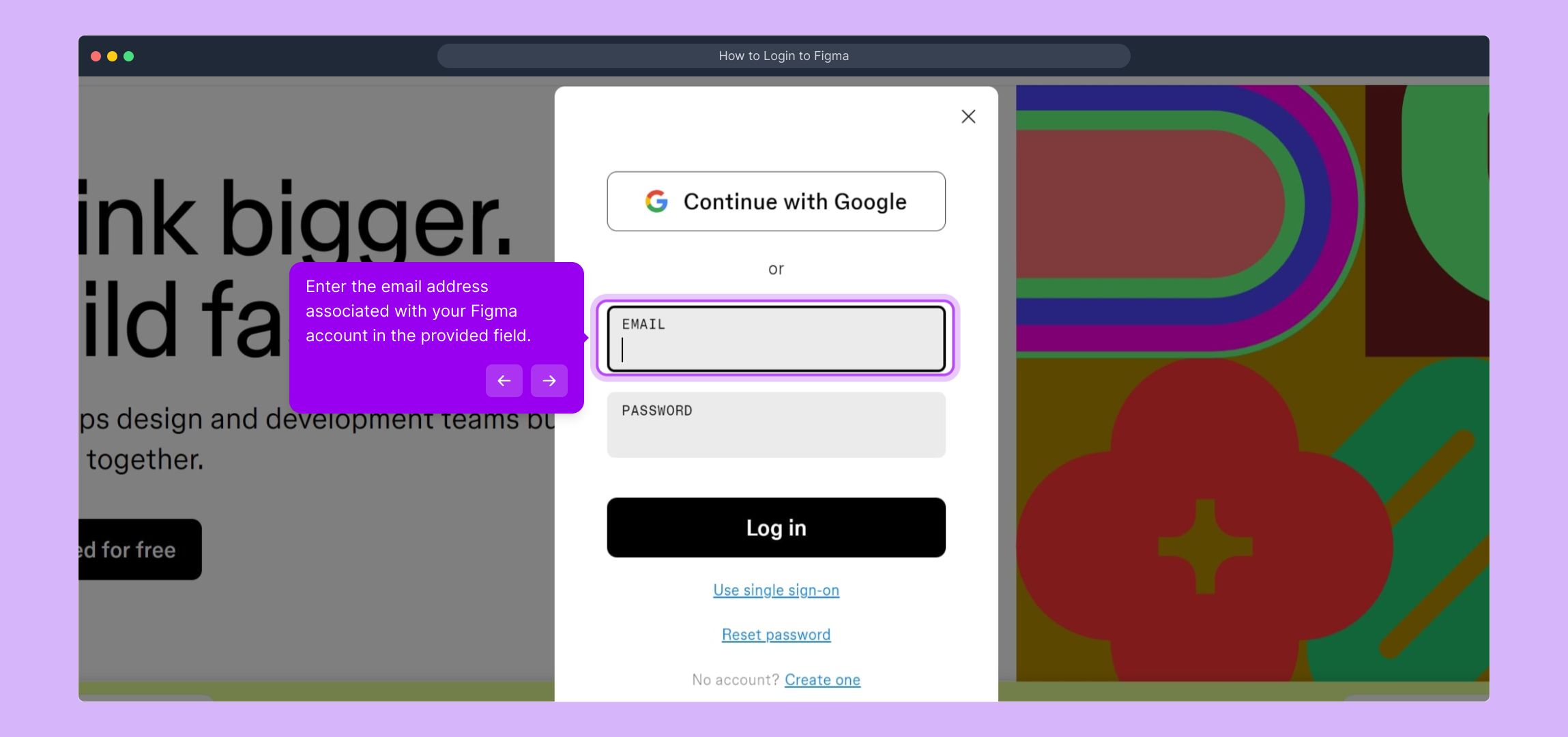
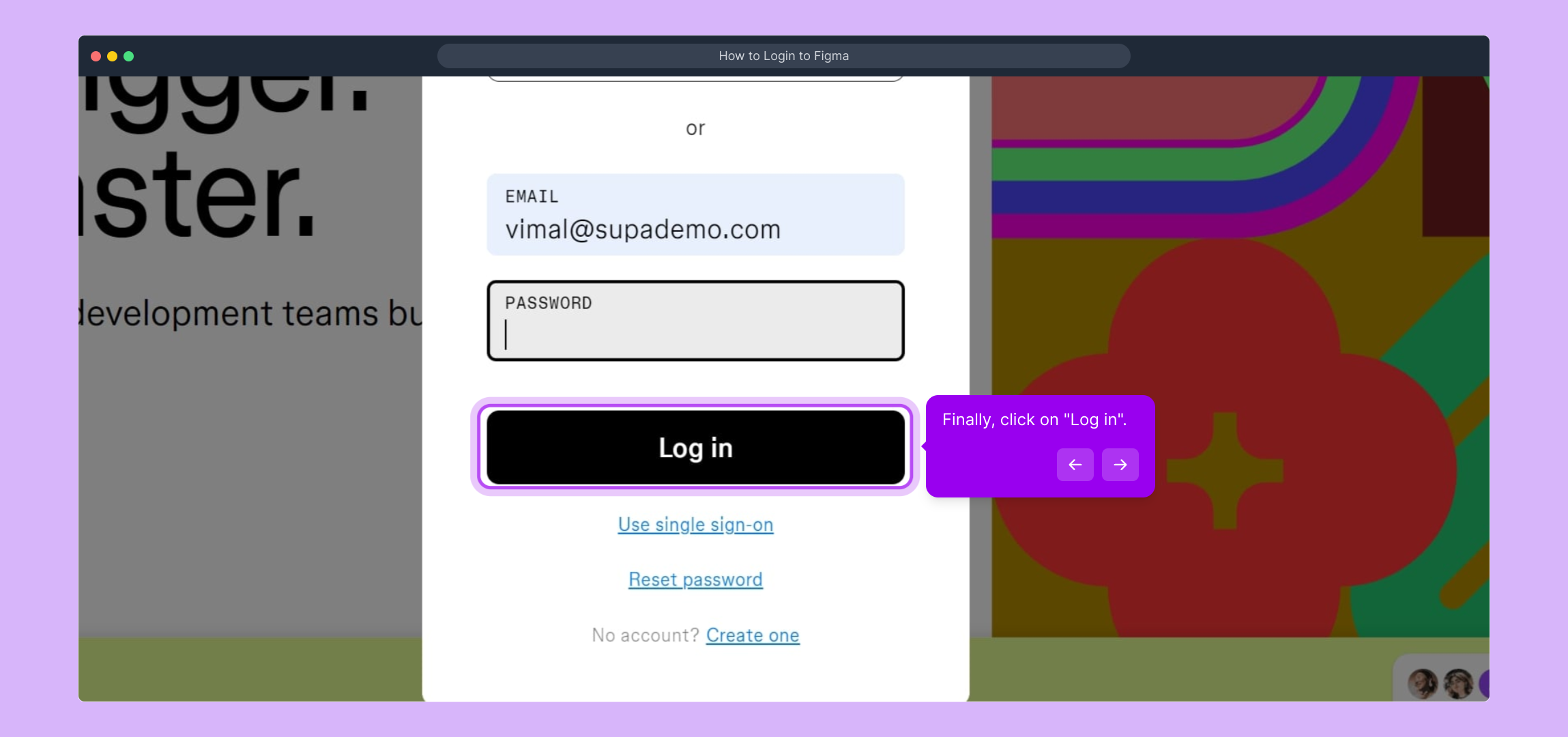
3. Enter the email address associated with your Figma account in the provided field.
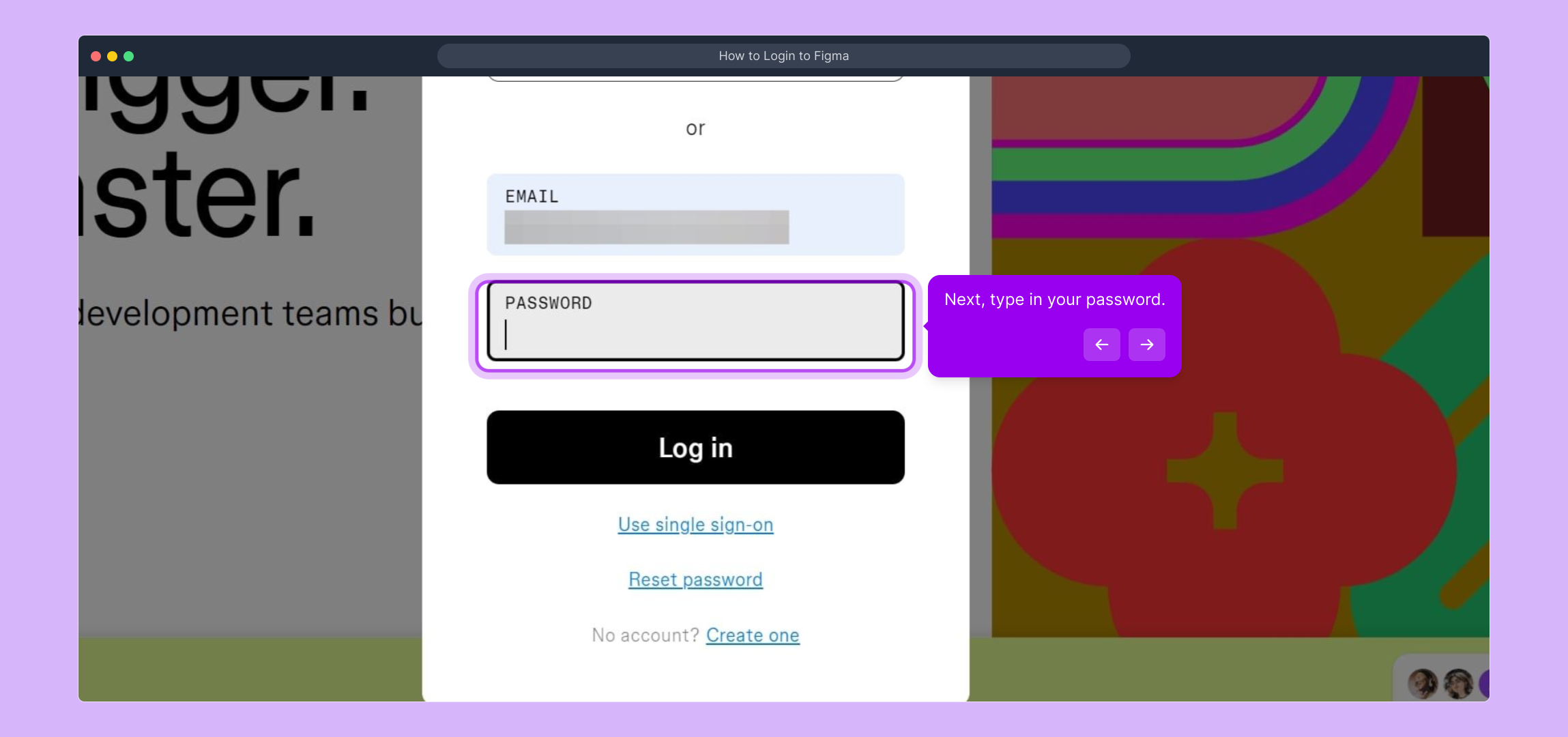
4. Next, type in your password.
5. Finally, click on "Log in".
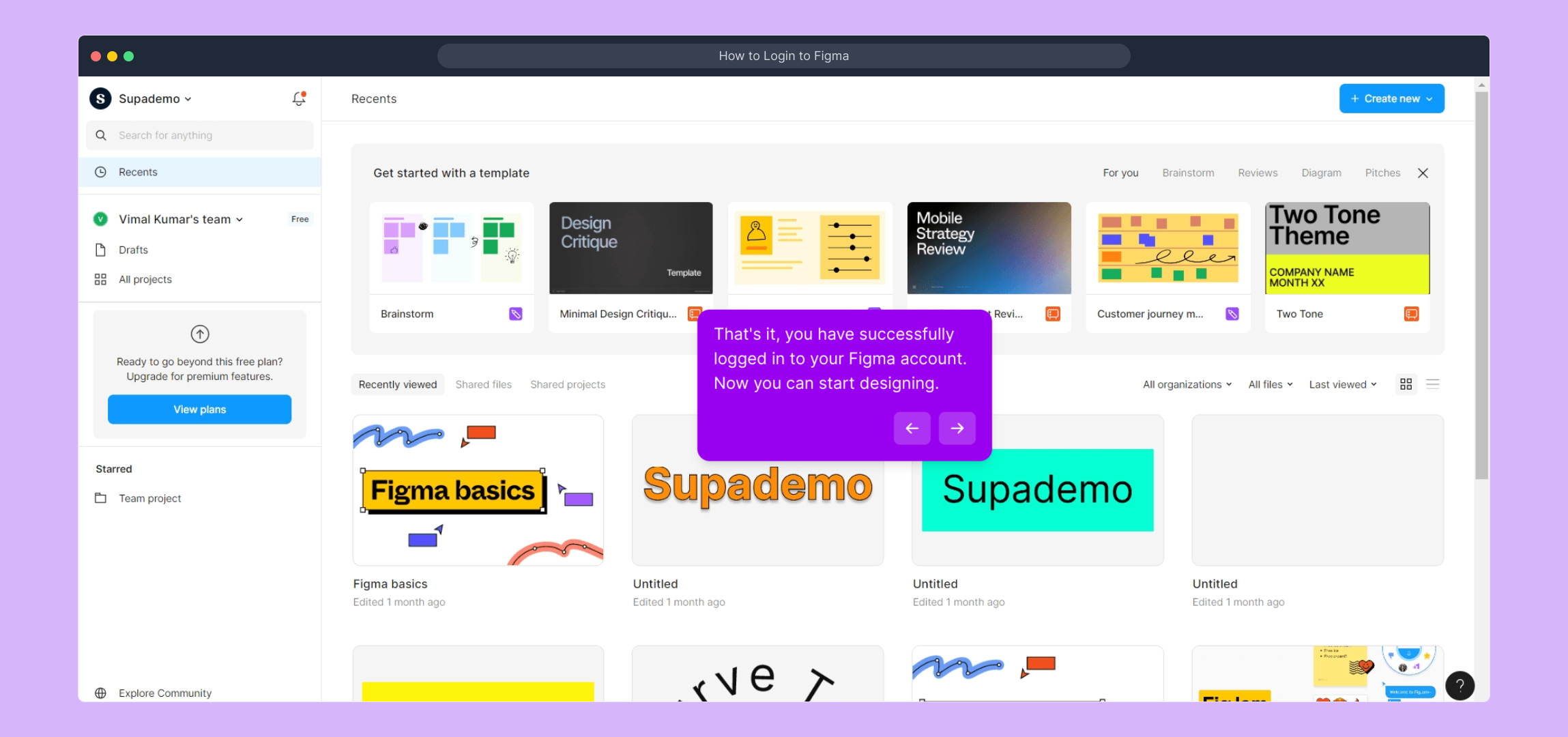
6. That's it, you have successfully logged in to your Figma account. Now you can start designing.
7. Create a Supademo in seconds
This interactive demo/guided walkthrough on How to Login to Figma was created using Supademo.
How to Login to Figma : Step-by-Step Guide
To begin, open your preferred web browser and enter figma.com into the address bar. This will take you to Figma’s main homepage where all the design magic starts.
On the Figma homepage, locate the “Log in” button usually found at the top right corner. Clicking this will take you to the sign-in page where you can access your account.
Once on the login screen, you’ll see a field to enter your email address. Type in the email linked to your Figma account to identify yourself and proceed to the next step.
After entering your email, move on to the password field directly below. Carefully input your account password to ensure secure access to your workspace.
With your credentials entered, look for the “Log in” button beneath the password box. Click this to submit your information and sign into your Figma account.
Welcome back! You’re now successfully logged into Figma. From here, you can start creating and collaborating on designs using the wide range of tools available in your account.
Ready to showcase your progress? With Supademo, you can whip up a walkthrough or demo of your Figma project in just seconds, making sharing your work effortless and effective.
Create your own interactive demos in < 5 mins with Supademo
You can create your own interactive product demo in minutes using Supademo. Drive growth, scale enablement, and supercharge product-led onboarding with Supademo.
Sign up for free here with no credit card required.
FAQs
Commonly asked questions about this topic.
How do I reset my Figma password if I forget it?
Can I log in to Figma using Google or other single sign-on options?
Is it possible to stay logged in on Figma?
What should I do if I encounter login errors on Figma?
Can I use Figma on mobile devices?
Do I need to create a new account to log in to Figma?
How do I switch between multiple Figma accounts?
Is two-factor authentication (2FA) available for Figma login?
What browsers are supported for logging into Figma?
Can I log in to Figma offline?

Product Operations Associate
Vimal Kumar helps build and grow Supademo’s team and GTM efforts, with a focus on figuring out growth levers and improving product traction.





