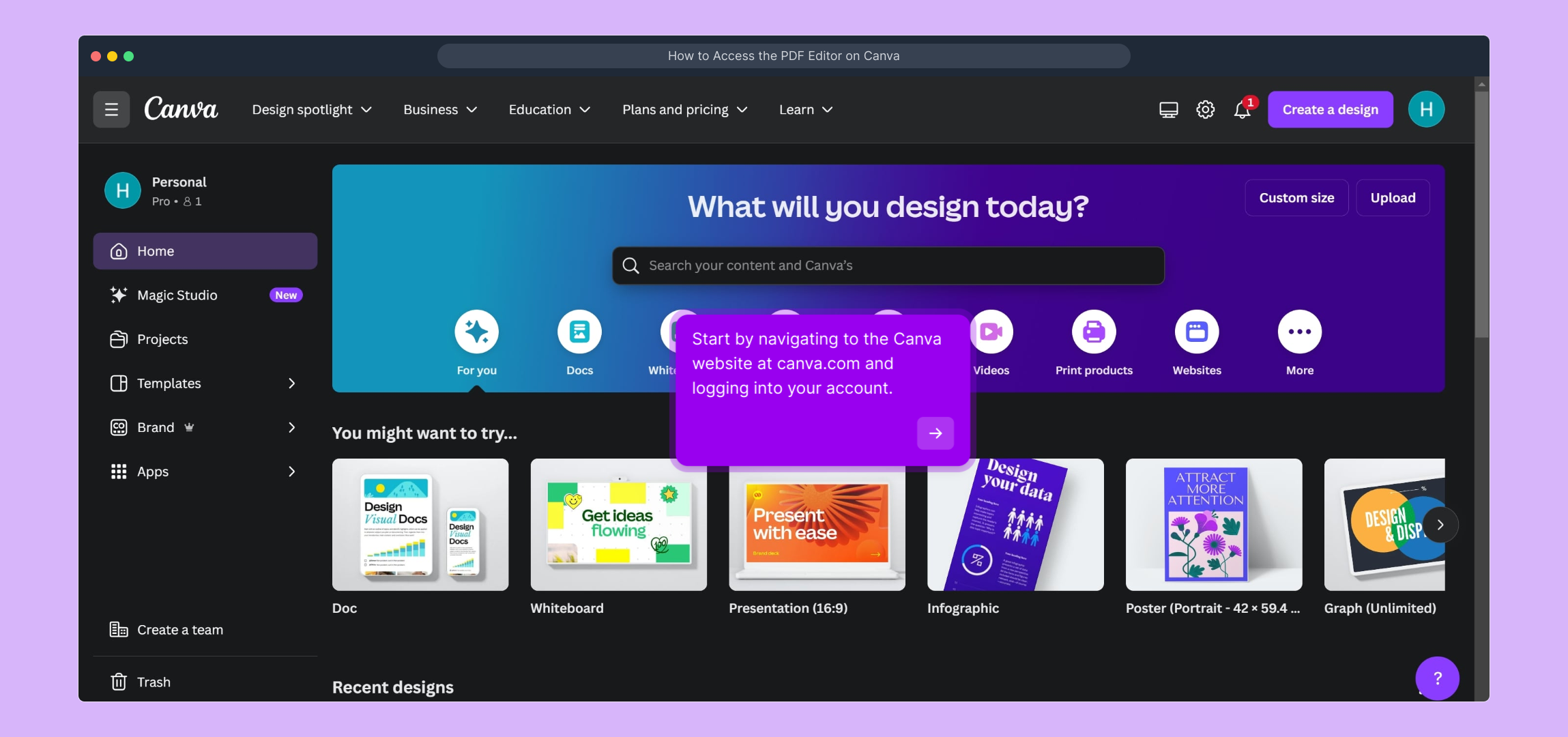
1. Start by navigating to the Canva website at canva.com and logging into your account.
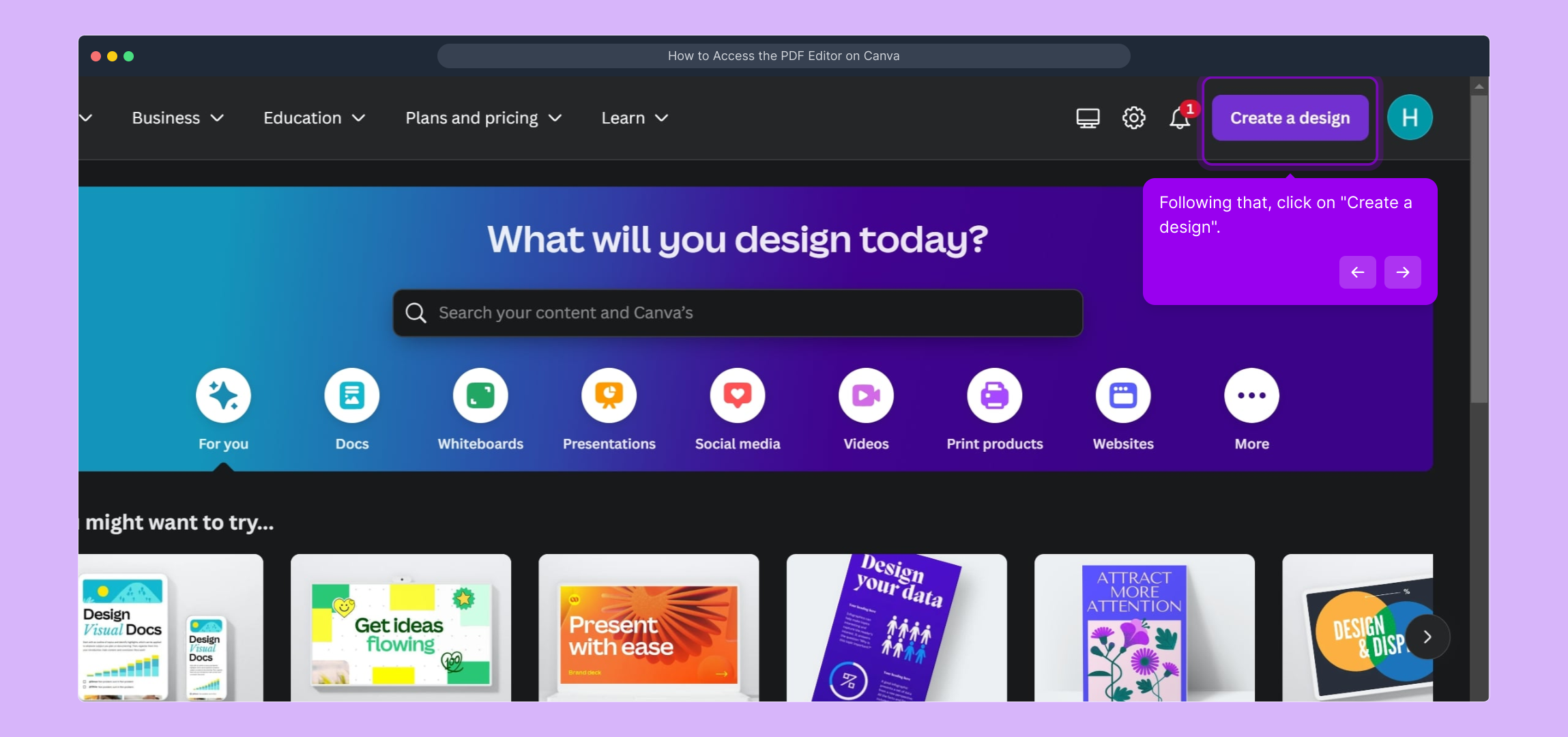
2. Following that, click on "Create a design".
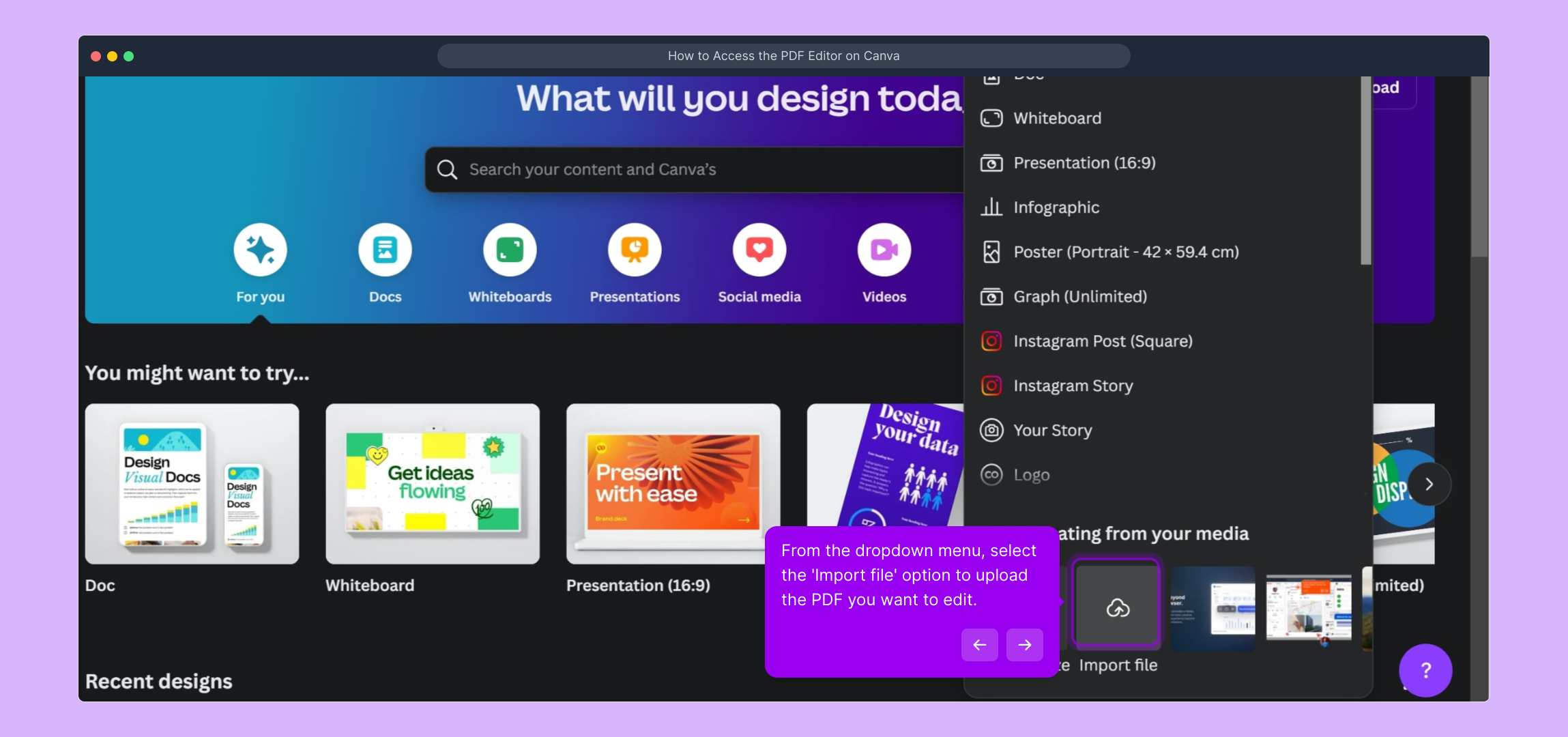
3. From the dropdown menu, select the 'Import file' option to upload the PDF you want to edit.
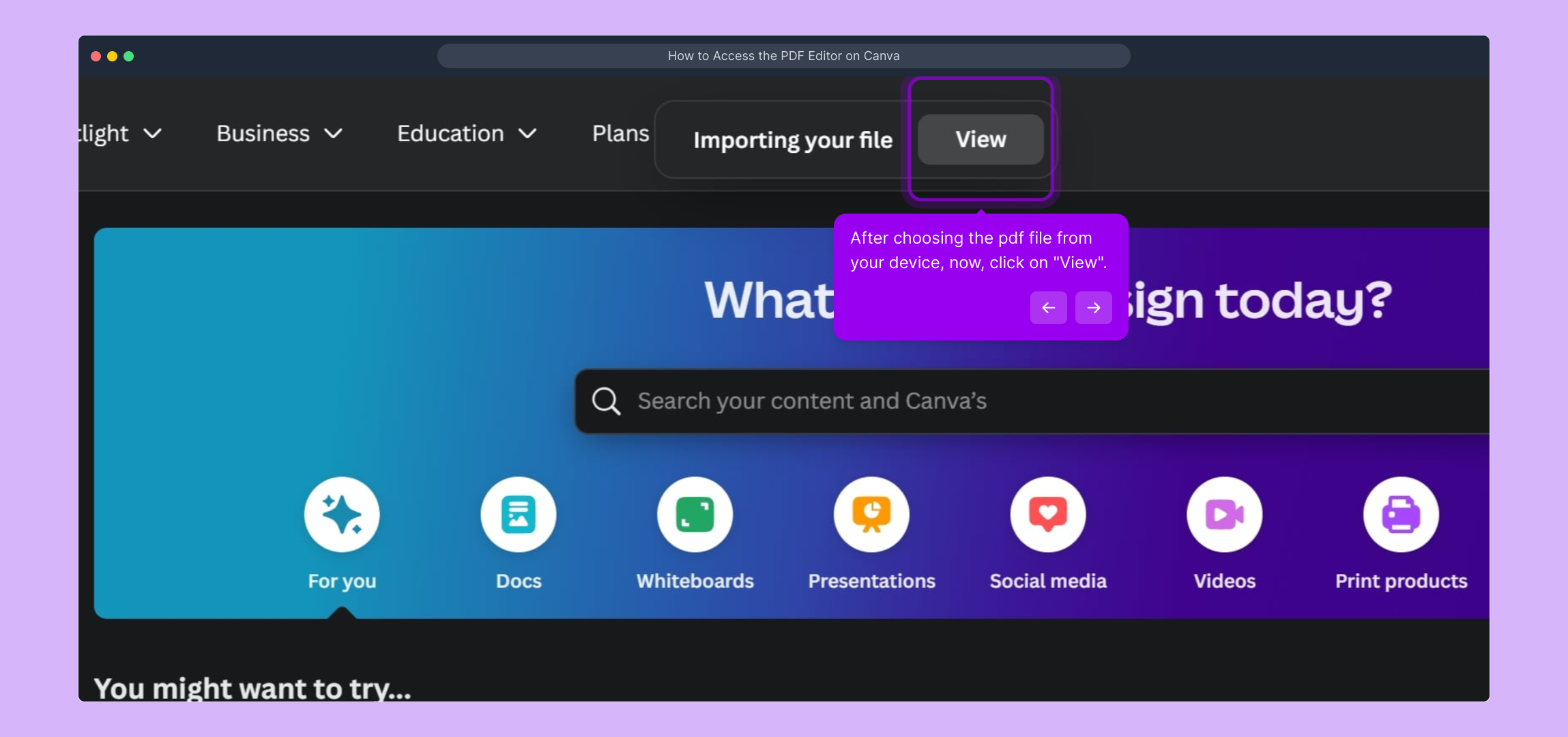
4. After choosing the pdf file from your device, now, click on "View".
5. Now, Canva will automatically open it in the PDF editor, allowing you to start making changes.
6. Create a Supademo in seconds
This interactive demo/guided walkthrough on How to Access the PDF Editor on Canva was created using Supademo.
How to Access the PDF Editor on Canva : Step-by-Step Guide
To get started, open your preferred browser and go to canva.com. Once there, sign in with your username and password to access your personalized workspace.
After logging in, look for the "Create a design" button prominently displayed on your dashboard. Clicking this will open options for you to begin your new project.
From the menu that appears, choose the 'Import file' option. This is where you can upload your PDF file, bringing your document into Canva so you can start editing it.
Next, select the PDF file from your computer that you want to work on. Once selected, click the "View" button to load the file into Canva’s interface for preview.
Canva will now open your PDF within its editing environment, so you can begin making adjustments, adding elements, or customizing your document exactly how you need it.
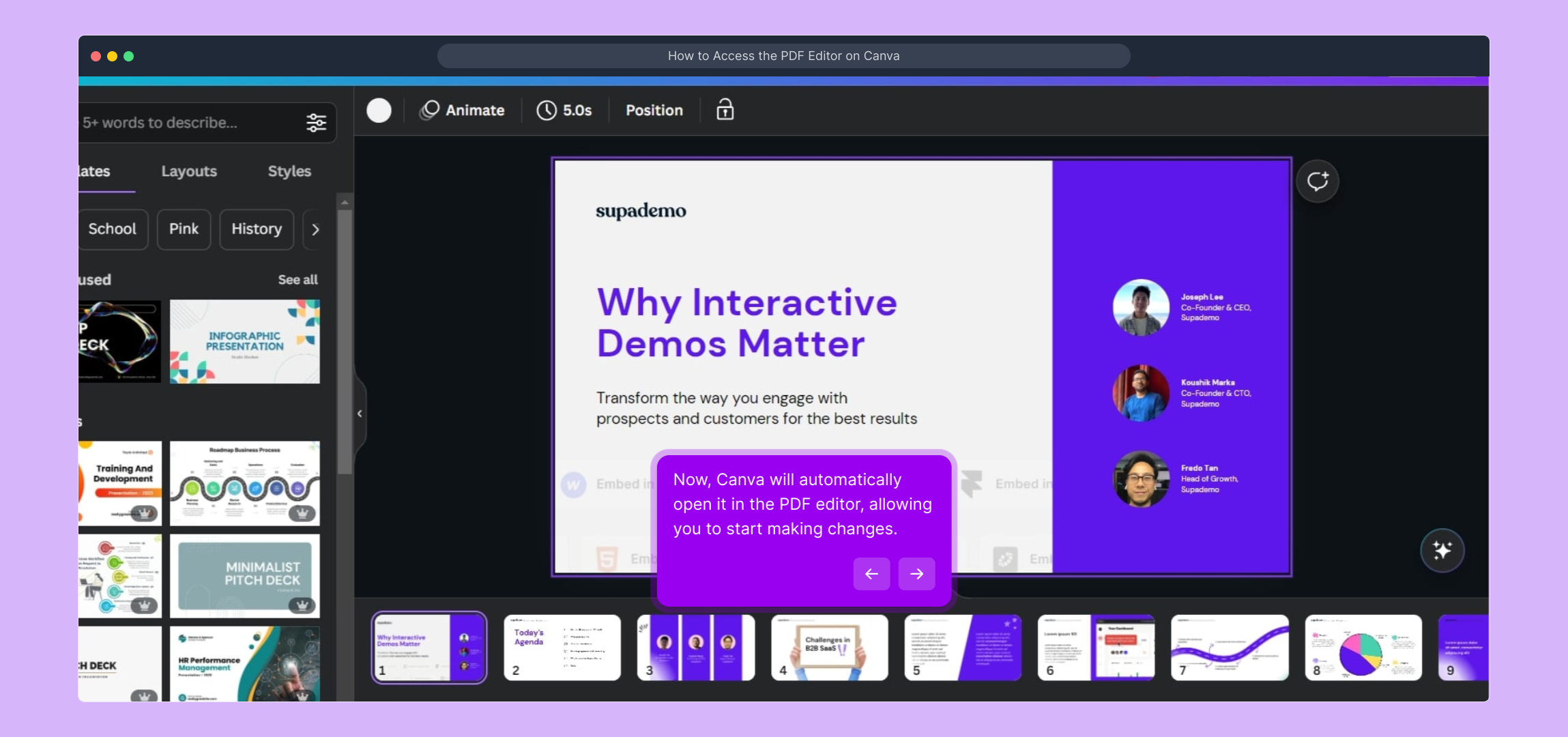
Once your design is ready, you’ll have a polished Supademo crafted quickly and easily — perfect for sharing and showcasing your work in seconds.
Create your own interactive demos in < 5 mins with Supademo
You can create your own interactive product demo in minutes using Supademo. Drive growth, scale enablement, and supercharge product-led onboarding with Supademo. Sign up for free here with no credit card required.
FAQs
Commonly asked questions about this topic.
How do I upload a PDF file to Canva?
Is the PDF editor feature free on Canva?
Can I edit all elements of a PDF in Canva?
What file formats can I import into Canva besides PDF?
How long does it take for Canva to process my imported PDF?
Do I need a Canva Pro account to edit PDFs?
Can I save my edited PDF after making changes in Canva?
Is it possible to edit multi-page PDFs in Canva?
What should I do if my PDF doesn’t import correctly?
Can I collaborate with others on a PDF file in Canva?

Product Operations Associate
Vimal Kumar helps build and grow Supademo’s team and GTM efforts, with a focus on figuring out growth levers and improving product traction.