Free AI Tutorial Maker
Record any workflow and Supademo's AI tutorial generator turns it into a clickable, interactive tutorial with AI-generated annotations, voiceovers, and hotspots. The free tutorial maker, tutorial creator, and tutorial builder works without scripting, video editing, or re-recording.
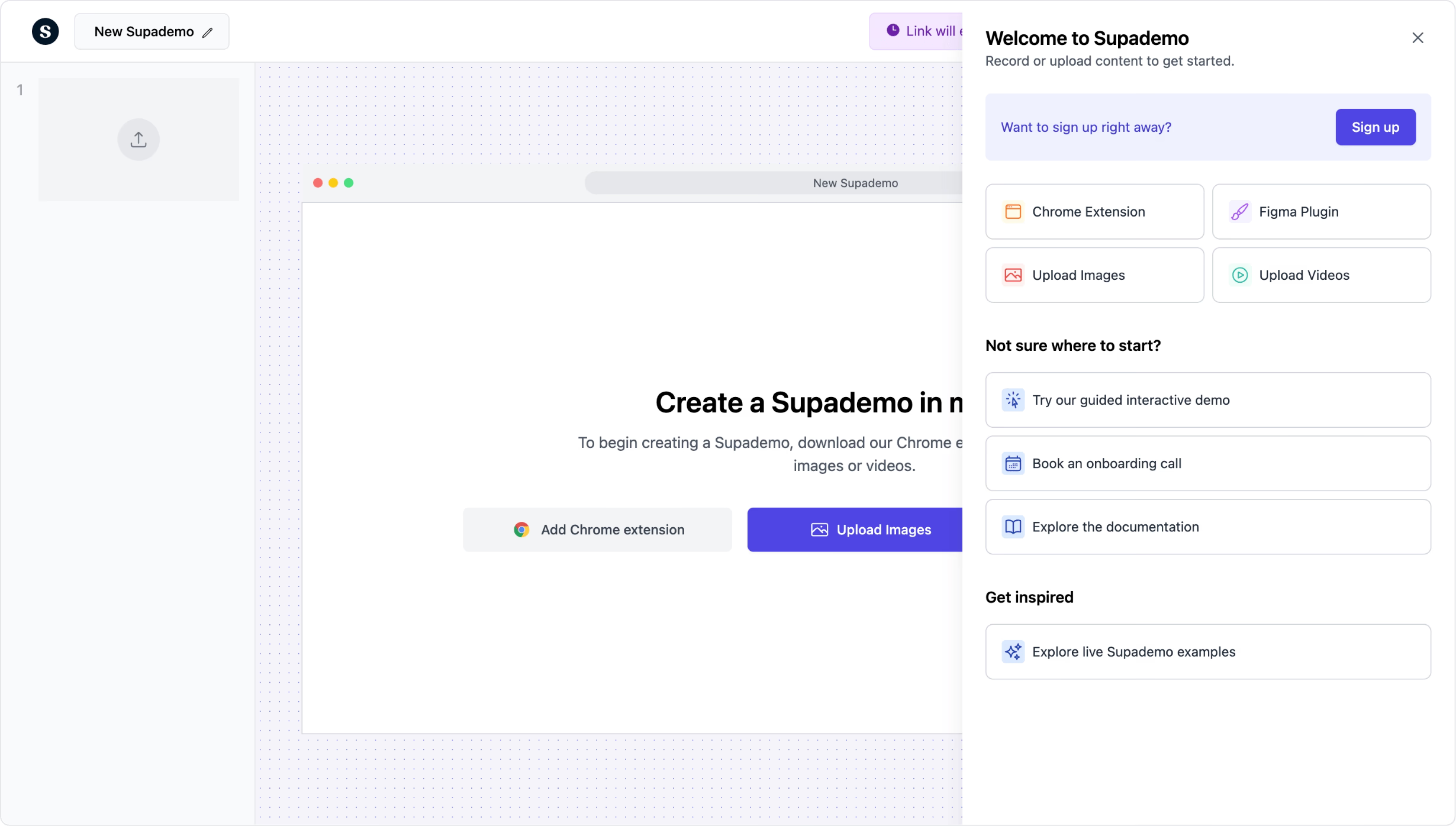
Turn any workflow into an interactive tutorial. Free, in minutes.
Try free tutorial makerTrusted by 200,000+ top operators and 3,000+ paying organizations


How to create a tutorial with Supademo
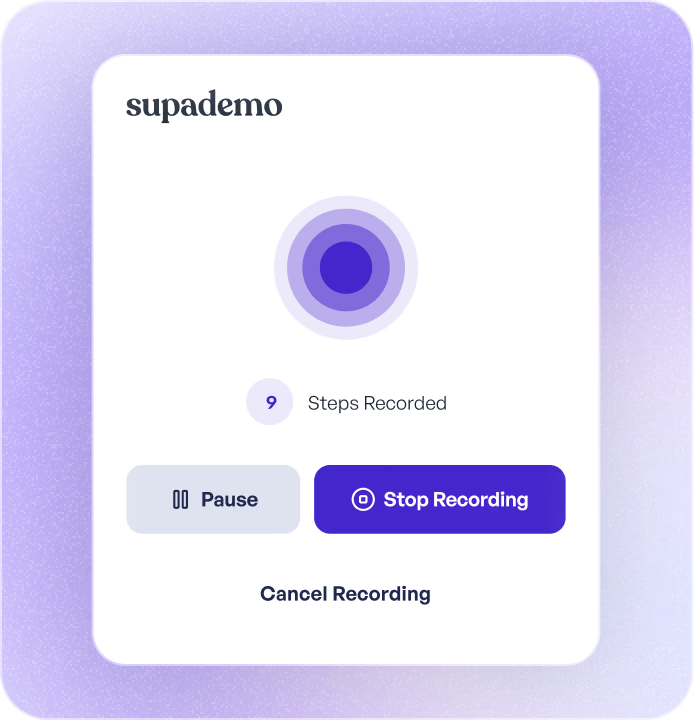
Record the workflow
Open the Supademo Chrome extension and walk through the process you want to teach. Each click becomes a tutorial step with AI-generated descriptions and visual highlights.
Enhance with AI voiceovers and hotspots
Add AI-narrated voiceovers, clickable hotspots, zoom effects, and conditional branching for tutorials with multiple paths. Blur sensitive data before publishing.
Share, embed, or export
Publish via shareable link, embed in your LMS, help center, or website, or export as PDF, GIF, or video. Track who completed the tutorial and where they got stuck.

What makes Supademo's tutorial maker different
Interactive, not passive
Tools like Loom produce videos that viewers passively watch. Scribe and Tango generate static screenshot guides. Supademo creates clickable tutorials where users navigate each step themselves. Active participation means better retention and fewer repeat questions.
Interactive tutorials vs. video and static docs →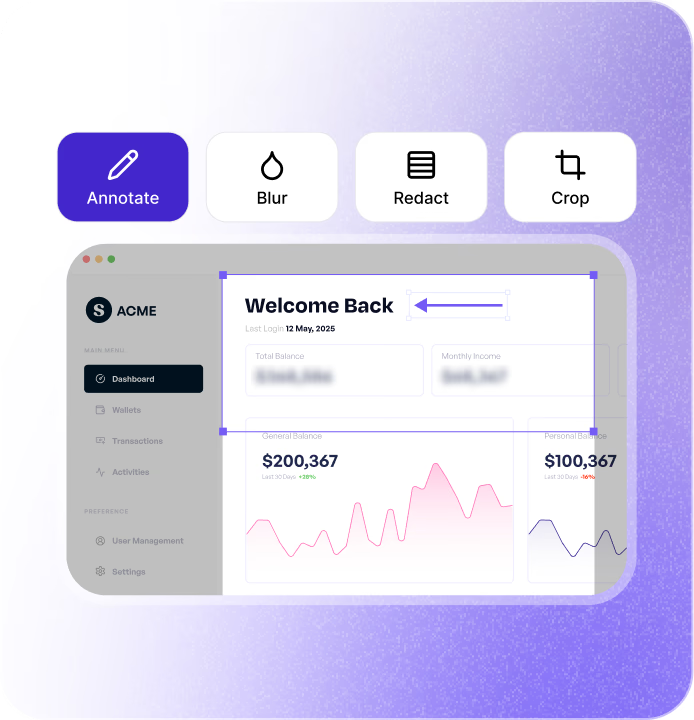
AI generates the tutorial content as you record
Supademo's AI writes step descriptions, suggests annotations, and structures the tutorial automatically while you click through the workflow. Unlike Iorad or Tango, you do not need to manually write or format each instruction after recording.
How AI tutorial generation works →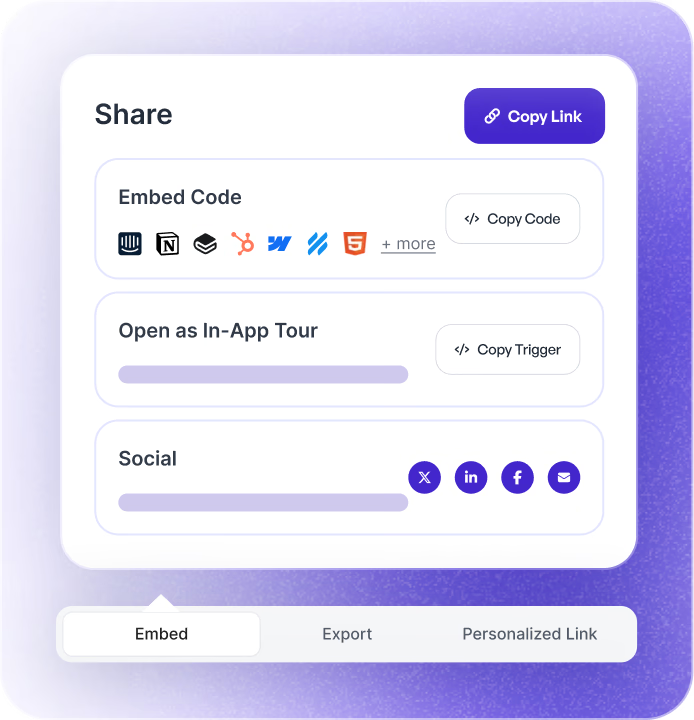
Update one step, reflected everywhere
When your product or process changes, edit the affected step and every shared link, embed, and export updates automatically. No re-recording, no re-uploading to your LMS, no version confusion. Per the <a class="text-indigo-600 font-semibold" href="/content/state-of-interactive-demos-2026">State of Interactive Demos 2026</a>, teams that update tutorials weekly or monthly report 18% higher impact than teams updating only at major releases.
How tutorial version management works →Why we built Supademo's tutorial maker

“RB2B cut their enablement content production time by 75% after switching to Supademo. My pet peeve: a CS team ships a tutorial and by next quarter half the steps are wrong. With Supademo's AI tutorial maker, you fix the step once and it propagates everywhere. Per our 2026 research, teams updating tutorials weekly report 18% higher impact.”

“The original Supademo's AI tutorial maker re-rendered every export when one step changed, which was slow if you were fixing a typo. I refactored the rendering pipeline so only the changed frames update. Now an edit takes a few seconds to show up, even on a long tutorial. Took about 6 weeks and three rebuilds.”
How teams use Supademo's tutorial maker
Tutorials that teach reps your product inside out
Create product knowledge tutorials that new sales reps complete at their own pace. Track who finished and where they got stuck so you can improve training continuously.
Supademo for Sales & Enablement
Product tutorials that educate and convert
Embed product tutorials on your website to show prospects exactly how to accomplish their goals with your product. More effective than feature lists or explainer videos.
Supademo for Marketing & Growth
Teach customers new features without a meeting
Build tutorials for feature adoption, workflow optimization, and best practices. Share them proactively and track which customers engaged.
Supademo for Customer Success
Self-serve tutorials that deflect tickets
Embed tutorials in your help center for common questions and complex processes. Customers get step-by-step visual guidance instead of filing a ticket.
Supademo for Support
Feature tutorials that drive adoption
Create tutorials for new features and share them in-app, via email, or in release notes. Users see exactly how to use the feature instead of guessing from a changelog.
Supademo for Product
Scale training without scheduling live sessions
Build interactive tutorials for employee onboarding, tool training, and process education. Track completion across teams and identify where learners need more support.
Supademo for Training
How do sales teams use tutorial makers?
Sales teams create interactive product tutorials for rep onboarding and enablement, ensuring consistent product knowledge across the team without live training sessions.
How do marketing teams use tutorial makers?
Marketing teams embed interactive tutorials on their website and content pages, educating prospects about the product while driving conversion through hands-on experience.
How do customer success teams use tutorial makers?
CS teams create tutorials for feature adoption and best practices, proactively educating customers without scheduling meetings and tracking engagement.
How do support teams use tutorial makers?
Support teams embed interactive tutorials in help centers, giving customers visual, step-by-step answers that reduce ticket volume and resolution time.
How do product teams use tutorial makers?
Product teams build tutorials for new feature launches, helping users understand and adopt changes through interactive, step-by-step guidance rather than text-heavy release notes.
How do training teams use tutorial makers?
Training teams build interactive tutorials for onboarding and upskilling, replacing live sessions with self-paced modules that include completion tracking and engagement analytics.
Explore Similar Free Tools
Frequently asked questions
Common questions about Supademo’s tutorial maker. Have others? Reach out and our team will be happy to help.
A tutorial maker is a tool that helps you create step-by-step instructional content. Supademo's AI tutorial maker records your screen and auto-generates interactive, clickable tutorials with annotations and voiceovers. Users navigate each step themselves instead of passively watching a video. Many teams pair tutorials with in-app training strategies for higher adoption.
Install the Supademo Chrome extension, click Record, and walk through any workflow. Supademo captures each step with AI-generated descriptions. Add voiceovers, hotspots, or branching, then share via link or embed in your LMS, help center, or website. You can also repurpose tutorials as step-by-step guides.
Loom creates passive videos that viewers watch linearly. Supademo creates interactive tutorials that users click through at their own pace. Interactive tutorials have higher completion rates, better retention, and are easier to update without re-recording.
Scribe and Tango generate static screenshot sequences. Supademo creates interactive, clickable tutorials with hotspots, AI voiceovers, branching, and analytics. Tutorials update everywhere when you edit a step, and you can embed them in any website or tool. For a wider comparison, see our 12 Best Video Tutorial Software in 2026 roundup.
Yes. Supademo supports AI-generated voiceovers in multiple languages. Add narration to any step without recording your own voice. You can also upload custom audio if you prefer a specific voice or tone. This is especially useful for video walkthroughs and training content.
Yes. Supademo tracks views, completion rates, step-level engagement, and drop-off points. Integrate with your LMS or CRM to connect tutorial engagement with learner progress or pipeline data. Teams running product-led onboarding programs find this particularly valuable.
Yes, the tutorial maker is free. Your published tutorials receive unlimited views and can be shared via link at no cost. Upgrade for unlimited tutorials, branded sharing, team workspaces, SSO, and detailed analytics. Free trials are available on all paid plans.
The terms are used interchangeably. A tutorial maker, tutorial creator, and tutorial generator all describe software that turns recordings or workflows into step-by-step tutorials. Supademo's AI tutorial maker is also an AI tutorial generator — it auto-generates step descriptions, voiceovers, and structure from a single screen recording.
An AI tutorial maker records your screen, generates step-by-step instructions with AI, and supports interactive elements like clickable hotspots and branching. Supademo's free AI tutorial maker is used by 100,000+ teams for product training, customer education, and internal knowledge sharing.
Install the recorder, click record on the workflow you want to document, then let AI generate each step's text, captions, and voiceover. The tutorial maker turns recordings into clickable, self-paced tutorials that viewers navigate at their own speed — published as a link or embedded anywhere.
A tutorial maker is the platform — record, edit, and publish. A tutorial generator is the AI engine inside that automatically writes step descriptions and voiceovers from screen captures. Supademo combines both: an AI tutorial generator inside a full tutorial maker, free forever.