How to Delete Your Asana Account

Deleting your Asana account is a permanent action that removes all your project data, tasks, and account information from the platform. This guide walks you through the account deletion process step-by-step, ensuring you understand what happens before proceeding.
Quick summary
In this tutorial, you'll learn how to navigate to your Asana account settings and permanently delete your account. We'll guide you through each step of the process, from accessing your profile to confirming the deletion.
Why this matters
Knowing how to delete your Asana account is important if you're discontinuing use of the platform or consolidating your project management tools. This ensures you can cleanly remove your account and associated data when you're ready to leave Asana.
Step-by-step guide
- 1
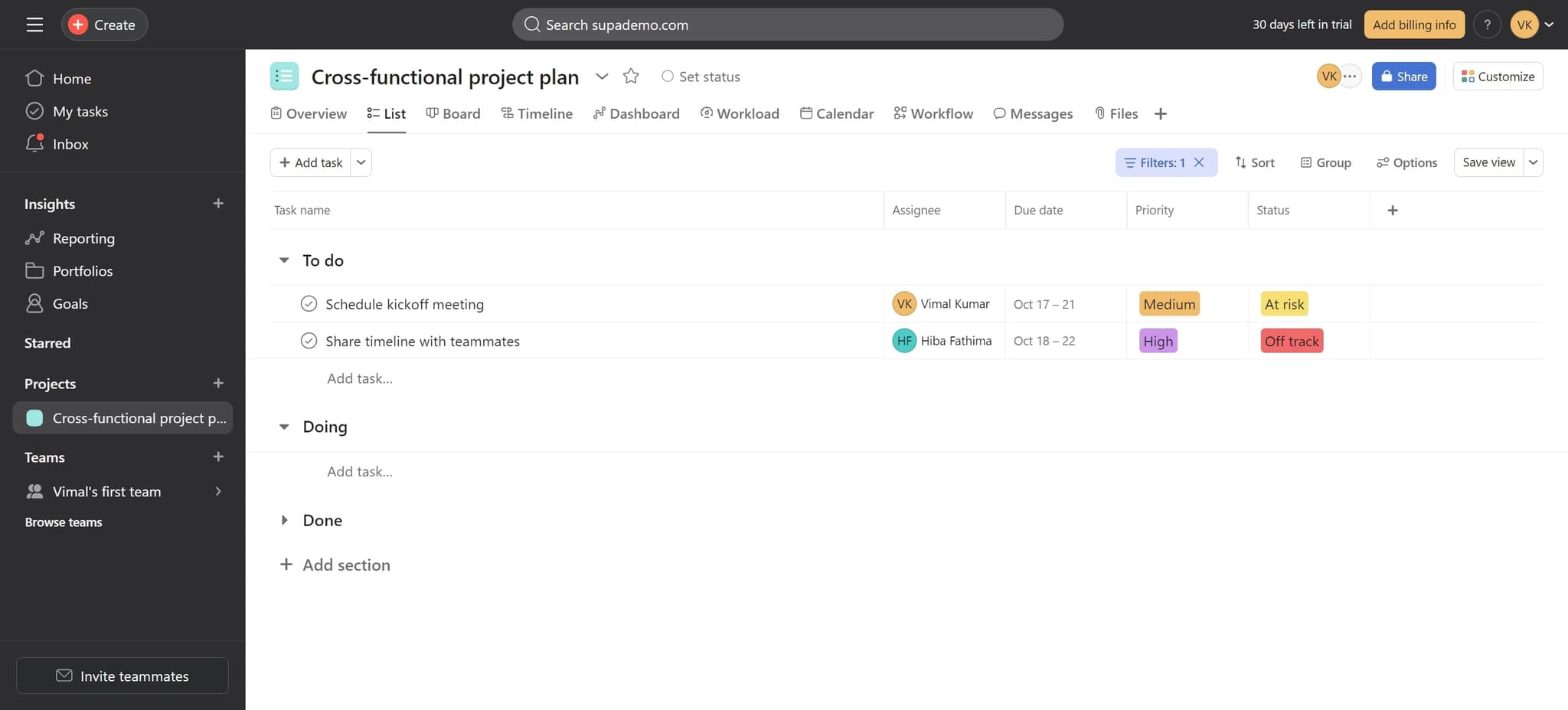
Click on Add task
Start by clicking the 'Add task' button in your Asana workspace. This action will help you navigate to the main menu where you can access account settings.
- 2
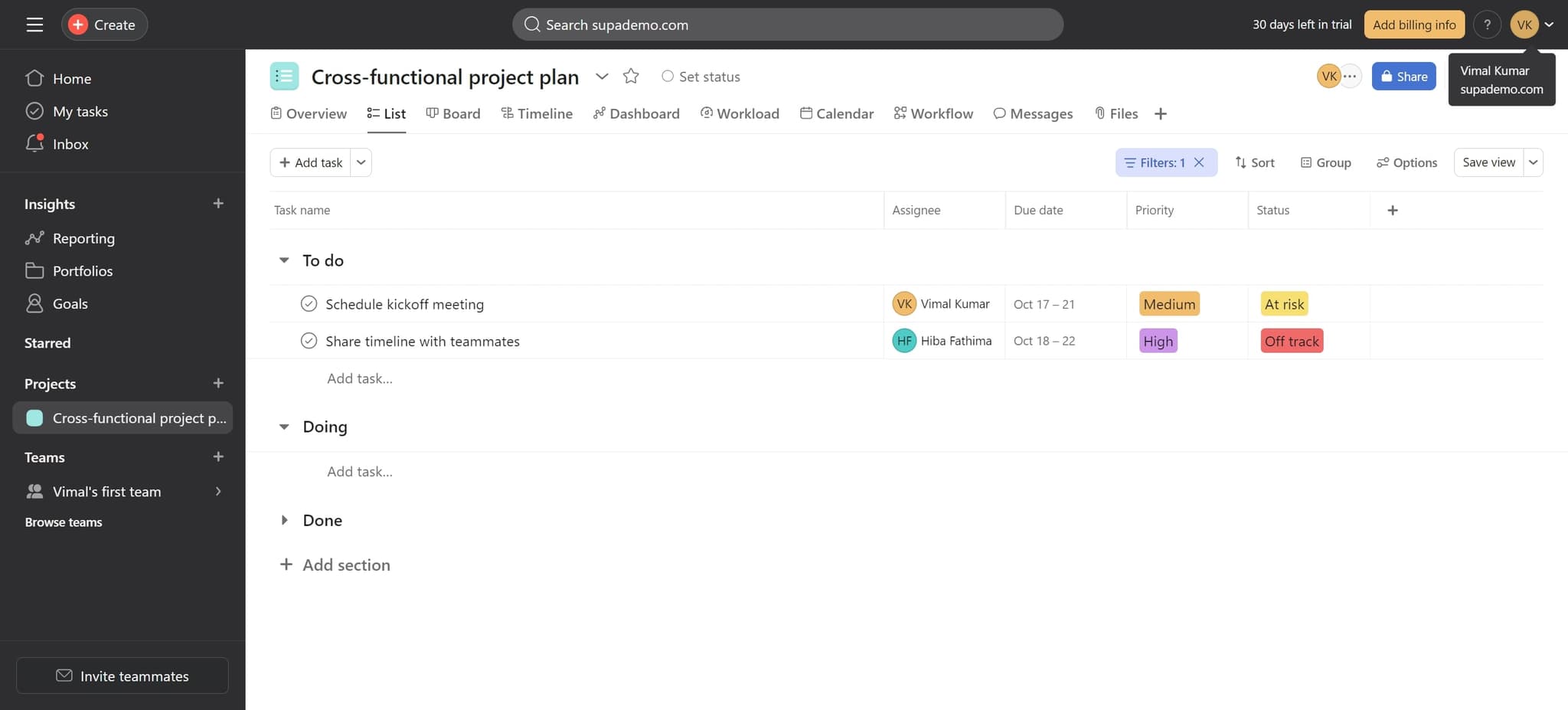
Click on the element
Next, click on the element that appears after selecting 'Add task'. This element will direct you toward your account management options.
- 3
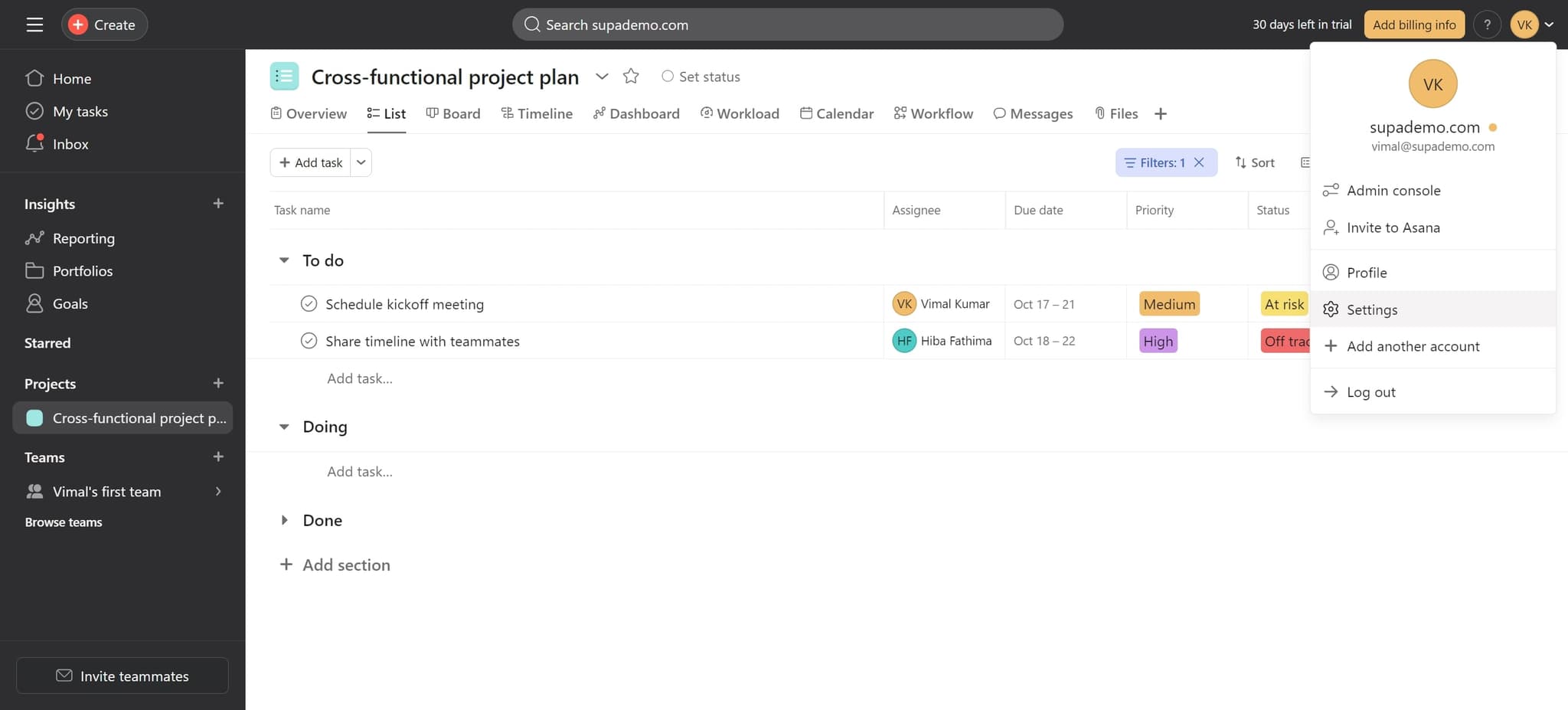
Click on Settings
Locate and click on 'Settings' in the menu. This will open your account settings panel where you can manage your profile and account options.
- 4
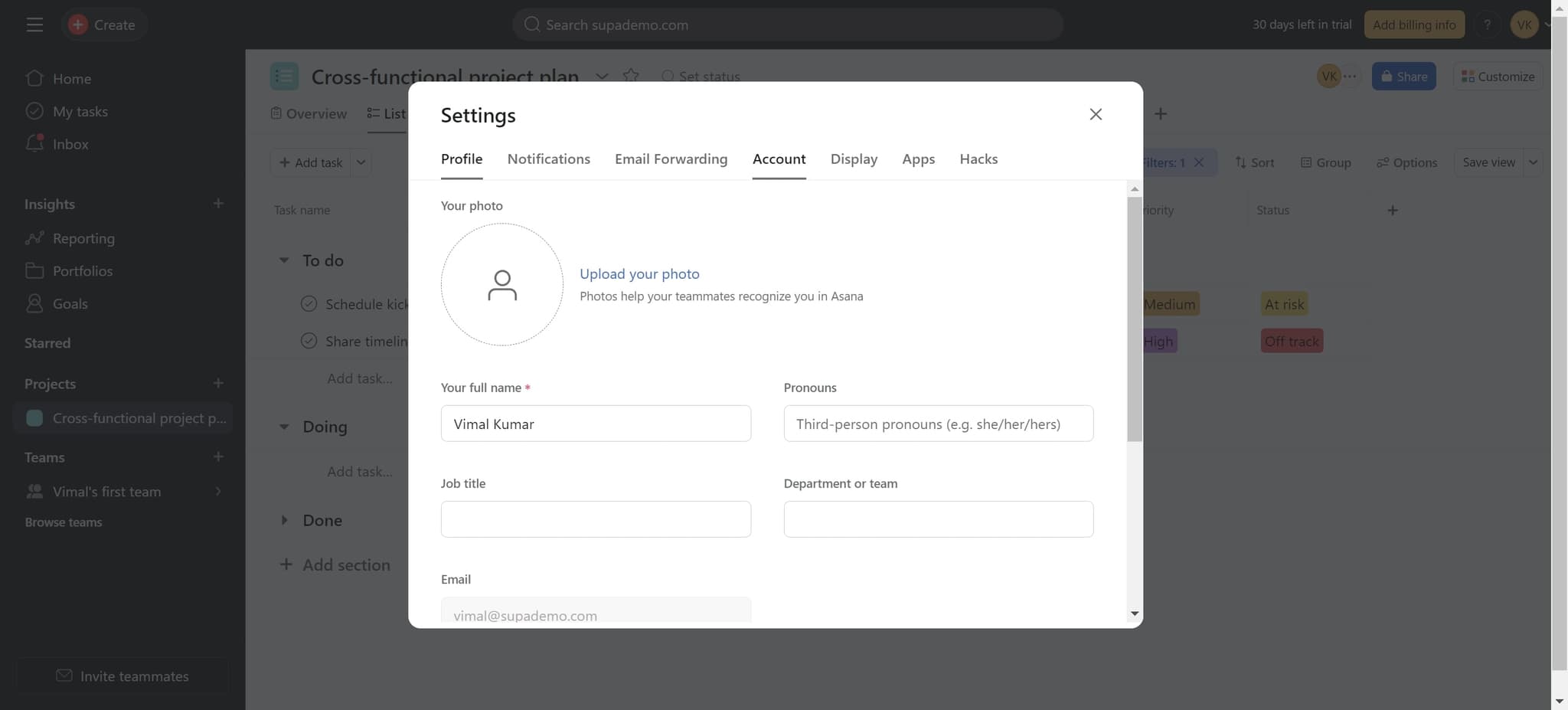
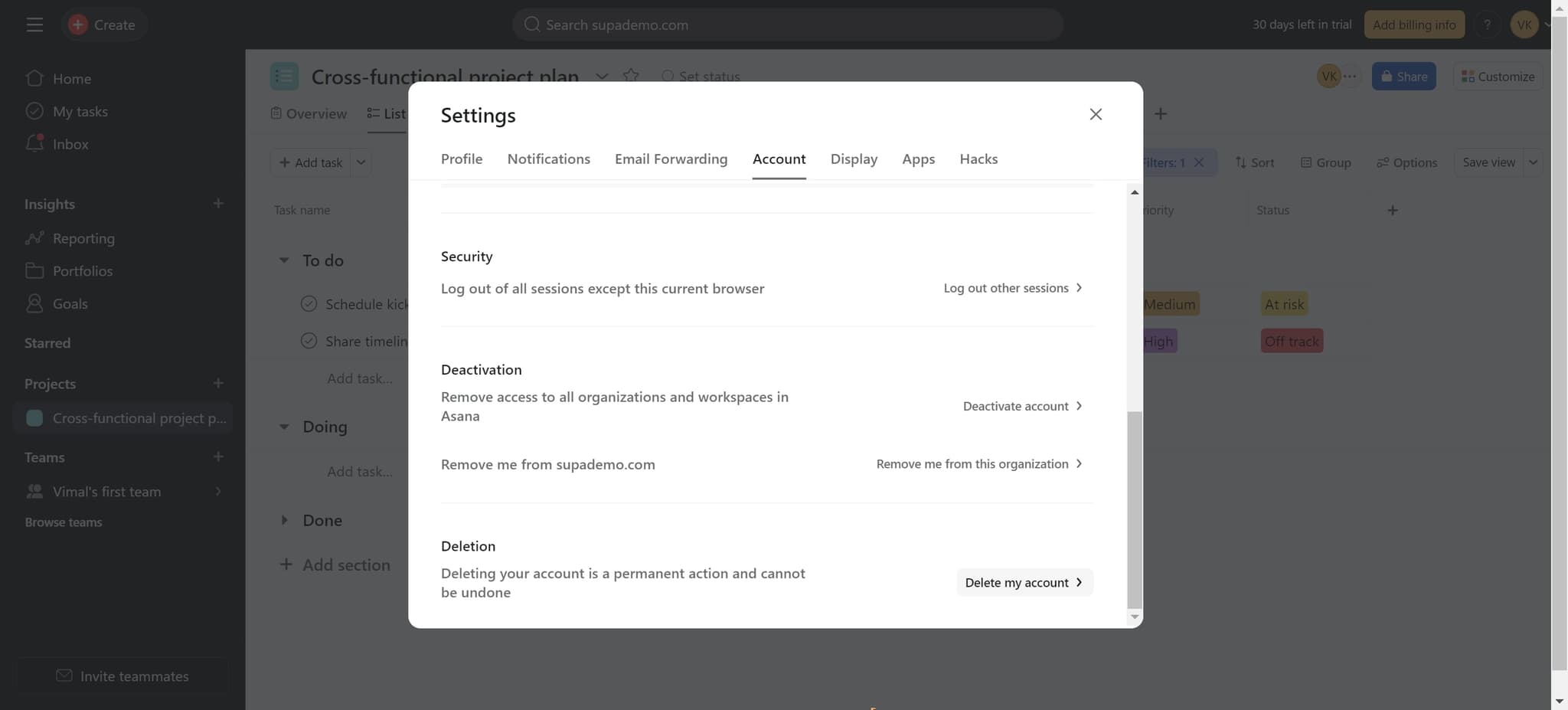
Click on Account
Select 'Account' from the settings menu. You'll now be in the account management section where deletion options are available.
- 5
Click Delete my account
Click on 'Delete my account' to initiate the account deletion process. A confirmation dialog will appear; follow the prompts to complete the permanent deletion of your Asana account.
Frequently asked questions
Common questions about how to delete your asana account.
No, account deletion is permanent and cannot be undone. All your projects, tasks, and account data will be permanently removed from Asana. Make sure you've backed up any important information before proceeding with deletion.
All your projects, tasks, and associated data will be deleted from Asana. If you're part of a workspace with other team members, those projects will be inaccessible to you, though they may remain for other workspace admins depending on your organization's settings.
You may face restrictions if you're the sole owner of a workspace. Before deleting your account, transfer ownership of your workspaces to another team member. Contact Asana support if you need assistance with ownership transfer.
Yes, deleting your Asana account will remove you from all shared workspaces and projects. Other team members will no longer see you as a member, but the workspace itself will remain intact if other users are part of it.
Asana typically processes account deletion within a few days. During this time, your account access will be immediately revoked, though some data may take additional time to be fully purged from their servers.