How to Remove Someone from Your Asana Project

Managing project access in Asana is essential for keeping your workspace organized and secure. This guide walks you through the process of removing a team member from a specific project when their involvement is no longer needed.
Quick summary
In this tutorial, you'll learn how to remove someone from your Asana project in four simple steps. You'll access the project's share settings, locate the team member with Editor access, and remove them completely from the project.
Why this matters
Removing users from projects ensures that only relevant team members have access to sensitive information and prevents unnecessary notifications. This practice helps maintain project clarity and keeps your Asana workspace lean and focused on active contributors.
Step-by-step guide
- 1
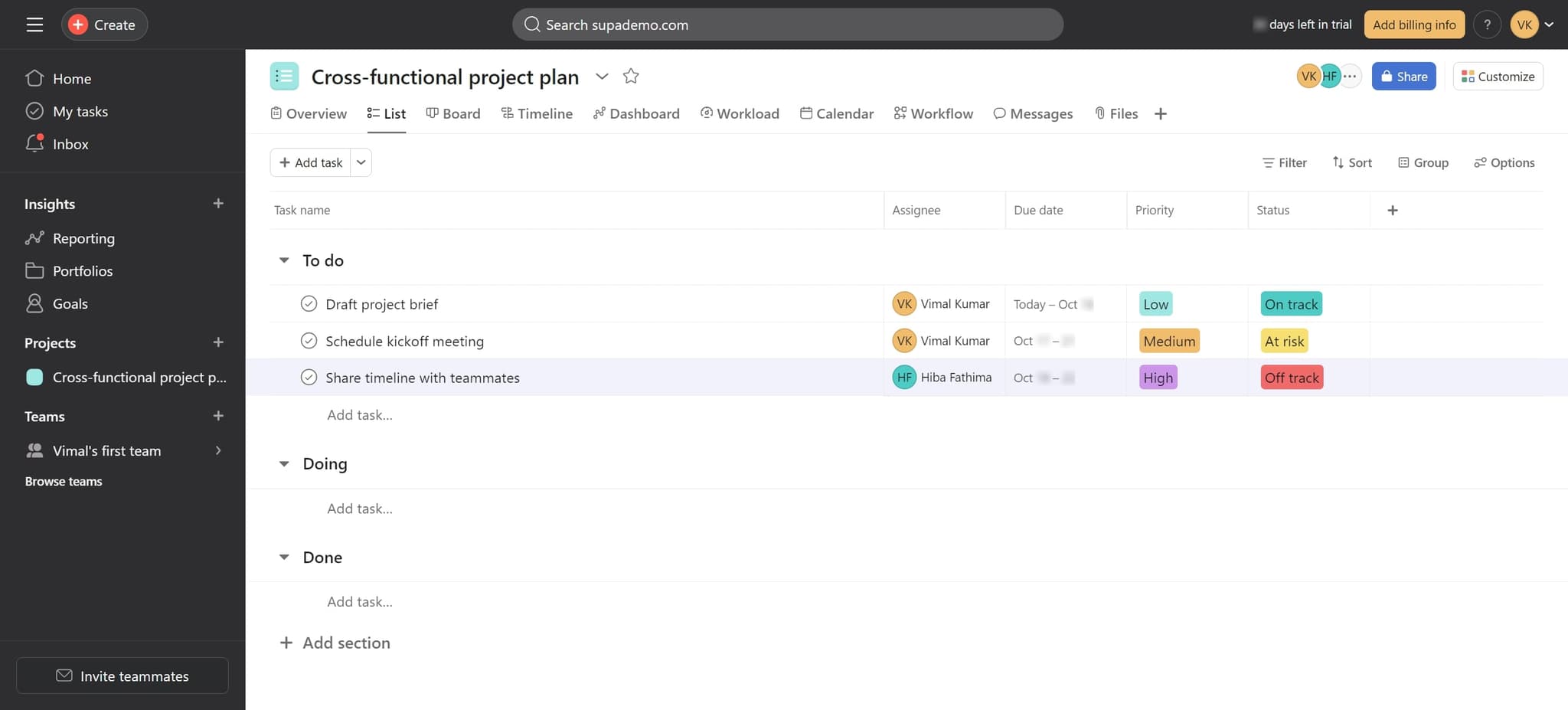
Click on the project element
Start by clicking on the project from which you want to remove someone. This selects the project and prepares it for sharing adjustments.
- 2
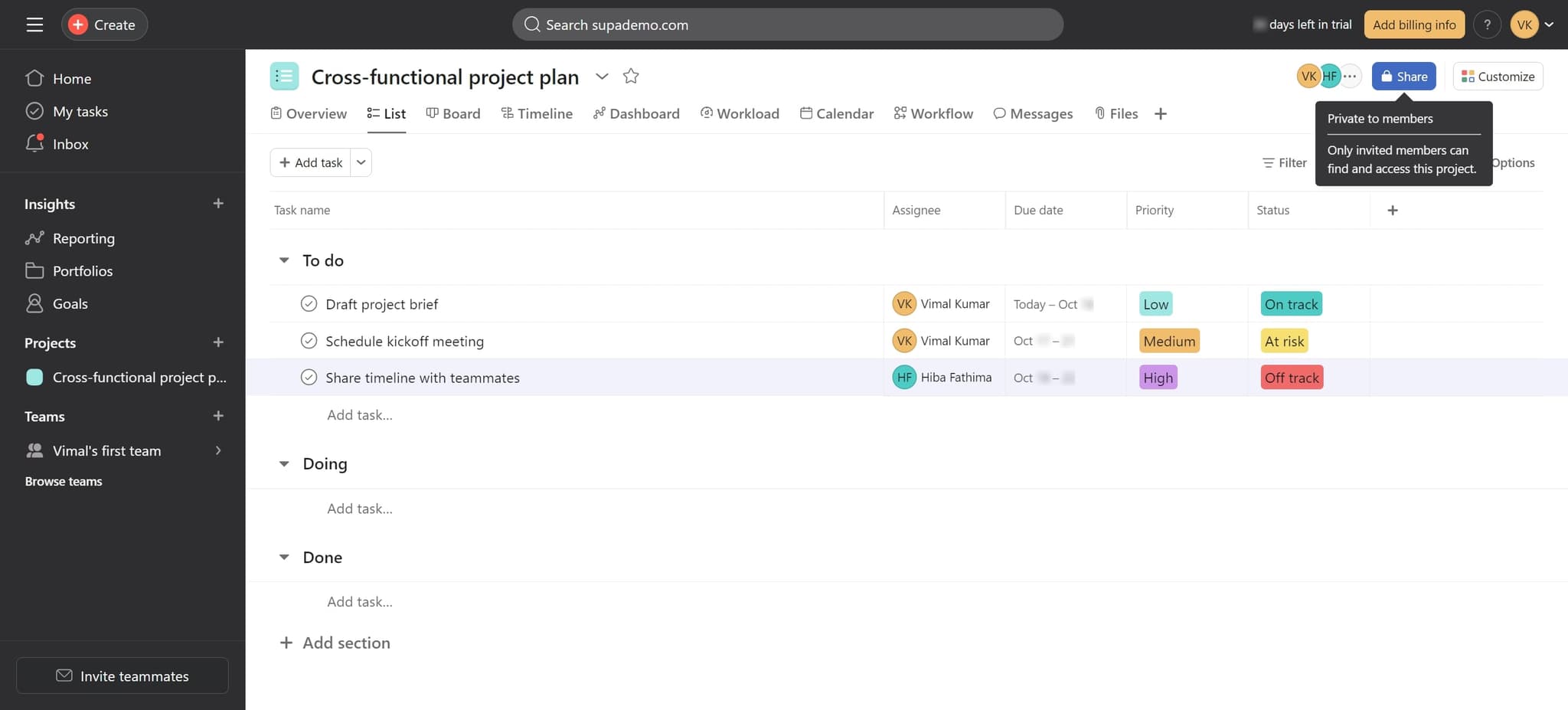
Click on Share
Look for and click the Share button, typically found in the top right area of the project. This opens the project's sharing and access management panel.
- 3
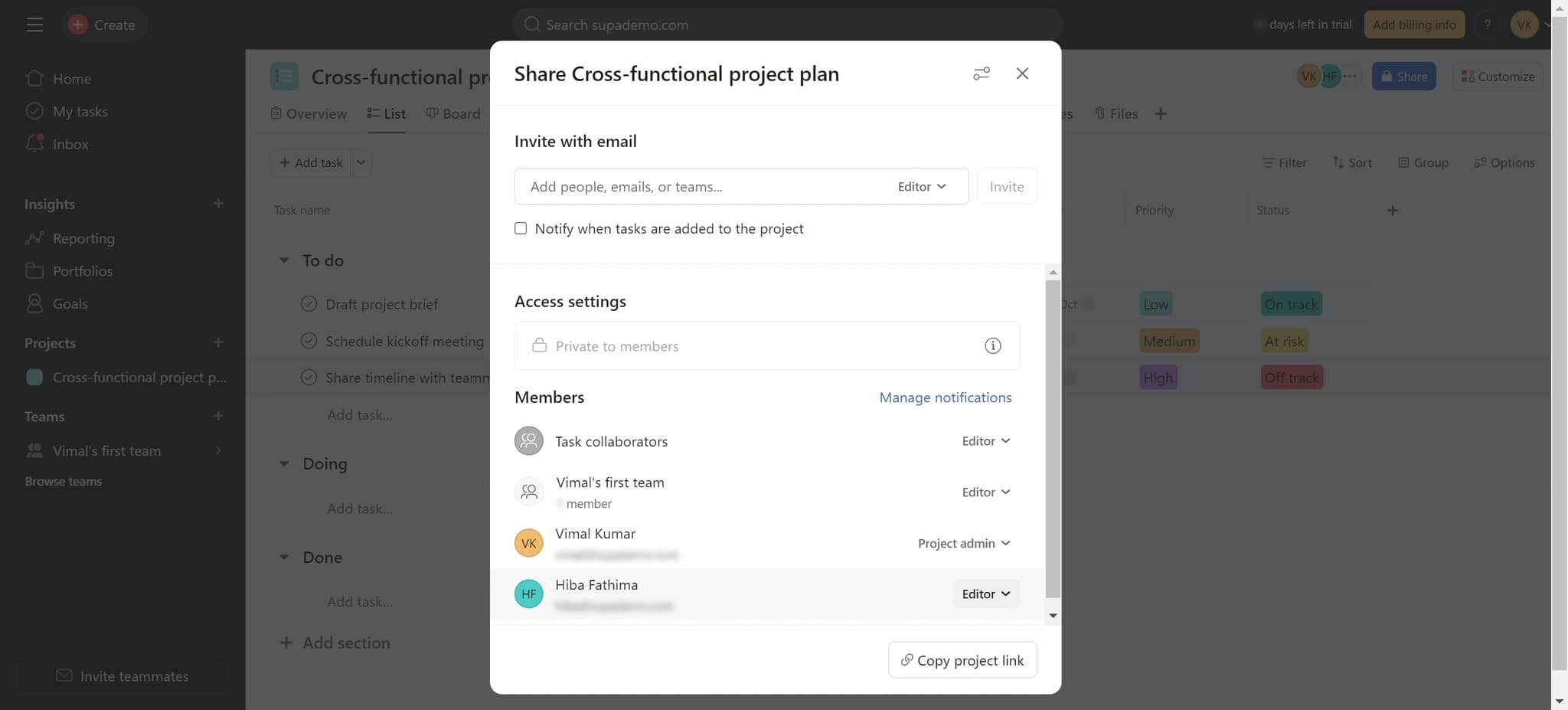
Click on Editor
In the sharing panel, click on the Editor role or access level next to the person you want to remove. This shows the detailed access controls for that team member.
- 4
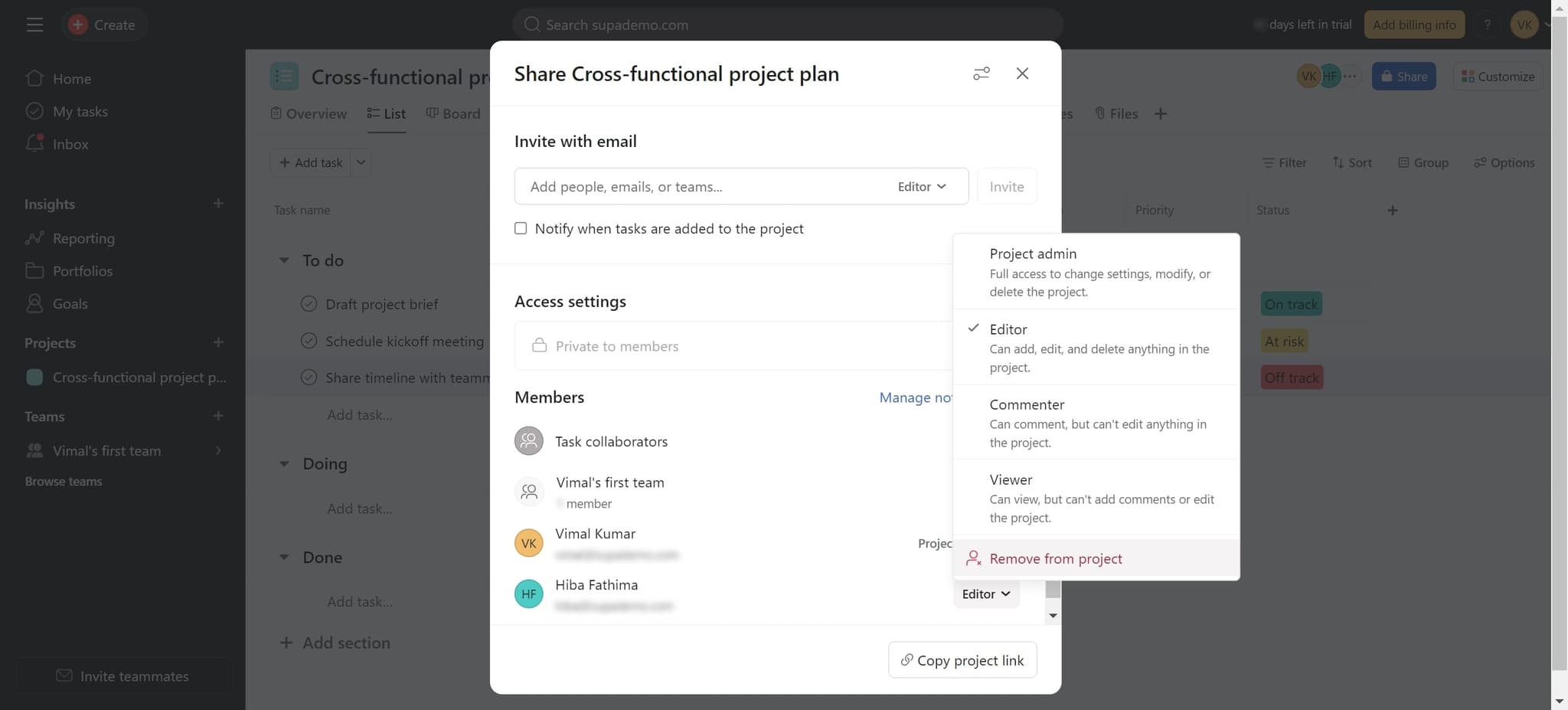
Click Remove from project
Select the Remove from project option to immediately revoke that person's access. The team member will no longer be able to view or interact with this project.
Frequently asked questions
Common questions about how to remove someone from your asana project.
Asana typically sends a notification to the removed team member informing them of the access change. The exact notification behavior depends on your workspace notification settings and Asana's current feature set.
Yes, removing someone from a project only affects their access to that specific project. Their Asana account remains active, and they retain access to other projects and workspaces they're part of.
Tasks previously assigned to the removed person remain in the project with their assignments intact. You may want to reassign these tasks to another team member before or after removing them from the project.
Yes, you can remove users with any access level. Follow the same steps but click on their specific role or access level instead of Editor. The Remove from project option will appear for all access levels.
You can re-add the person to the project by clicking Share and inviting them again with the desired access level. However, there is no undo function, so you'll need to reinvite them manually if needed.