How to subscribe to Chat GPT Plus

ChatGPT Plus unlocks advanced features including GPT-4 access, faster response times, and priority support. This guide walks you through the subscription process step by step. Learn how to upgrade your account and start enjoying premium capabilities.
Quick summary
In this tutorial, you'll learn how to navigate to your ChatGPT account settings and complete the upgrade to a Plus subscription. You'll discover where to find the upgrade option and how to finalize your payment to gain immediate access to premium features.
Why this matters
A ChatGPT Plus subscription significantly enhances your productivity by providing access to GPT-4, which offers more accurate and detailed responses for complex tasks. Plus subscribers also benefit from faster processing speeds and priority access during peak usage times, making it essential for professionals and power users.
Step-by-step guide
- 1
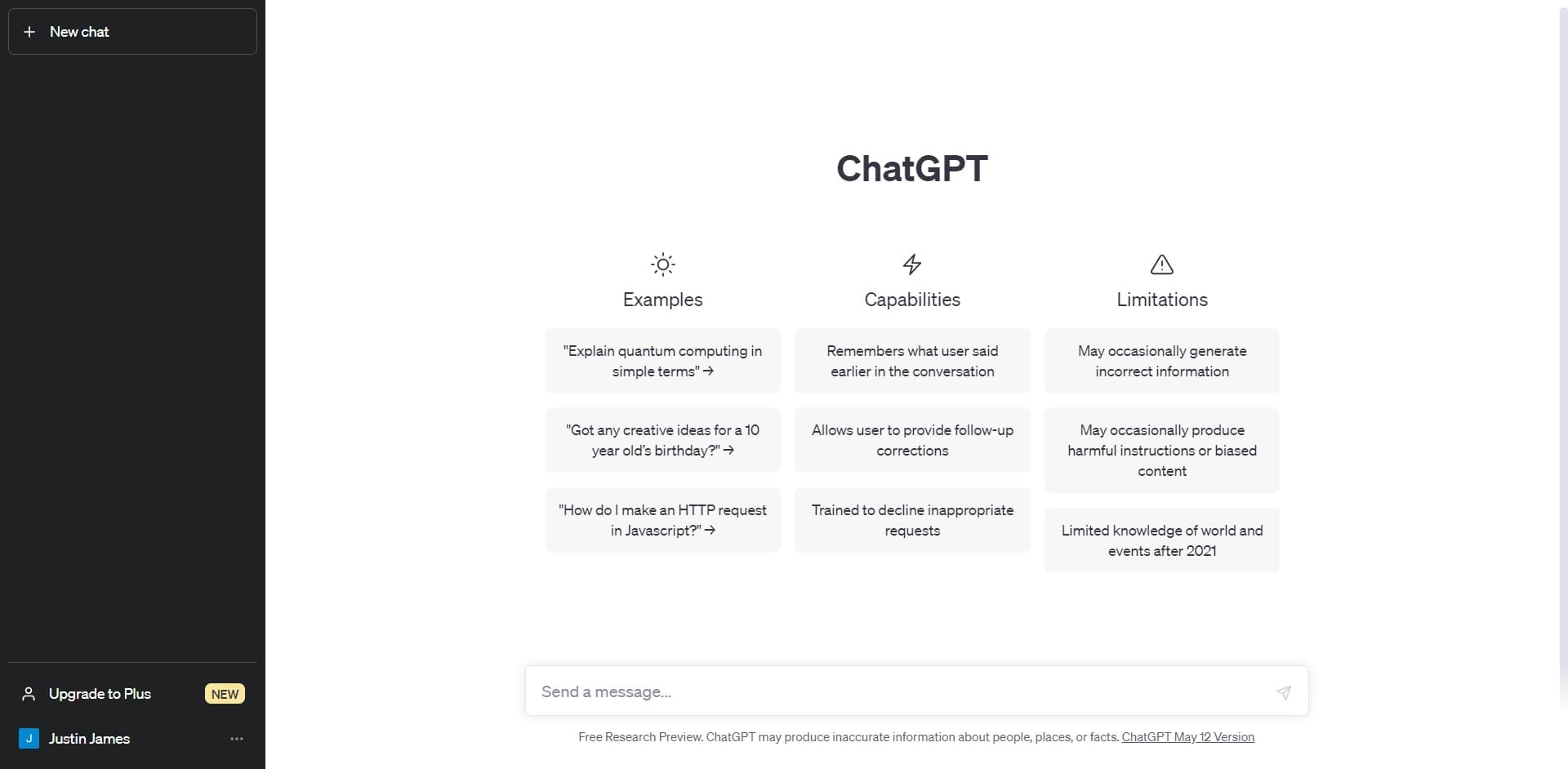
Open ChatGPT and locate menu
Log into your ChatGPT account and look for the navigation menu or settings area. This is typically found in the sidebar or top menu of the interface where account options are displayed.
- 2
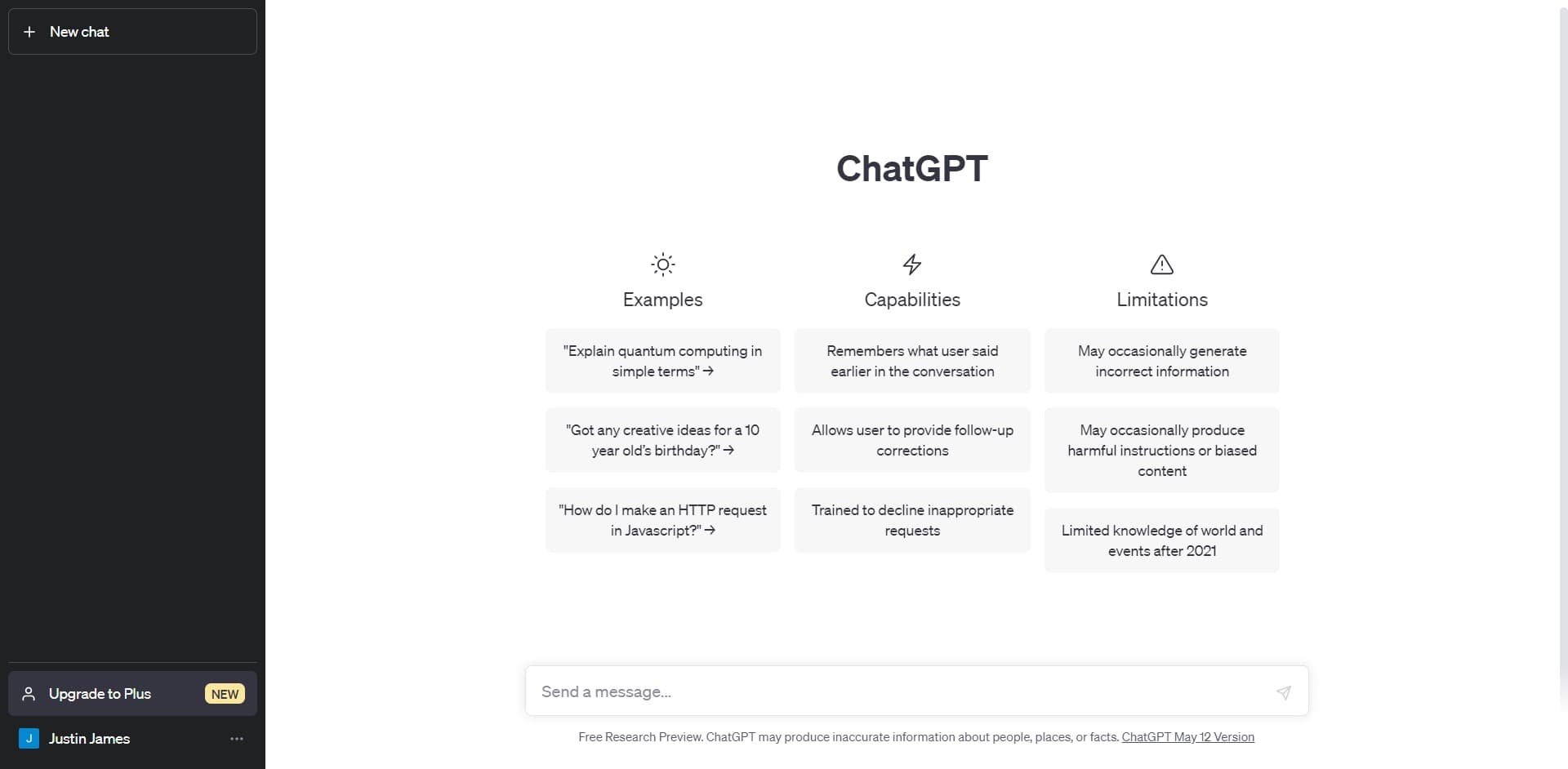
Click on Upgrade to Plus
Select the 'Upgrade to Plus' option marked as NEW. This button prominently displays the upgrade opportunity and takes you to the subscription details page.
- 3
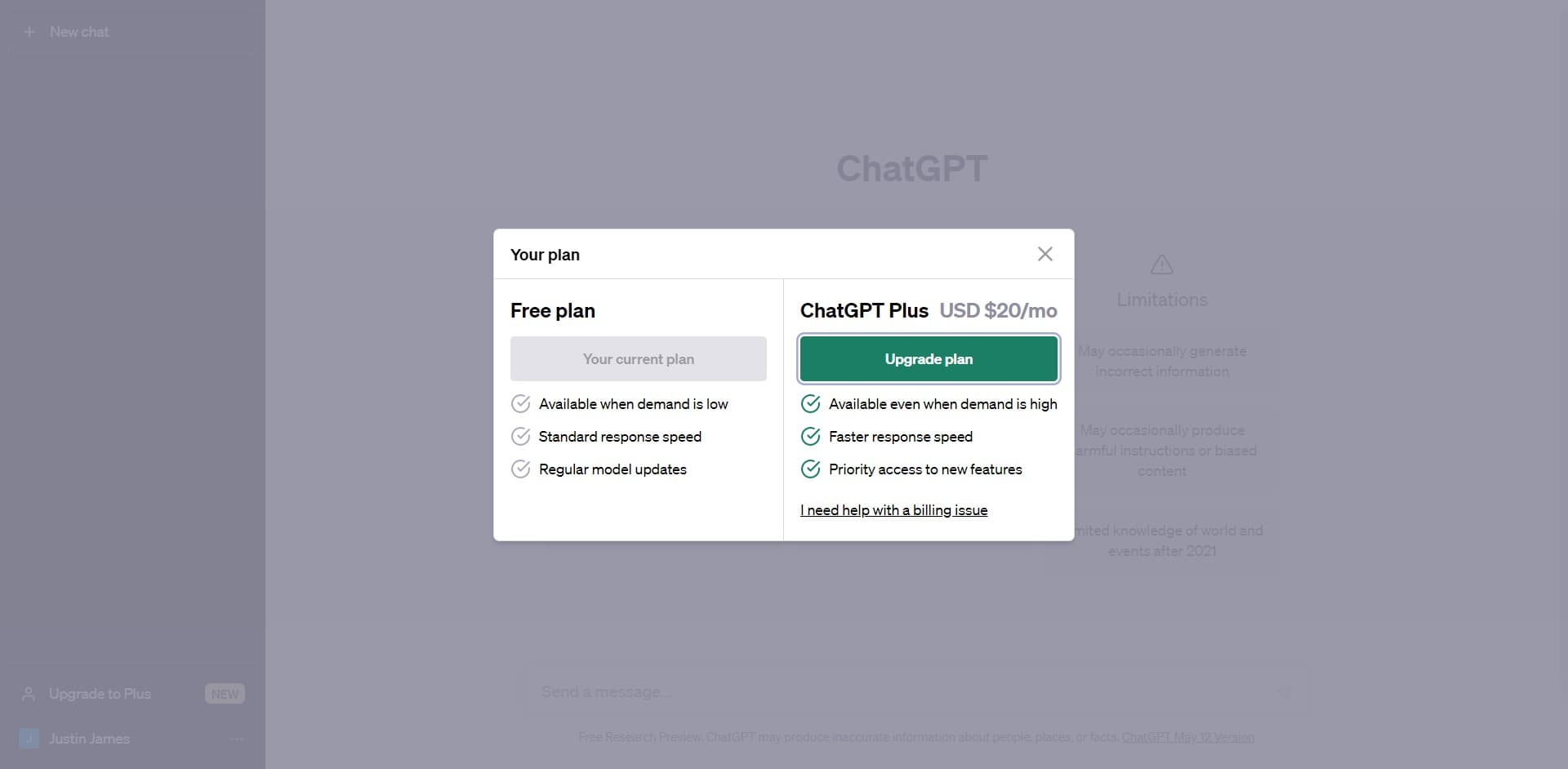
Click on Upgrade plan
On the upgrade page, click the 'Upgrade plan' button to proceed with your subscription. This action confirms your intention to move forward with the Plus membership.
- 4
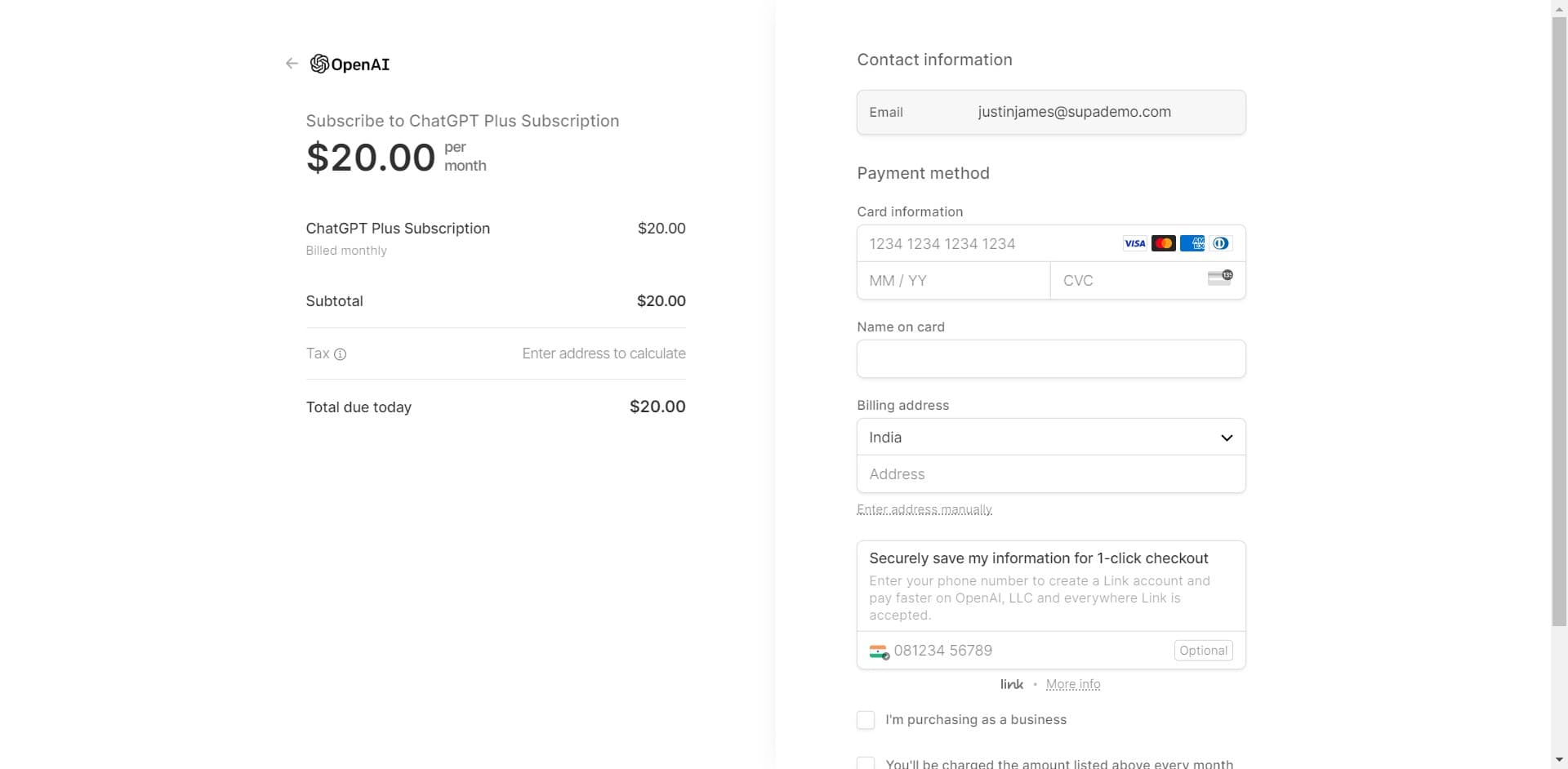
Review subscription details
The system will display your subscription information and pricing details. Review the plan features and terms to ensure this is the right choice for your needs before continuing.
- 5
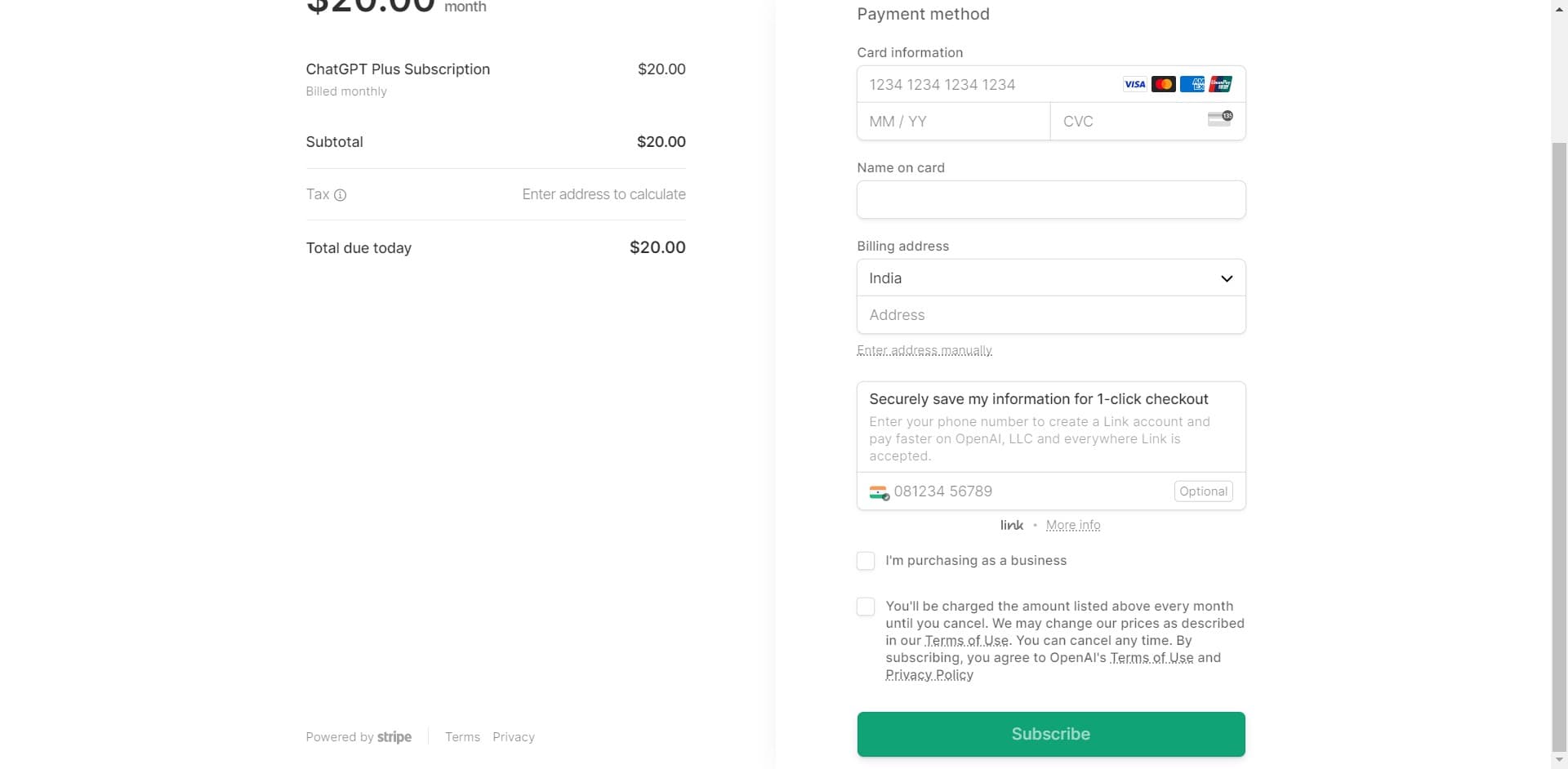
Complete payment process
Enter your payment information and follow the final prompts to complete your subscription. Once processed, your account will be immediately upgraded to ChatGPT Plus with full access to premium features.
Frequently asked questions
Common questions about how to subscribe to chat gpt plus.
ChatGPT Plus is typically priced at $20 USD per month. The exact price may vary by region and any promotional offers available. Check the upgrade page in your account for current pricing in your area.
Yes, you can cancel your subscription at any time through your account settings. Cancellation takes effect at the end of your current billing cycle, and you'll retain Plus access until then.
ChatGPT accepts major credit cards including Visa, Mastercard, and American Express. You may also use other payment methods depending on your region. Check the payment page during checkout for all available options.
No, upgrading to Plus does not affect your existing chat history or conversations. All your previous chats remain accessible in your account after the upgrade is complete.
ChatGPT occasionally offers trial periods for new Plus subscribers, though this varies by region and availability. Check the upgrade page to see if a trial option is currently available in your country.