How to Delete Your DocuSign Account

Closing your DocuSign account is a straightforward process that permanently removes your account and associated data from the platform. Whether you're consolidating accounts or no longer need the service, this guide walks you through the account deletion process.
Quick summary
In this tutorial, you'll learn how to navigate DocuSign's admin settings and complete the account closure workflow. You'll discover where to find billing options and the account termination feature, then execute the final steps to close your account.
Why this matters
Account deletion is important for users who want to ensure their data is removed from DocuSign's servers and prevent ongoing charges. Understanding the proper termination process helps you avoid accidental account suspension and ensures a clean exit from the platform.
Step-by-step guide
- 1
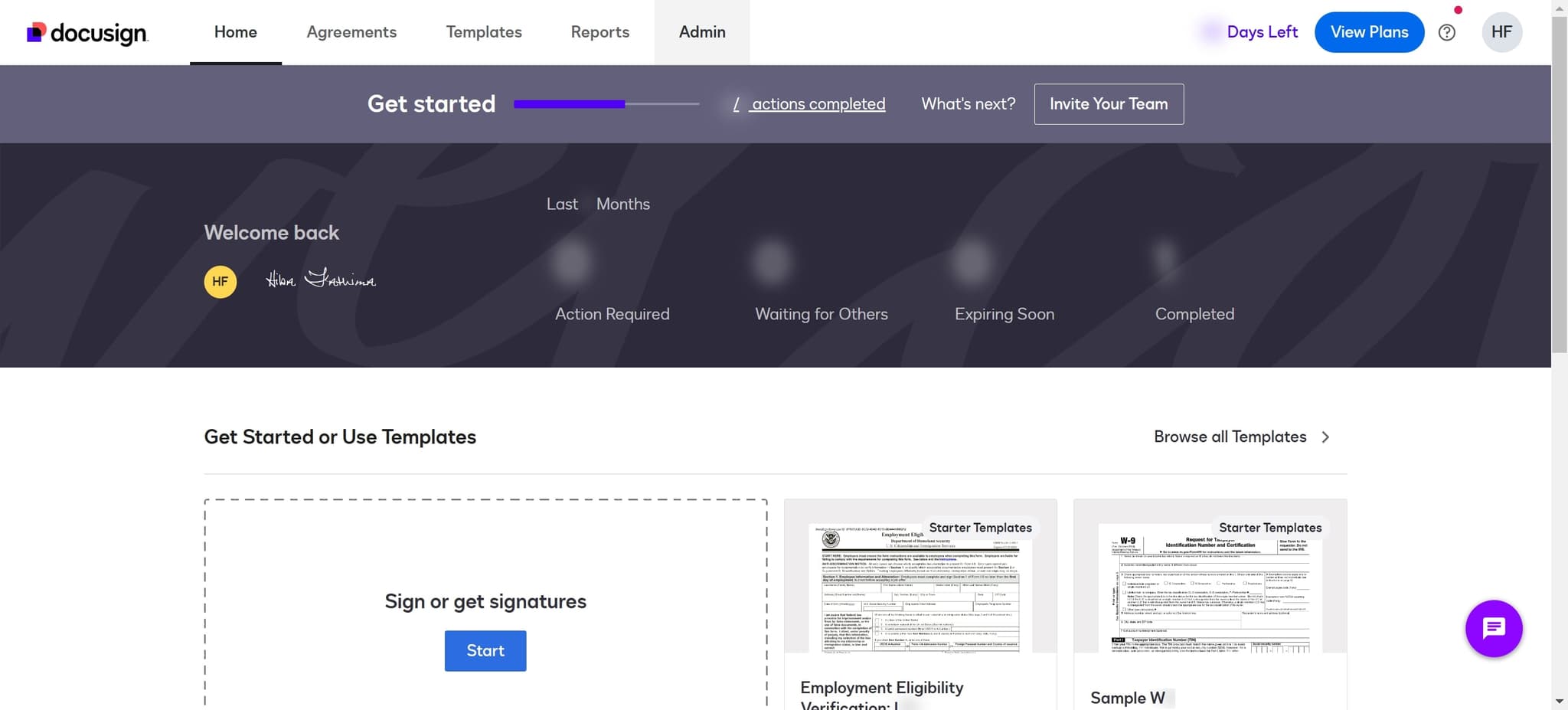
Click on Admin
Start by locating and clicking the Admin button in your DocuSign dashboard. This will take you to the administrative settings area where you can manage your account.
- 2
Complete the Upload process
Follow the upload steps as prompted in the Admin section. This ensures any pending actions are completed before you proceed with account closure.
- 3
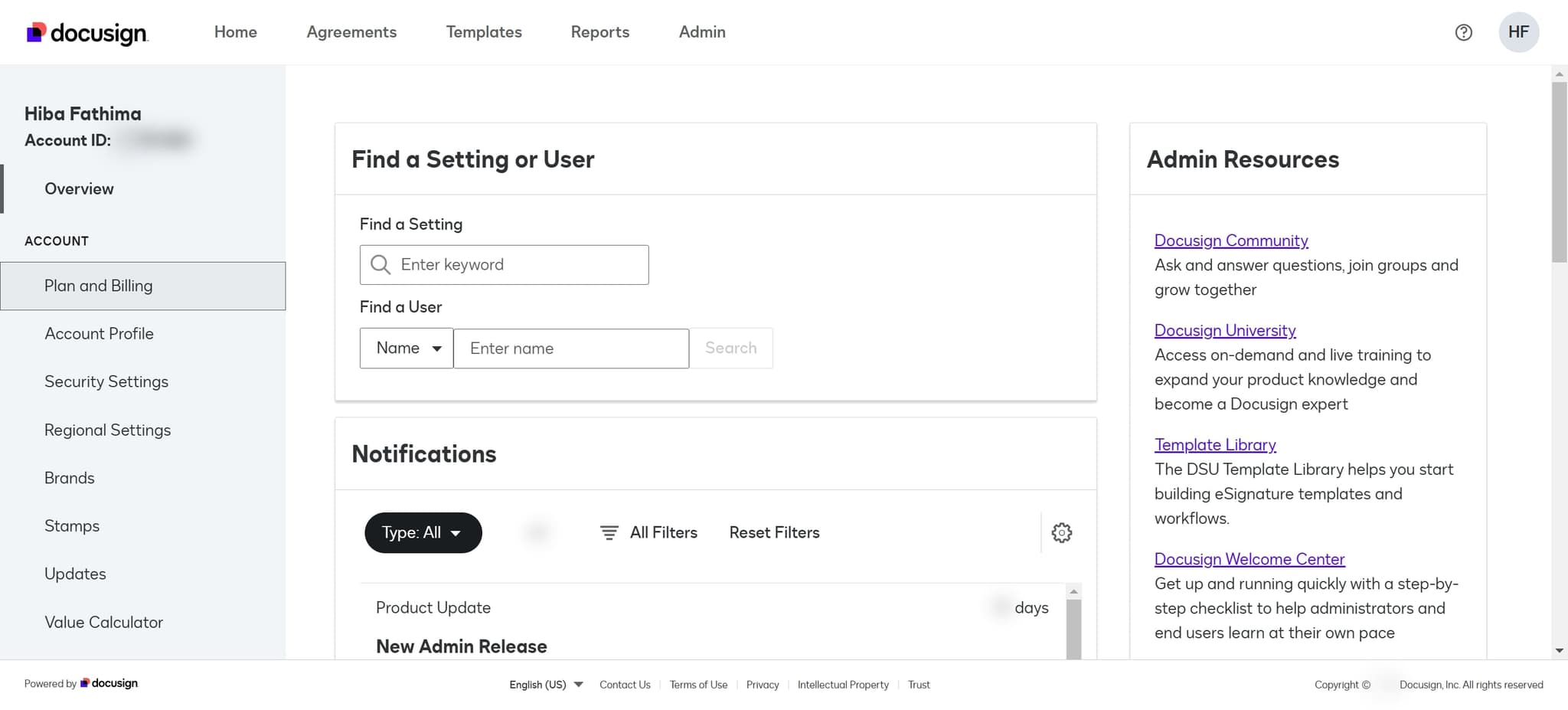
Click on Plan and Billing
Navigate to the Plan and Billing section from the Admin menu. This area contains billing-related options, including account management and closure settings.
- 4
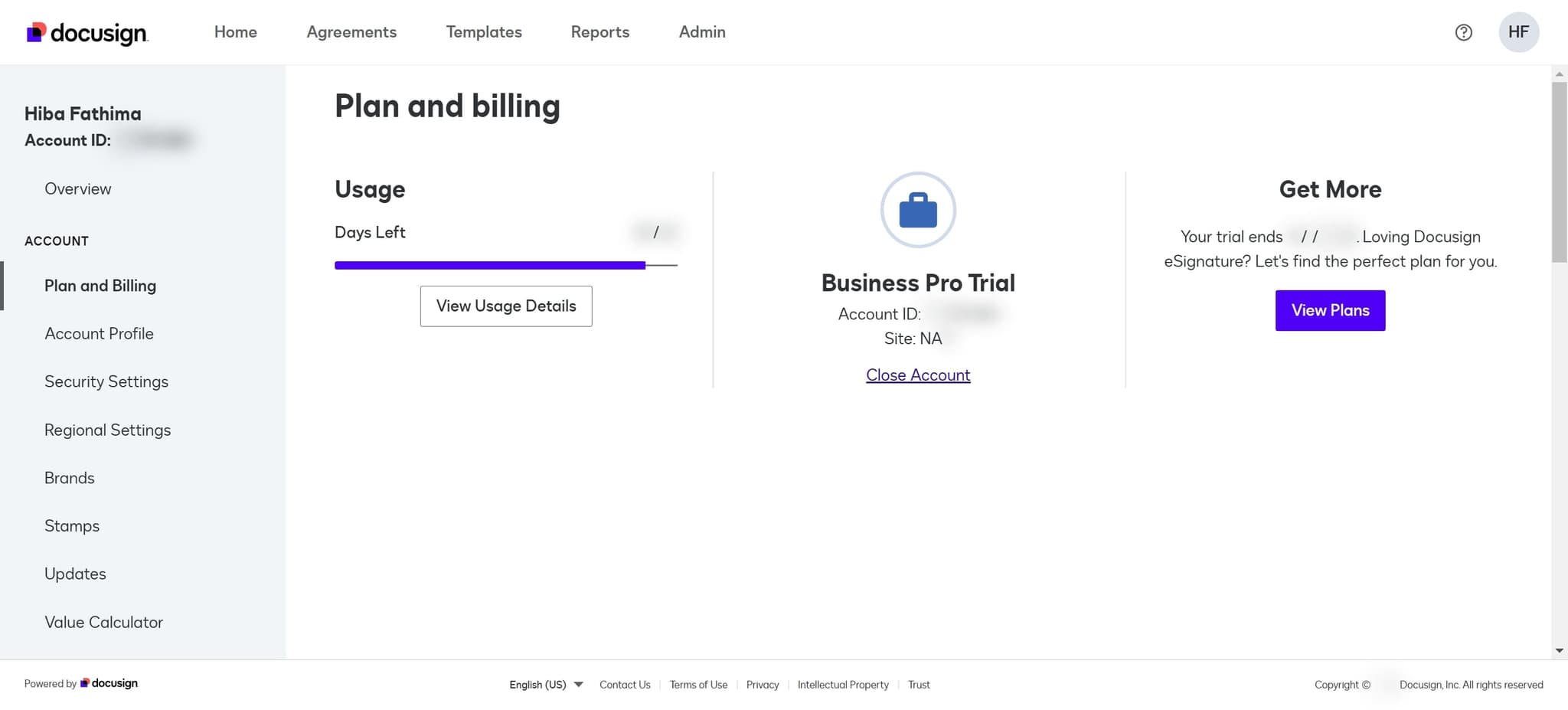
Click on Close Account
Select the Close Account option from the Plan and Billing menu. This will present you with details about account closure and any final steps.
- 5
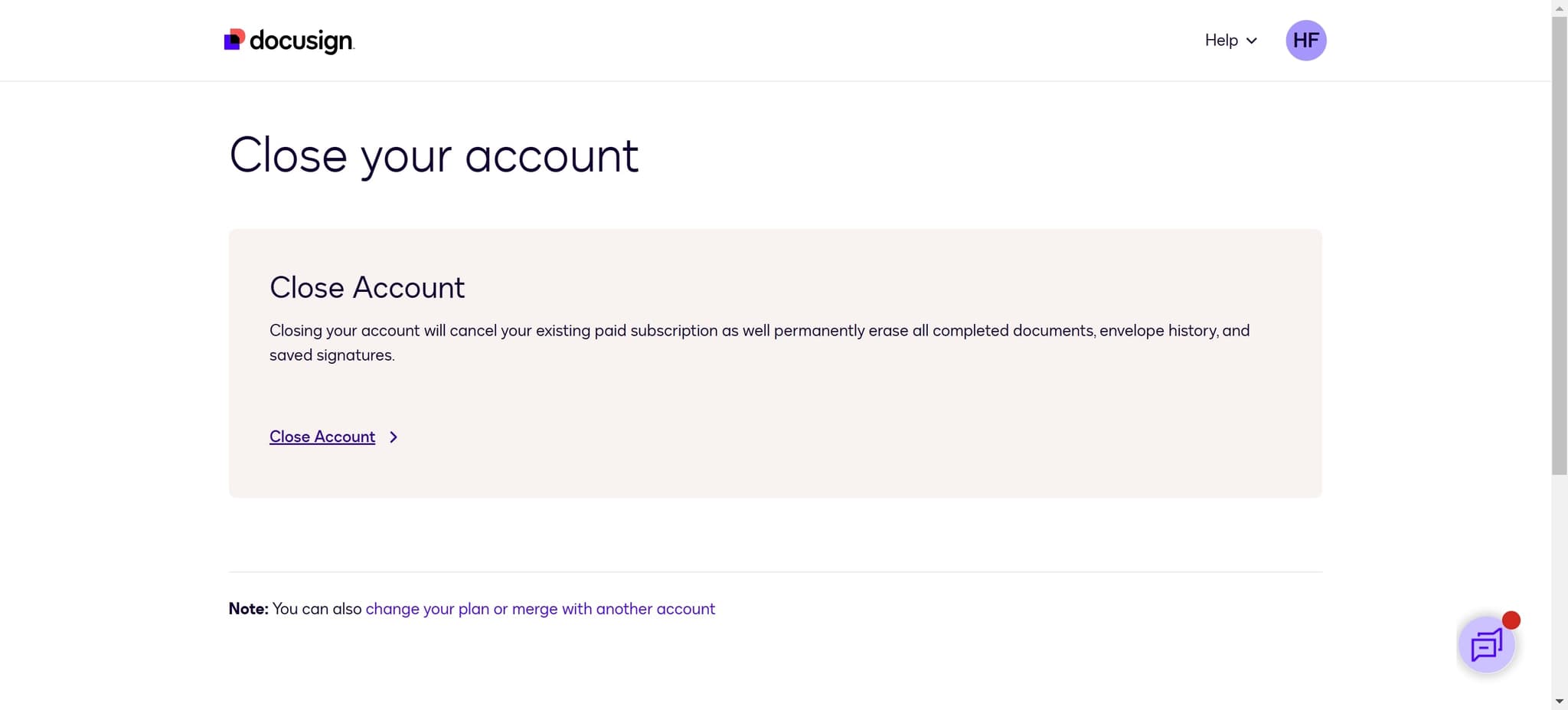
Click on Close Account again
Confirm your action by clicking Close Account a second time. This confirmation step ensures you intentionally proceed with the closure process.
- 6
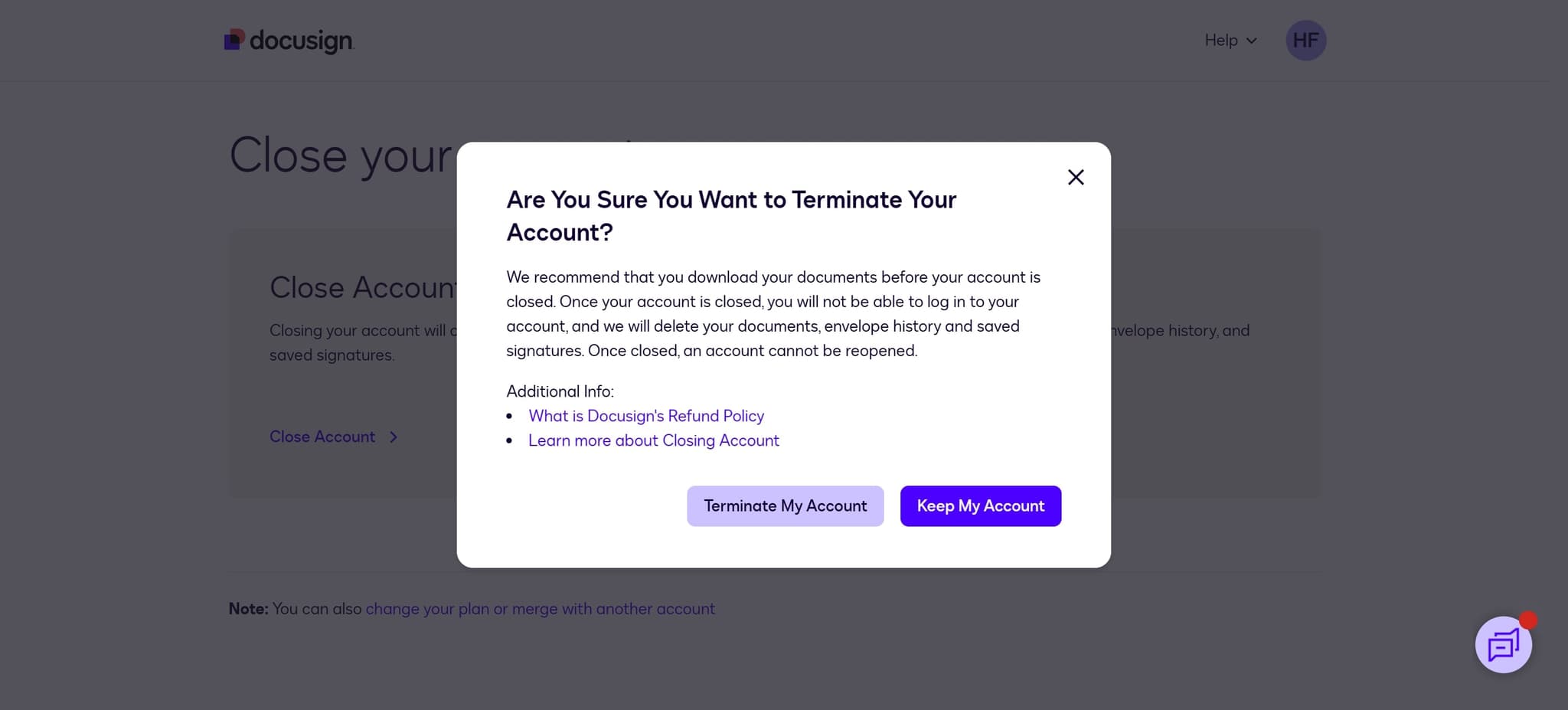
Click on Terminate My Account
Complete the account deletion by clicking the Terminate My Account button. This final action will permanently close your DocuSign account and begin the data removal process.
Frequently asked questions
Common questions about how to delete your docusign account.
Once you terminate your DocuSign account, it cannot be reactivated. If you need to use DocuSign again in the future, you'll need to create a new account. Make sure to download or save any important documents before completing the termination process.
When you terminate your DocuSign account, all documents and data associated with your account will be permanently deleted from DocuSign's servers. DocuSign typically retains deleted account data for a period before complete removal, as per their data retention policy. For critical documents, download and save copies to your computer before closing your account.
Closing your account will stop any recurring charges associated with your DocuSign subscription. If you have an active billing cycle, you may not receive a refund for the remainder of that period, depending on your plan terms. Review your billing information before termination to understand any final charges.
Yes, you need admin-level access to your DocuSign account to initiate the closure process. If you're a team member without admin rights, contact your account administrator to request account deletion. The admin will need to follow the steps outlined in this tutorial.
Your DocuSign account will be closed immediately upon clicking Terminate My Account, and you'll lose access right away. However, DocuSign may retain your data on their servers for a period for compliance and legal reasons. For specific details about data retention timelines, contact DocuSign support.