How to Duplicate a Typeform

Duplicating a Typeform allows you to quickly create a new form based on an existing one, preserving all questions, logic, and design elements. This workflow saves time when you need multiple similar forms or want to repurpose a successful form for a new campaign or audience.
Quick summary
In this tutorial, you'll learn how to duplicate a Typeform from start to finish. You'll discover where to find the duplication option, how to customize the copy, and how to manage your duplicated form within your workspace.
Why this matters
Duplicating forms is essential for maintaining consistency across surveys, applications, and feedback collection efforts. Rather than rebuilding forms from scratch, duplication preserves your design decisions and conditional logic, enabling faster deployment while reducing the risk of errors.
Step-by-step guide
- 1
Access your Typeform workspace
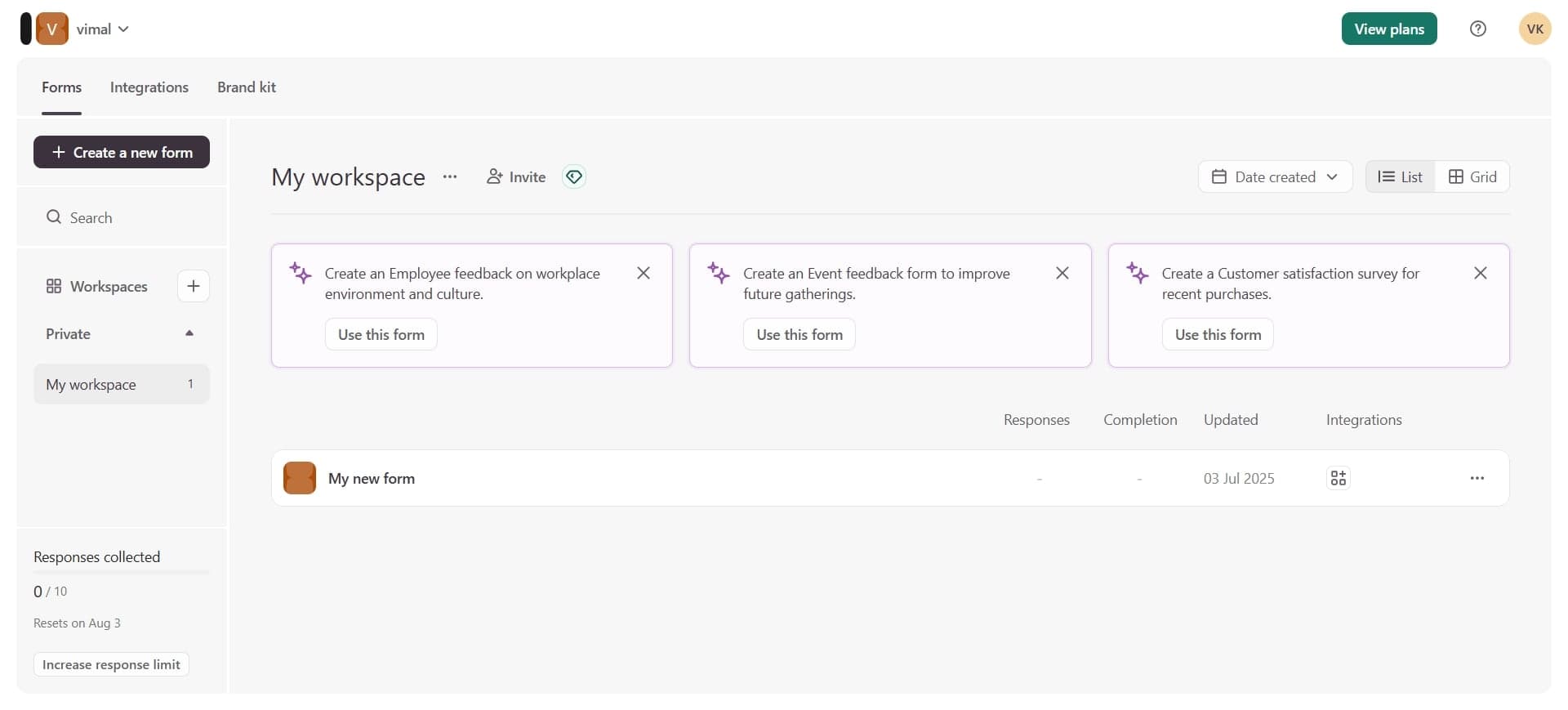
Log into your Typeform account and navigate to your dashboard where all your forms are listed. You'll see a collection of your existing forms displayed as cards or in a list view.
- 2
Locate the form to duplicate
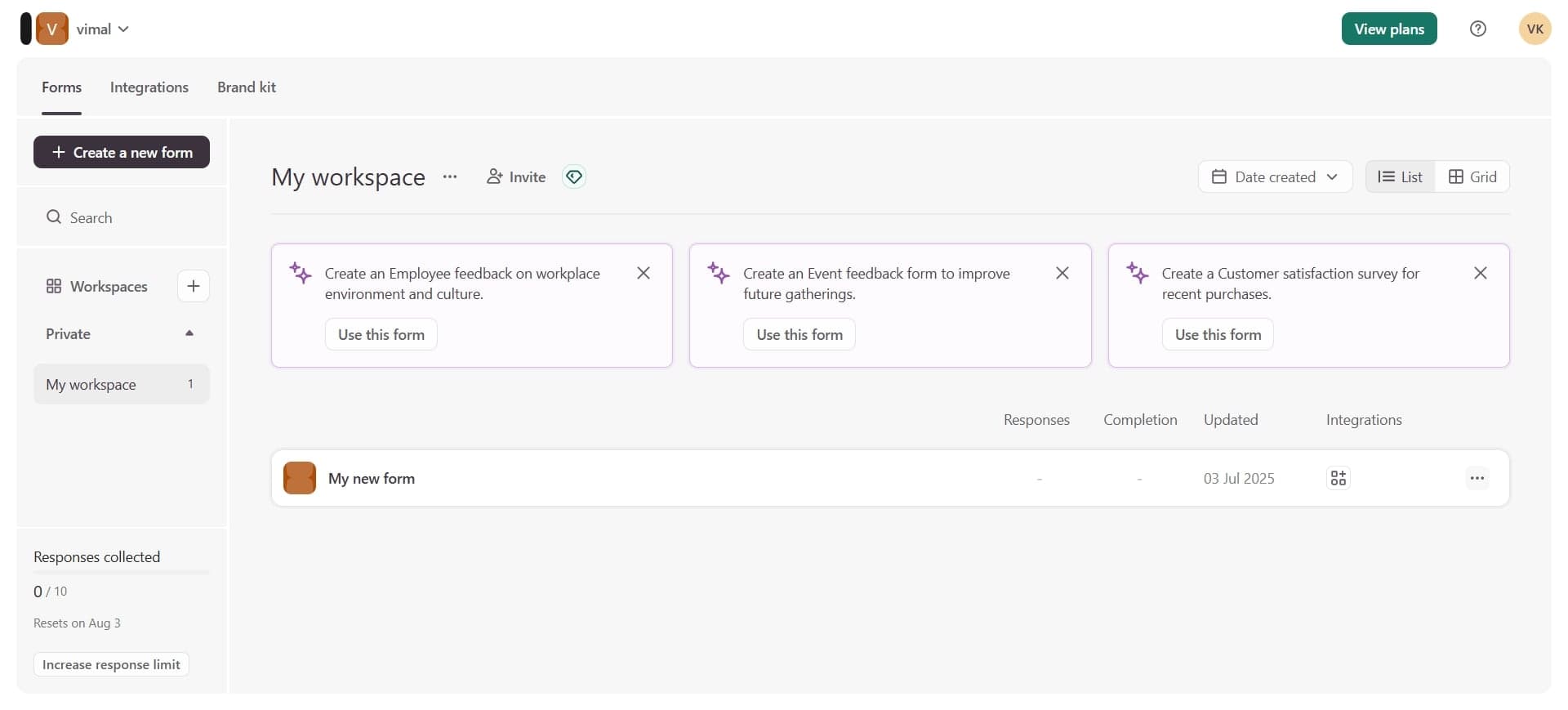
Find the specific Typeform you want to duplicate in your workspace. Hover over or select the form card to reveal the available actions and options.
- 3
Select the duplicate option
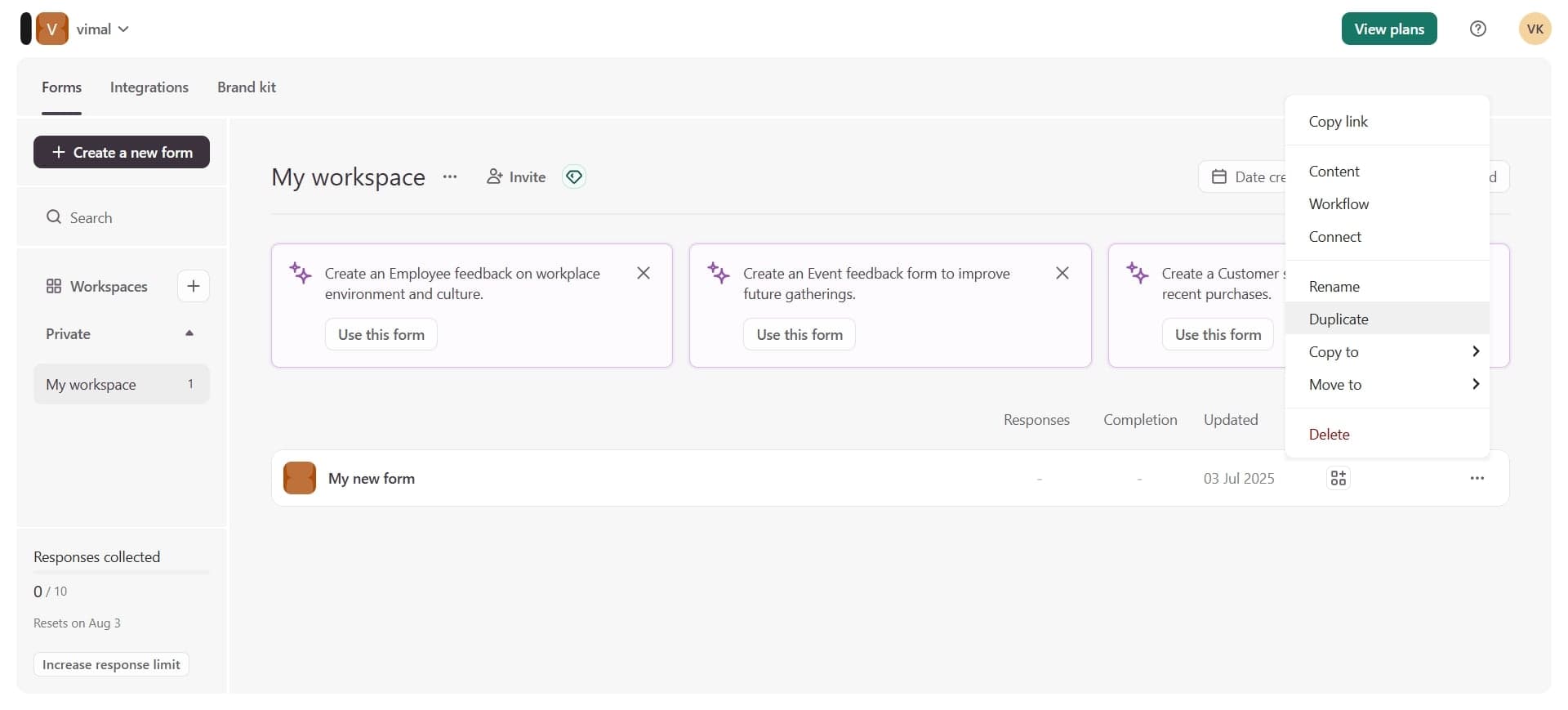
Click the duplicate or copy option from the menu that appears. Typeform will create an exact copy of your form, including all questions, settings, and design customizations, and add it to your workspace with a new name.
Frequently asked questions
Common questions about how to duplicate a typeform.
Yes, duplicating a Typeform copies all conditional logic, branching rules, calculations, and form settings from the original. Your new form will be a complete replica, ready to use or customize as needed.
Yes, after duplication completes, you can rename the new form to something descriptive. Typeform typically assigns a default name like 'Copy of [Original Name]', which you can edit in the form settings or directly from your workspace.
No, duplicating a form creates a fresh copy with no existing responses. The new form starts with zero responses, allowing you to collect data separately from the original.
You can duplicate a form as many times as you need within your account limits. There is no restriction on the number of duplicates you can create from a single original form.
Editing a duplicated form does not affect the original form in any way. The two forms are completely independent, so you can modify one without impacting the other.