How to export your board in Miro

Nithil Shanmugam
Nithil Shanmugam·
Featured image for How to export your board in Miro

Overview:

Streamline your Miro experience by efficiently exporting your drawn diagrams. Enhance workflow organization and clarity by utilizing this guide's seamless process to export diagrams from Miro, ensuring easy sharing and accessibility. Improve efficiency in diagram management within the Miro platform, empowering users to communicate ideas effectively.

Interactive demo powered by Supademo

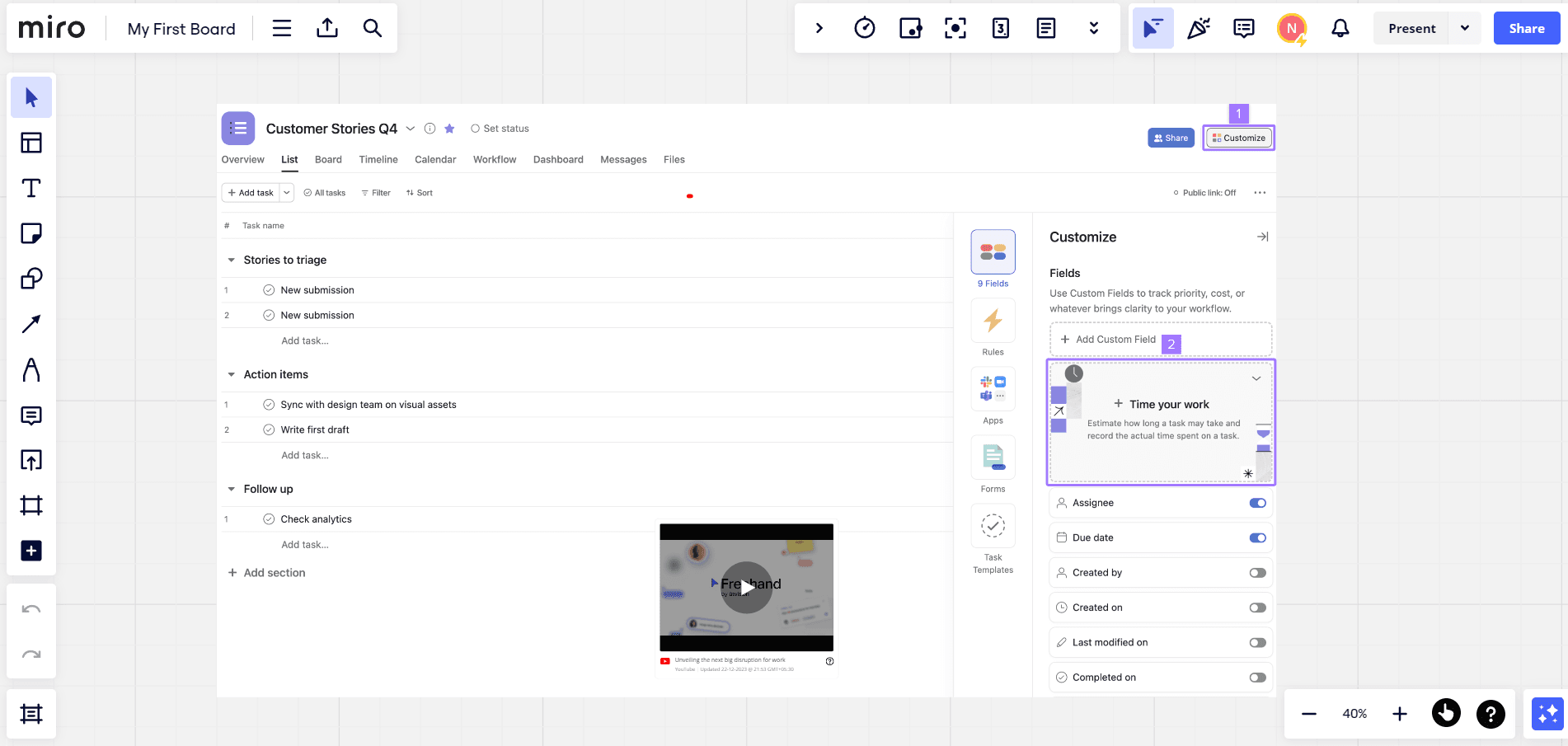
1. Begin by selecting the option to 'Export the Board'.

1 Upload

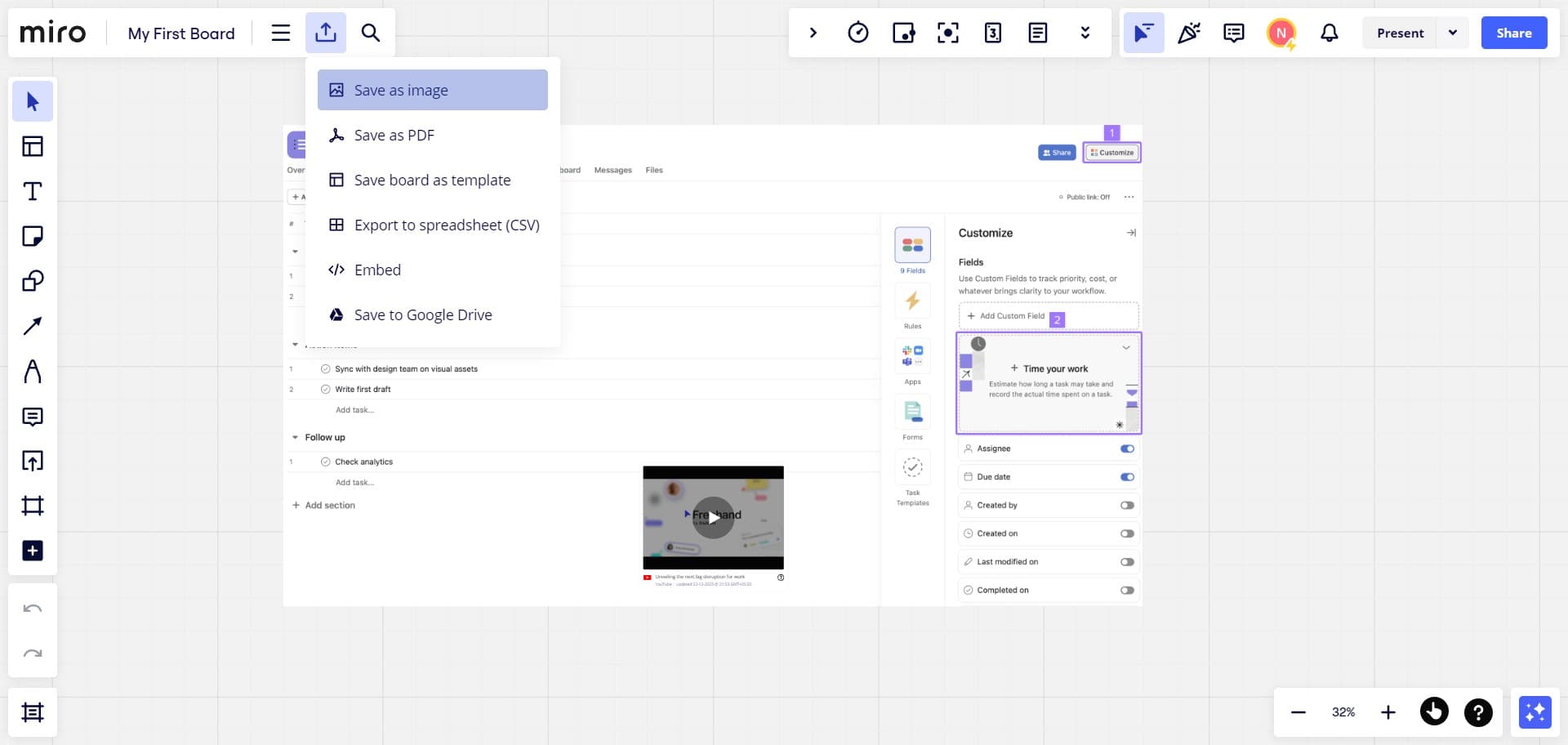
2. Next, choose your preferred file type.

2 Click on "Save as image"

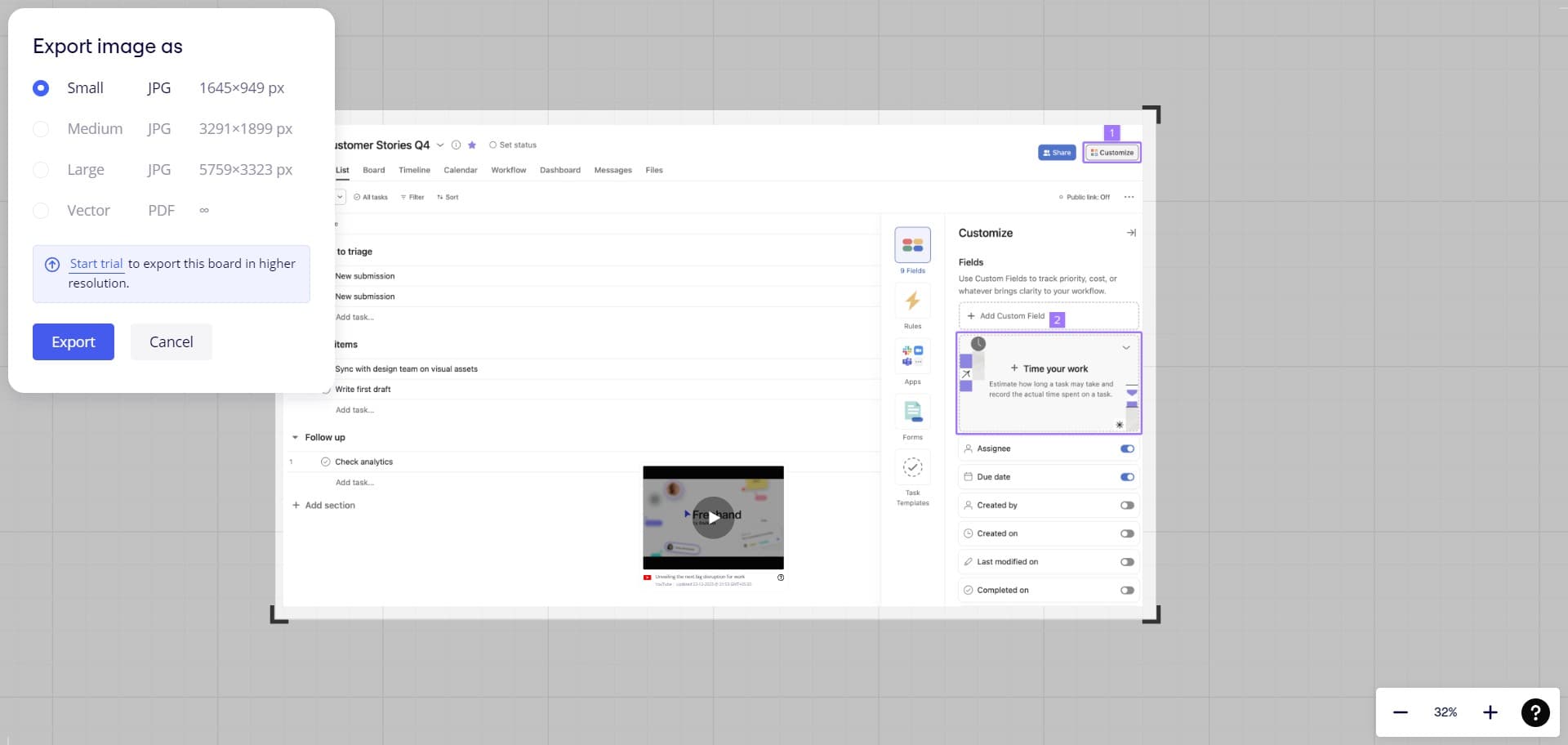
3. Then, after selecting your desired dimensions, click 'Export' to finish.


Create your own step-by-step demo

Scale up your training and product adoption with beautiful AI-powered interactive demos and guides. Create your first Supademo in seconds for free.

Frequently Asked Questions about how to export your board in miro

Commonly asked questions about this topic.

What are the different file formats available when exporting a Miro board?

Miro supports real-time collaboration where multiple team members can view and edit simultaneously. Features like commenting, @mentions, and activity logs help keep communication in context. Set clear editing permissions — having too many editors without structure leads to version conflicts and confusion. Learn more about Supademo's features. 68% of teams rate support and self-service impact from interactive demos as high or very high.

Can I schedule automatic exports of my Miro board?

At minimum, review weekly with your team to flag outdated items and reprioritize as needed. For fast-moving projects, daily check-ins on critical board elements prevent misalignment. Build the review cadence into your regular team rituals — standalone review meetings rarely get prioritized. Learn more about AI-powered demo creation. VRIFY saved over $100k by switching to interactive demos for enablement. 54% of top-completing demos use AI voiceover to improve the guided experience.

How do I share exported Miro board files with team members?

Most platforms offer role-based permissions that control who can view, edit, or admin your board. Miro typically supports workspace-level, project-level, and item-level permissions. Review your sharing) settings before collaborating with external stakeholders — default permissions may expose more data than intended. Bullhorn achieved 2x faster production and a 20% increase in demo engagement with Supademo.

What happens to collaborative elements when I export my Miro board?

A strong board includes clear labels, defined owners, status indicators, and relevant dates or milestones. Avoid including information that belongs elsewhere — keep each element focused on its core purpose. The right level of detail depends on your audience: executives need summaries while team leads need actionable specifics. Learn more about interactive forms feature. Supademo supports AI voiceover in 15+ languages for global teams.

How can I create a step-by-step guide for exporting your board in Miro?

The most effective guides combine brief written instructions with visual walkthroughs showing each click. Screen recording tools and interactive demo platforms can capture your exact workflow in Miro, creating guides that viewers navigate at their own pace. This approach reduces follow-up questions compared to static screenshots or long text documents. As a real-world example, Bullhorn achieved 2x faster production speed and a 20% increase in demo engagement.

Which Miro subscription tier allows exporting boards?

Free tiers on platforms like Miro often include basic board functionality, while advanced features like automation, custom fields, and timeline views typically require paid plans. Compare your must-have features against each tier's offering — paying for features you don't use wastes budget, but outgrowing a free plan mid-project is disruptive. 54% of top-completing demos use AI voiceover to improve the guided experience.

How do I preserve board formatting and elements during export?

Capture the end-to-end process with annotated screenshots or clickable walkthroughs — written-only SOPs often go unread. Tools like Supademo let you record the exact steps in Miro, creating a living reference that stays current with UI changes. Store documentation where your team already works, not in a separate wiki they'll forget to check. As a real-world example, Rev.io now produces training materials in hours instead of weeks with a 50% smaller team.
Nithil Shanmugam

Nithil Shanmugam

Nithil is a startup-obsessed operator focused on growth, sales and marketing. He's passionate about wearing different hats across startups to deliver real value.

More from the blog

How to Remove 'Powered by Shopify'

How to Remove 'Powered by Shopify'

Learn how to easily remove the 'Powered by Shopify' text from your online store with step-by-step instructions and tips to customize your Shopify storefront.

Vimal Kumar
Vimal KumarJan 3, 2026
How to Add Products to Shopify

How to Add Products to Shopify

Learn step-by-step how to add products to your Shopify store effortlessly, including tips on product details, images, pricing, and inventory management to boost your online sales.

Vimal Kumar
Vimal KumarDec 17, 2025
How to Deactivate Your Shopify Store

How to Deactivate Your Shopify Store

Learn step-by-step how to deactivate your Shopify store easily, including important considerations and tips to pause or close your shop without losing data.

Vimal Kumar
Vimal KumarDec 17, 2025
How to Remove 'Powered by Shopify'

How to Remove 'Powered by Shopify'

Learn how to easily remove the 'Powered by Shopify' text from your online store with step-by-step instructions and tips to customize your Shopify storefront.

Vimal Kumar
Vimal KumarDec 17, 2025
How to Create a Shopify Account

How to Create a Shopify Account

Learn step-by-step how to create a Shopify account quickly and easily, set up your online store, and start selling your products in no time.

Vimal Kumar
Vimal KumarDec 17, 2025
How to Create a Stripe Account

How to Create a Stripe Account

Learn how to create a Stripe account quickly and easily with our step-by-step guide, perfect for beginners looking to start accepting online payments.

Vimal Kumar
Vimal KumarDec 17, 2025