
Overview:
Streamline your project management in Notion by learning how to effortlessly add sub-projects. Enhance organization and clarity in your workspace by categorizing tasks under relevant sub-projects, optimizing your workflow. This guide offers a seamless step-by-step process to create and manage sub-projects within Notion, ensuring increased efficiency and a clearer project structure.
1. First, navigate to the Timeline area.
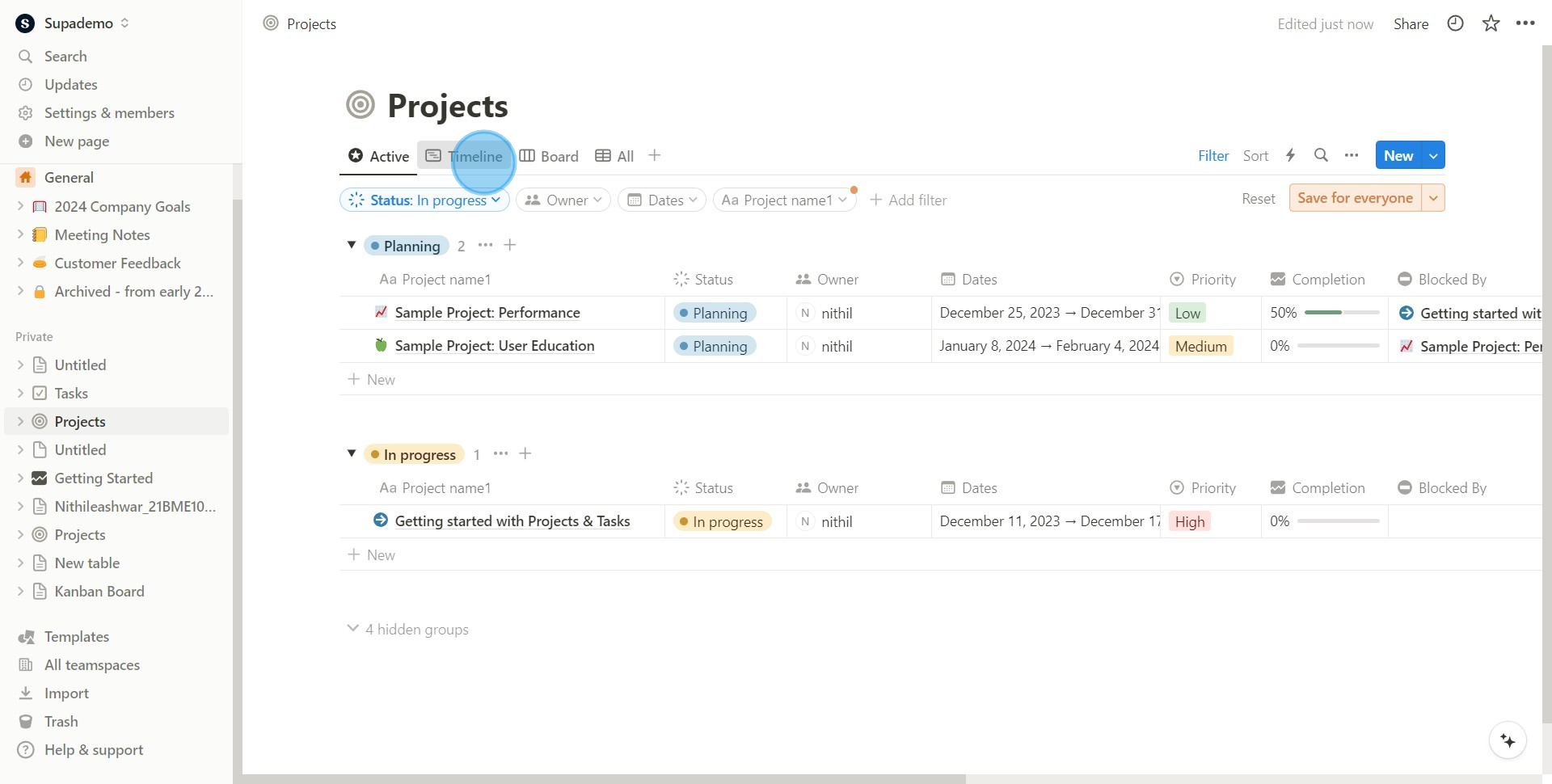
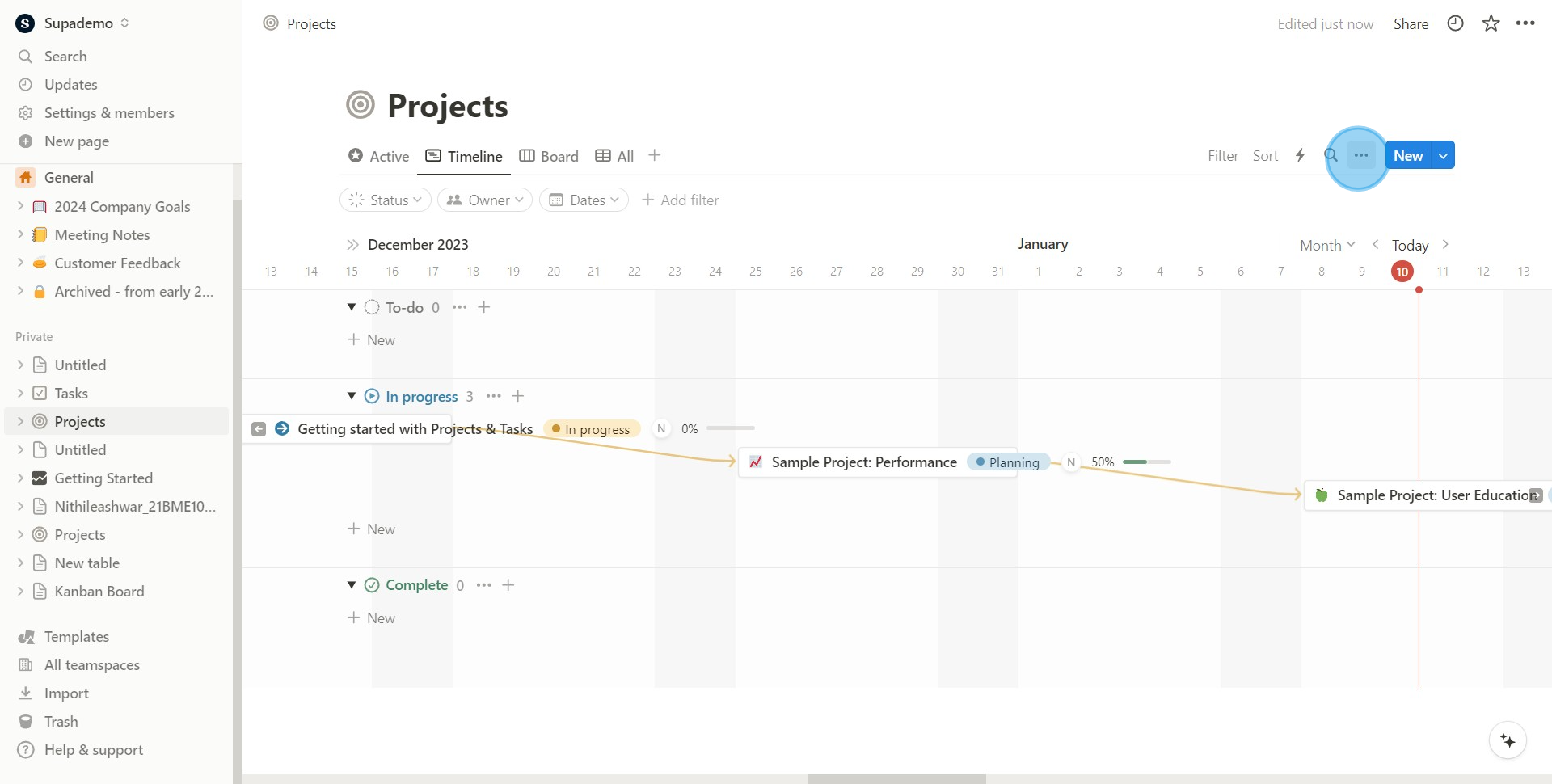
2. Locate and click on the icon represented by three small dots.
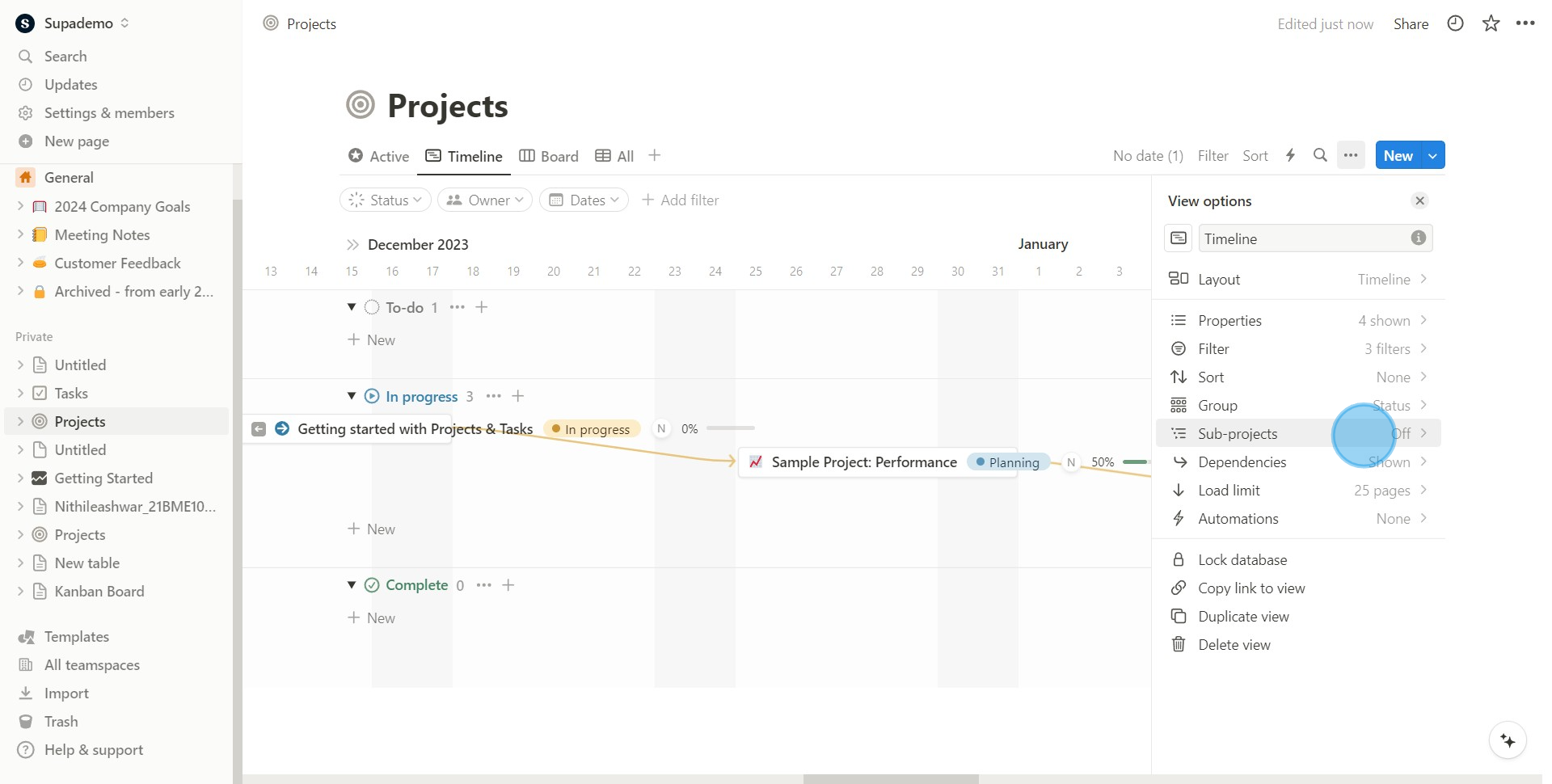
3. Opt to work with the Sub-projects option.
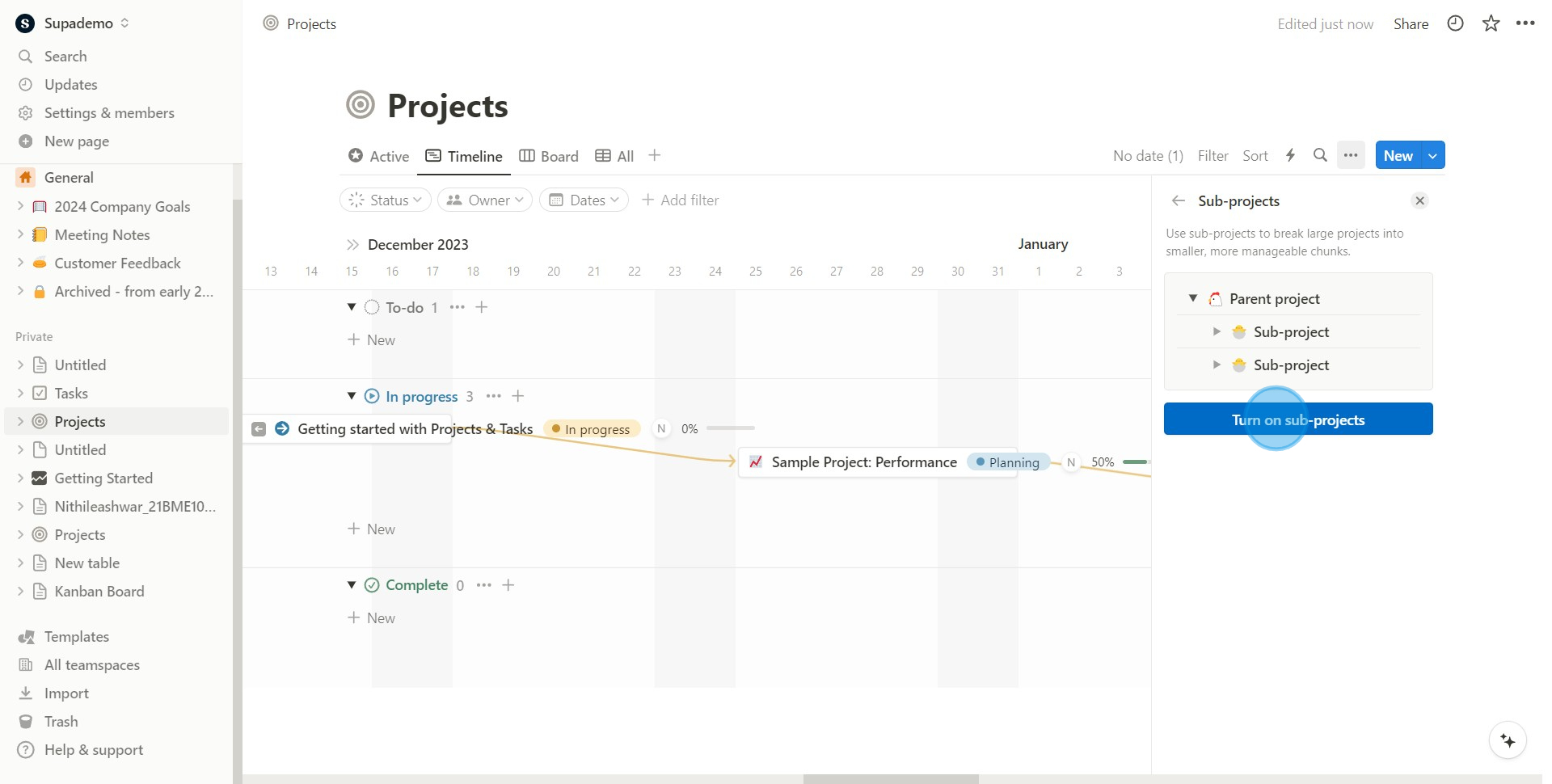
4. Activate the Turn on sub-projects option for further proceedings
5. Proceed to select the desired project to proceed with subjection.
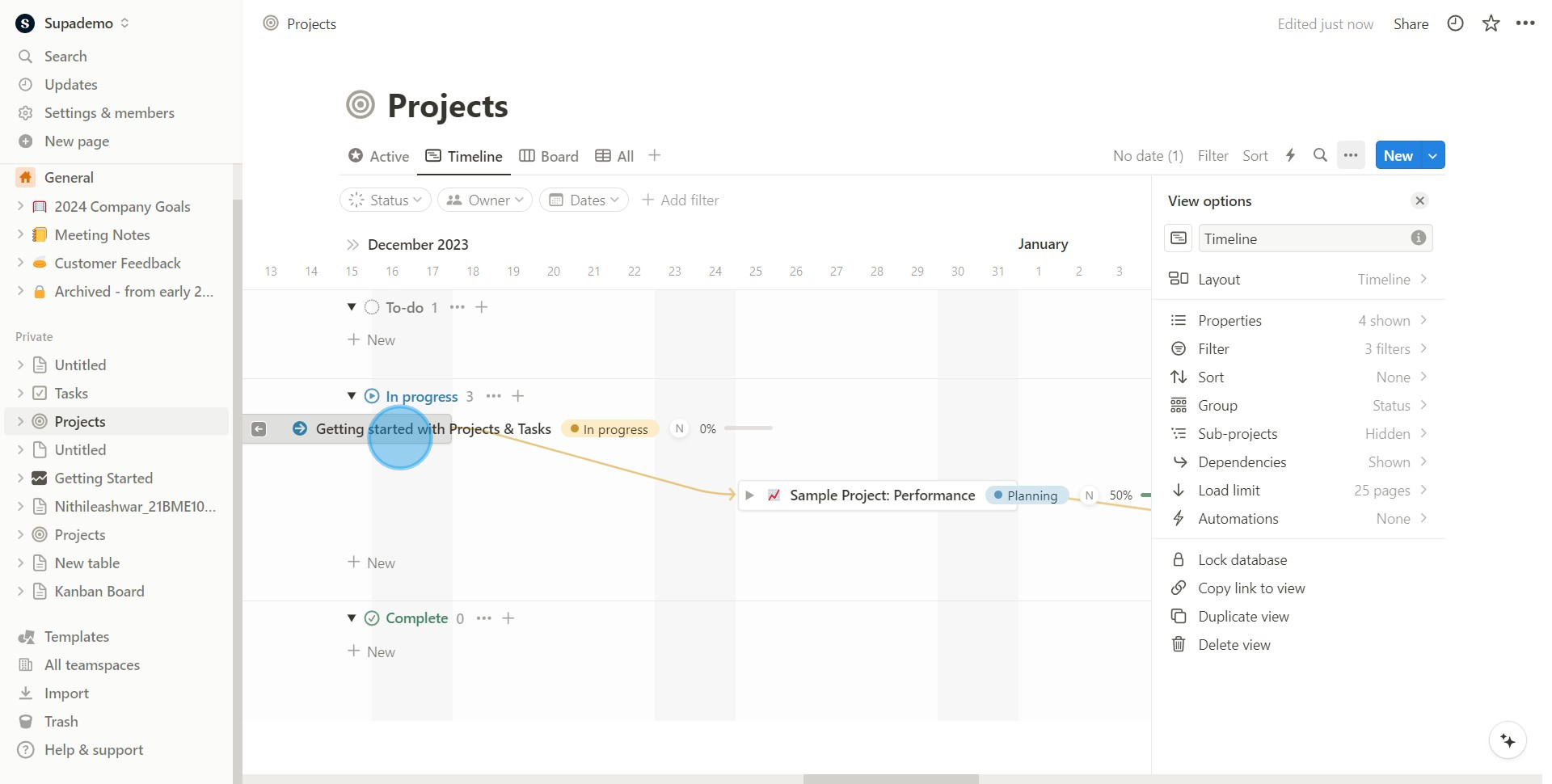
6. Next, proceed to enter or connect to your chosen sub project.
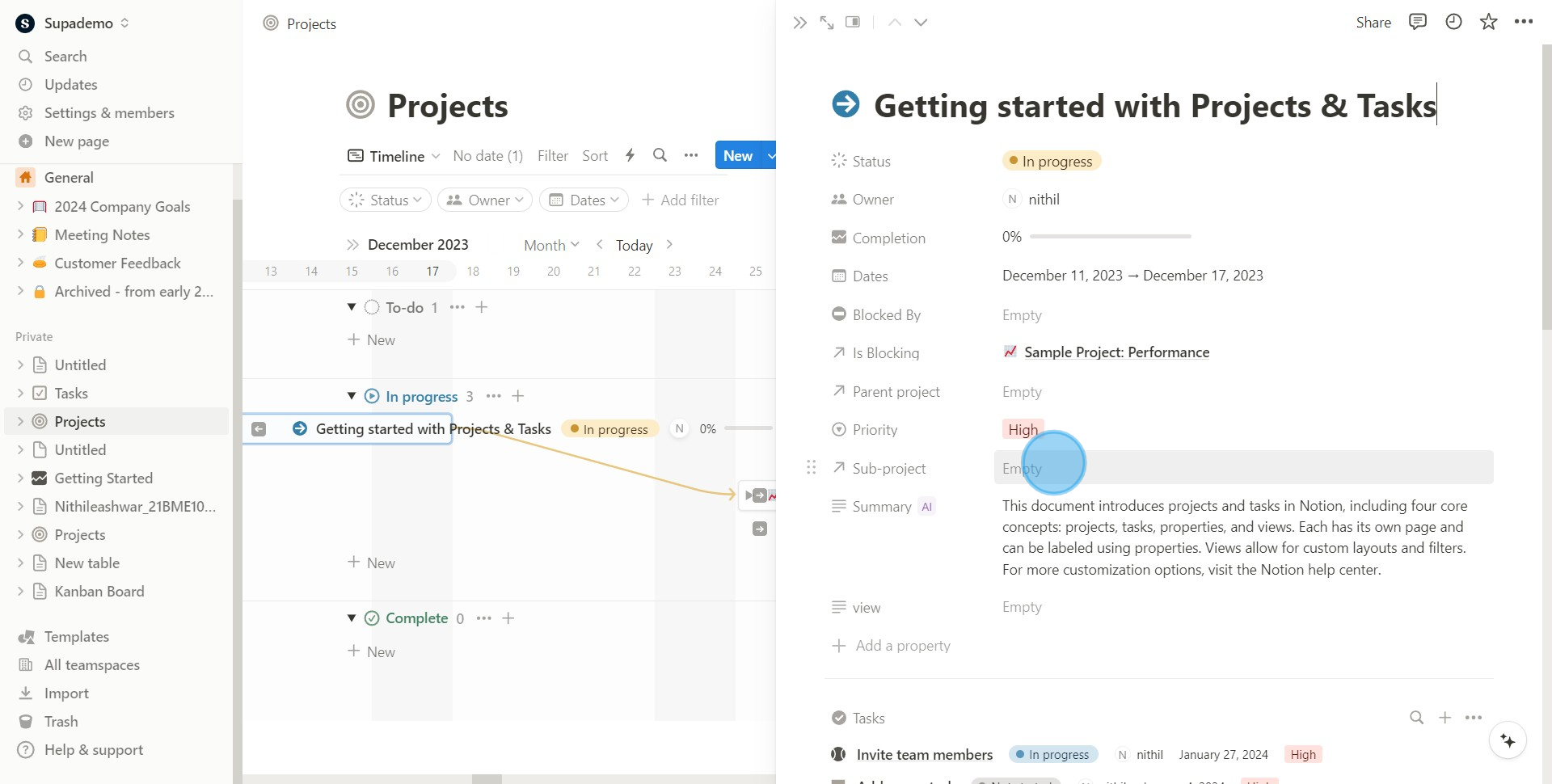
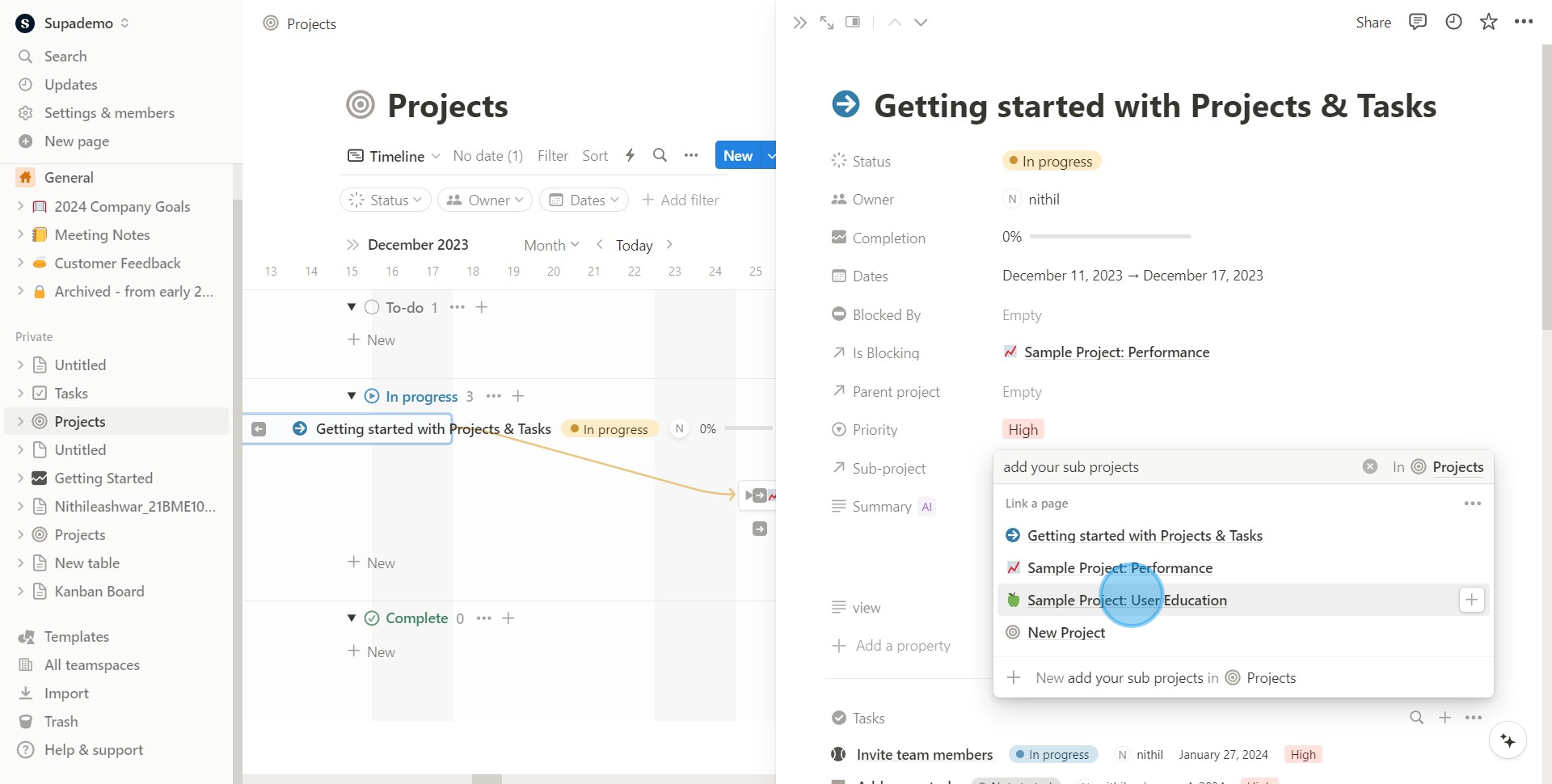
7. Finally, pick out your principal project to host the new sub project.
Create your own step-by-step demo
Scale up your training and product adoption with beautiful AI-powered interactive demos and guides. Create your first Supademo in seconds for free.
Frequently Asked Questions about how to add a sub project in notion
Commonly asked questions about this topic.
How do I keep my Notion sub projects current and organized?
Does Notion offer templates for sub project?
How does Notion handle permissions and sharing for sub project?
What integrations does Notion support for adding a sub project?
Can I automate parts of adding a sub project in Notion?
What are best practices for adding a sub project effectively?
What's the best way to structure sub project details for team collaboration?

Content Marketer
Nithil is a startup-obsessed operator focused on growth, sales and marketing. He's passionate about wearing different hats across startups to deliver real value.




