How to Download Arc Browser for Windows

Vimal Kumar
Vimal Kumar·
How to Download Arc Browser for Windows
Interactive demo powered by Supademo

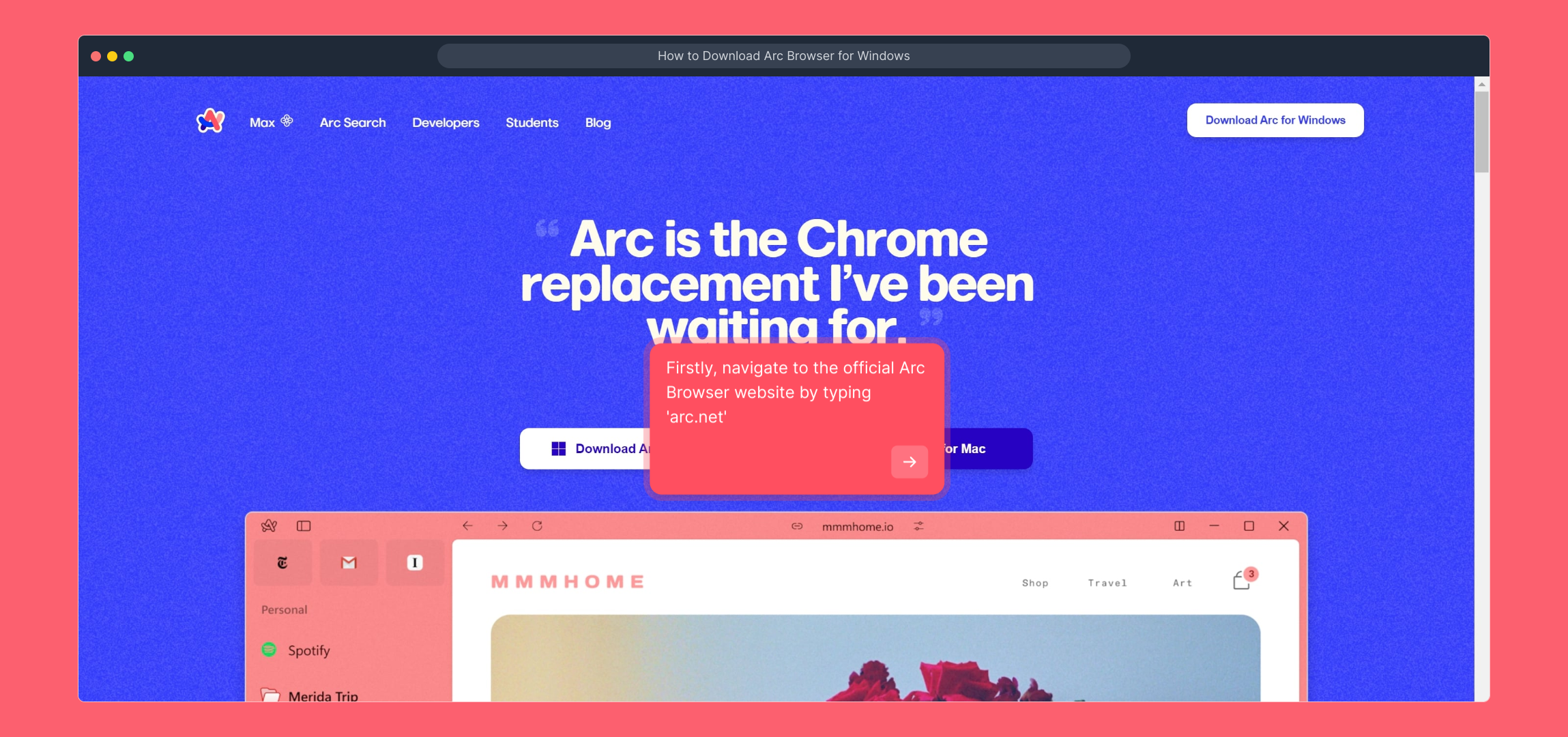
1. Firstly, navigate to the official Arc Browser website by typing 'arc.net'

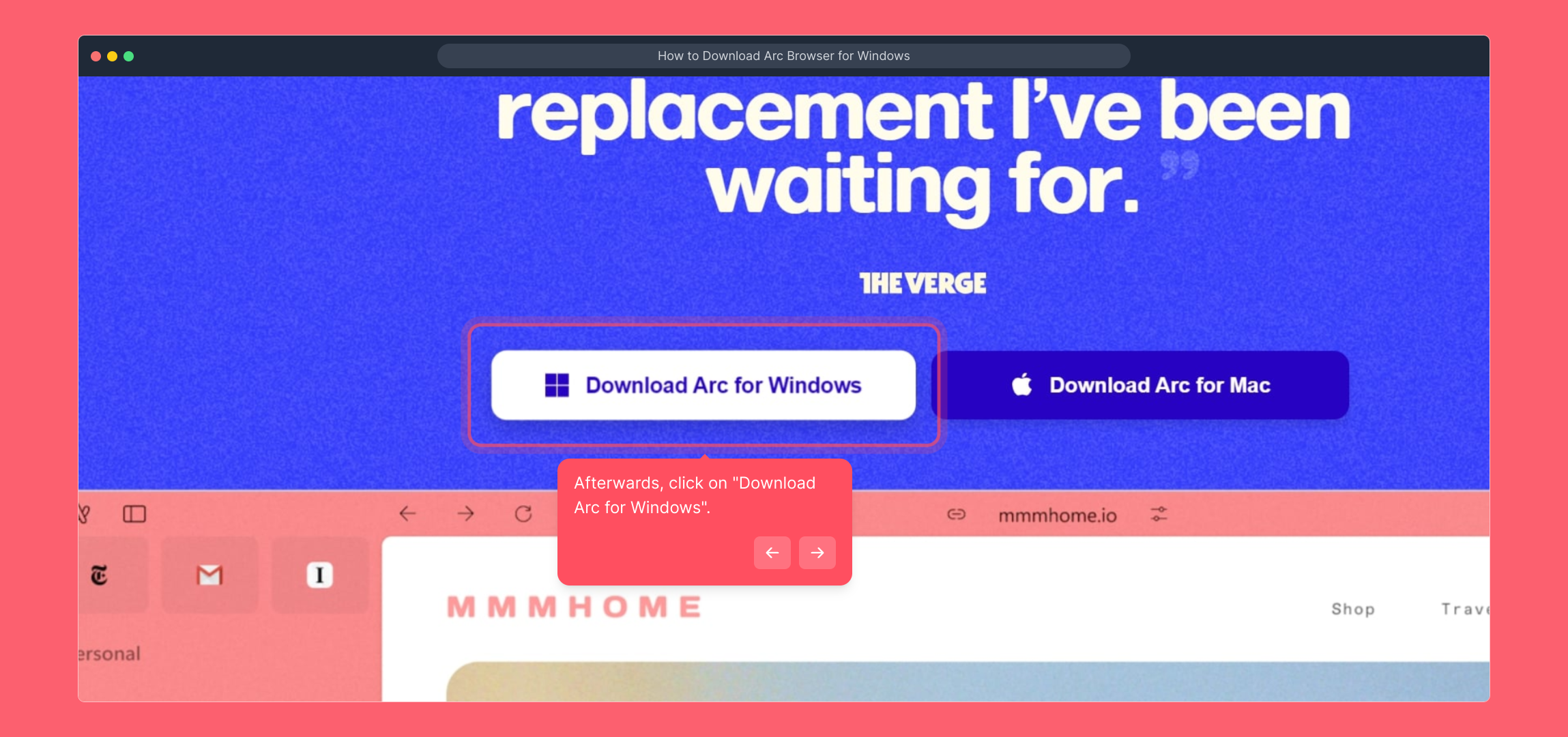
2. Afterwards, click on "Download Arc for Windows".

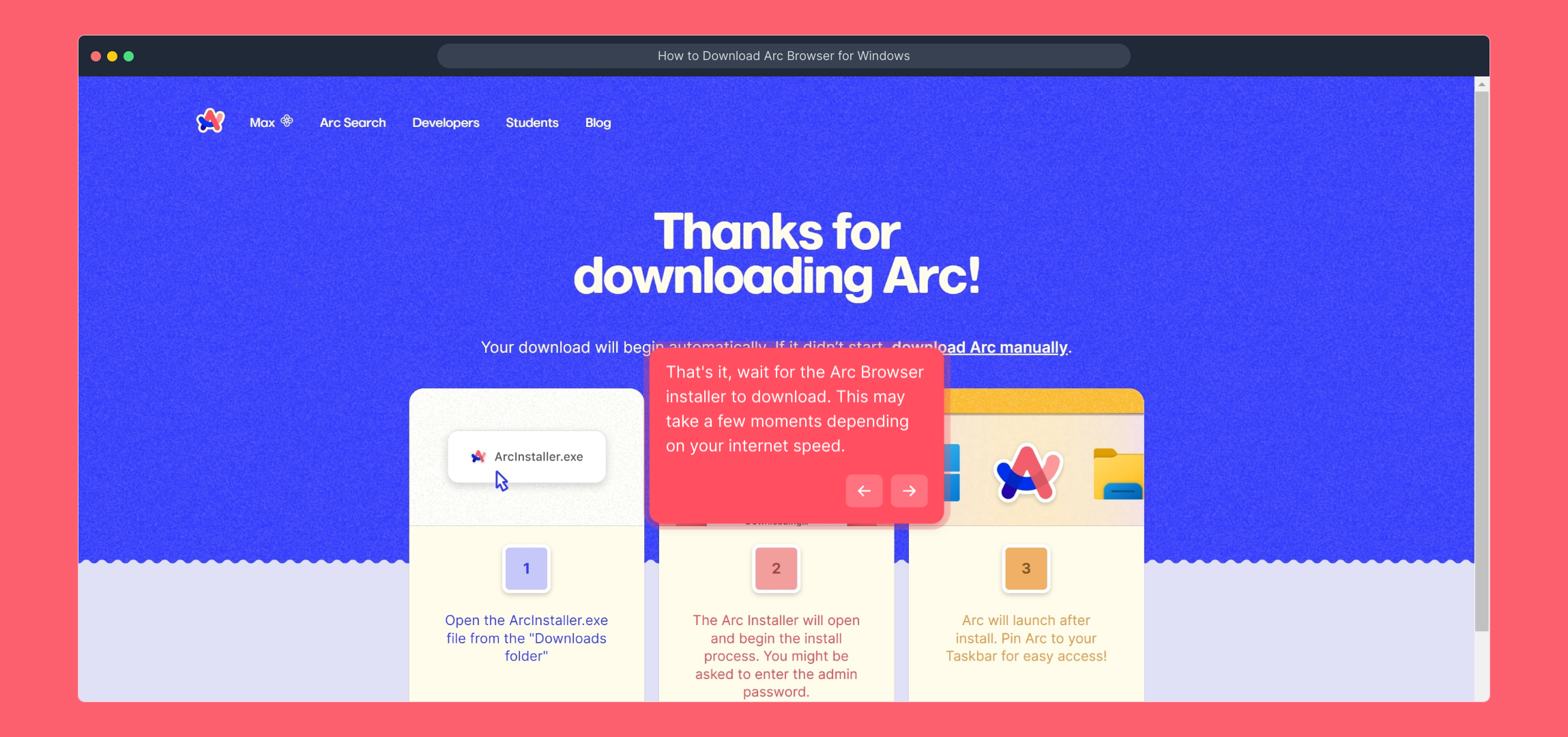
3. That's it, wait for the Arc Browser installer to download. This may take a few moments depending on your internet speed.

4. Create a Supademo in seconds

This interactive demo/guided walkthrough on How to Download Arc Browser for Windows was created using Supademo.


How to Download Arc Browser for Windows : Step-by-Step Guide

To get started, open your web browser and enter 'arc.net' into the address bar. This will take you directly to the official Arc Browser homepage, where you can find the latest updates and access the download options.
1

Once you're on the Arc Browser website, look for the button labeled “Download Arc for Windows.” Clicking this will initiate the download process for the Windows installer, ensuring you get the correct version for your operating system.
2

After clicking the download button, please be patient as the installer file begins to download. The duration will depend on your internet connection speed, but you can monitor the progress in your browser’s download manager.
3

With the Arc Browser installer downloaded, you’re all set to quickly create a new Supademo. This straightforward tool helps you showcase your projects efficiently and with ease.
4

Create your own interactive demos in < 5 mins with Supademo

You can create your own interactive product demo in minutes using Supademo. Drive growth, scale enablement, and supercharge product-led onboarding with Supademo. Sign up for free here with no credit card required.


FAQs

Commonly asked questions about this topic.

What is the Arc Browser?

The Arc Browser is a modern web browser designed to enhance productivity with innovative features and a user-friendly interface. It aims to improve browsing efficiency and customization for users across various platforms, including Windows.

Is Arc Browser free to download on Windows?

Yes, Arc Browser is completely free to download and use on Windows. You only need to visit the official website and download the installer without any subscription or payment required.

Where can I download the Arc Browser for Windows?

You can download the Arc Browser for Windows directly from the official website at arc.net by clicking on the “Download Arc for Windows” button, which ensures you get the latest and safest version.

What are the system requirements for installing Arc Browser on Windows?

Arc Browser typically requires Windows 10 or later versions with at least 4GB of RAM and a stable internet connection for downloading and running the browser smoothly.

How long does the download take?

The download time depends on your internet speed. Usually, the Arc Browser installer is a lightweight file and should take just a few minutes on a standard broadband connection.

Can I install Arc Browser offline after downloading the installer?

Yes, once you have downloaded the Arc Browser installer, you can install it offline without an internet connection. Just run the installer file on your Windows device.

Is it safe to download Arc Browser from other websites?

It's strongly recommended to download Arc Browser only from the official website (arc.net) to avoid malware or counterfeit versions. Third-party sources may not be secure or updated.

What should I do if the download button doesn't work?

If the download button on arc.net doesn’t respond, try refreshing the page, using a different browser, or checking your internet connection. Clearing cache or disabling browser extensions can also help.

Can I uninstall Arc Browser easily if I no longer need it?

Yes, Arc Browser can be uninstalled like any other Windows application via the “Add or Remove Programs” settings. This process removes all browser files and settings from your device.

Do I need an account to download or use Arc Browser on Windows?

No account is required to download or install Arc Browser on Windows. However, creating an account may be necessary to access some features or sync data across devices once installed.
Vimal Kumar
Vimal Kumar

Product Operations Associate

Vimal Kumar helps build and grow Supademo’s team and GTM efforts, with a focus on figuring out growth levers and improving product traction.

More from the blog

How to Remove 'Powered by Shopify'

How to Remove 'Powered by Shopify'

Learn how to easily remove the 'Powered by Shopify' text from your online store with step-by-step instructions and tips to customize your Shopify storefront.

Vimal Kumar
Vimal KumarJan 3, 2026
How to Create a Stripe Account

How to Create a Stripe Account

Learn how to create a Stripe account quickly and easily with our step-by-step guide, perfect for beginners looking to start accepting online payments.

Vimal Kumar
Vimal KumarDec 17, 2025
How to Contact Stripe Support

How to Contact Stripe Support

Learn the easiest ways to contact Stripe support for quick assistance with your payment processing, account issues, and technical questions.

Vimal Kumar
Vimal KumarDec 16, 2025
How to Delete Your Stripe Account

How to Delete Your Stripe Account

Learn step-by-step how to delete your Stripe account securely and permanently. Follow our easy guide to close your account and manage your data effectively.

Vimal Kumar
Vimal KumarDec 16, 2025
How to Create a Poll in Microsoft Teams

How to Create a Poll in Microsoft Teams

Learn how to create a poll in Microsoft Teams quickly and easily with our step-by-step guide, perfect for boosting team engagement and gathering instant feedback.

Vimal Kumar
Vimal KumarDec 12, 2025
How to Clear MS Teams Cache

How to Clear MS Teams Cache

Learn how to quickly clear the MS Teams cache to resolve common issues and improve app performance with our simple step-by-step guide.

Vimal Kumar
Vimal KumarDec 12, 2025
