How to publish a site in Webflow

Nithil Shanmugam
Nithil Shanmugam·
Featured image for How to publish a site in Webflow

Overview:

Streamline your website deployment process with the comprehensive guide on how to publish a site in Webflow. Enhance your workflow by learning to efficiently navigate through the steps involved in publishing, ensuring a seamless and hassle-free experience. This guide empowers you to optimize your web development strategies, promoting efficiency and clarity in the site publishing process within the Webflow platform.

Interactive demo powered by Supademo

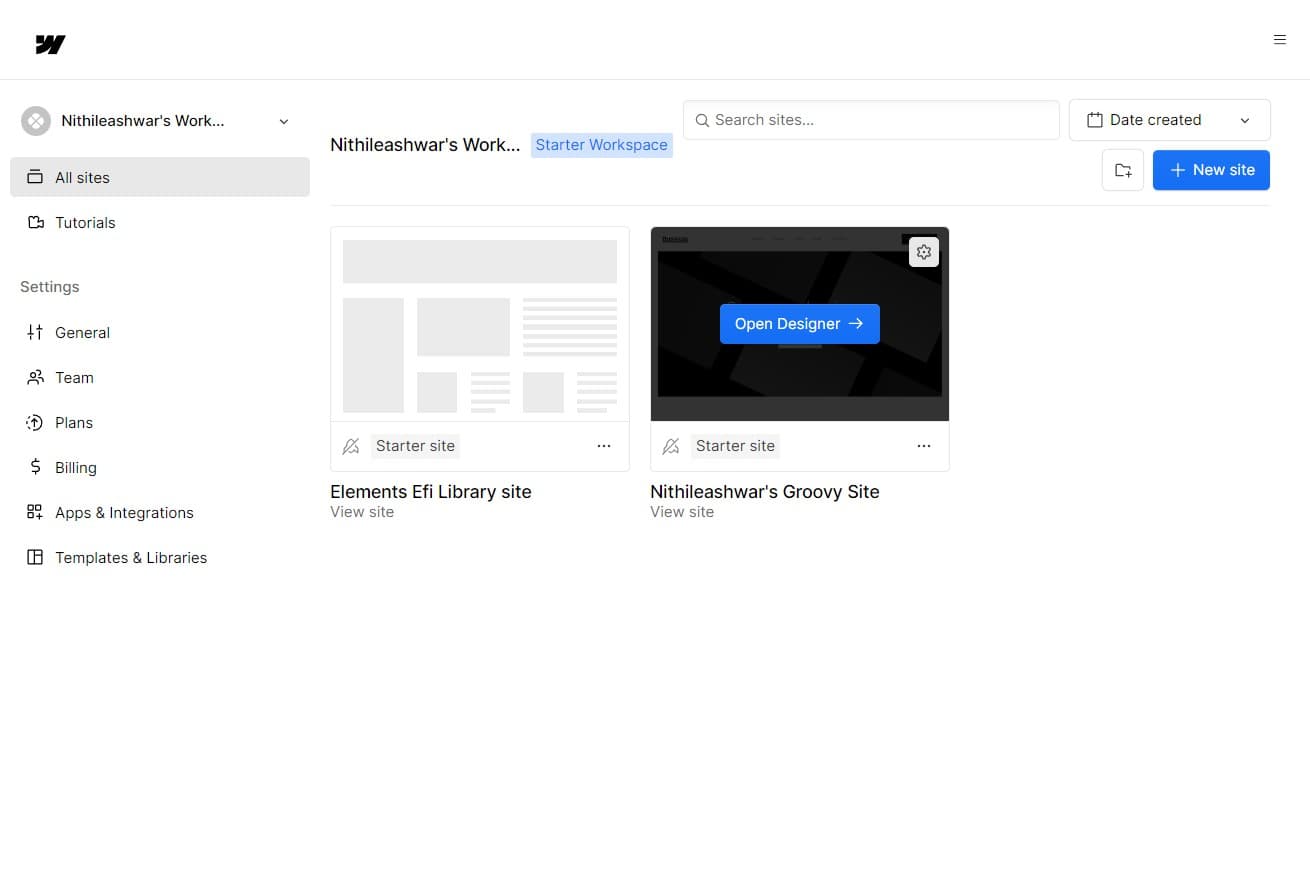
1. Begin by opening the Designer tool.

1 Click on "Open Designer"

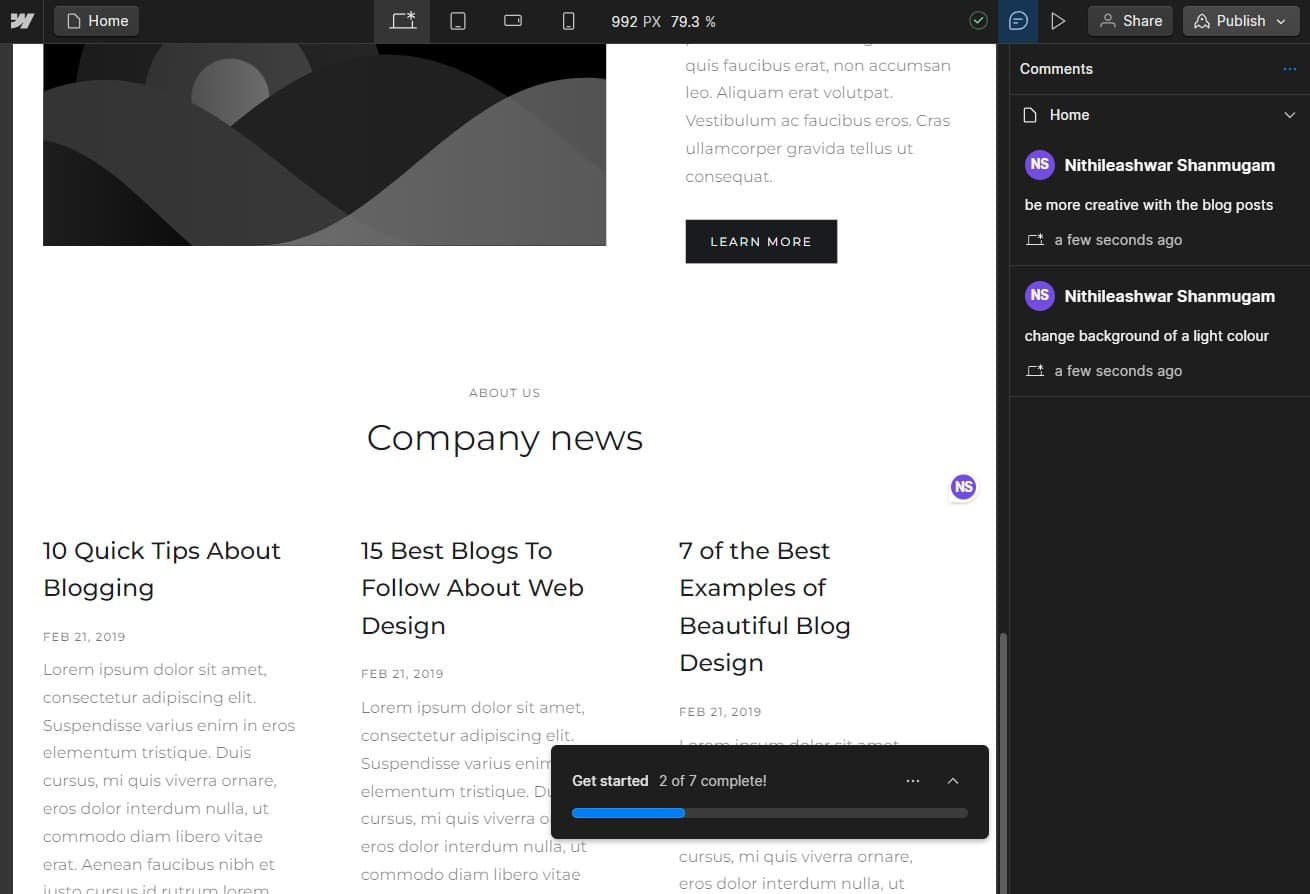
2. Once you're satisfied with your site, opt for Publish.

5 Click here

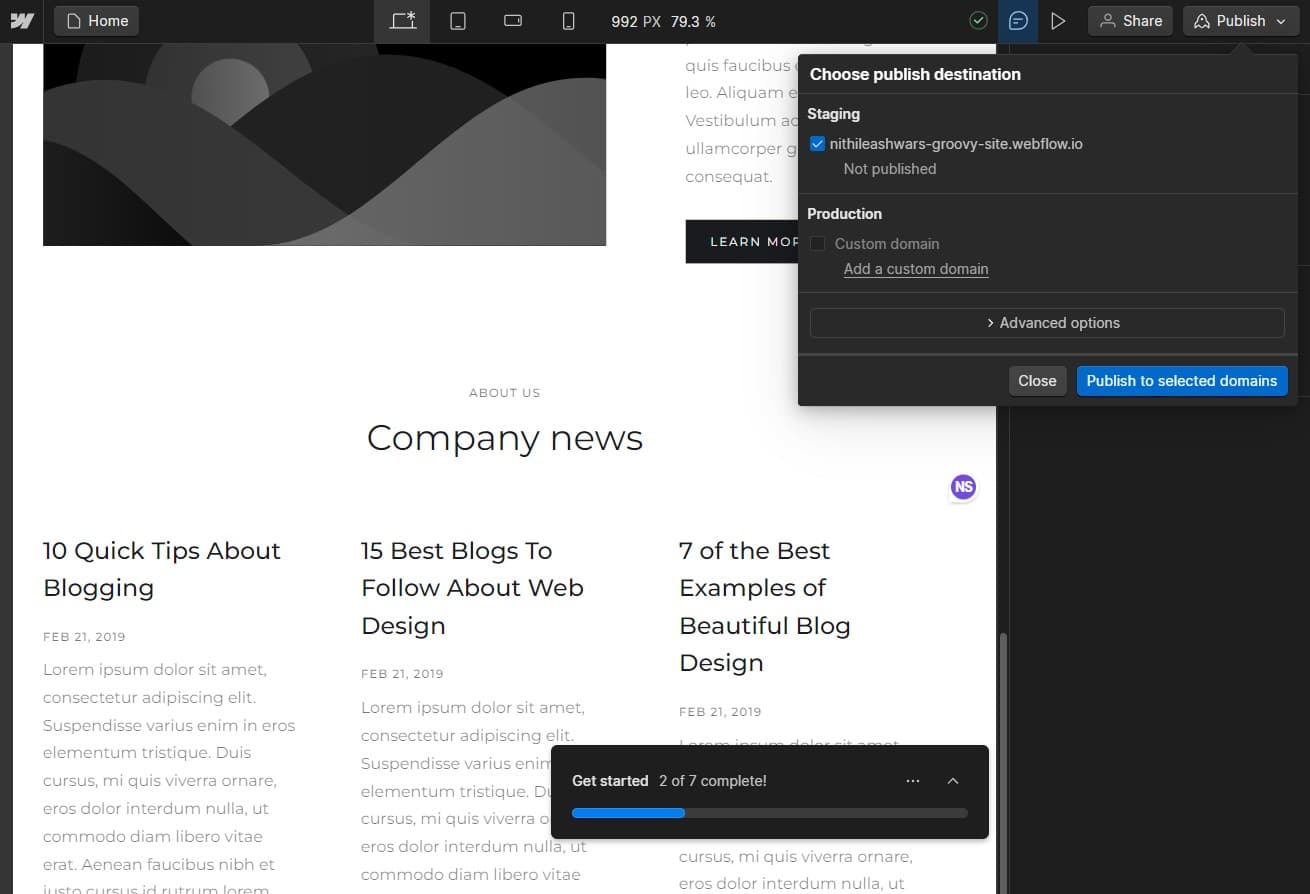
3. Double-check your desired domain then press 'Publish to selected domains'.

6 Click on "Publish to selected domains"

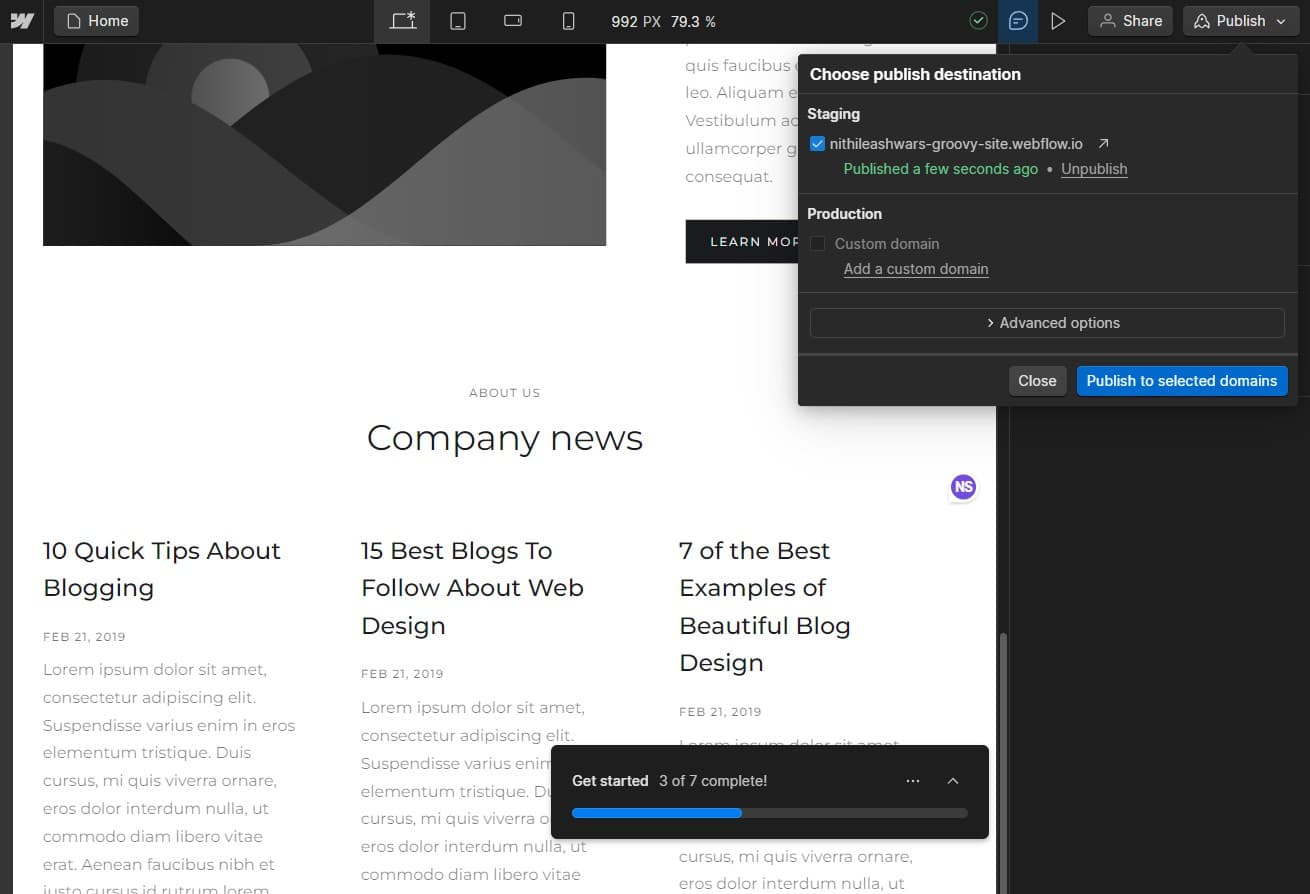
4. Excited to see your live site? Click here.

7 Click here

5. Congratulations! You've successfully published your site.

8 Upload

Create your own step-by-step demo

Scale up your training and product adoption with beautiful AI-powered interactive demos and guides. Create your first Supademo in seconds for free.

Frequently Asked Questions about how to publish a site in webflow

Commonly asked questions about this topic.

What's the easiest way to show my Webflow site to non-technical stakeholders?

For stakeholders without Webflow access, create a shareable walkthrough that shows the key views and data points without requiring a login. Interactive demo tools let you capture your Webflow workspace and share it as a clickable link — viewers see the real interface without needing an account. This works well for executive reviews, client presentations, and cross-team alignment. Interactive demos see 7x higher conversion rates compared to traditional demo videos. VRIFY saved over $100k by switching to interactive demos for enablement.

How frequently should I update content after publishing my Webflow site?

At minimum, review weekly with your team to flag outdated items and reprioritize as needed. For fast-moving projects, daily check-ins on critical site elements prevent misalignment. Build the review cadence into your regular team rituals — standalone review meetings rarely get prioritized. Learn more about Supademo's features. Rev.io now creates training materials in hours instead of weeks, with a 50% smaller team.

Can I download or distribute my Webflow site files outside the platform?

Most platforms support exporting to CSV, PDF, or through API access for custom integrations. When sharing externally, consider whether the recipient needs a live view or a static snapshot — live links require account access while exports may go stale. For recurring reports, set up automated exports or scheduled summaries. According to the State of Interactive Demos 2026 report, teams that update demos weekly or monthly see ~18% higher impact than those updating only for major releases.

Is Webflow suitable for enterprise-scale publishing a site?

For enterprise teams, evaluate Webflow's admin controls, SSO support, permission granularity, and audit logging capabilities. Scalability depends on your specific site complexity — what works for a 10-person team may need structural changes at 500+. Most platforms offer enterprise plans with dedicated support and custom SLAs. 54% of top-completing demos use AI voiceover to improve the guided experience.

What collaboration features does Webflow provide for team access control?

Most platforms offer role-based permissions that control who can view, edit, or admin your site. Webflow typically supports workspace-level, project-level, and item-level permissions. Review your sharing) settings before collaborating with external stakeholders — default permissions may expose more data than intended. 68% of teams rate support and self-service impact from best Arcade alternativess as high or very high.

Does Webflow provide pre-built design templates for new projects?

Most modern platforms like Webflow include starter templates for common use cases, including site. Templates save setup time but should be customized to match your team's specific needs — default configurations rarely fit every workflow. Check Webflow's template gallery or community library for options relevant to your industry. Teams save an average of 85% of the time previously spent on demo creation.

What's the best way to onboard new team members to publishing a site in Webflow?

Combine a brief overview document with a hands-on walkthrough they can follow independently. Interactive walkthroughs are more effective than recorded videos because new hires can proceed step-by-step at their own pace and revisit specific sections. Pair the walkthrough with a simple checklist of tasks to complete during their first week. For context, Supademo was recognized as the #5 fastest-growing software product on G2 in 2025. 45% of teams adopted interactive demos specifically to solve onboarding friction.
Nithil Shanmugam

Nithil Shanmugam

Nithil is a startup-obsessed operator focused on growth, sales and marketing. He's passionate about wearing different hats across startups to deliver real value.

More from the blog

How to Remove 'Powered by Shopify'

How to Remove 'Powered by Shopify'

Learn how to easily remove the 'Powered by Shopify' text from your online store with step-by-step instructions and tips to customize your Shopify storefront.

Vimal Kumar
Vimal KumarJan 3, 2026
How to Add Products to Shopify

How to Add Products to Shopify

Learn step-by-step how to add products to your Shopify store effortlessly, including tips on product details, images, pricing, and inventory management to boost your online sales.

Vimal Kumar
Vimal KumarDec 17, 2025
How to Deactivate Your Shopify Store

How to Deactivate Your Shopify Store

Learn step-by-step how to deactivate your Shopify store easily, including important considerations and tips to pause or close your shop without losing data.

Vimal Kumar
Vimal KumarDec 17, 2025
How to Remove 'Powered by Shopify'

How to Remove 'Powered by Shopify'

Learn how to easily remove the 'Powered by Shopify' text from your online store with step-by-step instructions and tips to customize your Shopify storefront.

Vimal Kumar
Vimal KumarDec 17, 2025
How to Create a Shopify Account

How to Create a Shopify Account

Learn step-by-step how to create a Shopify account quickly and easily, set up your online store, and start selling your products in no time.

Vimal Kumar
Vimal KumarDec 17, 2025
How to Create a Stripe Account

How to Create a Stripe Account

Learn how to create a Stripe account quickly and easily with our step-by-step guide, perfect for beginners looking to start accepting online payments.

Vimal Kumar
Vimal KumarDec 17, 2025