
1. To commence, open the form.
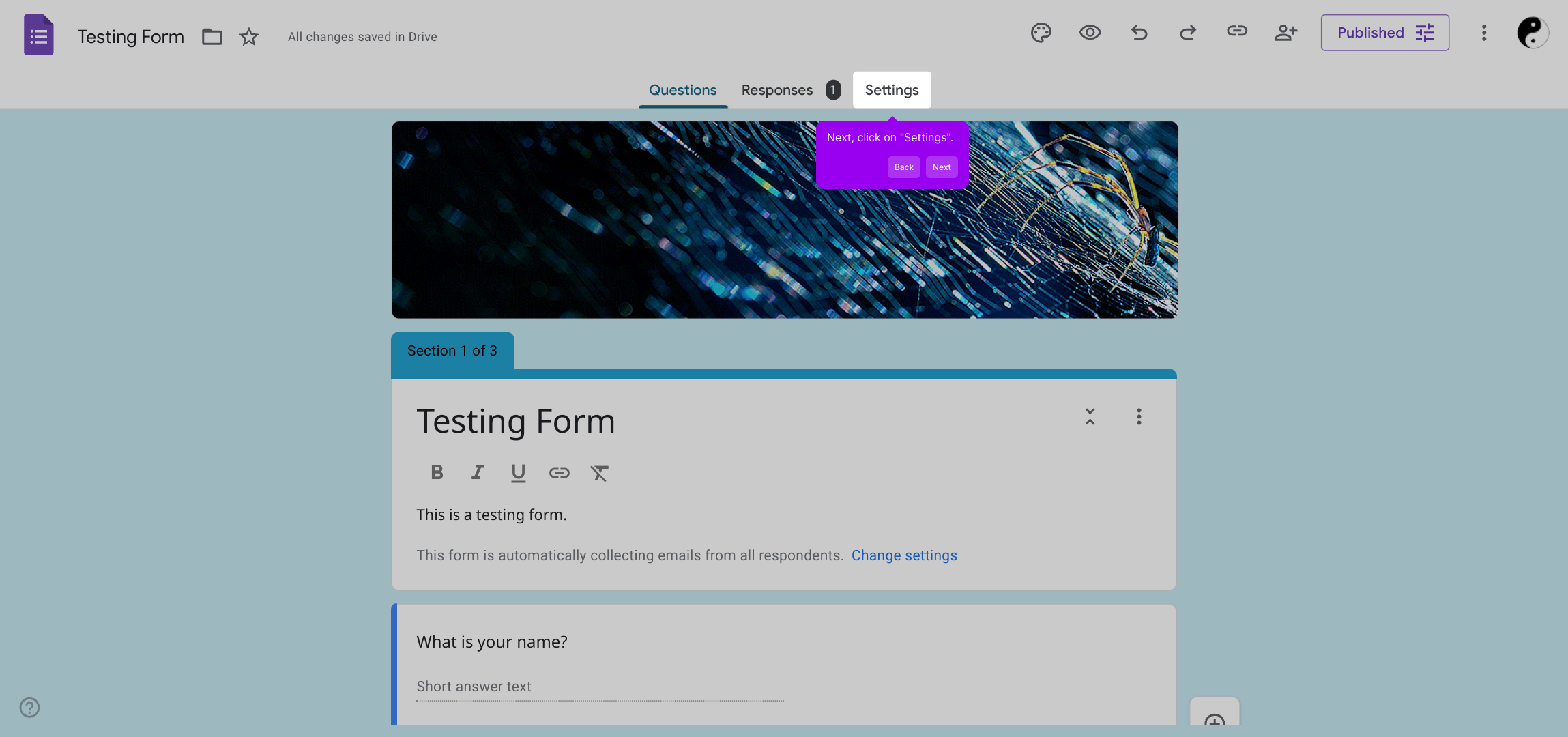
2. Next, click on "Settings".
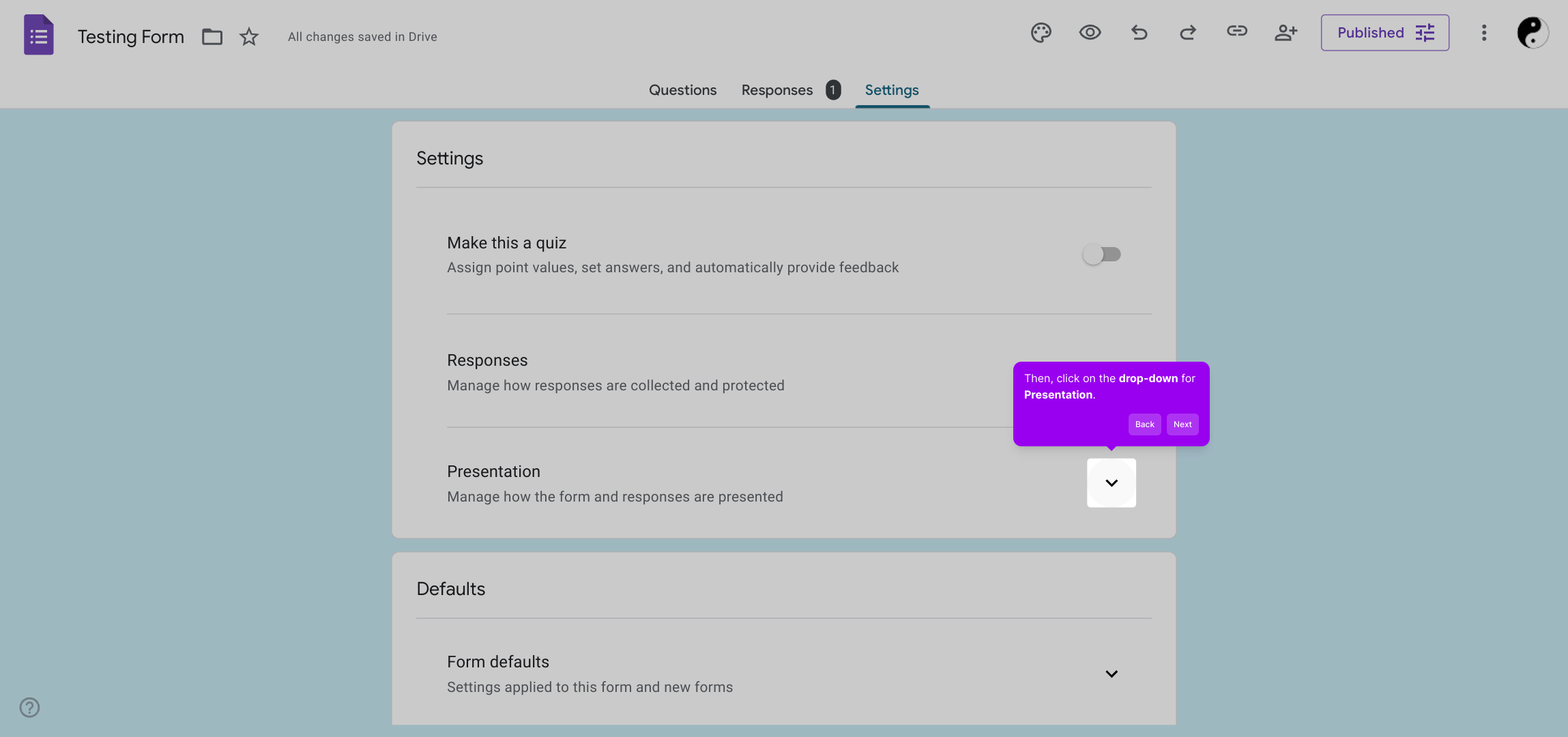
3. Then, click on the drop-down for Presentation.
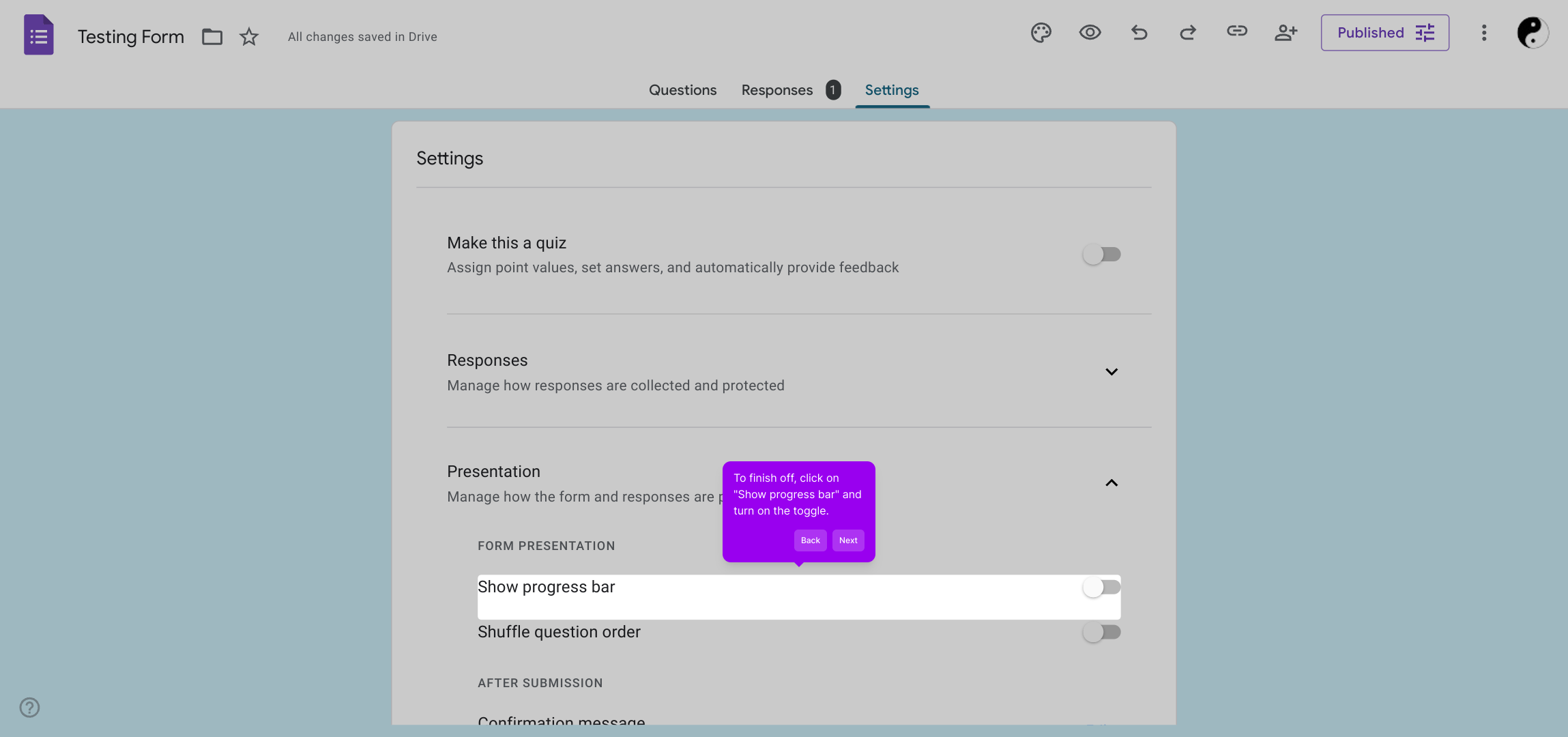
4. To finish off, click on "Show progress bar" and turn on the toggle.
5. Create a Supademo in seconds
This interactive demo/guided walkthrough on How to Show a Progress Bar in Google Forms was created using Supademo.
How to Show a Progress Bar in Google Forms : Step-by-Step Guide
Begin your journey by opening the form that you want to customize. This is where you’ll be making the changes to tailor the experience for your users.
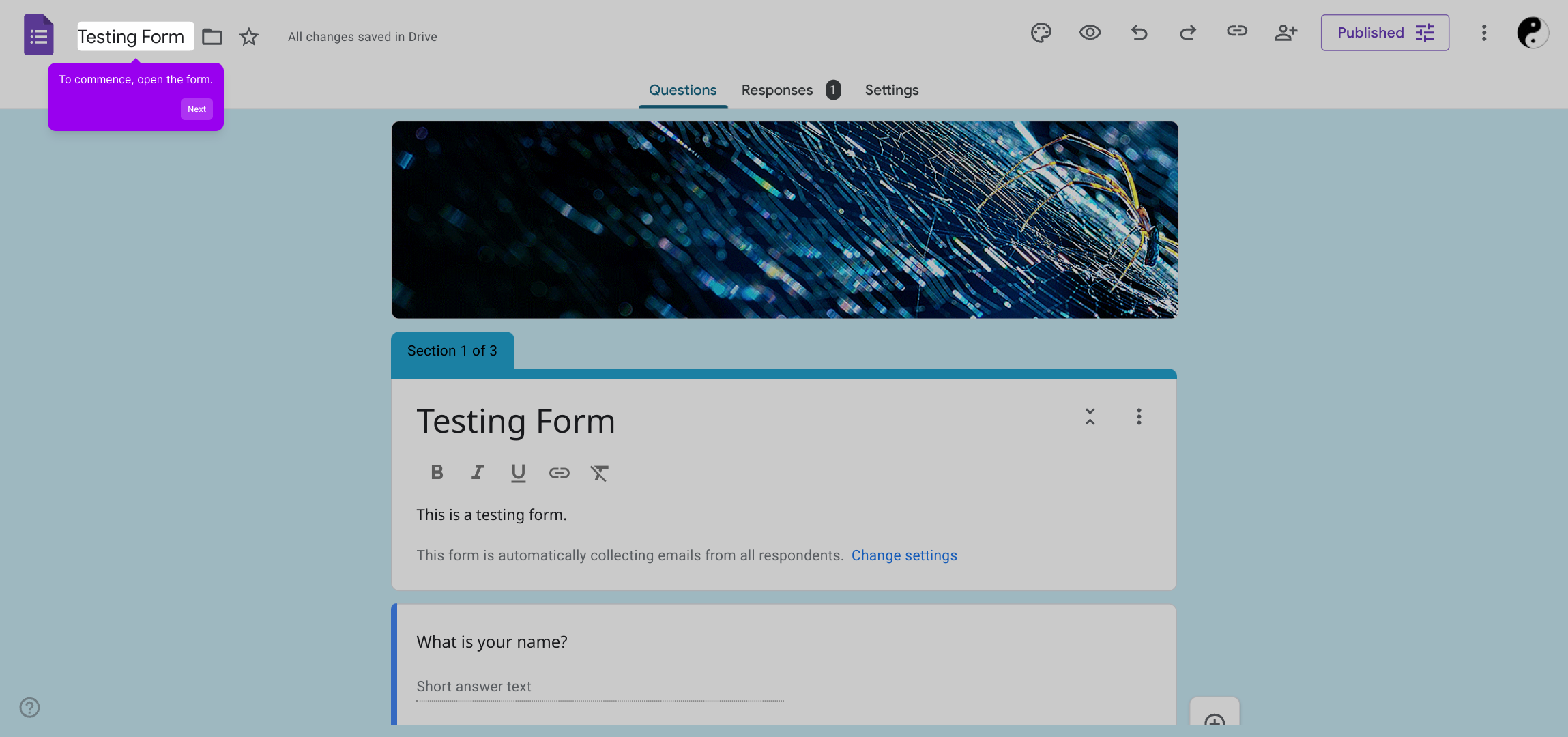
Once the form is open, locate and select the "Settings" option. This area allows you to adjust various features and control how your form behaves.
Within the settings menu, find the section labeled Presentation and click the drop-down arrow next to it. This is where you can customize how your form is displayed to respondents.
To enhance user experience, look for the "Show progress bar" option and enable the toggle switch. This visual cue helps users see their progress as they complete the form.
With these settings adjusted, you’re ready to quickly create a Supademo that looks polished and is easy for your audience to follow.
Create your own interactive demos in < 5 mins with Supademo
You can create your own interactive product demo in minutes using Supademo. Drive growth, scale enablement, and supercharge product-led onboarding with Supademo.
Sign up for free here with no credit card required.
FAQs
Commonly asked questions about this topic.
What is the progress bar in Google Forms?
How do I enable the progress bar in my Google Form?
Can the progress bar be customized in Google Forms?
Does the progress bar appear for single-page forms?
Will enabling the progress bar affect form submission?
Is the progress bar visible on mobile devices?
Can I disable the progress bar after turning it on?
Does the progress bar show percentage completed or steps remaining?
What happens if I add or remove sections after enabling the progress bar?
Is there a way to preview the progress bar before sharing the form?

Product Operations Associate
Vimal Kumar helps build and grow Supademo’s team and GTM efforts, with a focus on figuring out growth levers and improving product traction.


