
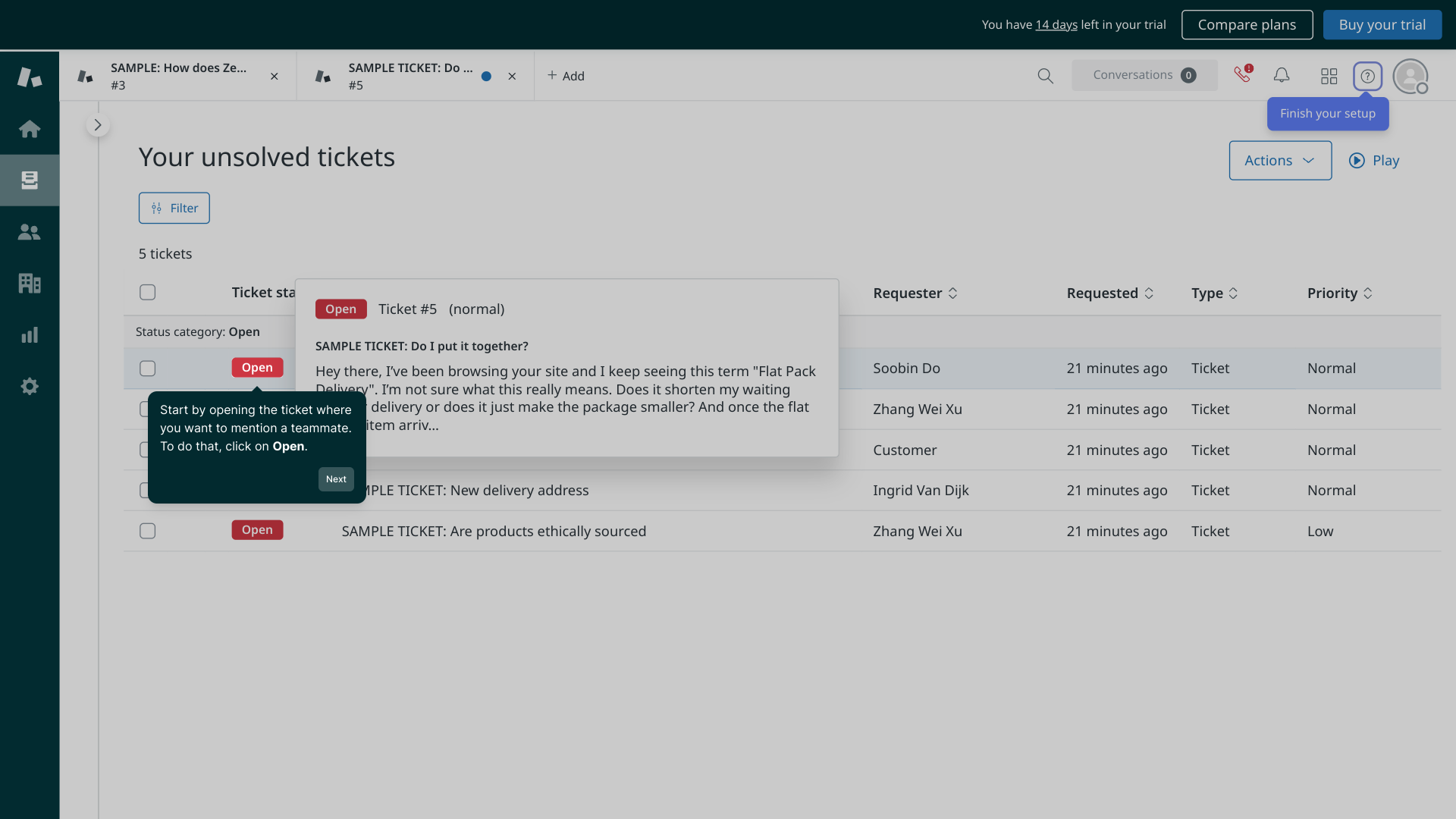
1. Start by opening the ticket where you want to mention a teammate. To do that, click on Open.
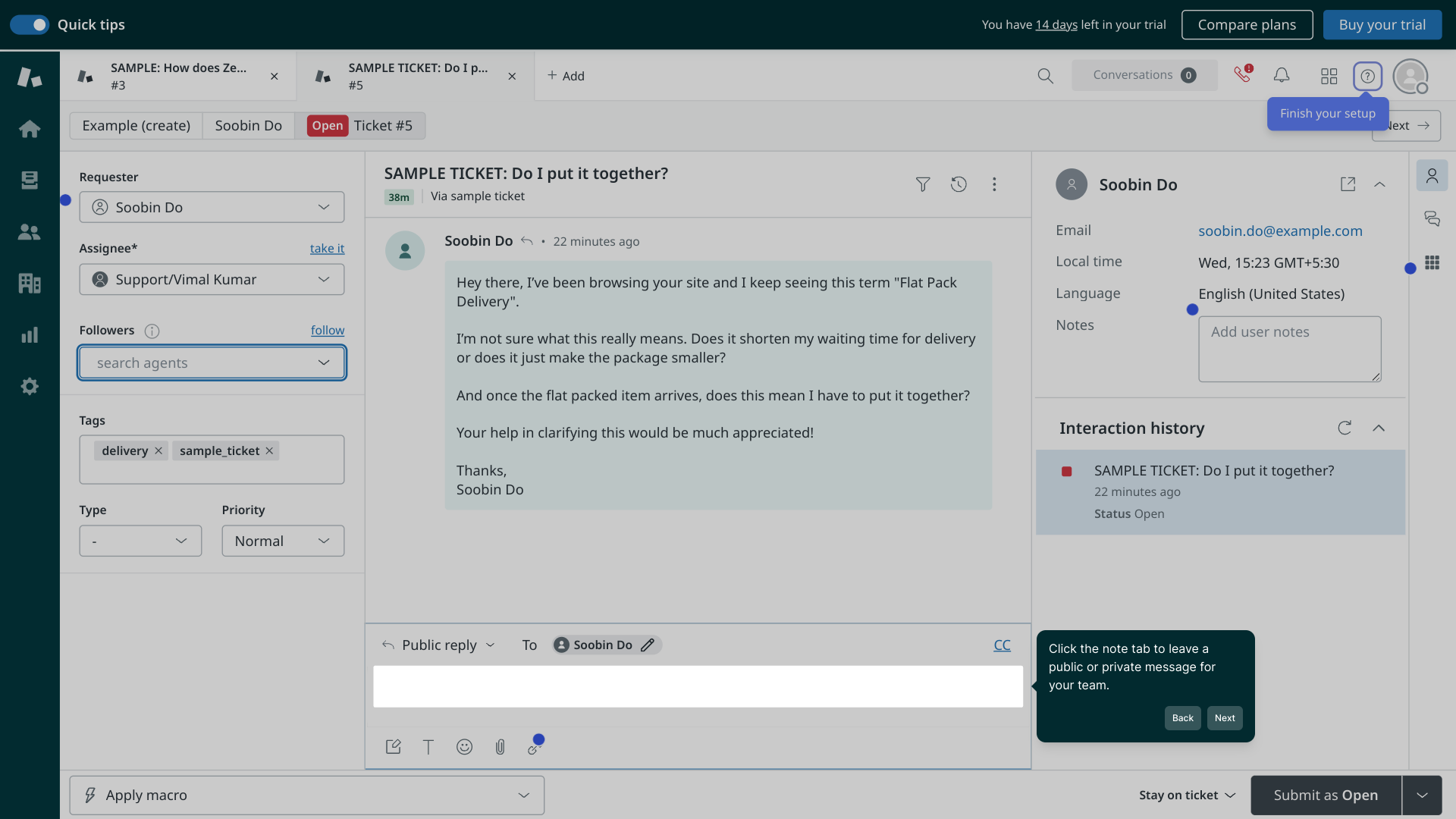
2. Click the note tab to leave a public or private message for your team.
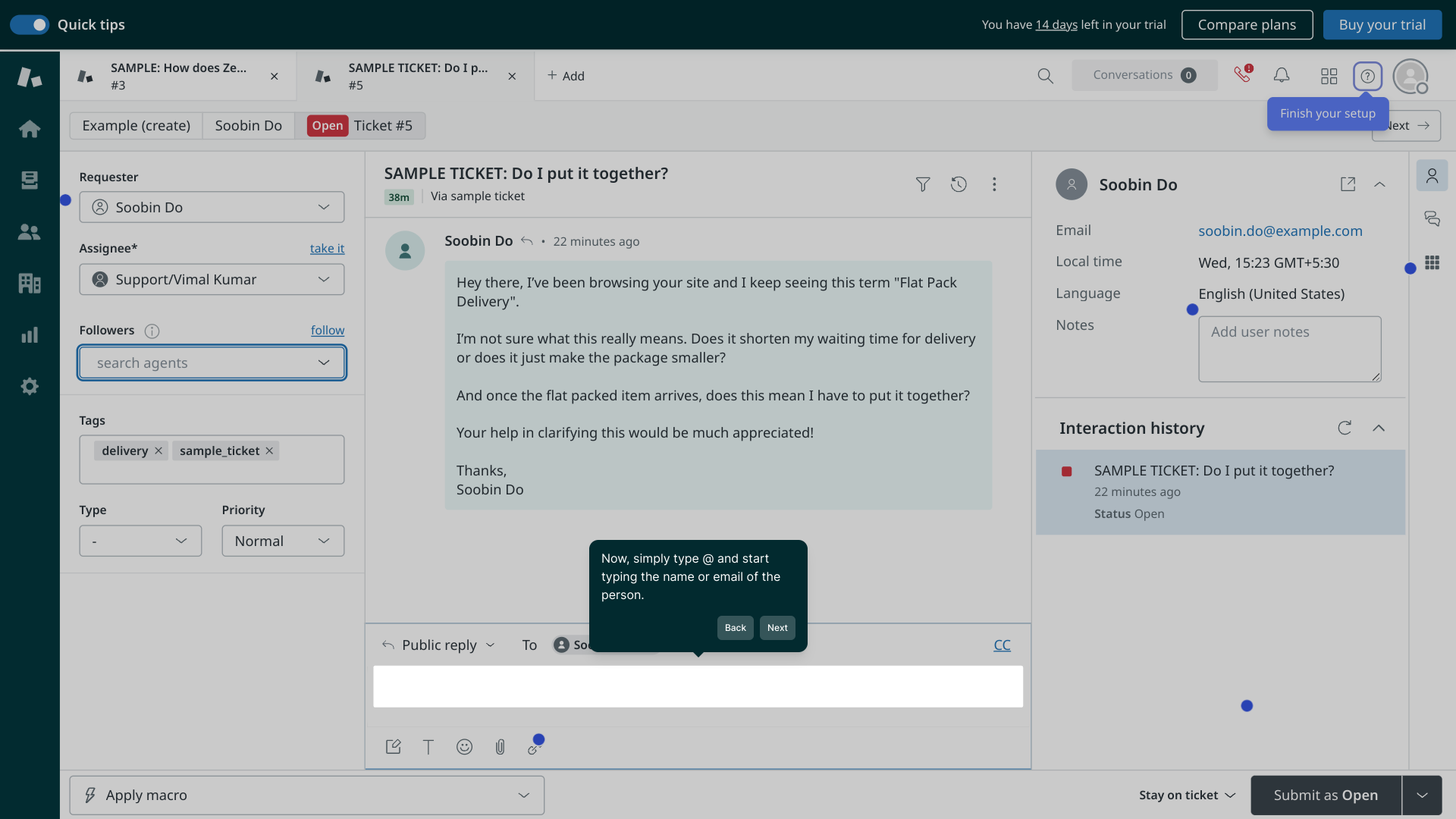
3. Now, simply type @ and start typing the name or email of the person.
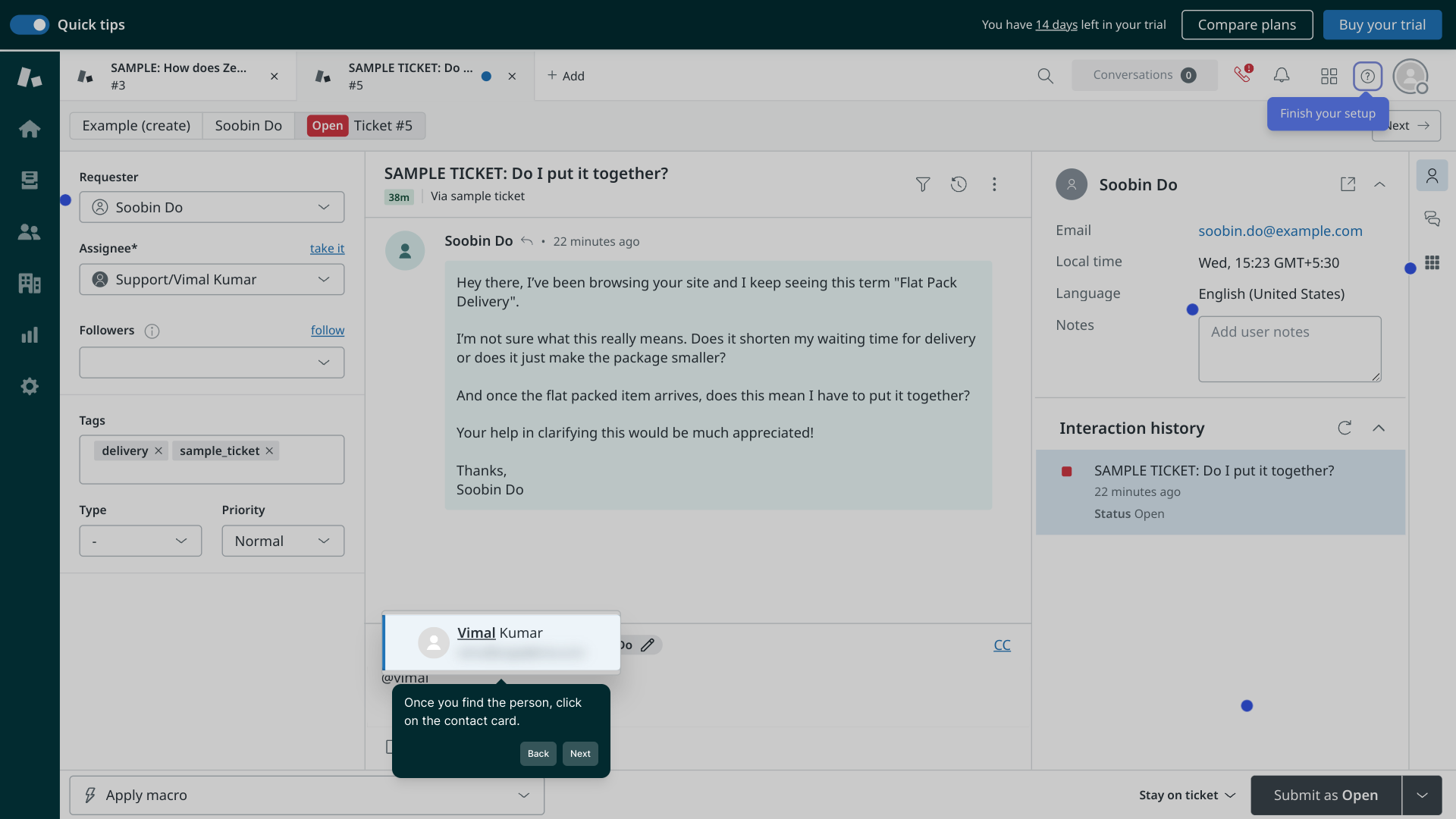
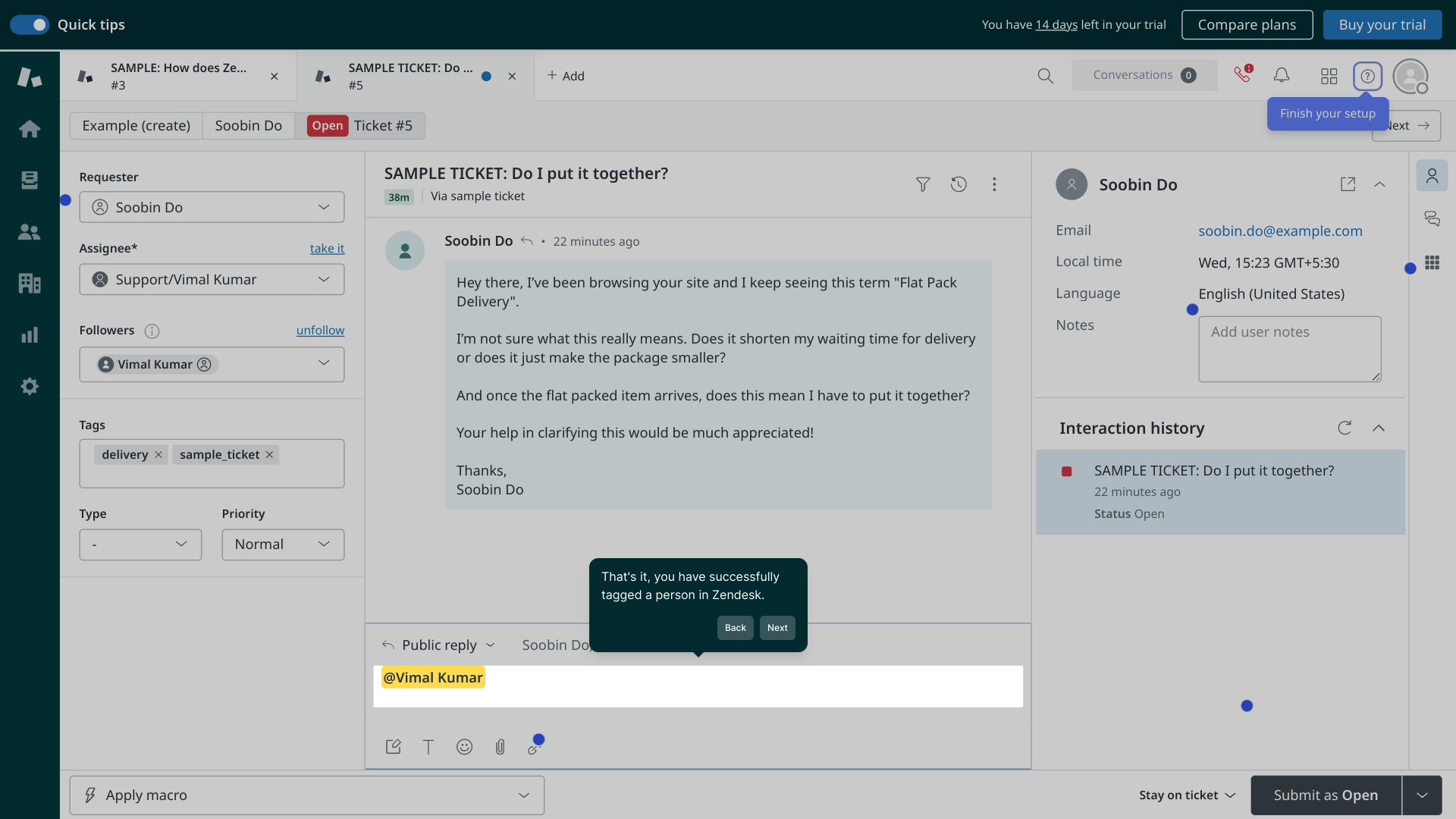
4. Once you find the person, click on the contact card.
5. That's it, you have successfully tagged a person in Zendesk.
6. Create a Supademo in seconds
This interactive demo/guided walkthrough on How to Tag Someone in Zendesk was created using Supademo.
How to Tag Someone in Zendesk: Step-by-Step Guide
Begin by locating and opening the specific ticket where you’d like to bring a teammate into the conversation. Look for the Open option to access the ticket details and get started.
Within the ticket interface, navigate to the note section. This is where you can add messages—either public for everyone or private just for your team—to collaborate effectively and keep everyone informed.
To mention a colleague, simply type the @ symbol in the note area. Then start entering their name or email address, and a list of matching contacts will appear to help you find the right person quickly.
From the list of suggestions, select the correct contact by clicking on their card. This will tag them directly in the note, ensuring they receive a notification and can respond or assist promptly.
And you’re all set! Your teammate is now tagged in the ticket, making it easy to collaborate and keep track of important updates within Zendesk.
Ready to create your own Supademo? Get started in just a few seconds and see how quickly you can build a clear, shareable guide.
Create your own interactive demos in < 5 mins with Supademo
You can create your own interactive product demo in minutes using Supademo. Drive growth, scale enablement, and supercharge product-led onboarding with Supademo. Sign up for free here with no credit card required.
FAQs
Commonly asked questions about this topic.
What does tagging someone in Zendesk do?
Can I tag both internal agents and external users?
How do I tag someone in a ticket comment?
Is tagging available in both public and private notes?
What if I can’t find a teammate when typing @?
Do tagged users get email notifications?
Can I tag multiple people in a single note?
Does tagging someone change the ticket status?
Can customers see when I tag a teammate?
What platforms support tagging in Zendesk?

Product Operations Associate
Vimal Kumar helps build and grow Supademo’s team and GTM efforts, with a focus on figuring out growth levers and improving product traction.





