
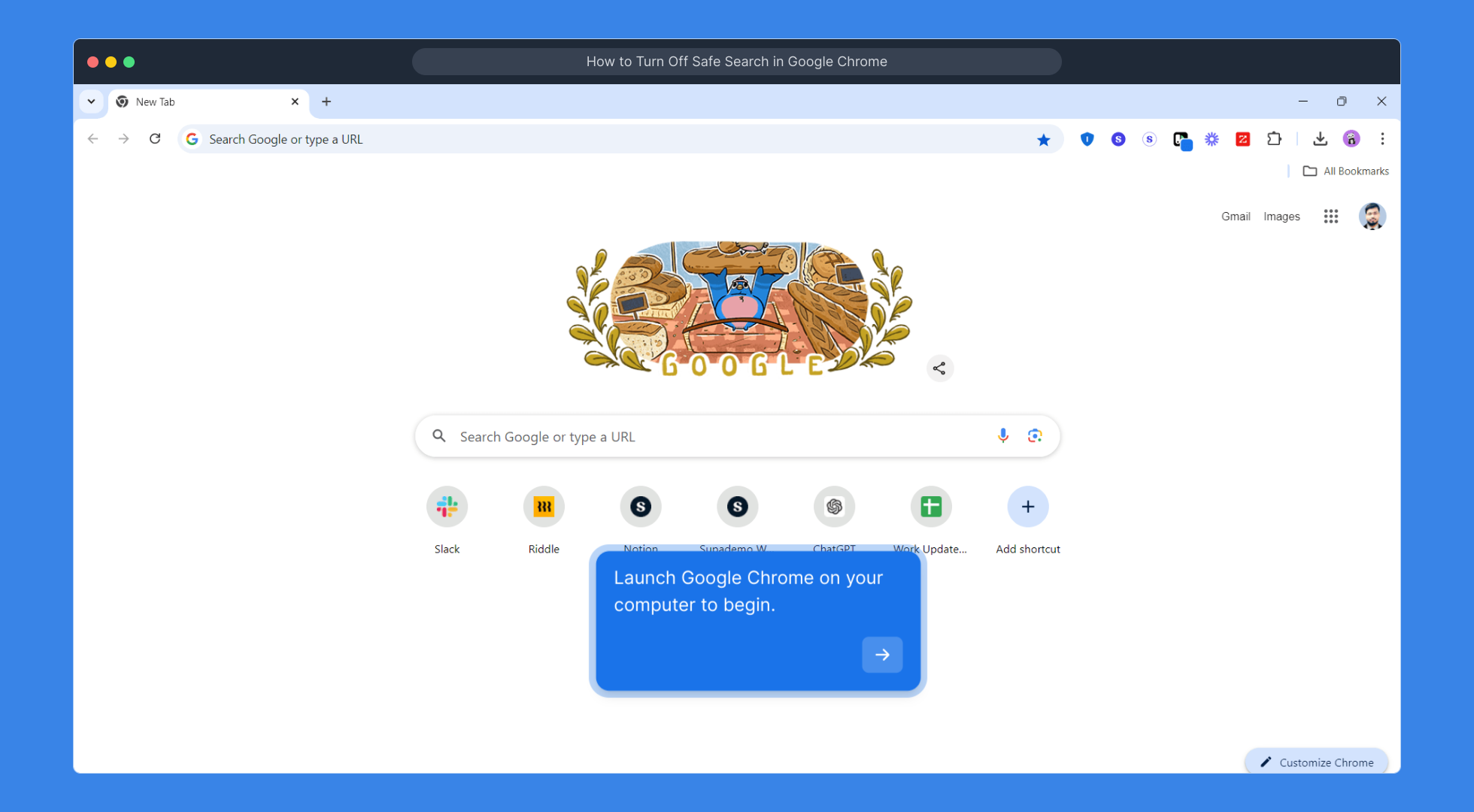
1. Launch Google Chrome on your computer to begin.
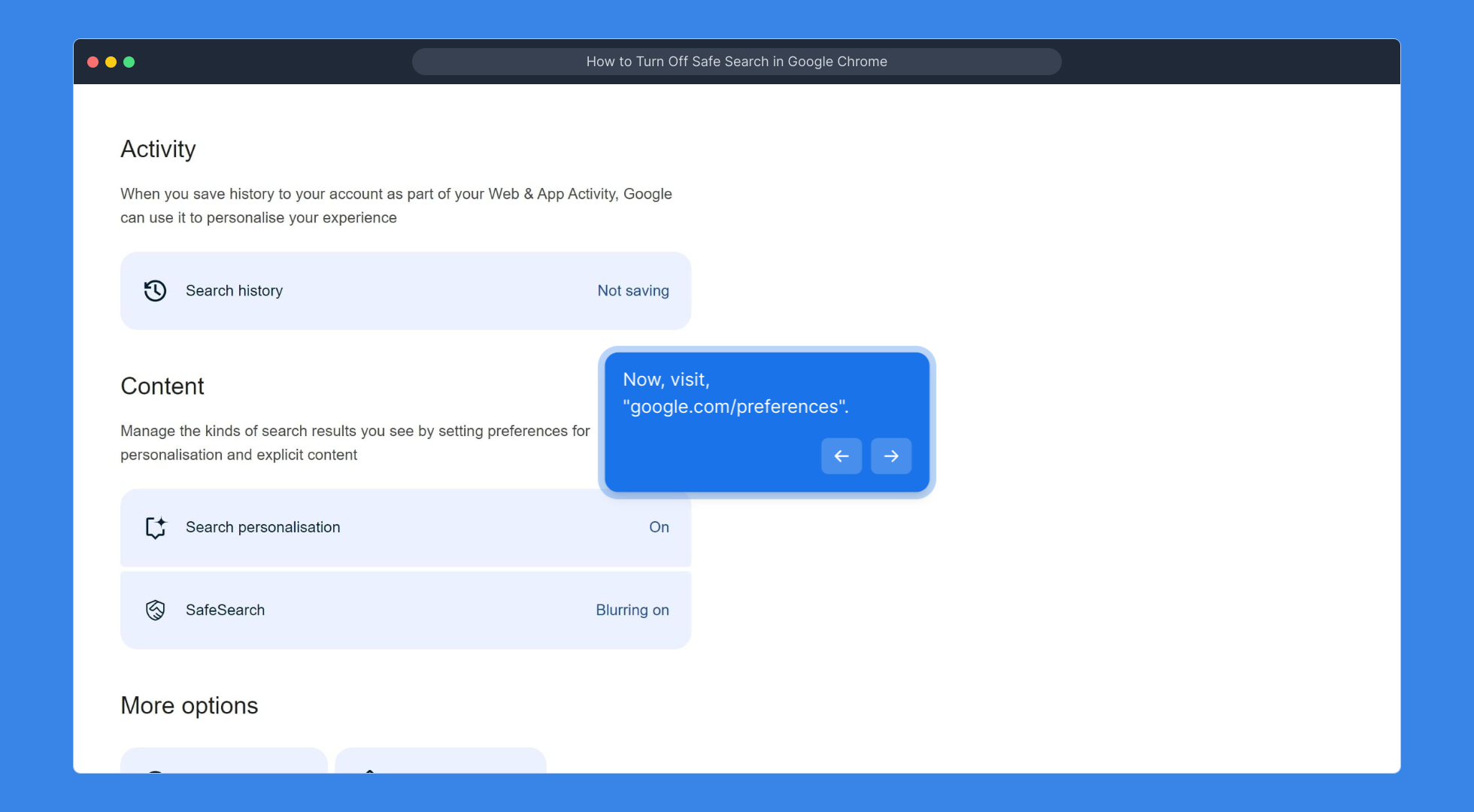
2. Now, visit, "google.com/preferences".
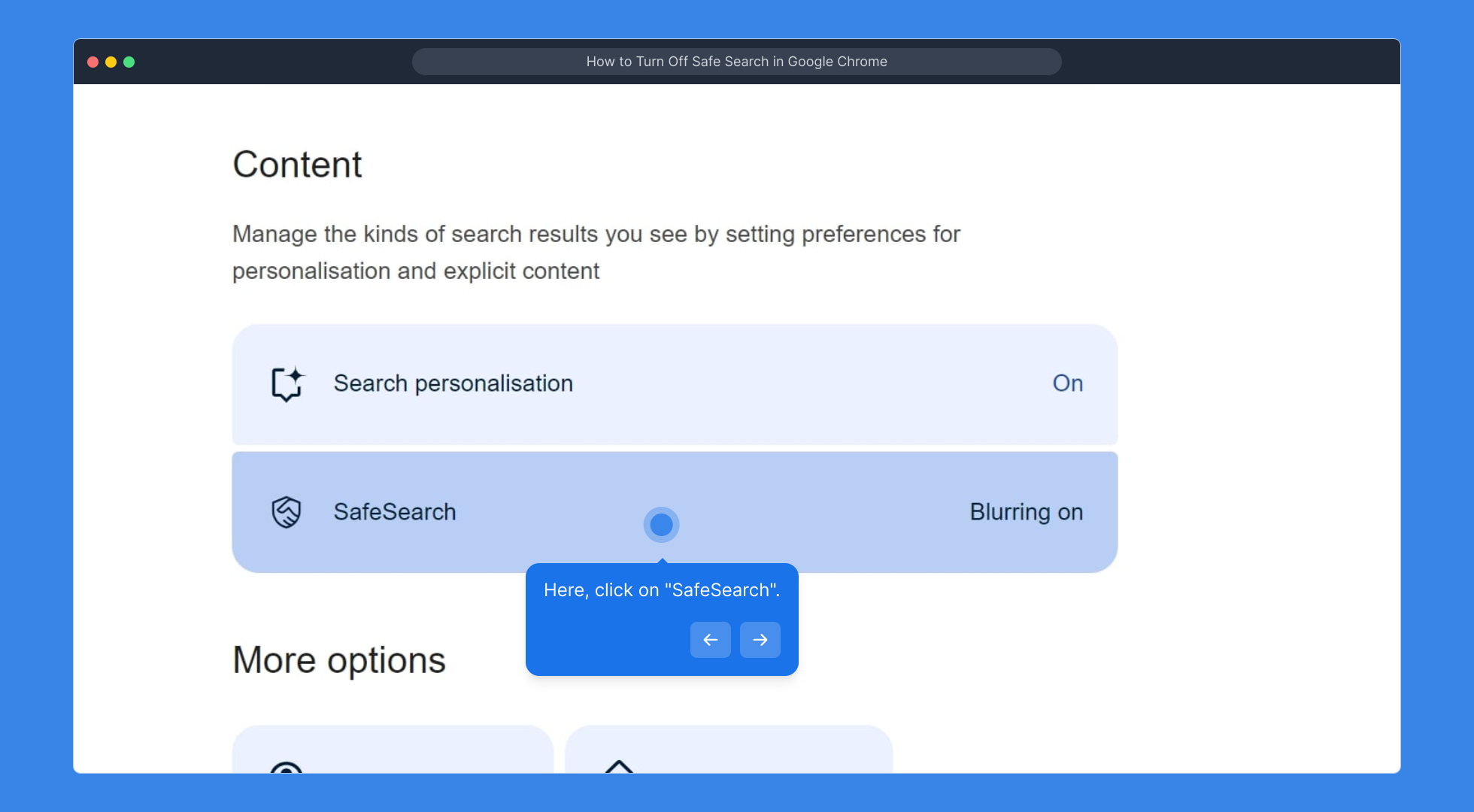
3. Here, click on "SafeSearch".
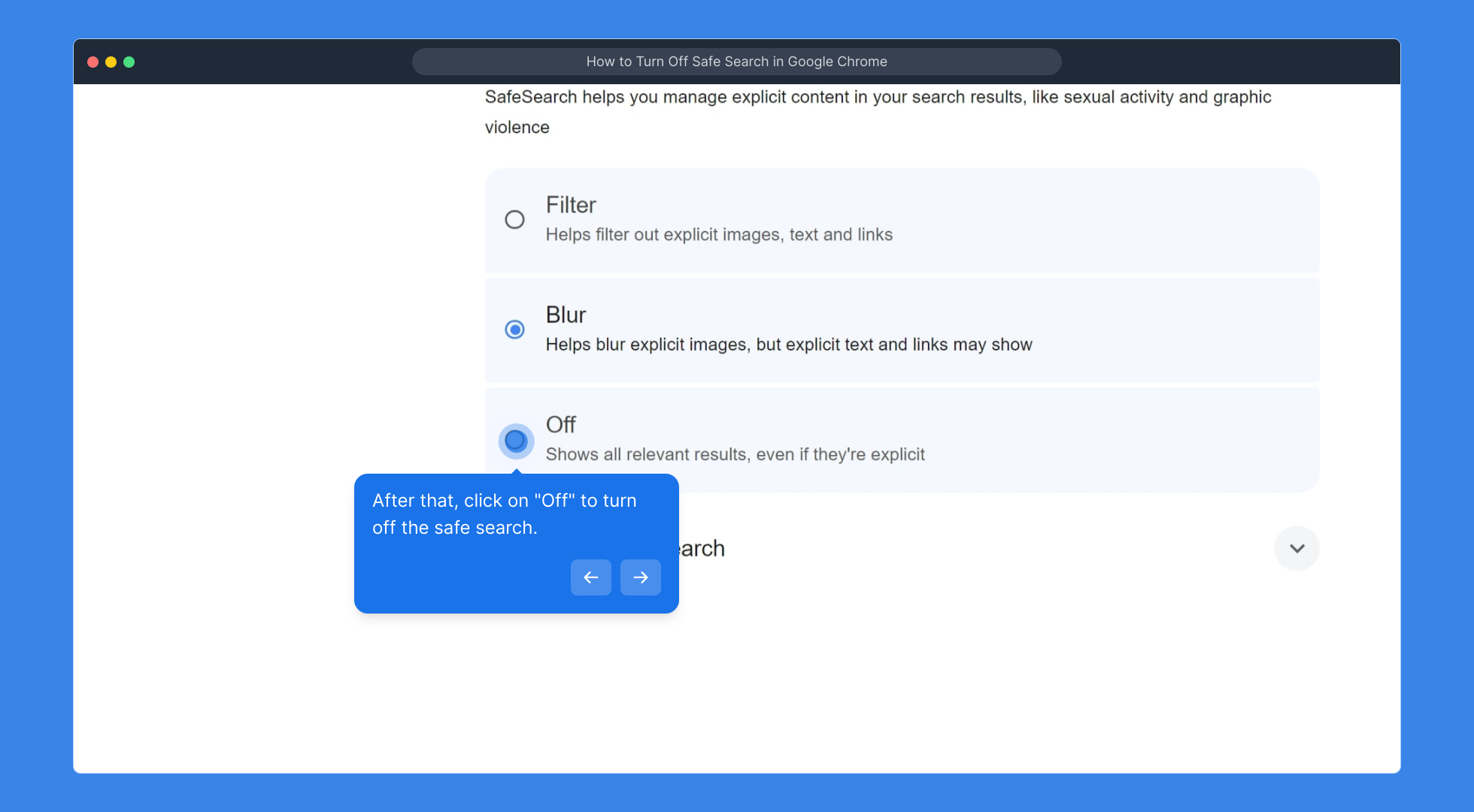
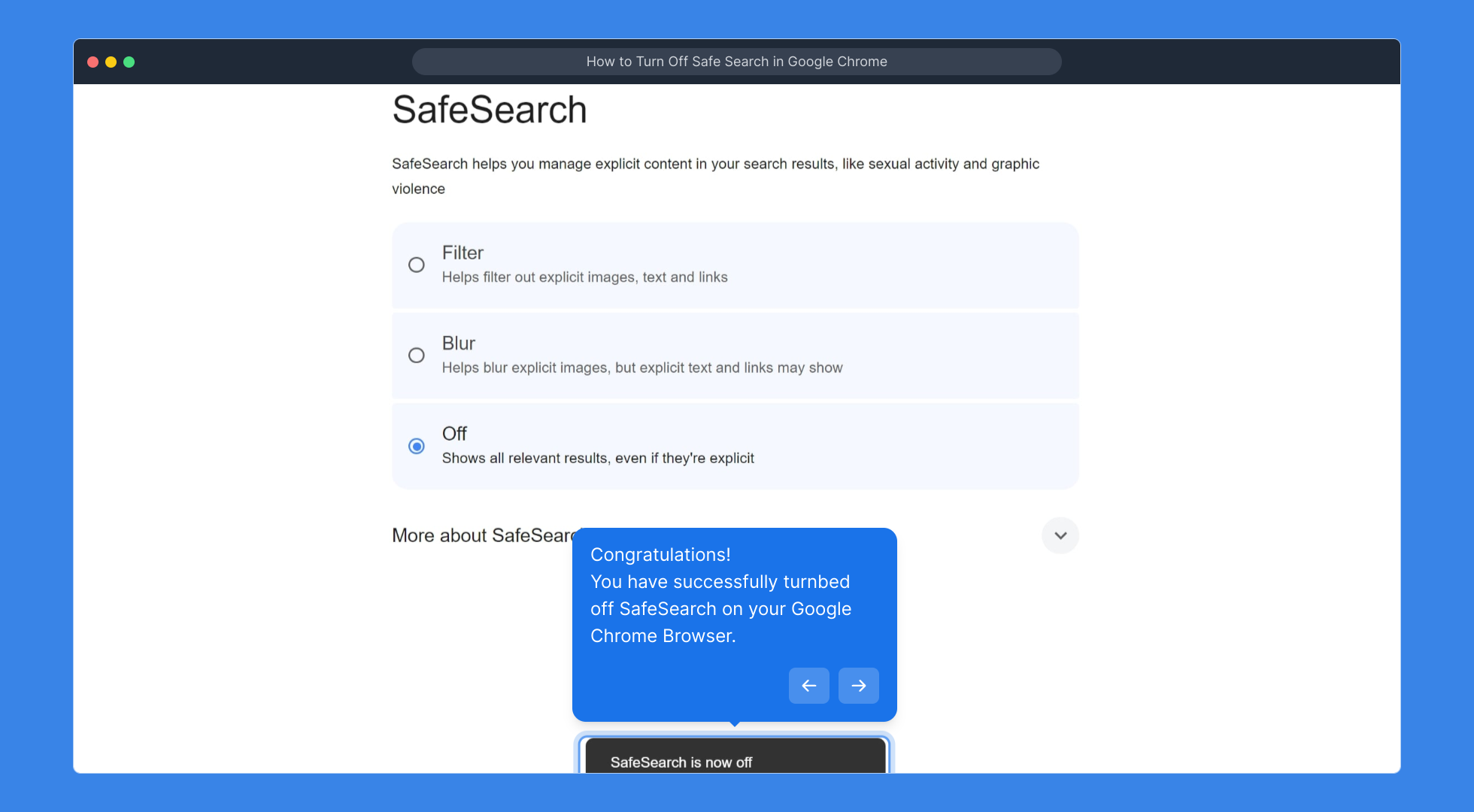
4. After that, click on "Off" to turn off the safe search.
5. Congratulations!
You have successfully turnbed off SafeSearch on your Google Chrome Browser.
6. Create a Supademo in seconds
This interactive demo/guided walkthrough on How to Turn Off Safe Search in Google Chrome was created using Supademo.
How to Turn Off Safe Search in Google Chrome : Step-by-Step Guide
To get started, open the Google Chrome browser on your computer. This will be the platform where you'll adjust your search settings.
Once Chrome is open, type google.com/preferences into the address bar and press Enter. This will take you directly to Google’s search settings page where you can customize your preferences.
On the settings page, look for the section labeled “SafeSearch filters.” Click on the “SafeSearch” option to access more detailed controls.
Here, you'll see a toggle labeled “SafeSearch.” Simply select the “Off” option to disable SafeSearch and allow all types of search results to appear.
You’re all set! You have now successfully turned off SafeSearch on your Google Chrome browser, enabling a wider range of search results.
Ready to create your own demo? With Supademo, you can quickly set up engaging demos in just a few seconds.
Create your own interactive demos in < 5 mins with Supademo
You can create your own interactive product demo in minutes using Supademo. Drive growth, scale enablement, and supercharge product-led onboarding with Supademo. Sign up for free here with no credit card required.
FAQs
Commonly asked questions about this topic.
What is SafeSearch in Google Chrome?
Why would I want to turn off SafeSearch in Google Chrome?
Does turning off SafeSearch affect all browsers or just Chrome?
How do I access SafeSearch settings on Google?
Is SafeSearch turned on by default in Google Chrome?
Can SafeSearch be locked or require a password to change?
Will turning off SafeSearch remove all content filters?
How do I know if SafeSearch is enabled or disabled?
Does turning off SafeSearch affect Google Images and Videos as well?
Can I turn off SafeSearch on mobile devices using Google Chrome?

Product Operations Associate
Vimal Kumar helps build and grow Supademo’s team and GTM efforts, with a focus on figuring out growth levers and improving product traction.




