
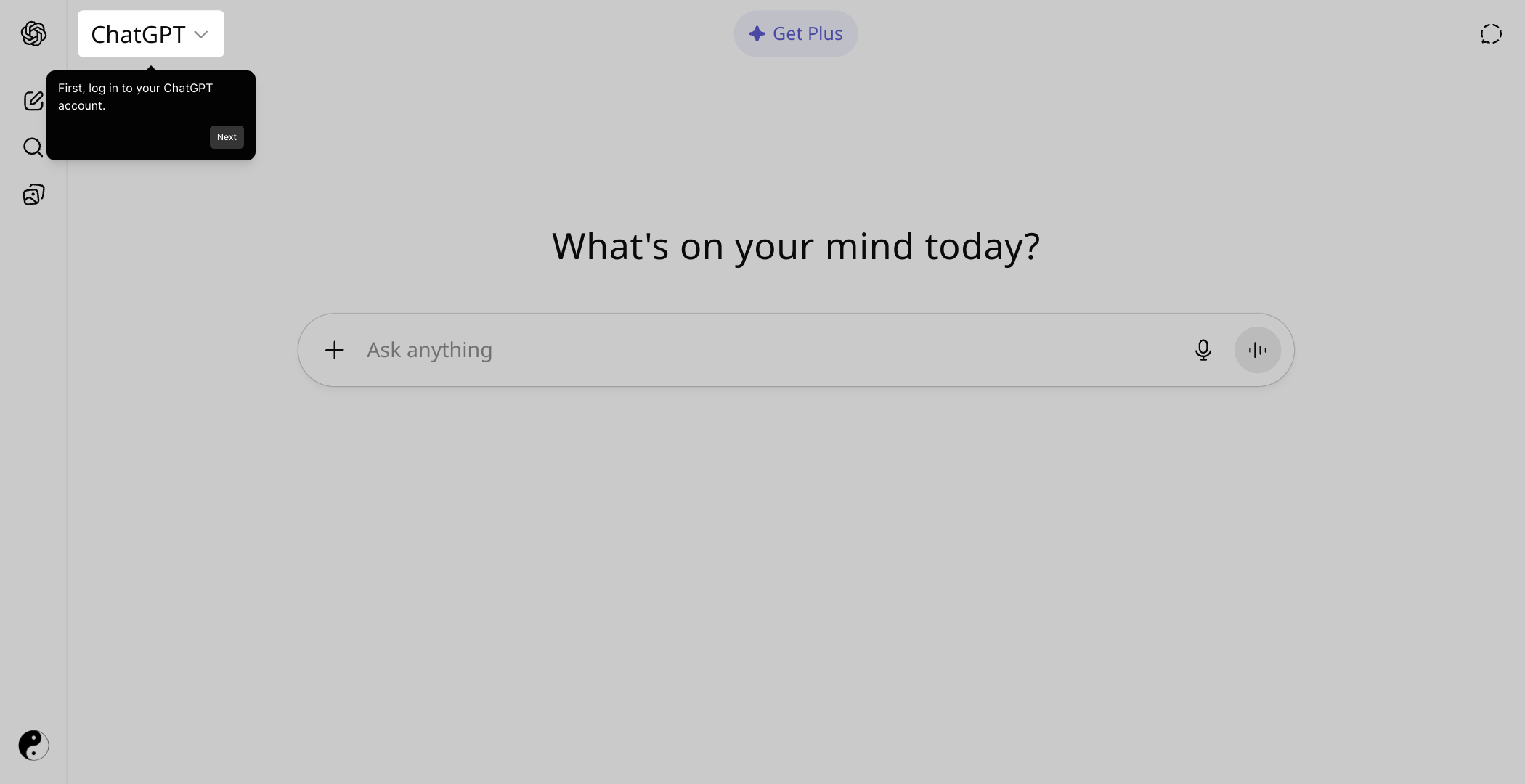
1. Click on "Click to edit the hotspot".
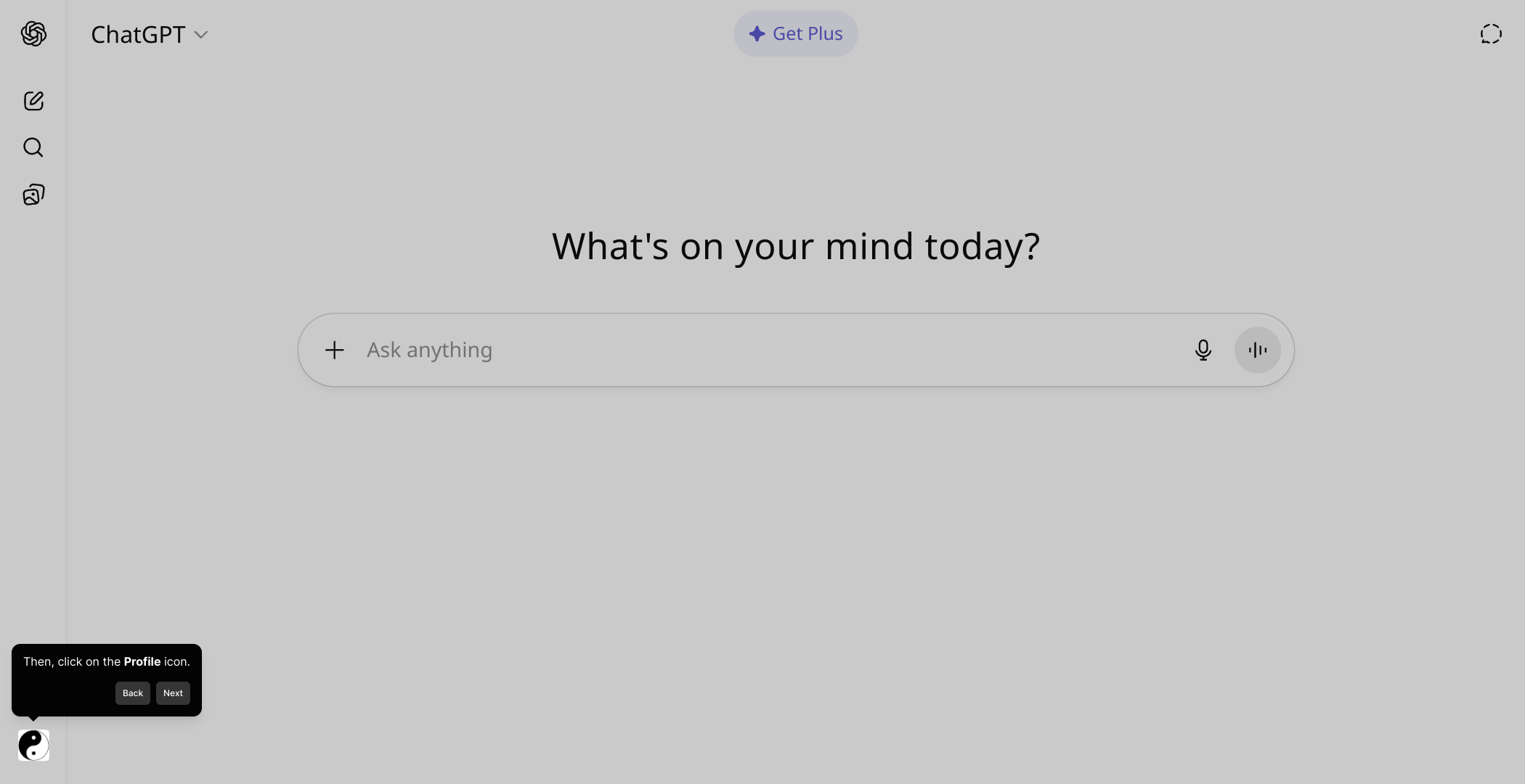
2. Then, click on the Profile icon.
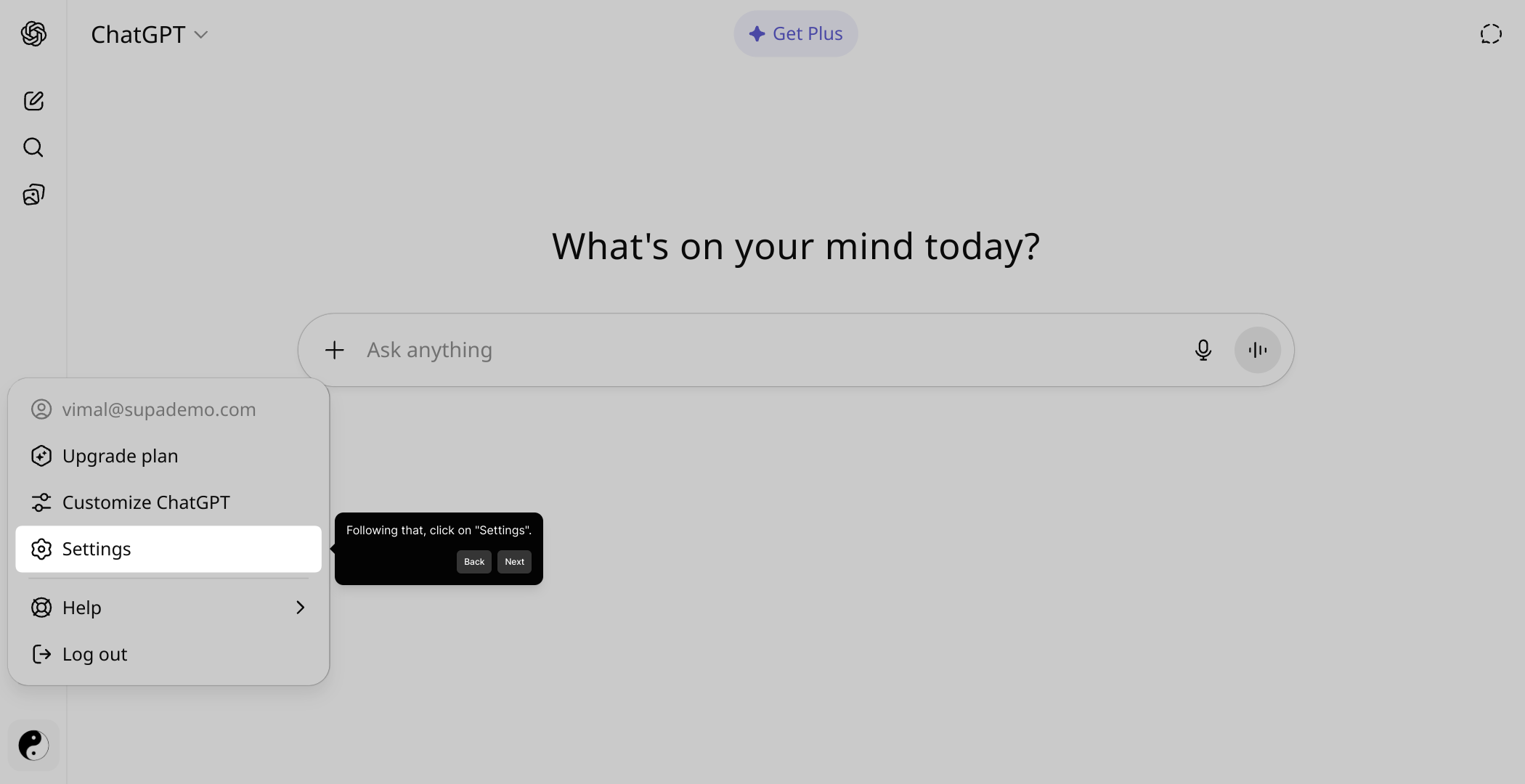
3. Following that, click on "Settings".
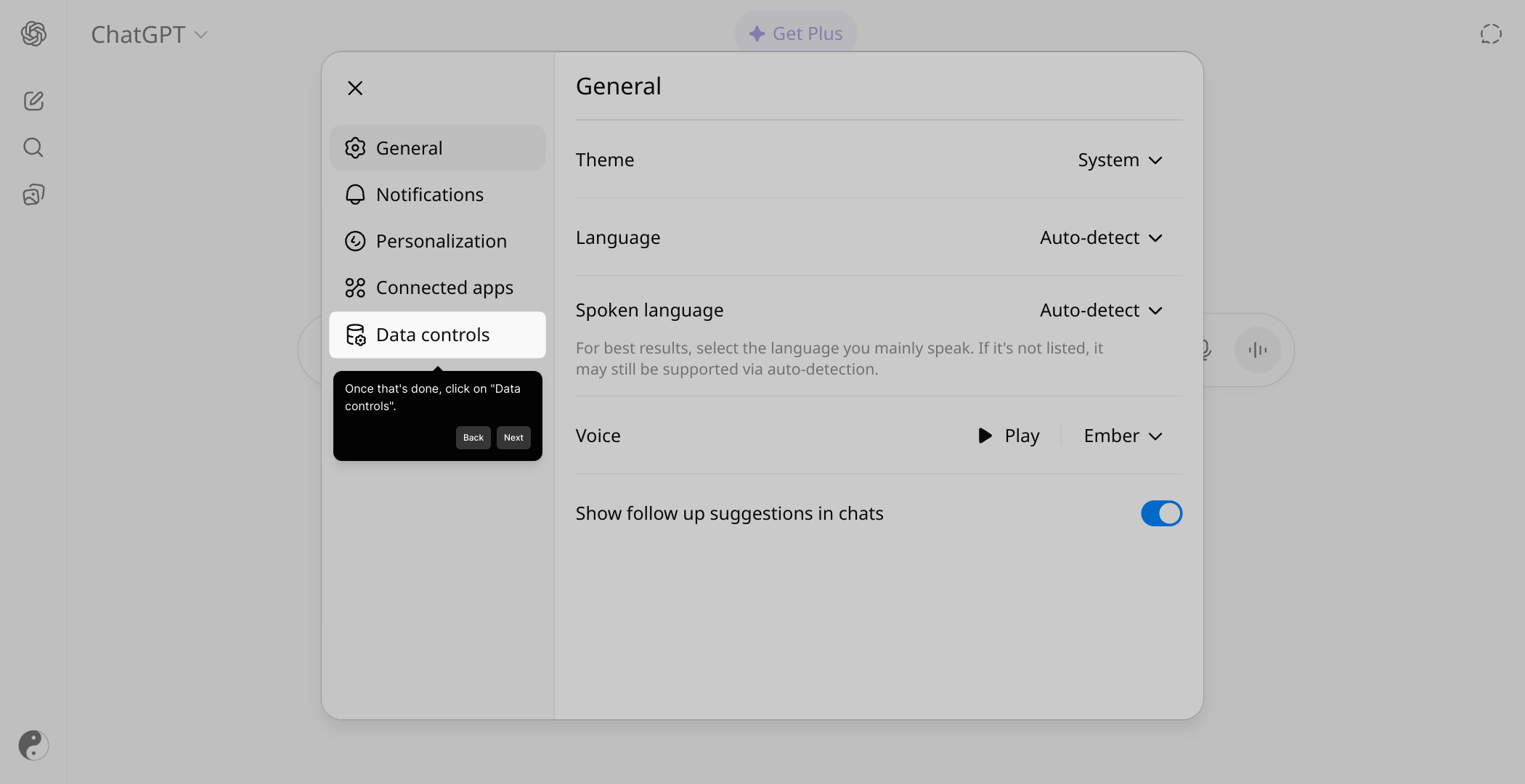
4. Once that's done, click on "Data controls".
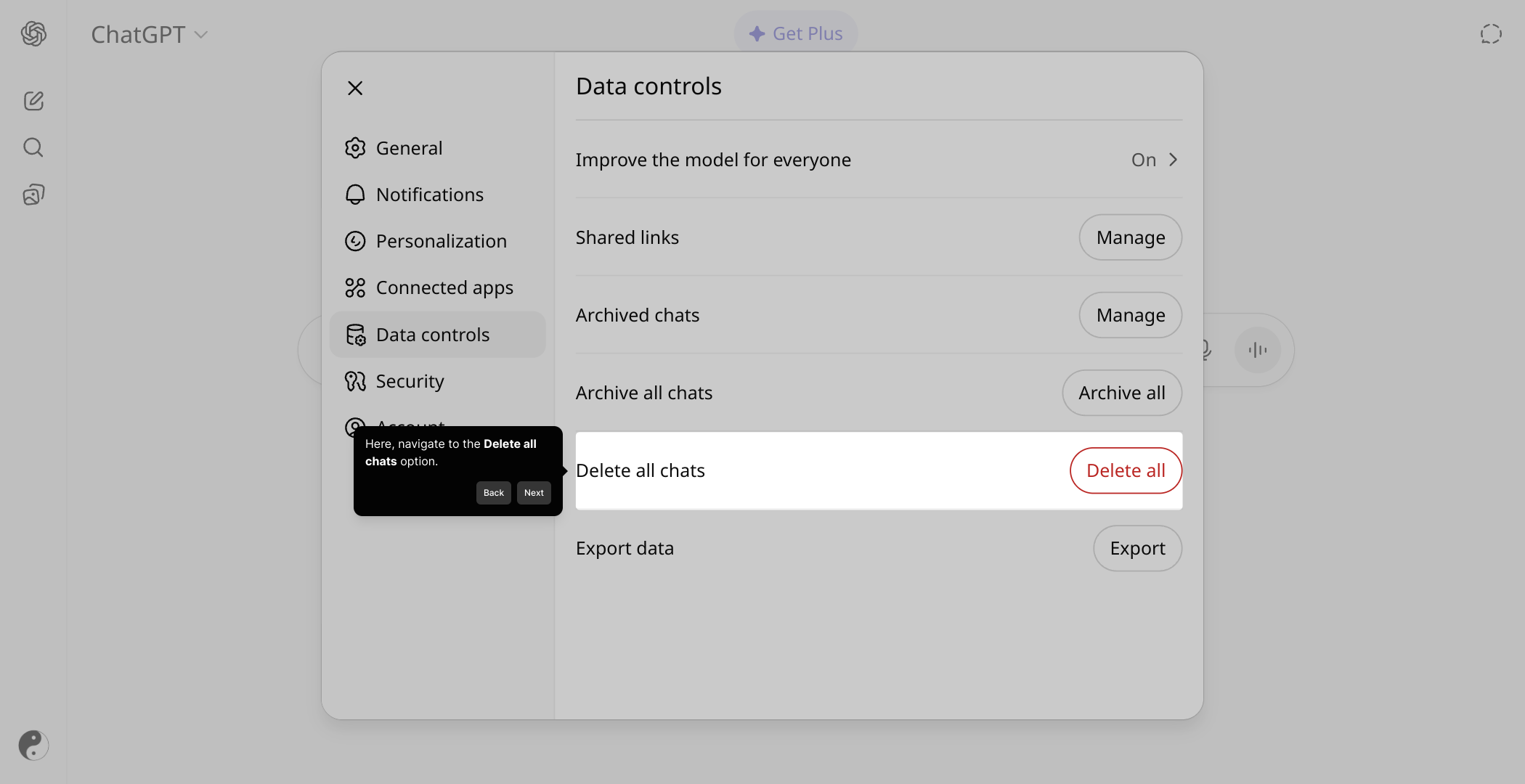
5. Here, navigate to the Delete all chats option.
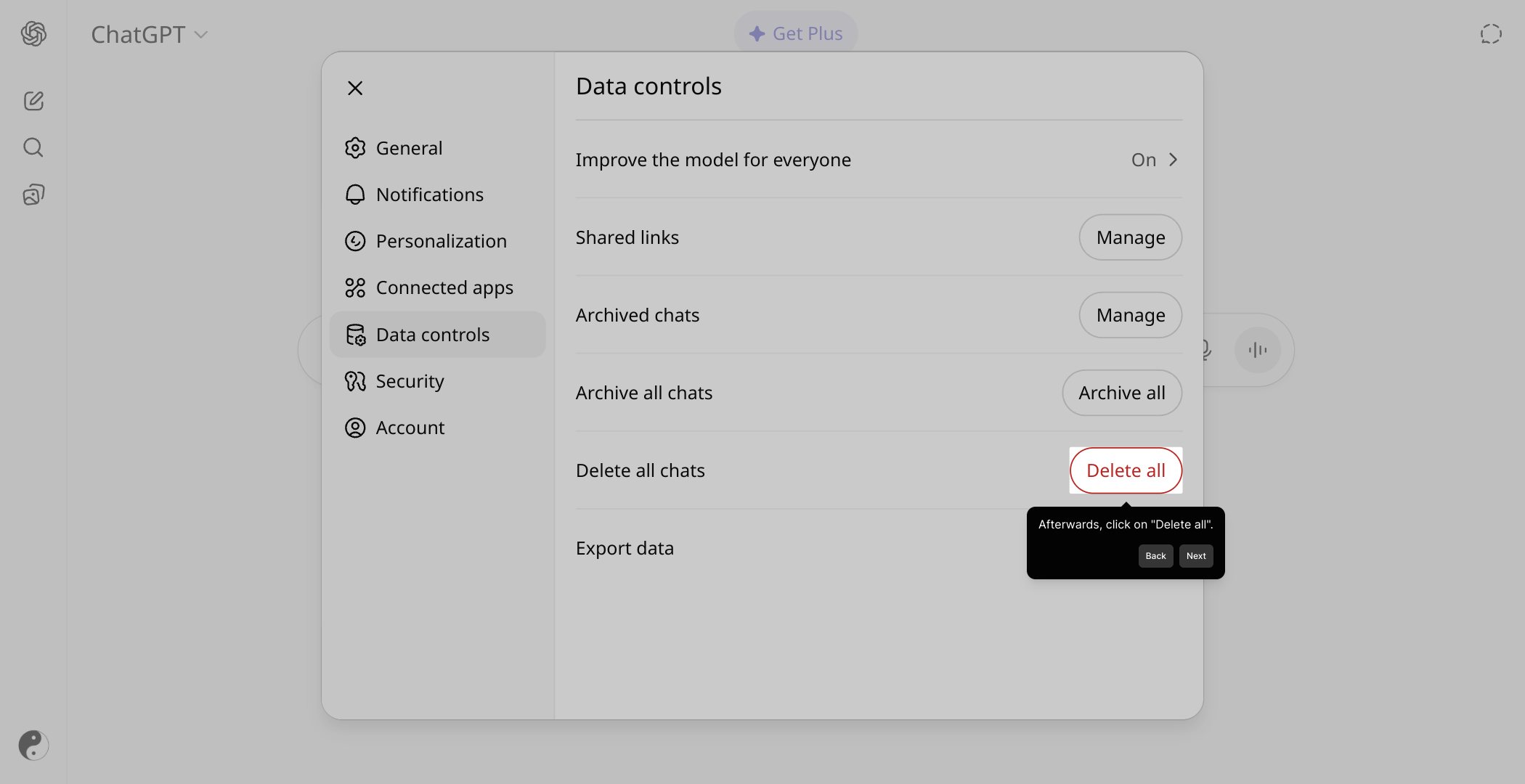
6. Afterwards, click on "Delete all".
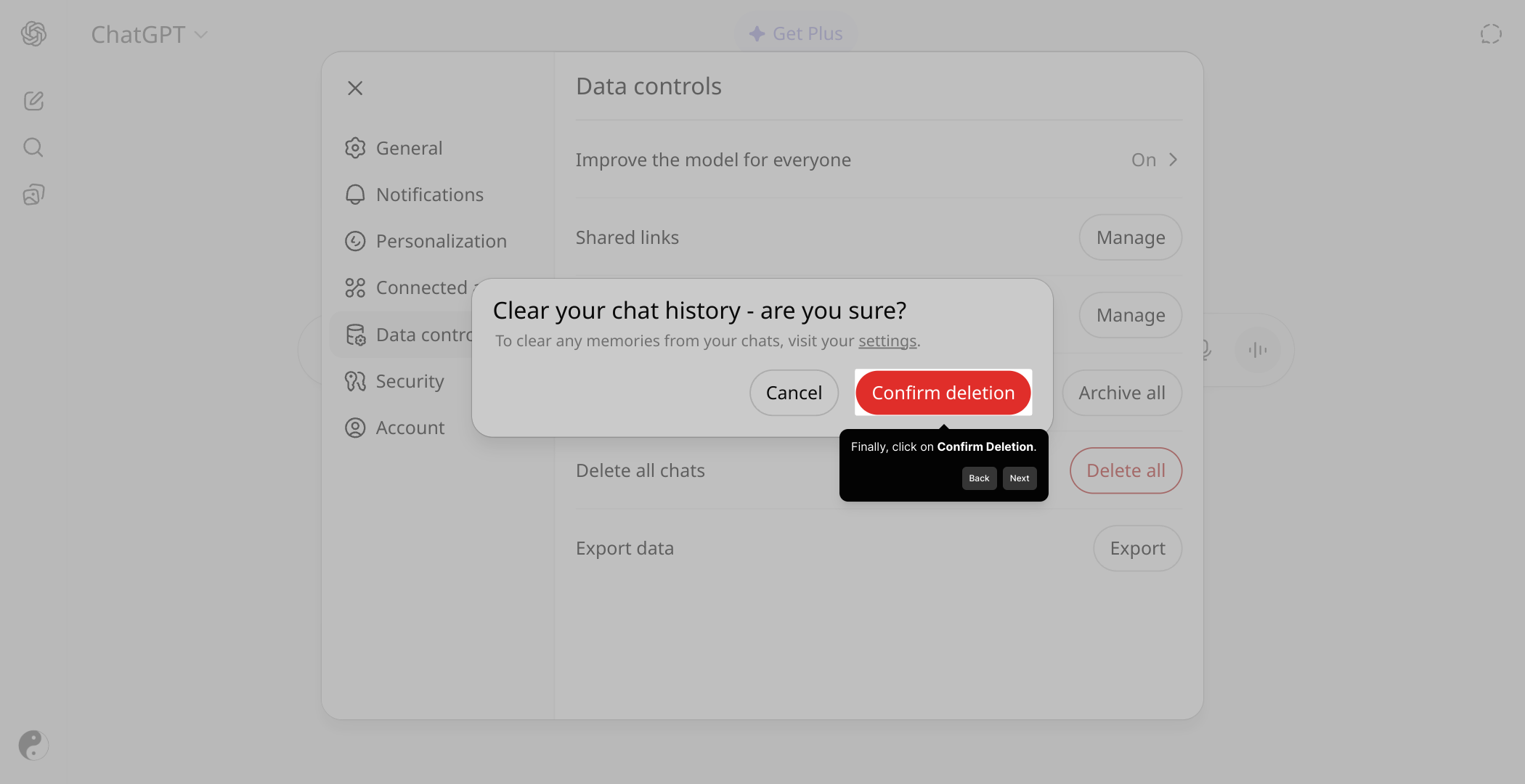
7. Finally, click on Confirm Deletion.
8. Create a Supademo in seconds
This interactive demo/guided walkthrough on How to Delete ChatGPT Search History was created using Supademo.
How to Delete ChatGPT Search History : Step-by-Step Guide
To get started, locate the area labeled “Click to edit the hotspot” on your screen and select it. This is where you initiate making changes to your guided tour or annotation.
Next, find and click on the Profile icon in the top-right corner of the interface. This icon typically represents user settings and account options.
Once the profile menu opens, select the “Settings” option to access the configuration options for your account and preferences.
Within the settings menu, look for and click on the “Data controls” section. This area lets you manage how your data is handled and stored.
In the Data controls screen, find the option labeled Delete all chats. This is where you can remove your chat history if you want to start fresh or protect your privacy.
After selecting delete all chats, click the button marked “Delete all” to initiate the process of clearing your chat conversations.
For your security, you’ll be asked to confirm this action. Click on Confirm Deletion to permanently erase all your chat data.
With these steps complete, you’re ready to create a Supademo quickly and effortlessly. Enjoy showcasing your demos with ease.
Create your own interactive demos in < 5 mins with Supademo
You can create your own interactive product demo in minutes using Supademo. Drive growth, scale enablement, and supercharge product-led onboarding with Supademo. Sign up for free here with no credit card required.
FAQs
Commonly asked questions about this topic.
What is ChatGPT search history and why would I want to delete it?
Can I delete individual chat entries or only the entire history?
Does deleting my ChatGPT history affect my account or data elsewhere?
How often should I delete my ChatGPT history for privacy?
Will deleting my chat history improve ChatGPT’s performance?
Is it possible to recover deleted ChatGPT history?
Does deleting chats affect training data for AI improvements?
Can I automate ChatGPT search history deletion?
Will deleting search history log me out or change my account status?
Is deleting ChatGPT search history available on all devices?

Product Operations Associate
Vimal Kumar helps build and grow Supademo’s team and GTM efforts, with a focus on figuring out growth levers and improving product traction.


