How to use the SEMRush organic research tool

Nithil Shanmugam
Nithil Shanmugam·
How to use the SEMRush organic research tool

Overview:

Revolutionize your approach to SEO with the comprehensive guide on leveraging the SEMRush Organic Research Tool. Effortlessly enhance your website's visibility and performance by mastering the intricacies of this powerful tool. Streamline your keyword strategy, analyze competitors, and uncover valuable insights to propel your digital presence forward. This guide offers a user-friendly, step-by-step process, empowering you to harness the full potential of the SEMRush Organic Research Tool for optimal efficiency and success in organic search management.

Who is SEMrush best suited for?

SEMrush is best suited for a wide range of professionals, including Digital Marketers, SEO Specialists, and Content Creators. For example, Digital Marketers can use SEMrush for running competitive analysis and optimizing campaigns, SEO Specialists can leverage it for keyword research and tracking search engine rankings, and Content Creators can use it for identifying trending topics and optimizing content for search engines, all benefiting from SEMrush’s comprehensive suite of digital marketing tools.

How to use the SEMRush organic research tool

Interactive demo powered by Supademo

1. Start by selecting the 'SEO' category.
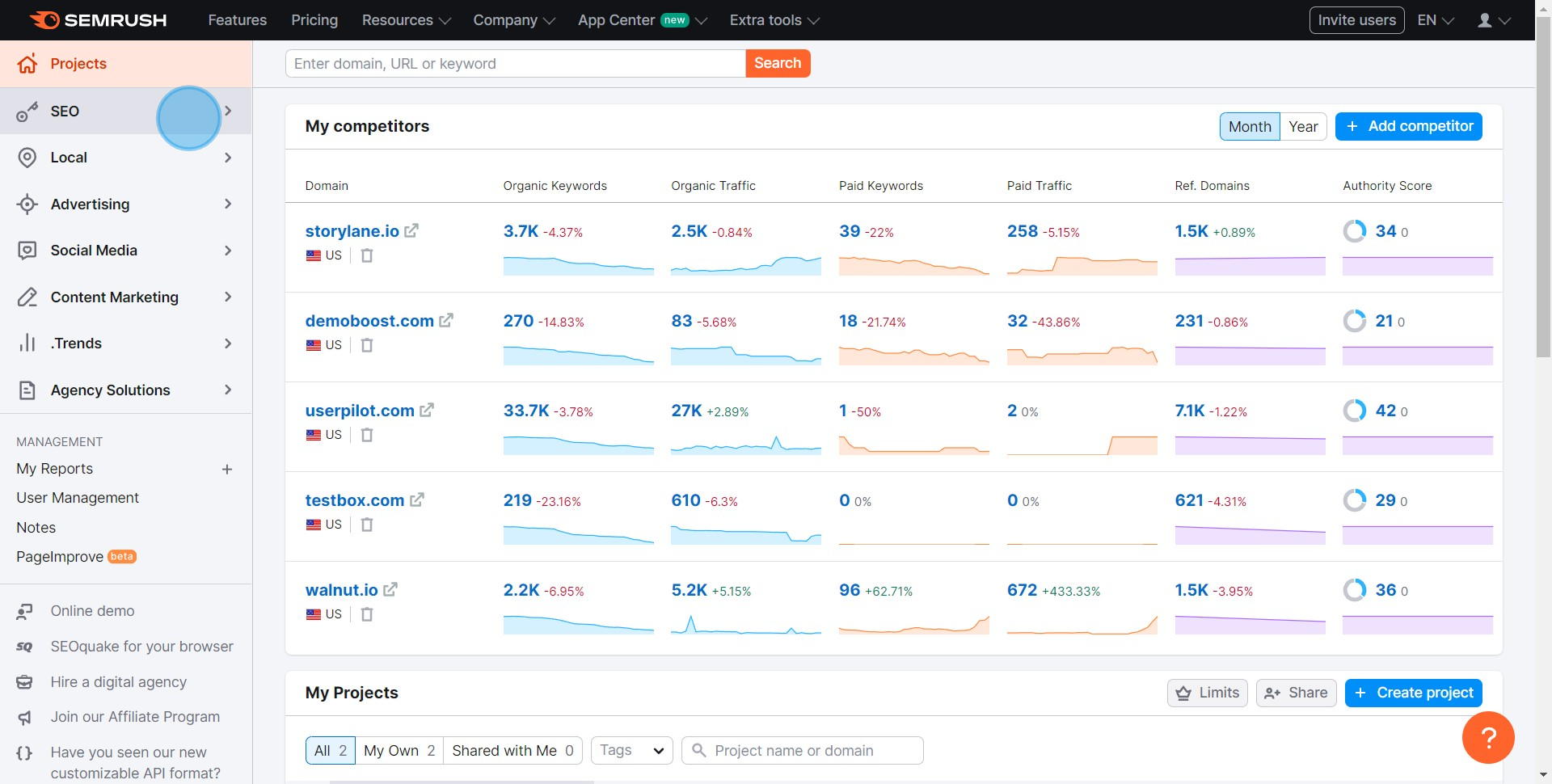
1 Click on "SEO"

2. Next, choose the 'Organic Research' option.
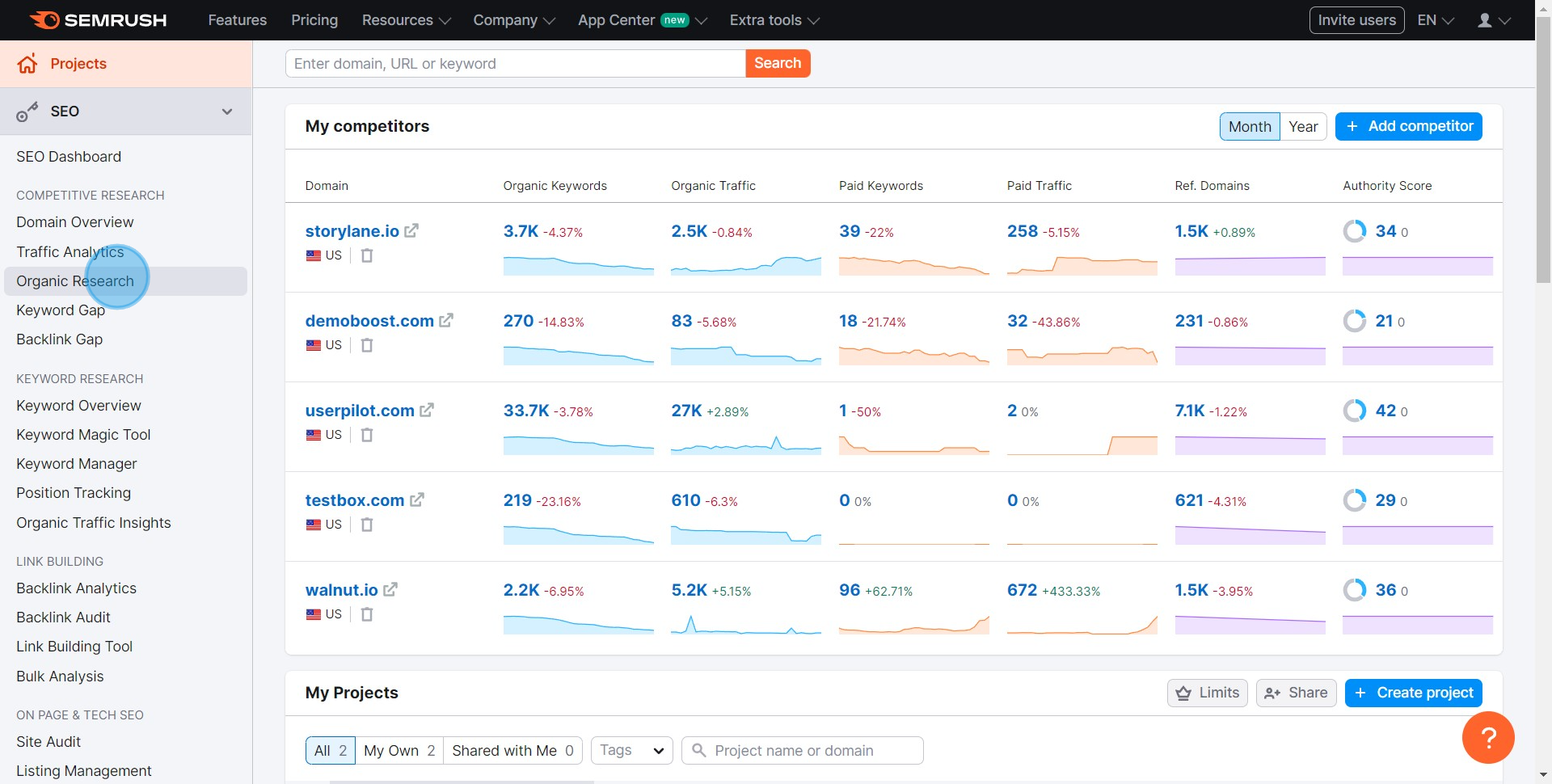
2 Click on "Organic Research"

3. It's time to input your URL in the provided field.
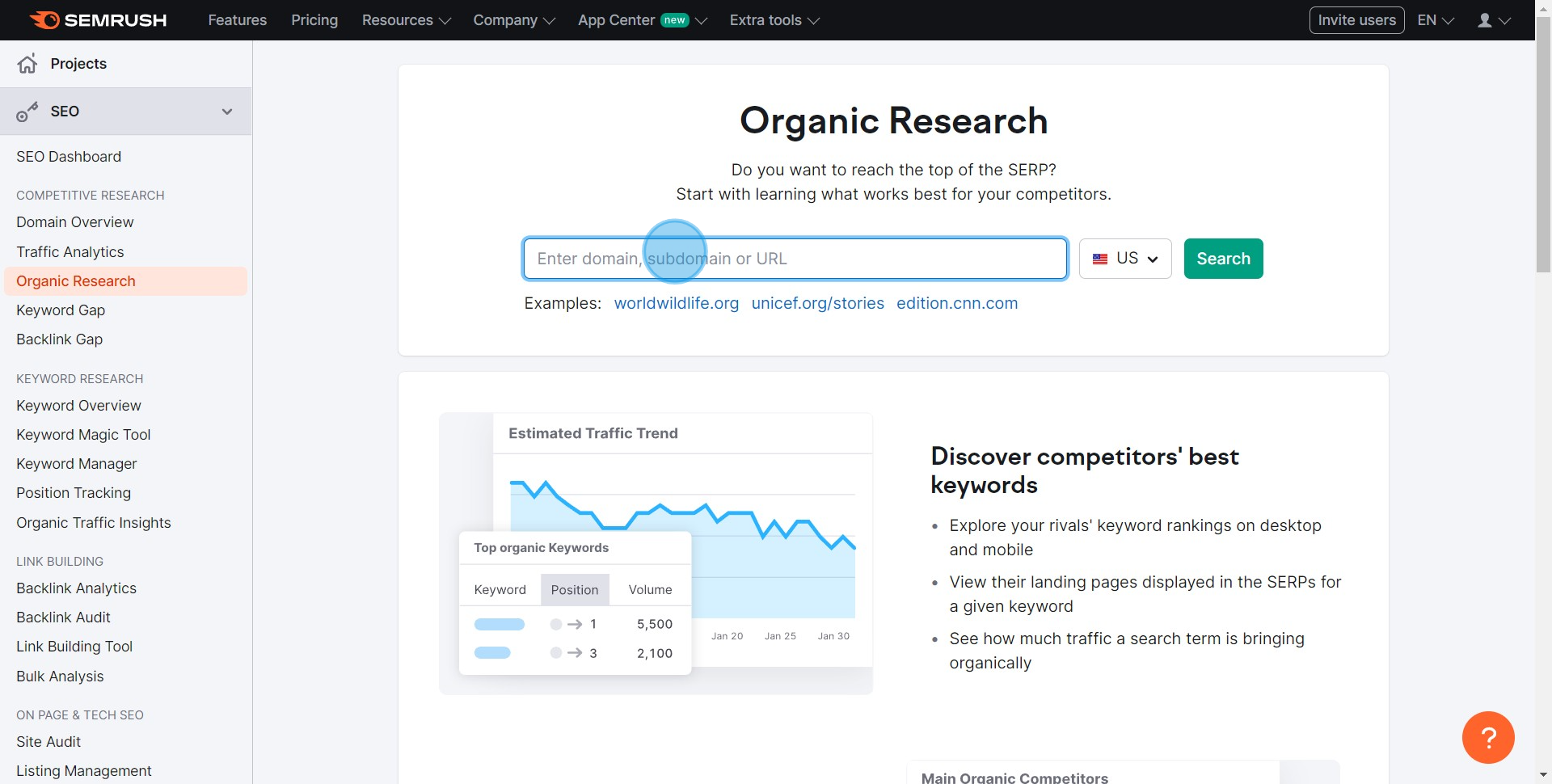
3 Click here

4. Hit the 'Search' button to continue.
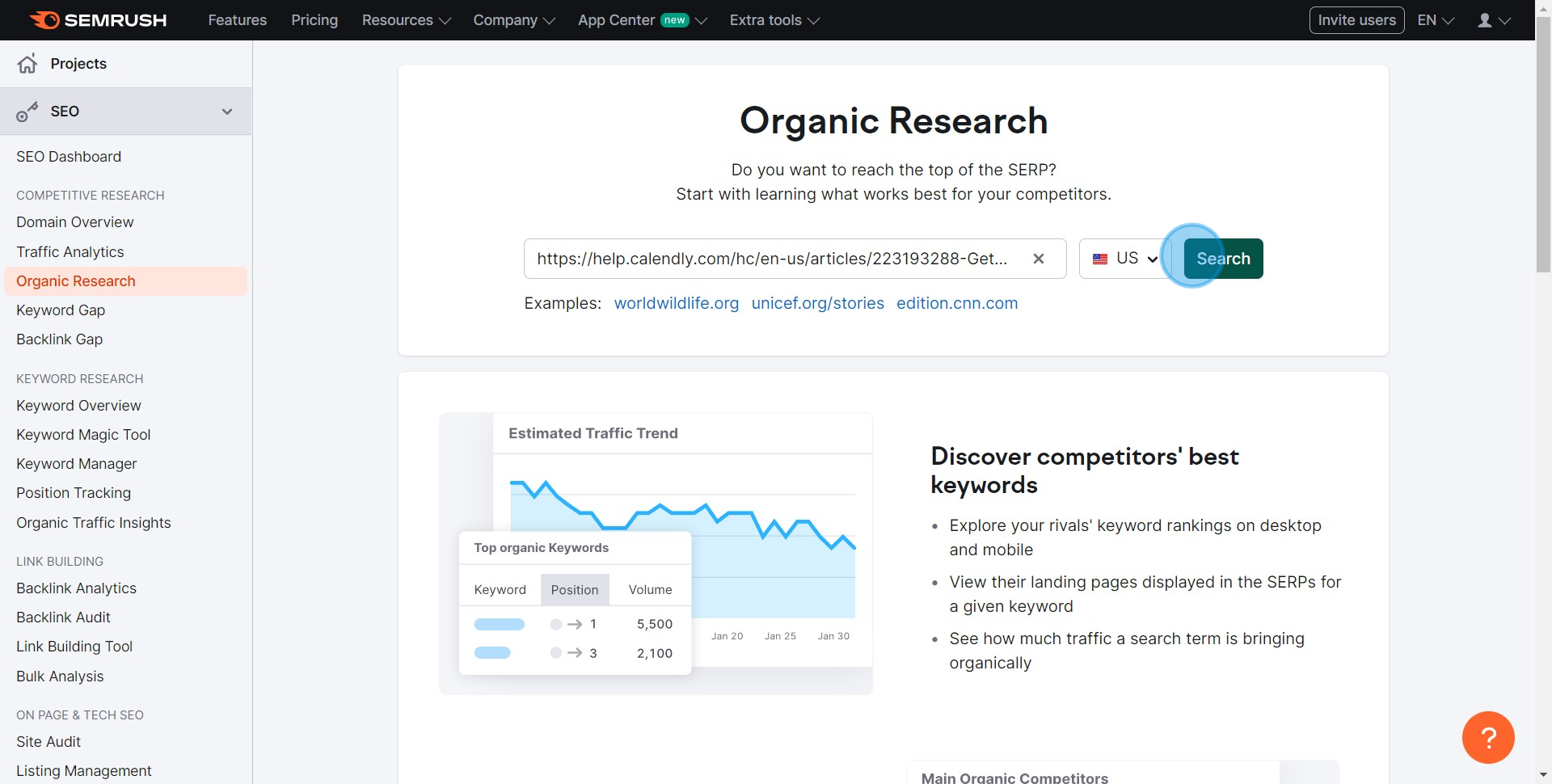
4 Click on "Search"

5. Take a moment to browse and examine the various metrics.
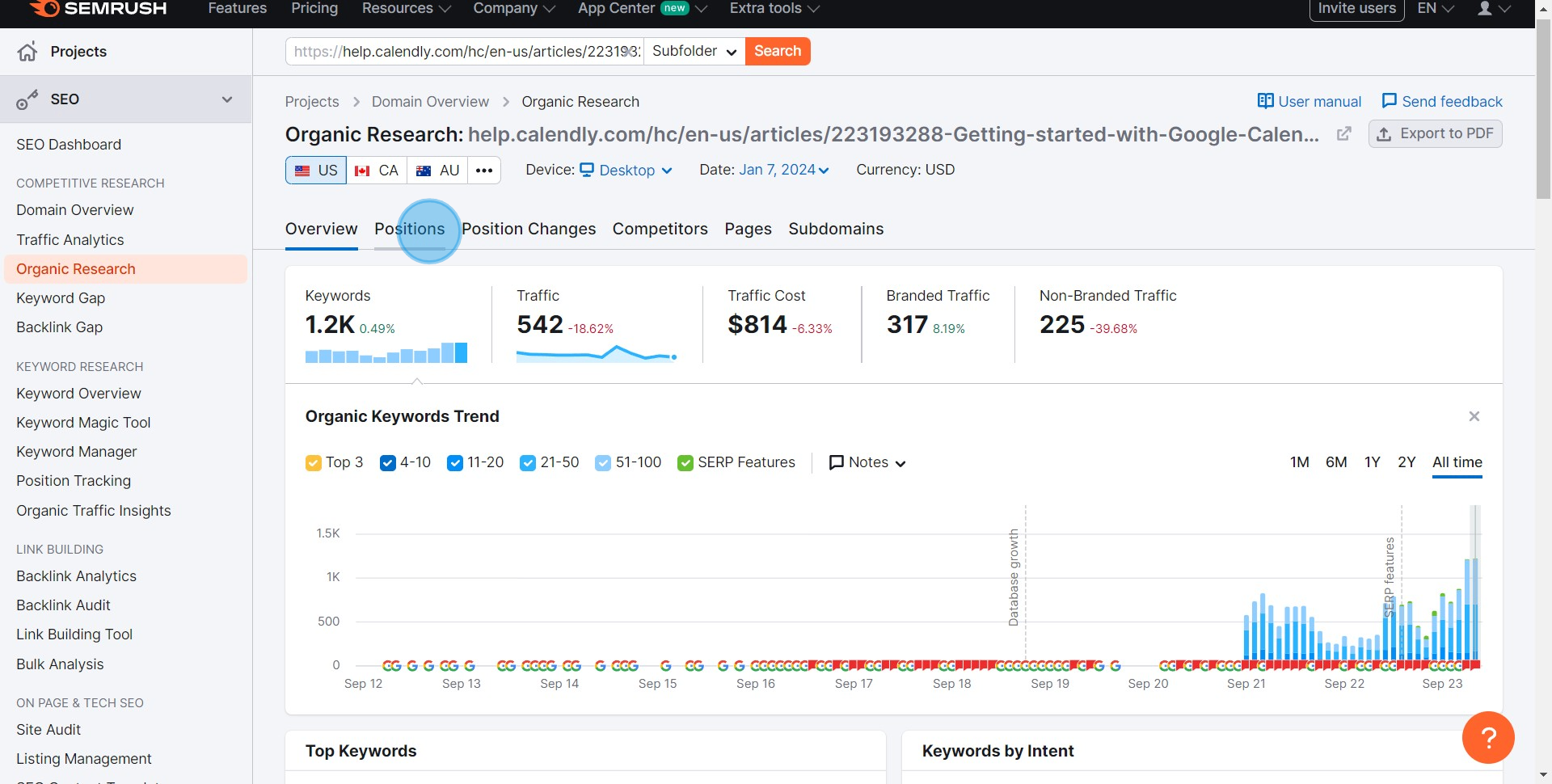
5 Click on "Positions"

6. Finally, click on 'View all keywords' to see the top Keywords relevant to your search.
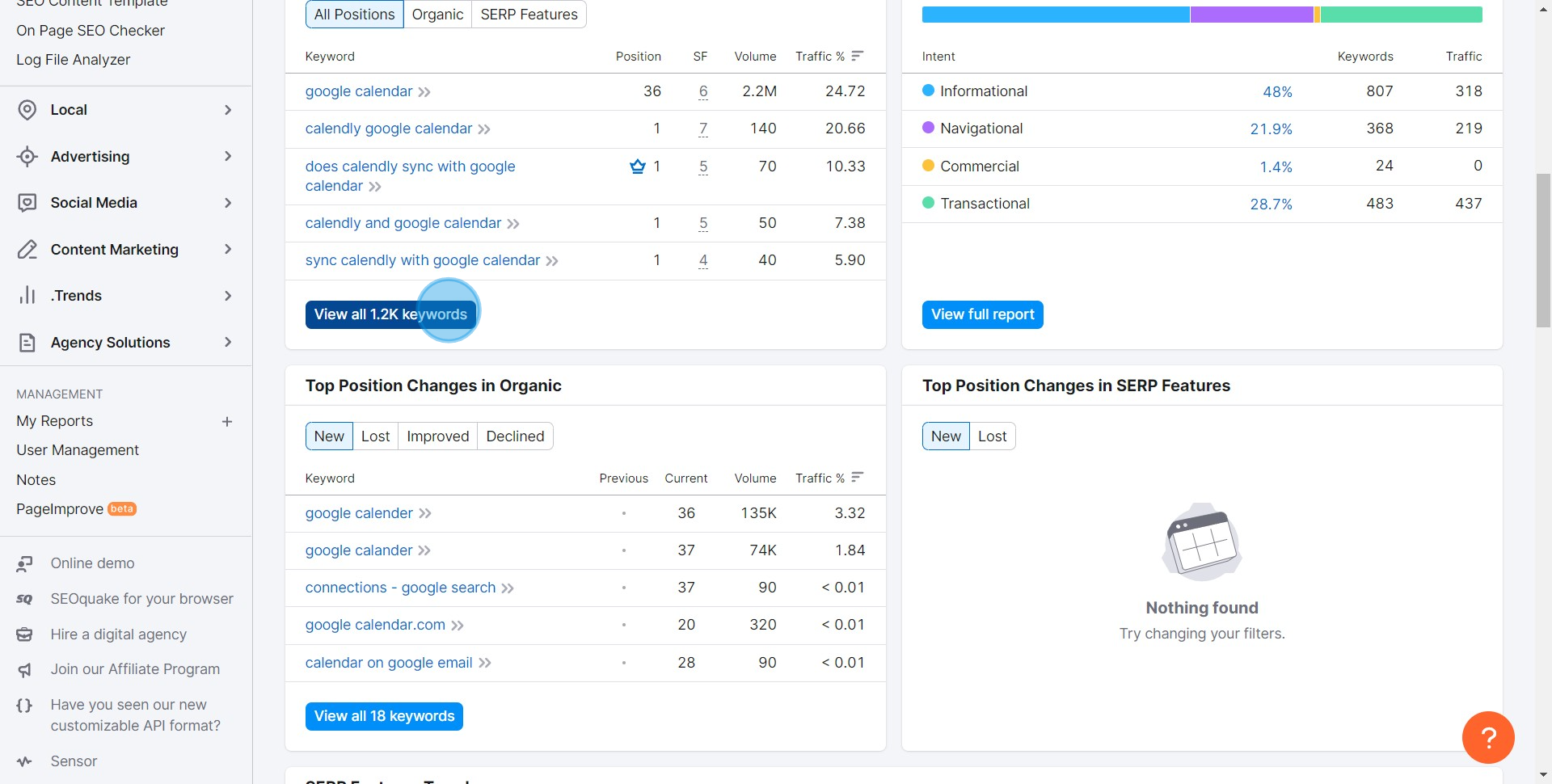
6 Click on "View all 1.2K keywords"

Common FAQs on SEMrush

Commonly asked questions about this topic.

How can I use SEMrush to perform keyword research?

SEMrush is a powerful tool for keyword research, helping you identify the best keywords to target for your SEO and PPC campaigns. To perform keyword research, navigate to the “Keyword Overview” tool in SEMrush and enter a keyword or phrase you want to analyze. SEMrush will provide you with detailed metrics such as search volume, keyword difficulty, cost-per-click (CPC), and competitive density. You can also view related keywords, phrase match keywords, and questions related to your search term. This information allows you to discover new keyword opportunities, understand the competitive landscape, and refine your content strategy to target the most relevant and profitable keywords for your business.

How do I track my website’s SEO performance using SEMrush?

SEMrush offers several tools to track and analyze your website’s SEO performance. The “Position Tracking” tool allows you to monitor your website’s rankings for specific keywords over time. You can set up a campaign by entering your domain, selecting your target location, and adding the keywords you want to track. SEMrush will then provide daily updates on your rankings, along with data on visibility, estimated traffic, and SERP features. Additionally, you can use the “Site Audit” tool to crawl your website and identify technical SEO issues such as broken links, missing meta tags, and slow page speed. These insights help you optimize your site and improve your overall SEO performance.

What is the SEMrush Competitive Analysis tool, and how can I use it to analyze my competitors?

The SEMrush Competitive Analysis tool allows you to analyze your competitors’ online presence and strategies. By entering a competitor’s domain into the “Domain Overview” tool, you can access a comprehensive report on their organic search performance, paid search activity, backlinks, and top-performing content. The “Traffic Analytics” feature provides insights into your competitor’s website traffic, including total visits, traffic sources, and audience demographics. You can also compare your website’s performance against multiple competitors to identify strengths, weaknesses, and opportunities in your market. This analysis helps you understand what’s working for your competitors and how you can adjust your strategy to gain a competitive edge.

Create your own step-by-step demo

Scale up your training and product adoption with beautiful AI-powered interactive demos and guides. Create your first Supademo in seconds for free.
Nithil Shanmugam
Nithil Shanmugam

Content Marketer

Nithil is a startup-obsessed operator focused on growth, sales and marketing. He's passionate about wearing different hats across startups to deliver real value.

More from the blog

How to use the SEMRush site audit tool

How to use the SEMRush site audit tool

Overview: Enhance your digital strategy with the SEMRush Site Audit Tool guide. Streamline your website optimization efforts by efficiently utilizing this tool to analyze and improve your site's...

Nithil Shanmugam
Nithil ShanmugamJan 22, 2024
How to use the SEMRush advertising research tool

How to use the SEMRush advertising research tool

Overview: Maximize your advertising strategy with the SEMRush Advertising Research Tool. Streamline your workflow by effectively utilizing features to analyze and enhance your ad campaigns.

Nithil Shanmugam
Nithil ShanmugamFeb 5, 2024
So verwenden Sie das SEMRush Keyword Magic Tool

So verwenden Sie das SEMRush Keyword Magic Tool

Übersicht: Vereinfachen Sie Ihre Keyword-Recherche mit dem SEMRush Keyword Magic Tool-Leitfaden. Optimieren Sie Ihre SEO-Strategie, indem Sie relevante Keywords effizient organisieren und...

Vimal Kumar
Vimal KumarAug 23, 2024
Cómo utilizar la herramienta Keyword Magic de SEMRush

Cómo utilizar la herramienta Keyword Magic de SEMRush

Descripción general: Optimiza tu investigación de palabras clave con la guía de la herramienta SEMRush Keyword Magic. Mejora tu estrategia de SEO organizando e identificando palabras clave relevantes...

Vimal Kumar
Vimal KumarAug 23, 2024
SEMRushキーワードマジックツールの使い方

SEMRushキーワードマジックツールの使い方

概要: SEMRushキーワードマジックツールガイドでキーワードリサーチを効率化しましょう。関連するキーワードを効率的に整理して特定し、SEO戦略を最適化します。ユーザーエクスペリエンスを向上させ、ナビゲーションをスムーズにし、情報取得を簡単にします。この包括的なガイドでは、SEMRushキーワードマジックツールの活用方法を詳しく説明し、デジタルマーケティングにおける優れた検索エンジン最適化のため...

Vimal Kumar
Vimal KumarAug 23, 2024