
Overview:
Enhance your digital strategy with the SEMRush Site Audit Tool guide. Streamline your website optimization efforts by efficiently utilizing this tool to analyze and improve your site's health. This comprehensive guide walks you through the seamless process of leveraging SEMRush's Site Audit Tool, providing invaluable insights to enhance your website's performance, optimize SEO, and boost overall online visibility. Elevate your digital presence with this user-friendly guide, optimizing your web strategy for improved efficiency and clarity.
Who is SEMrush best suited for?
SEMrush is best suited for a wide range of professionals, including SEO Specialists, Digital Marketers, and Content Creators. For example, SEO Specialists can use SEMrush for keyword research and site audits, Digital Marketers can leverage it for competitor analysis and campaign optimization, and Content Creators can use it for content performance tracking and SEO optimization, all benefiting from SEMrush’s comprehensive suite of tools for enhancing online visibility and marketing effectiveness.
How to use the SEMRush site audit tool
1. Select 'SEO' to proceed for a site audit
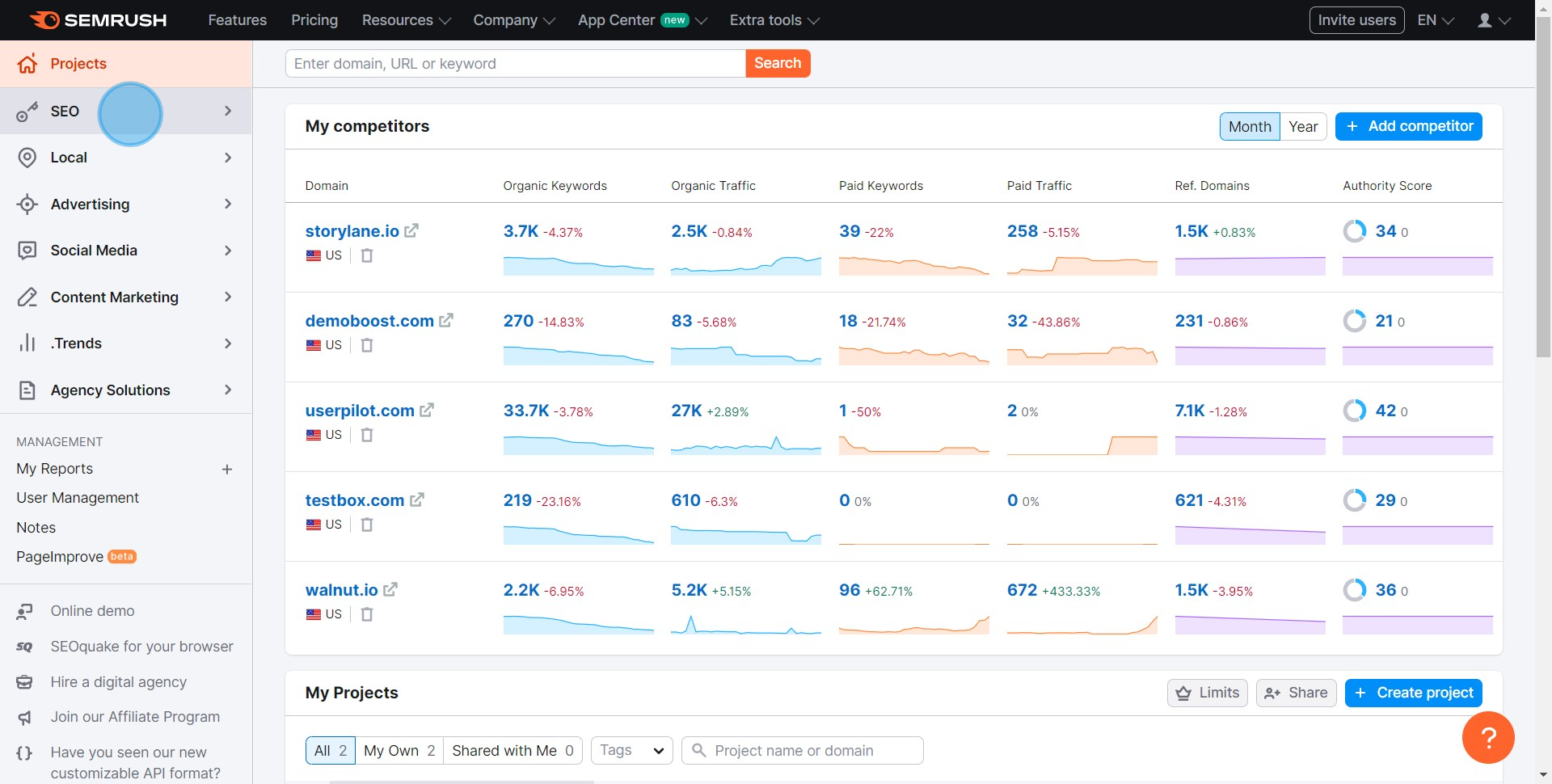
2. Navigate to 'Site Audit' in the SEO dropdown
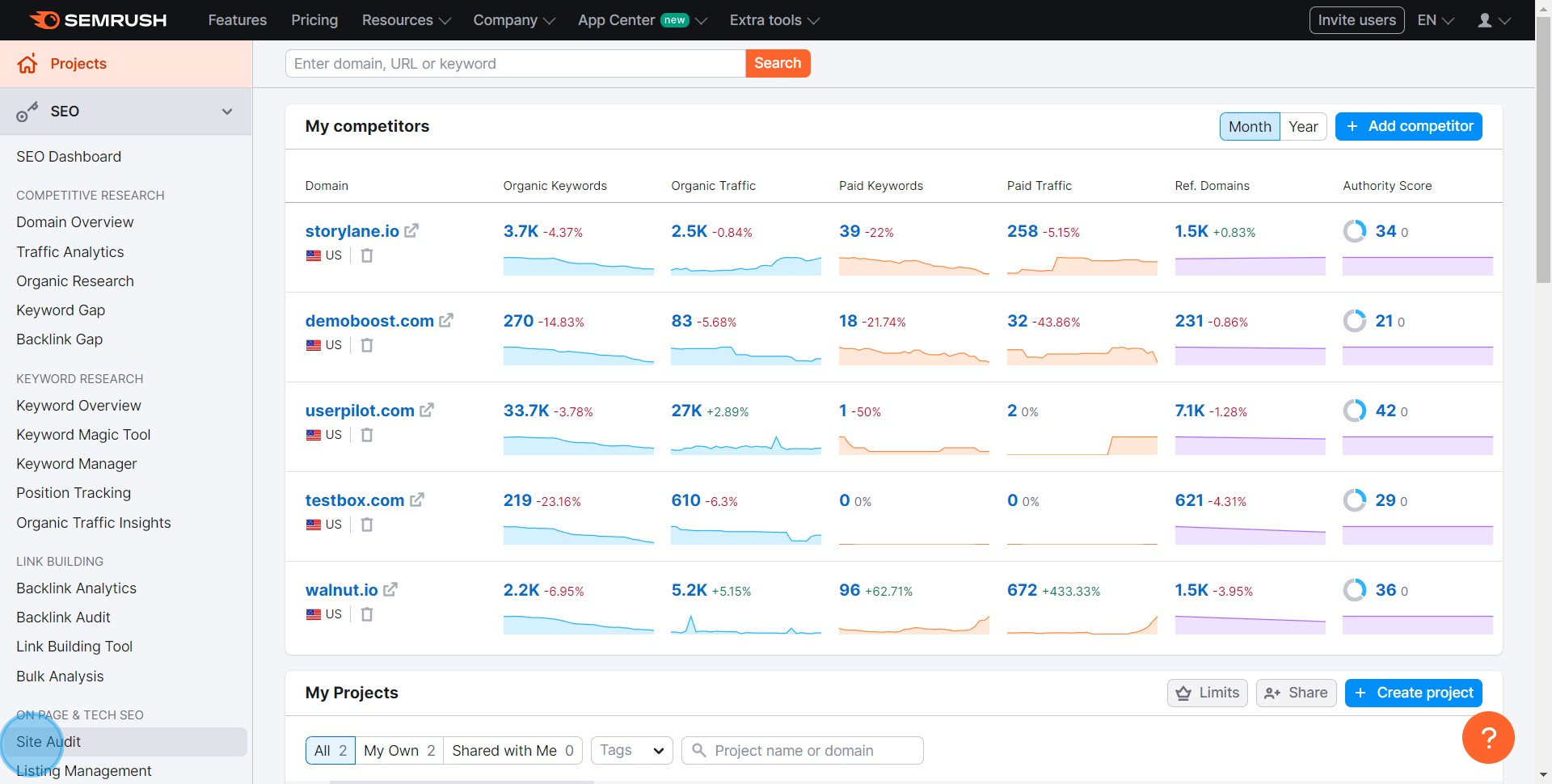
3. Choose 'Supademo' or your particular project for review
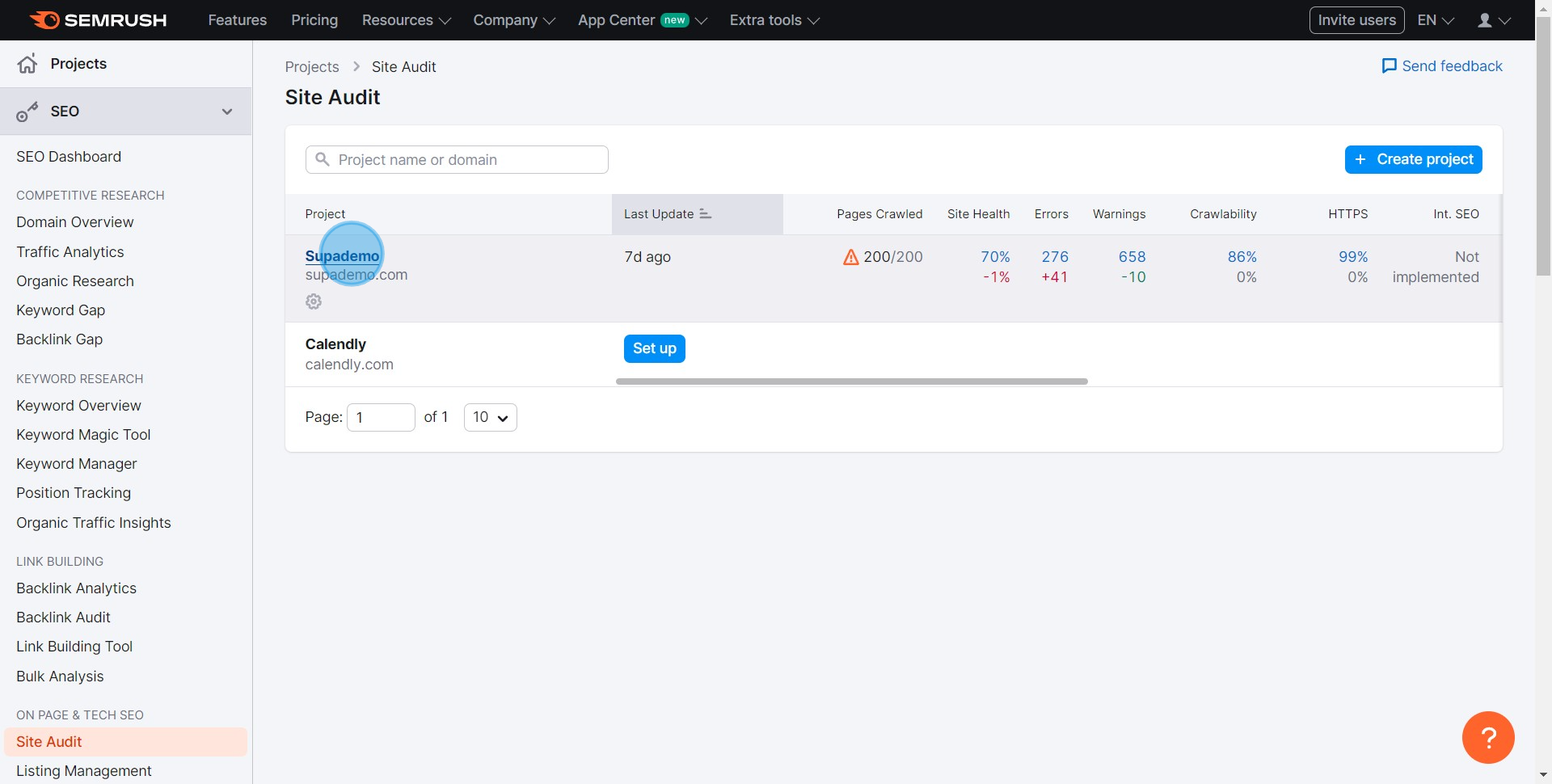
4. Analyze the overview and identify the areas for changes
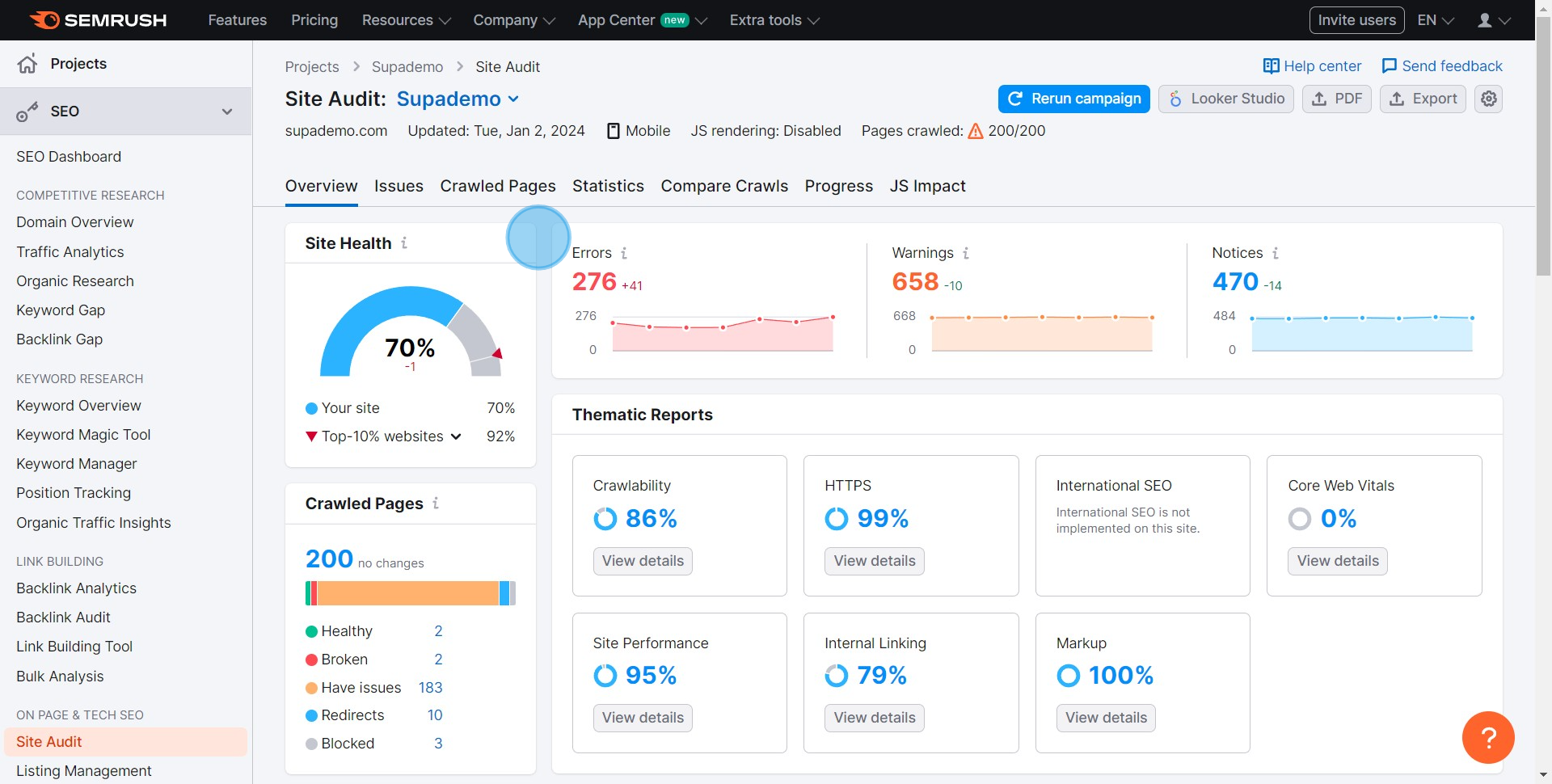
5. Click 'Set up' to start a new project
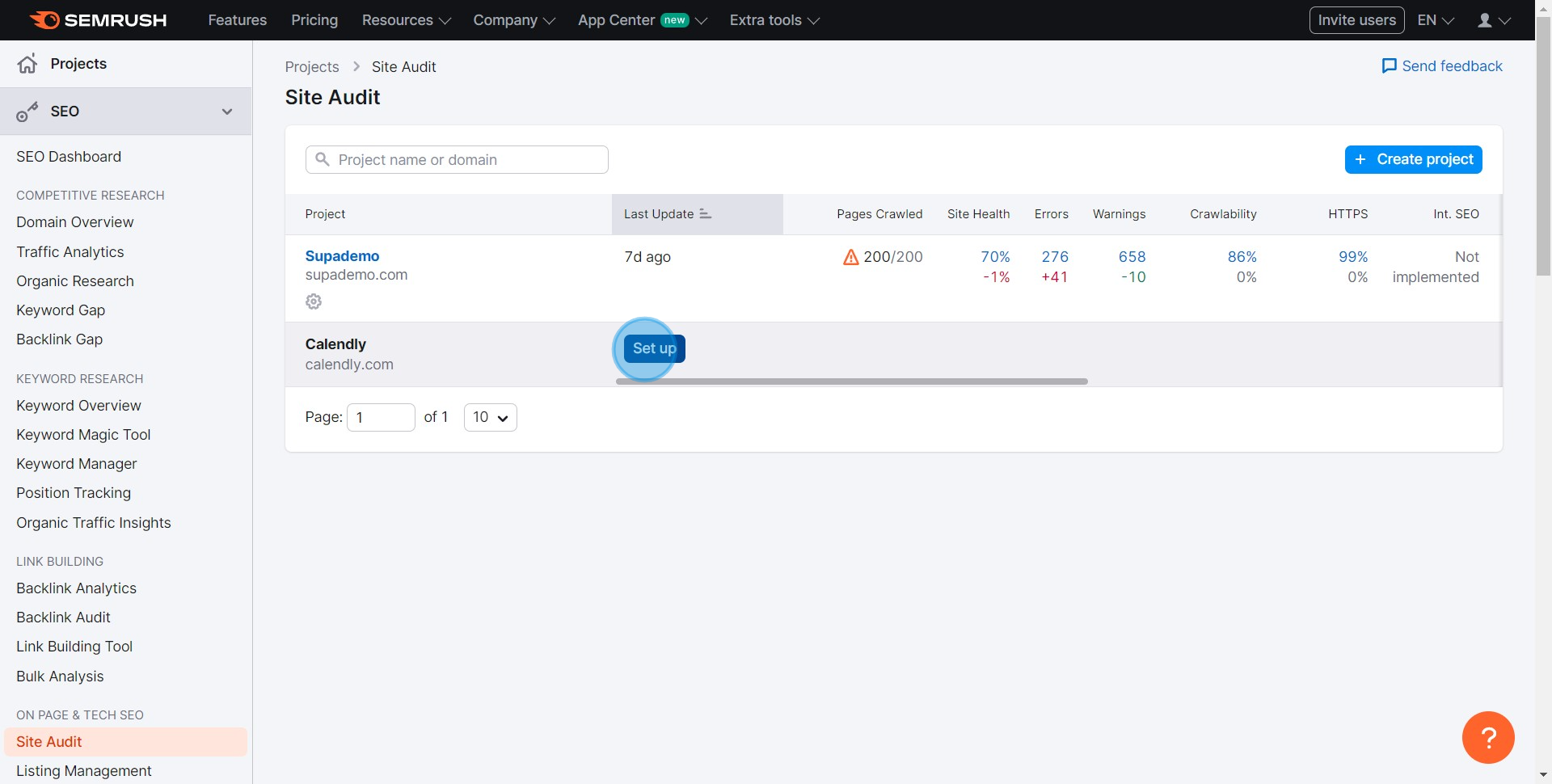
6. Specify the types of pages and crawling sources you want to check
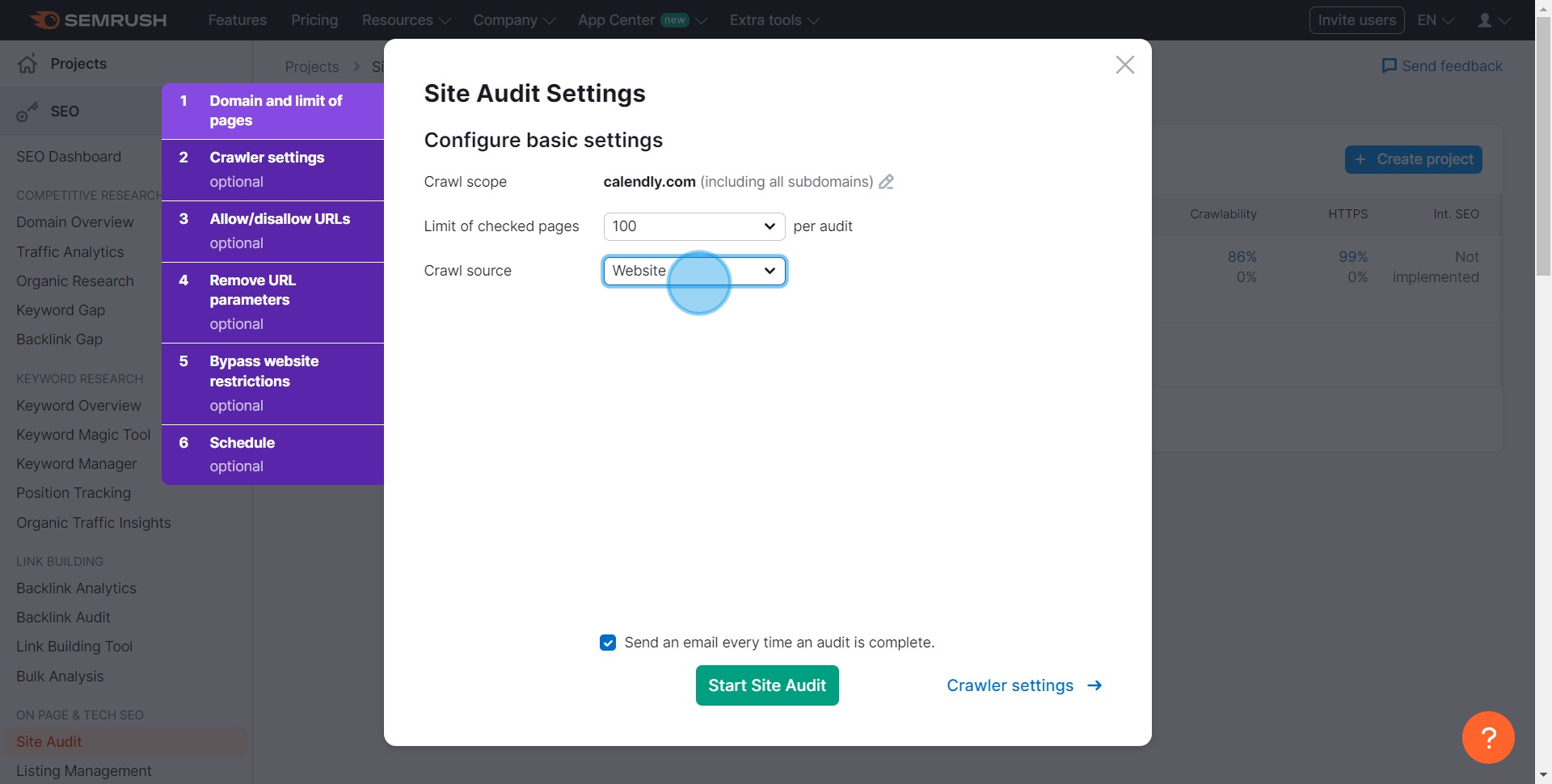
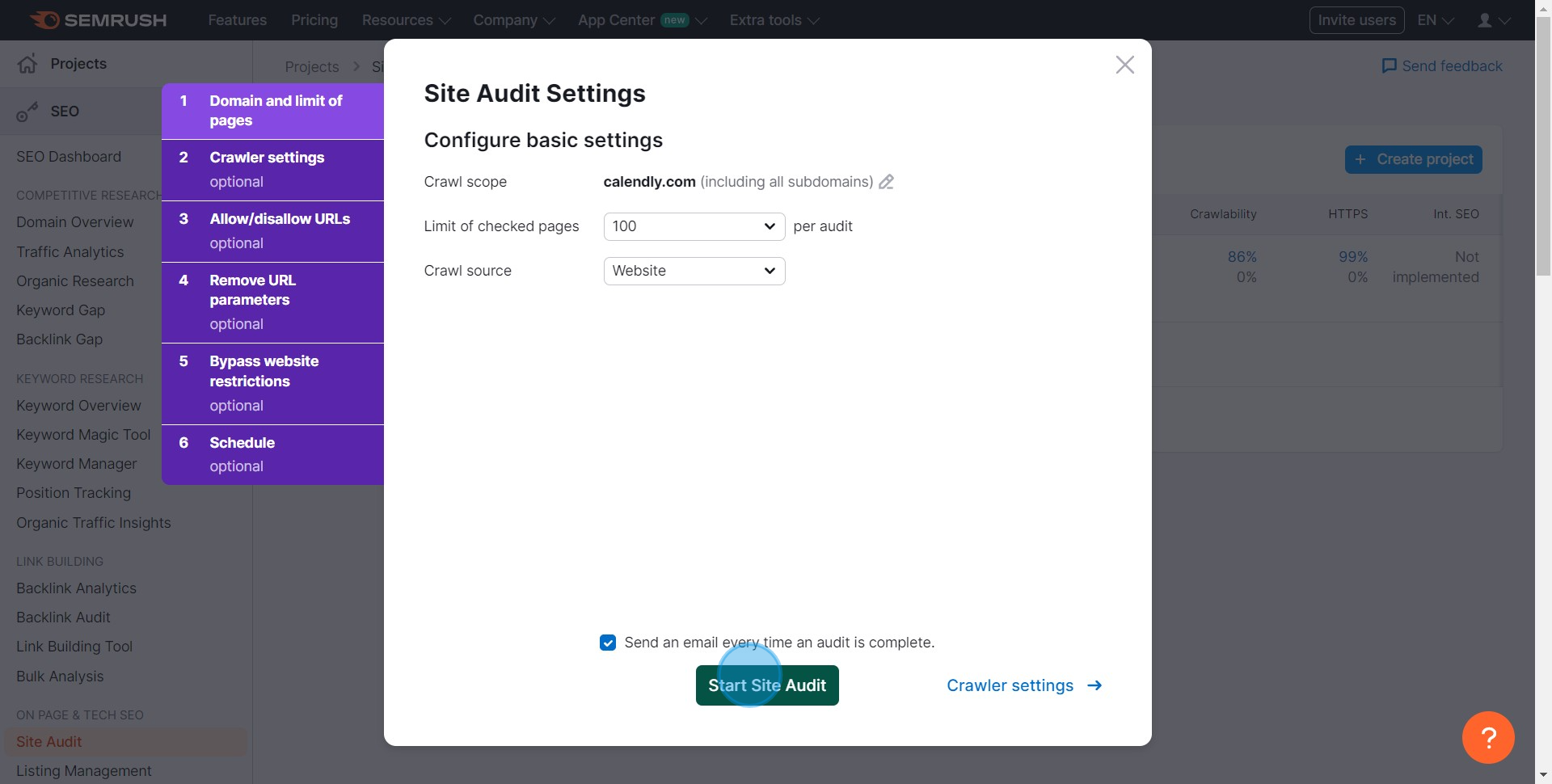
7. Finally, initiate a complete site audit by clicking on 'Start Site Audit'
Common FAQs on SEMRush
Commonly asked questions about this topic.
How do I conduct keyword research using SEMrush?
Can I track my website’s search engine rankings with SEMrush?
How do I analyze my competitors’ backlink profiles using SEMrush?
Create your own step-by-step demo

Content Marketer
Nithil is a startup-obsessed operator focused on growth, sales and marketing. He's passionate about wearing different hats across startups to deliver real value.


