How to Export Keyword Data in Ahrefs

Exporting keyword data from Ahrefs lets you analyze rankings, search volumes, and keyword difficulty in your own spreadsheets and reports. This tutorial shows you how to export data efficiently.
Quick summary
In this tutorial, we'll explore how to export keyword data from Ahrefs. You'll select keywords in Keywords Explorer, choose your export format, and download the data as a CSV or to Google Sheets for use outside of Ahrefs.
Why this matters
Exporting keyword data enables deeper analysis in spreadsheets, integration with other tools, and sharing with team members who may not have Ahrefs access.
Step-by-step guide
- 1
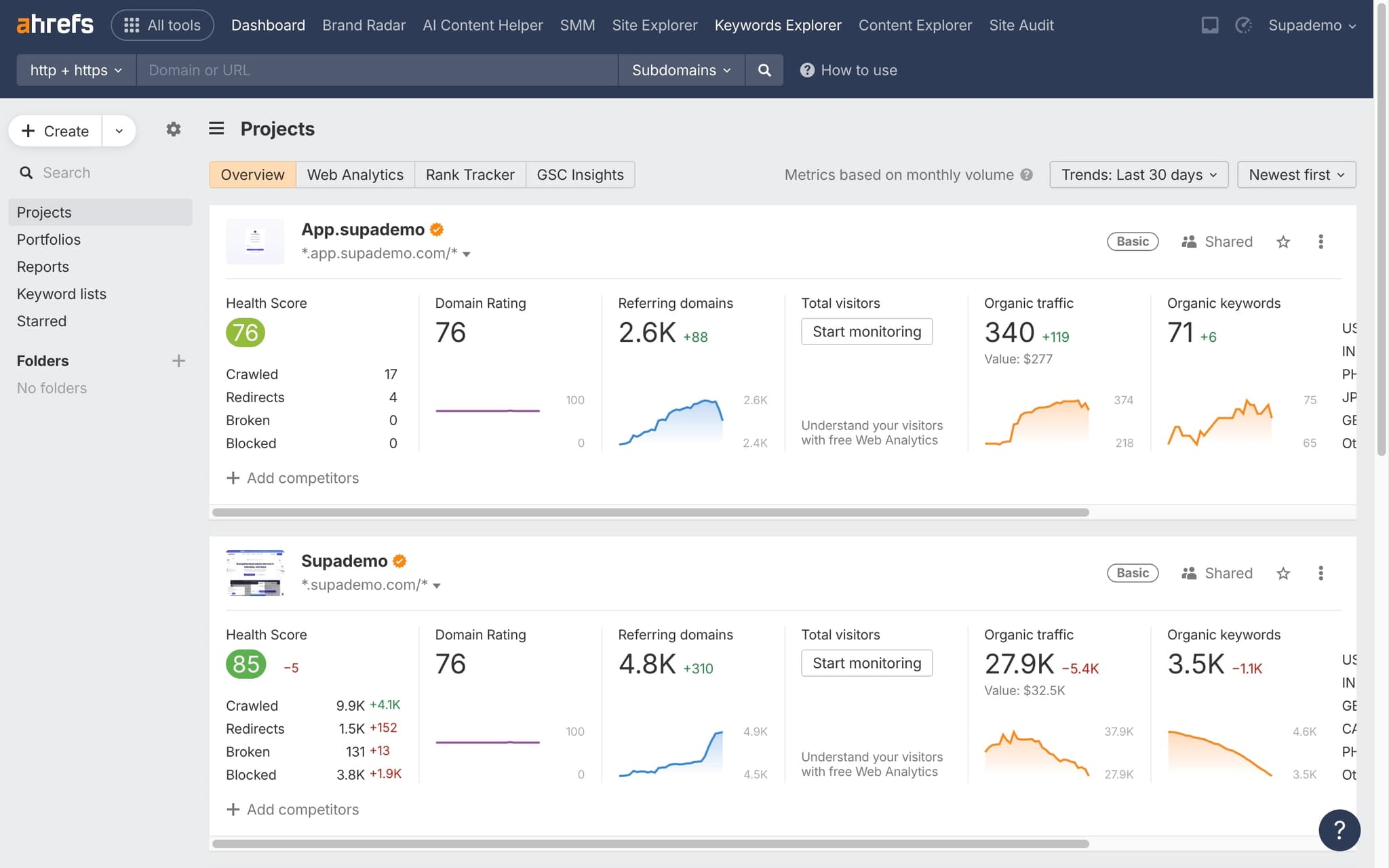
Navigate to a keyword report
Open any keyword report in Ahrefs — this could be from Keyword Explorer, Site Explorer's organic keywords, or any other keyword view.
- 2
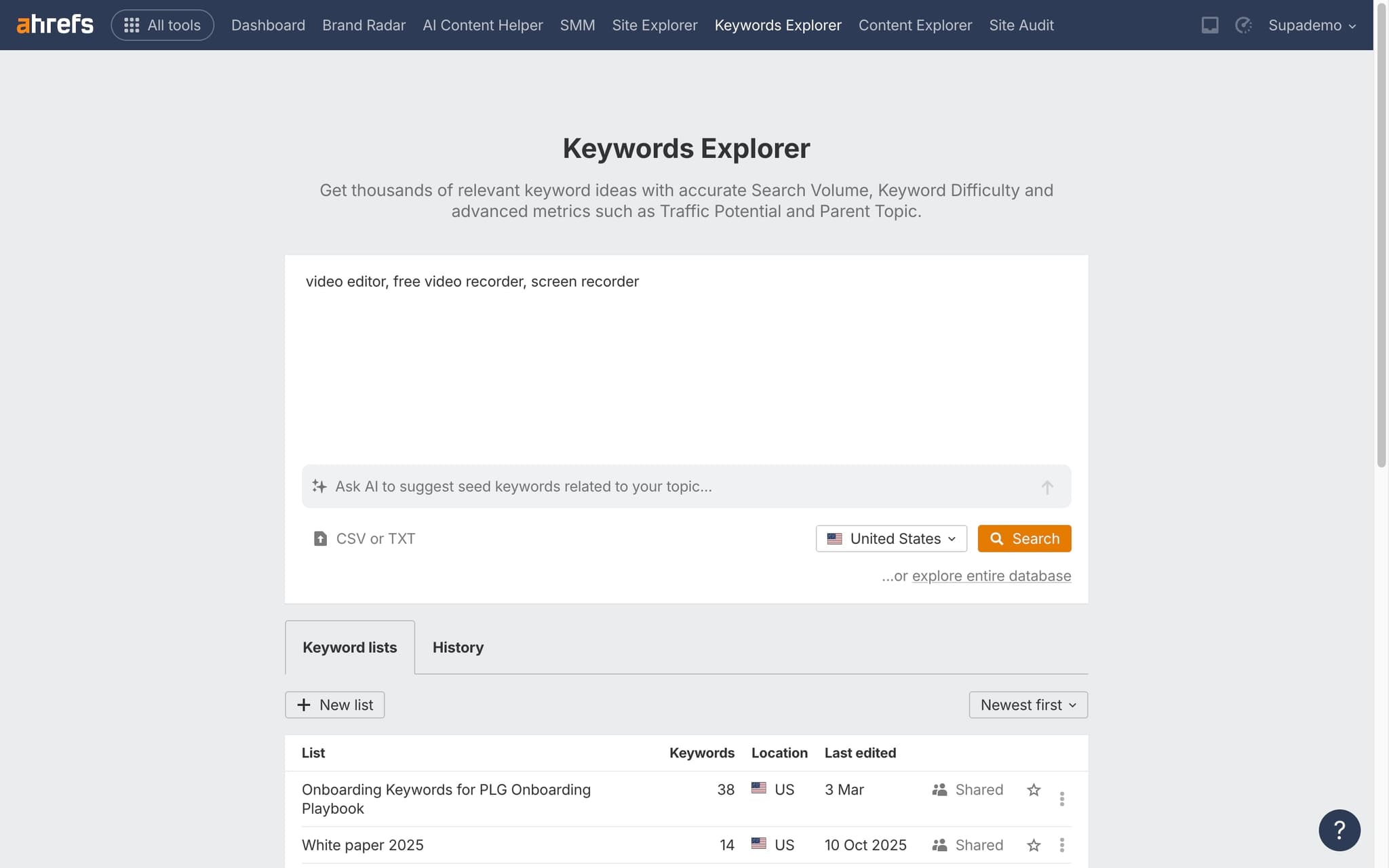
Apply your filters
Set up filters for volume, difficulty, position, or other metrics to narrow down to the data you need before exporting.
- 3
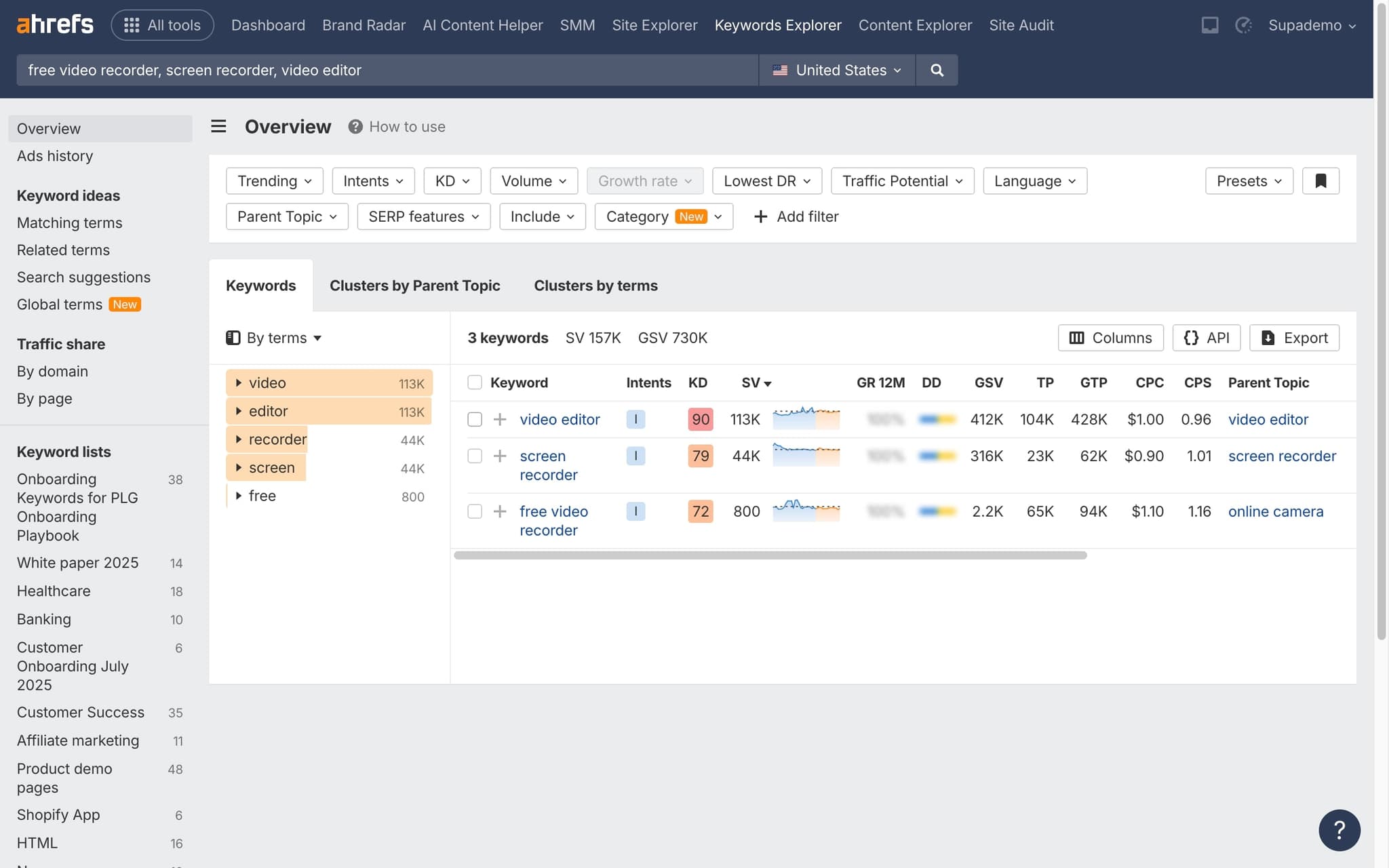
Click the Export button
Find the Export button at the top of the results table and click it to initiate the download.
- 4
Choose your format
Select CSV or XLSX format depending on your needs. CSV is more universal while XLSX preserves formatting.
- 5
Download and analyze
The file will download with all visible columns and applied filters. Open it in your preferred spreadsheet application for analysis.
Frequently asked questions
Common questions about how to export keyword data in ahrefs.
Ahrefs supports CSV, Excel, and UTF-8 variants for keyword exports. CSV is the default when you plan to pipe the data into Google Sheets or a data warehouse, while Excel preserves formatting for stakeholders who prefer a readable file. Both formats include the same columns by default.
Yes. The maximum number of rows per export depends on your subscription tier. Lite and Standard plans cap exports at lower row counts than Advanced and Enterprise, so very large reports may need to be filtered or paginated. The limit is per export, not per day, so you can split a large report into several smaller files.
Some reports export a reduced column set by default to keep files small. Open the column settings inside the report and enable Keyword Difficulty before running the export. The column settings are remembered per report and per user, so you only need to enable it once.
Ahrefs does not offer scheduled exports from the UI. The Ahrefs API, available on higher tier plans, lets you automate recurring pulls into a warehouse, a spreadsheet, or a BI tool. Most teams combine the API with a lightweight script, Zapier, or n8n to run weekly or monthly pulls. Frequent updates are worth the effort: according to Supademo's State of Interactive Demos 2026 report, teams updating their workflow documentation weekly or monthly report ~80% impact compared to 67% for teams updating only during major releases.
You can upload an existing keyword research recording, drop in hotspots to explain each filter and column, and publish an interactive replay using an interactive video builder, so teammates without an Ahrefs seat can still follow the export workflow. As Vimal Kumar, Product Operations Associate at Supademo, puts it: "When SEO teams switch from static screenshots to interactive demos, completion rates climb fast, because people feel like they are in control of the walkthrough."
Instead of spinning up sandboxes for every prospect, modern AEs now send interactive product tours tailored to each deal. This breakdown of the sales POC process shows how teams shorten evaluation cycles by replacing live demos with self serve walkthroughs the buyer can revisit on their own schedule.