How to Create an Epic in Jira

Epics in Jira help you organize and manage large bodies of work by grouping related issues together. Creating an epic is the first step toward structuring complex projects and tracking progress across multiple sprints.
Quick summary
In this tutorial, you'll learn how to create an epic in Jira from start to finish. You'll navigate to the Backlog, access the epic creation interface, and set up a new epic ready for your team to use.
Why this matters
Epics are essential for breaking down large initiatives into manageable pieces of work. By creating epics, you enable better project planning, clearer communication with stakeholders, and improved visibility into long-term delivery timelines.
Step-by-step guide
- 1
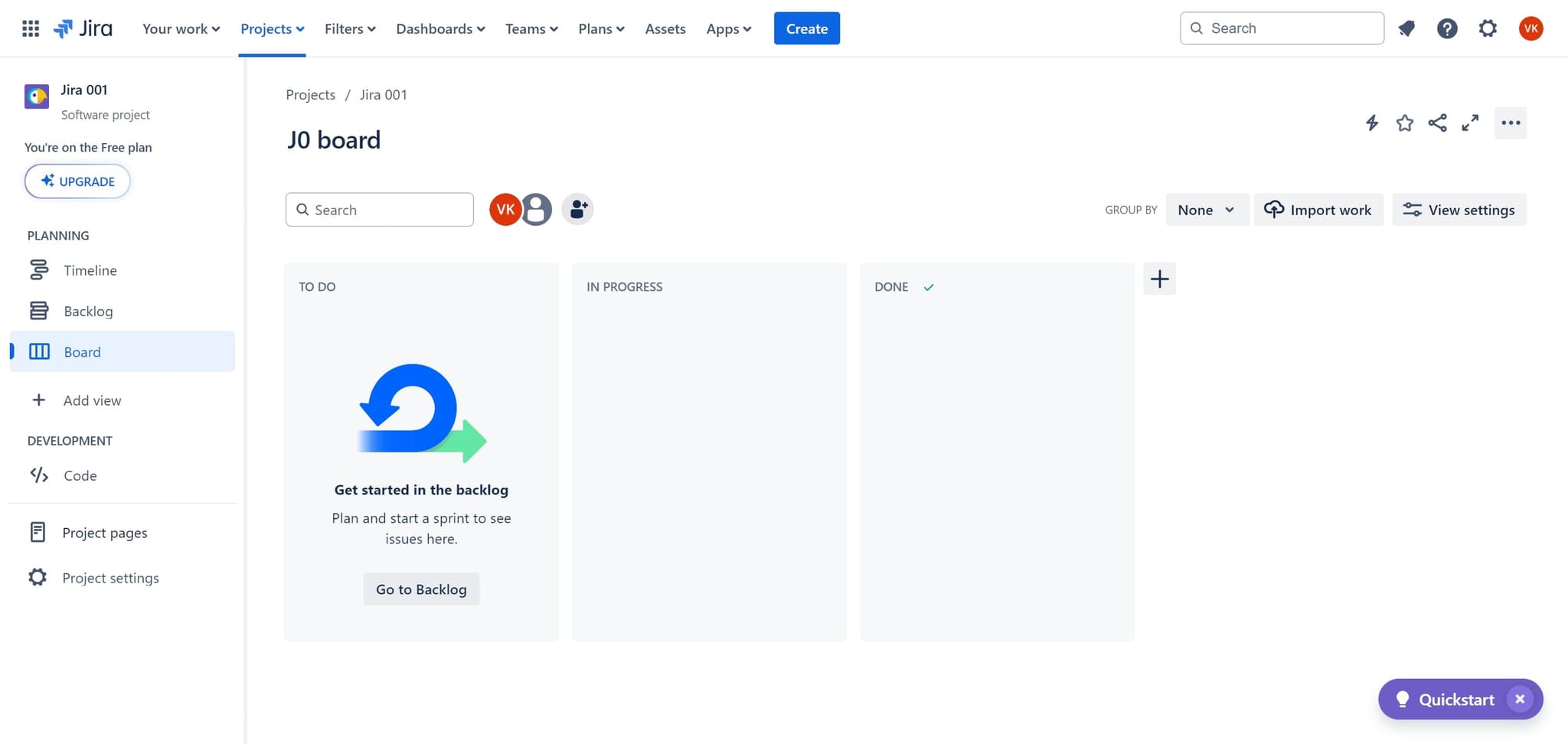
Access the Jira project element
Begin by clicking on the main element to enter your Jira project workspace. This action will load your project's interface and prepare you to navigate to the backlog.
- 2
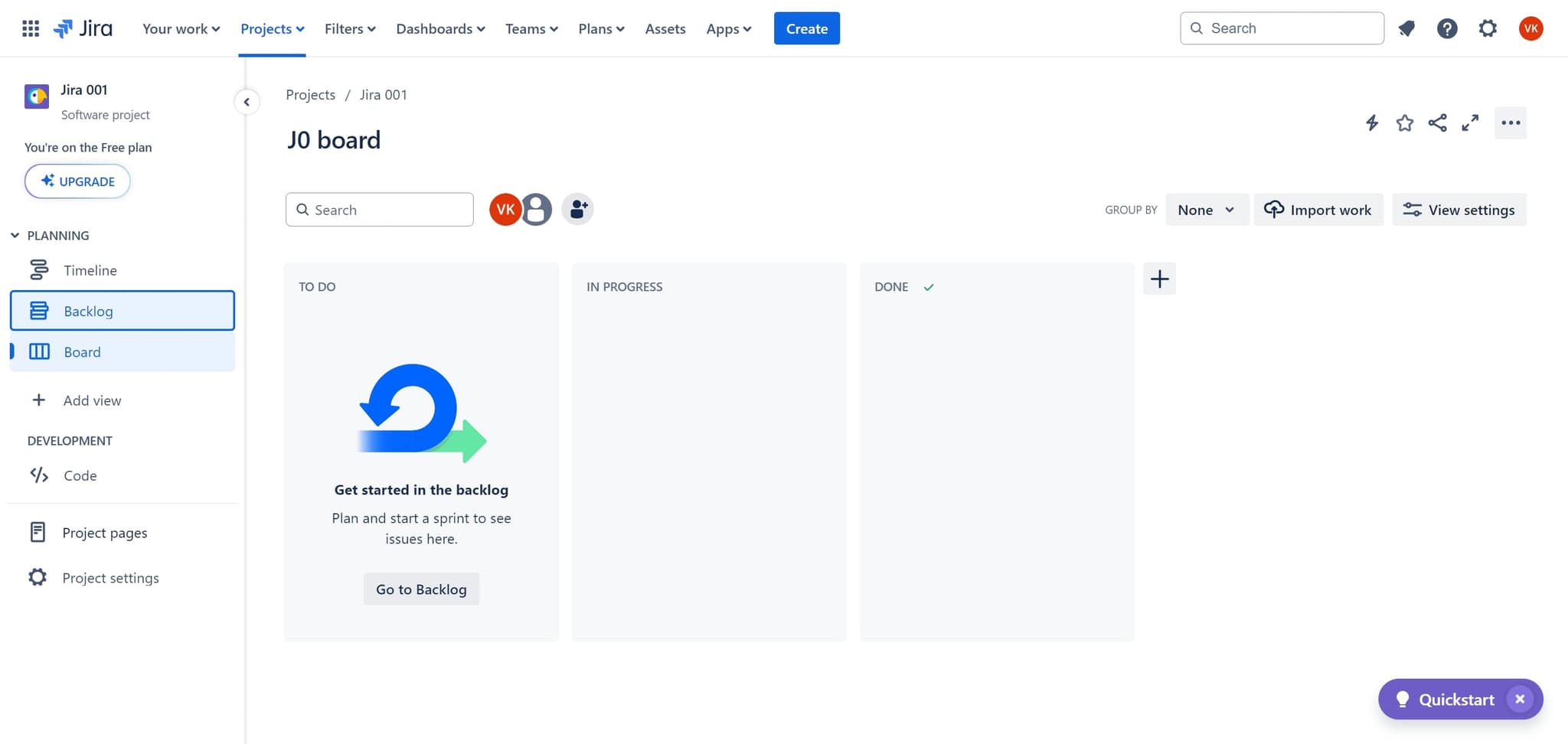
Navigate to the Backlog
Click on the 'Backlog' tab to view your project's backlog and epic planning area. This is where you manage issues and epics for your project.
- 3
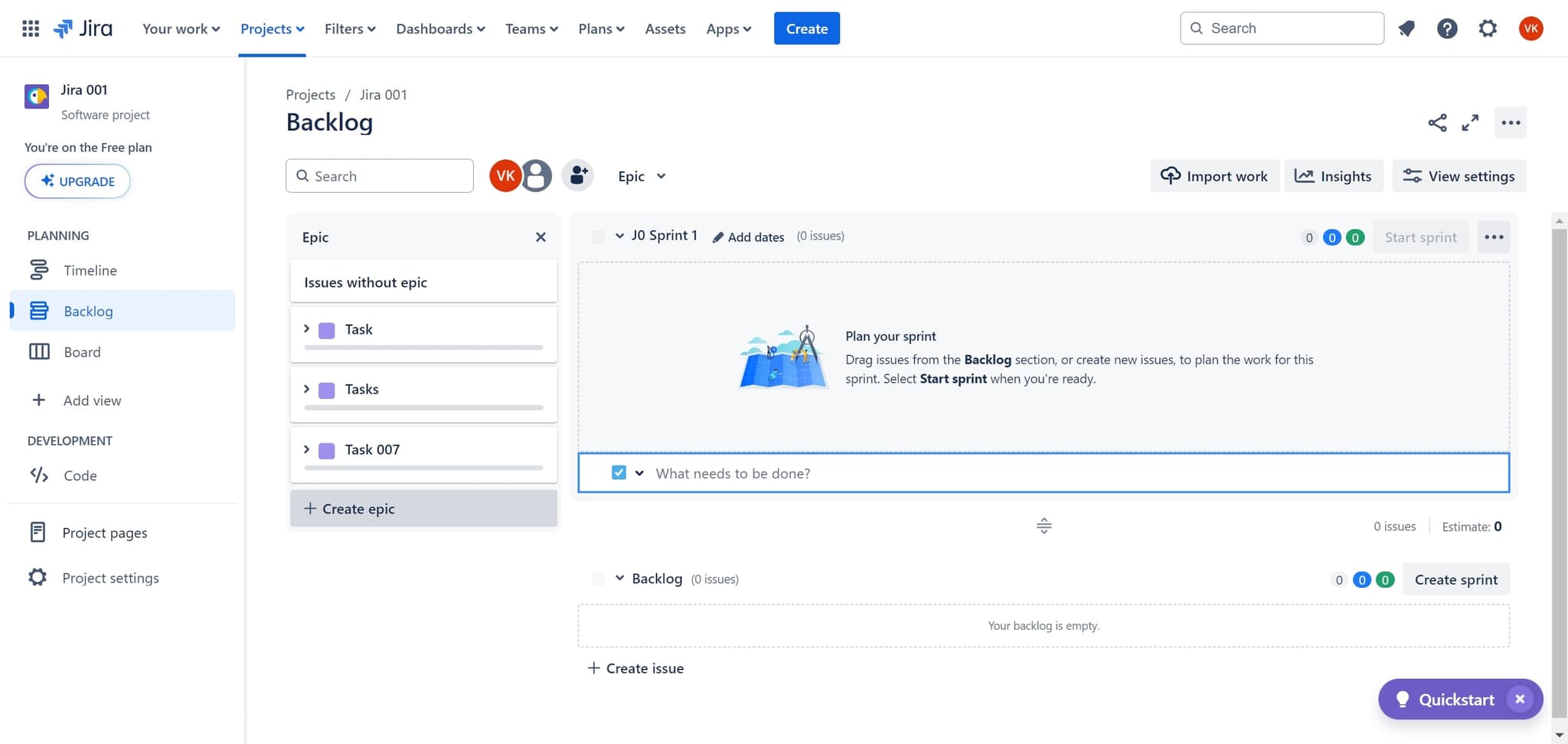
Click Create Epic
Select the 'Create epic' button to open the epic creation dialog. This will allow you to define a new epic with all necessary details.
- 4
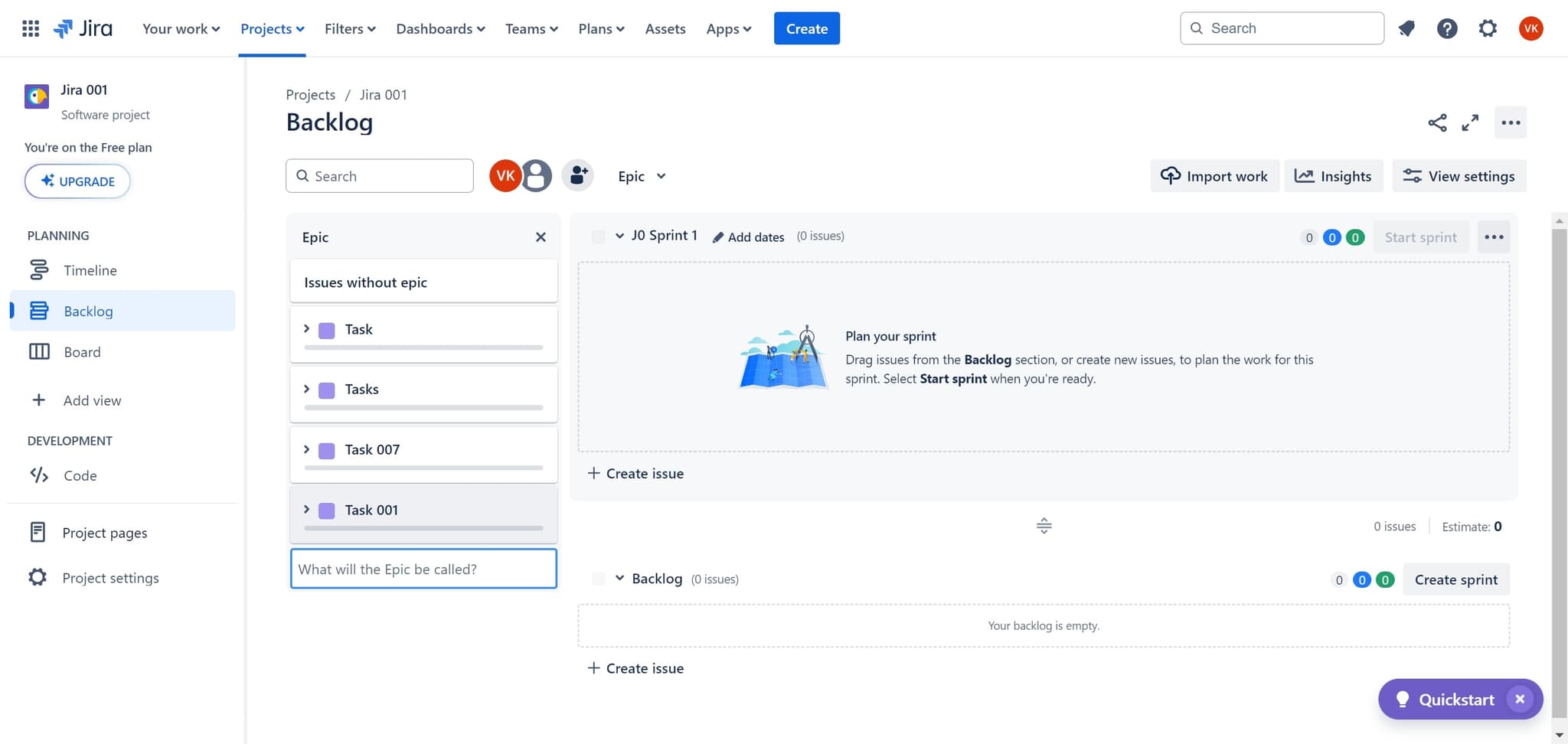
Confirm and finalize the epic
Click the confirmation element to save and create your epic. Your new epic will now appear in your backlog and be available for linking issues.
Frequently asked questions
Common questions about how to create an epic in jira.
An epic is a large body of work that can be broken down into multiple stories, while a story represents a single piece of functionality or feature. Epics provide a high-level view of work, while stories are granular tasks for the team to complete during a sprint.
Yes, you can link existing issues to an epic or create new issues within an epic after it's been created. Simply open the epic and use the linking feature to associate issues with it.
There's no hard limit, but epics typically contain anywhere from 5 to 50+ stories depending on your project scope. Keep epics focused on a single business outcome or feature area for better organization and tracking.
Yes, epics often span multiple sprints and may take several months to complete. This is one of the key benefits of epics—they allow you to track large initiatives across multiple sprint cycles.
Jira provides an epic view that shows the number of completed versus remaining issues within the epic. You can also use reports and dashboards to monitor epic progress, burn-down charts, and team velocity related to specific epics.