How to export Mixpanel event into PDF

Exporting Mixpanel event data to PDF is essential for sharing insights with stakeholders who may not have direct access to your analytics platform. This guide walks you through the process of generating and downloading a PDF report of your event data from Mixpanel.
Quick summary
In this tutorial, you'll learn how to navigate Mixpanel's export functionality and convert your event data into a shareable PDF format. By following these steps, you'll be able to create professional reports that can be distributed to team members and clients.
Why this matters
Exporting event data to PDF enables you to create permanent records of your analytics findings, share detailed reports with non-technical stakeholders, and maintain documentation of your product's user behavior over time. This workflow is particularly valuable for compliance, executive reporting, and archival purposes.
Step-by-step guide
- 1
Click here
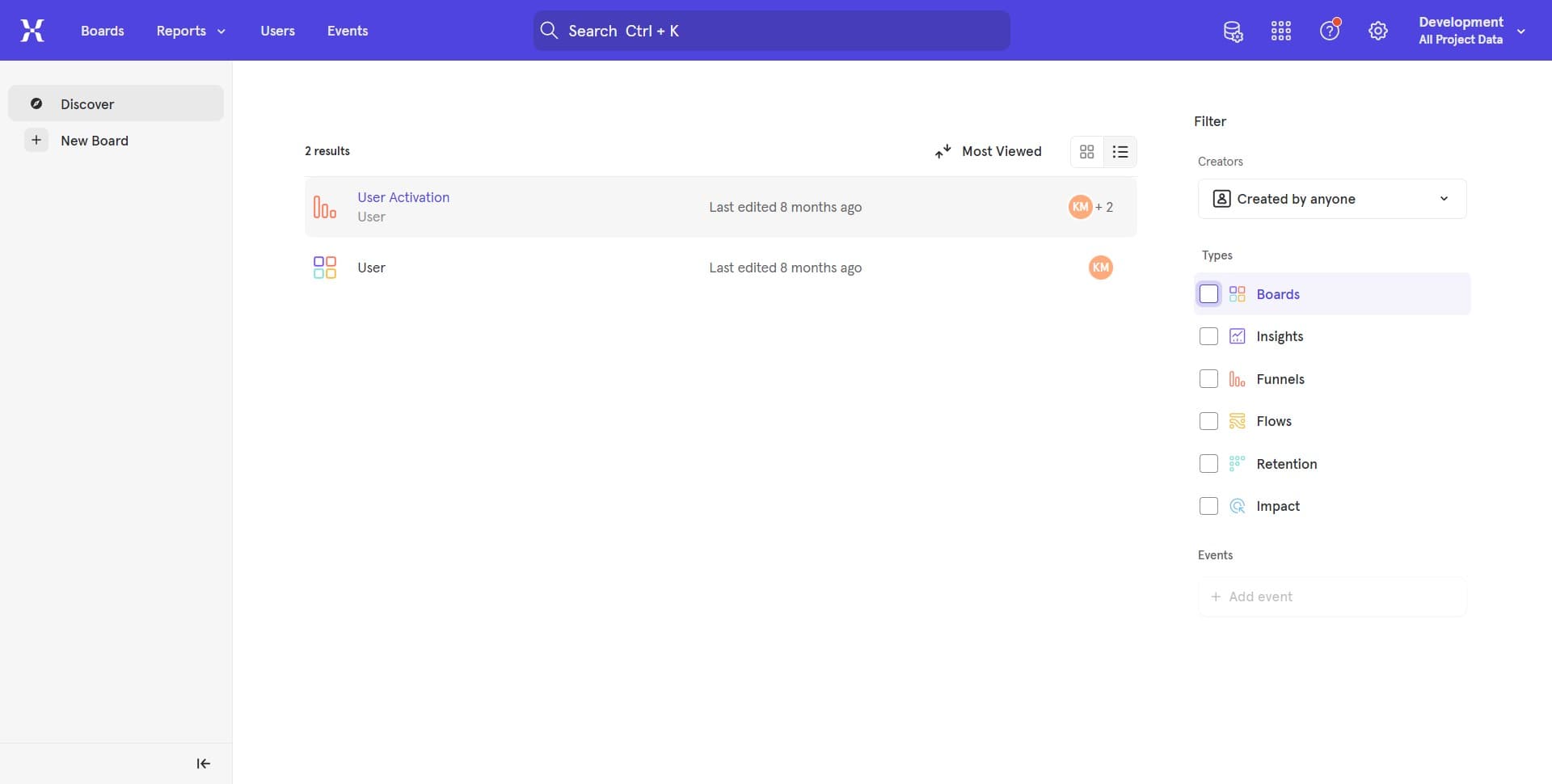
Begin by locating and clicking the initial access point in your Mixpanel dashboard. This will open the menu or interface section where export options are available.
- 2
Click here
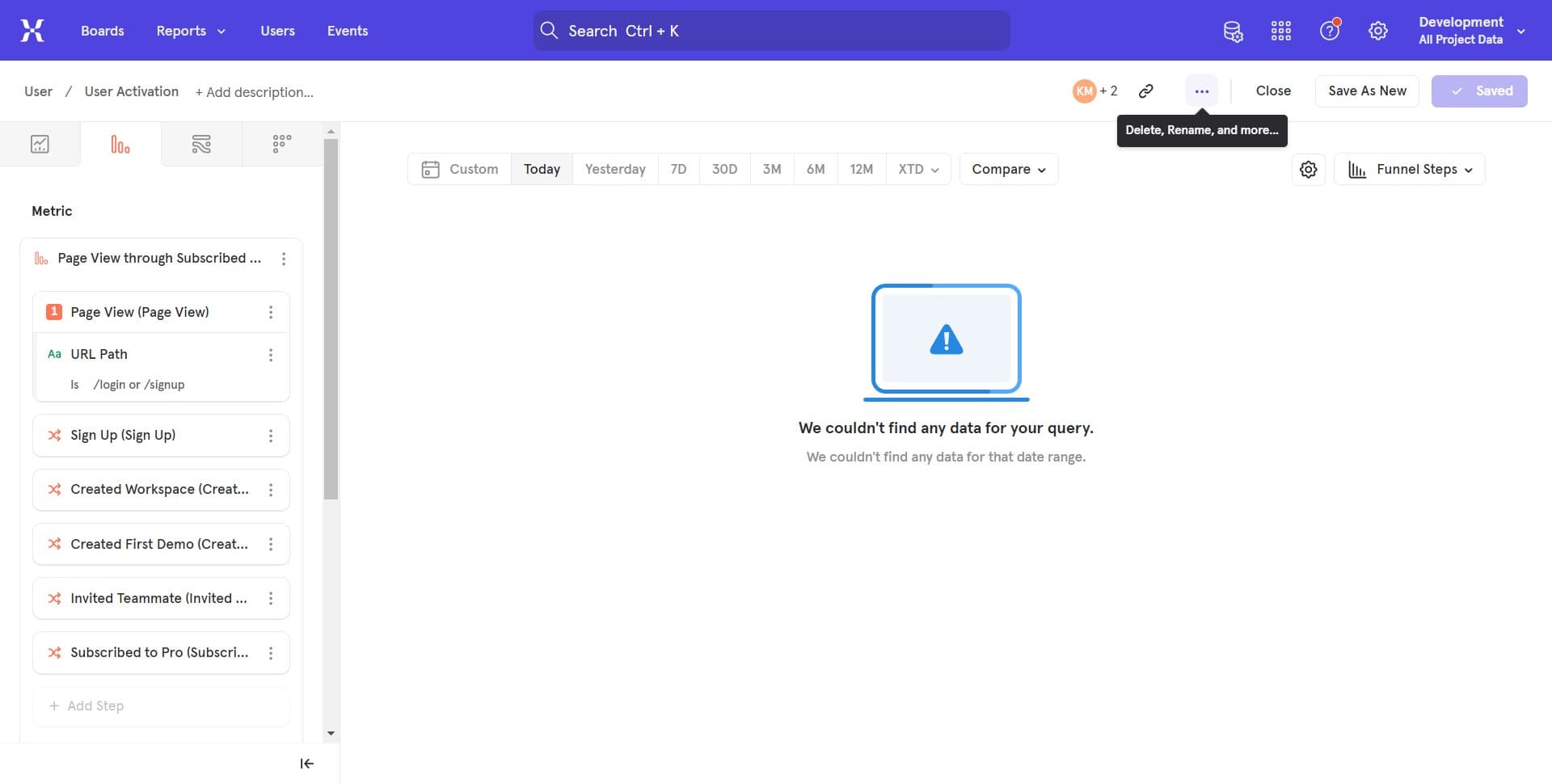
Proceed to the next step by clicking the indicated element. You should now see additional options or a dialog box related to data export functionality.
- 3
Click here
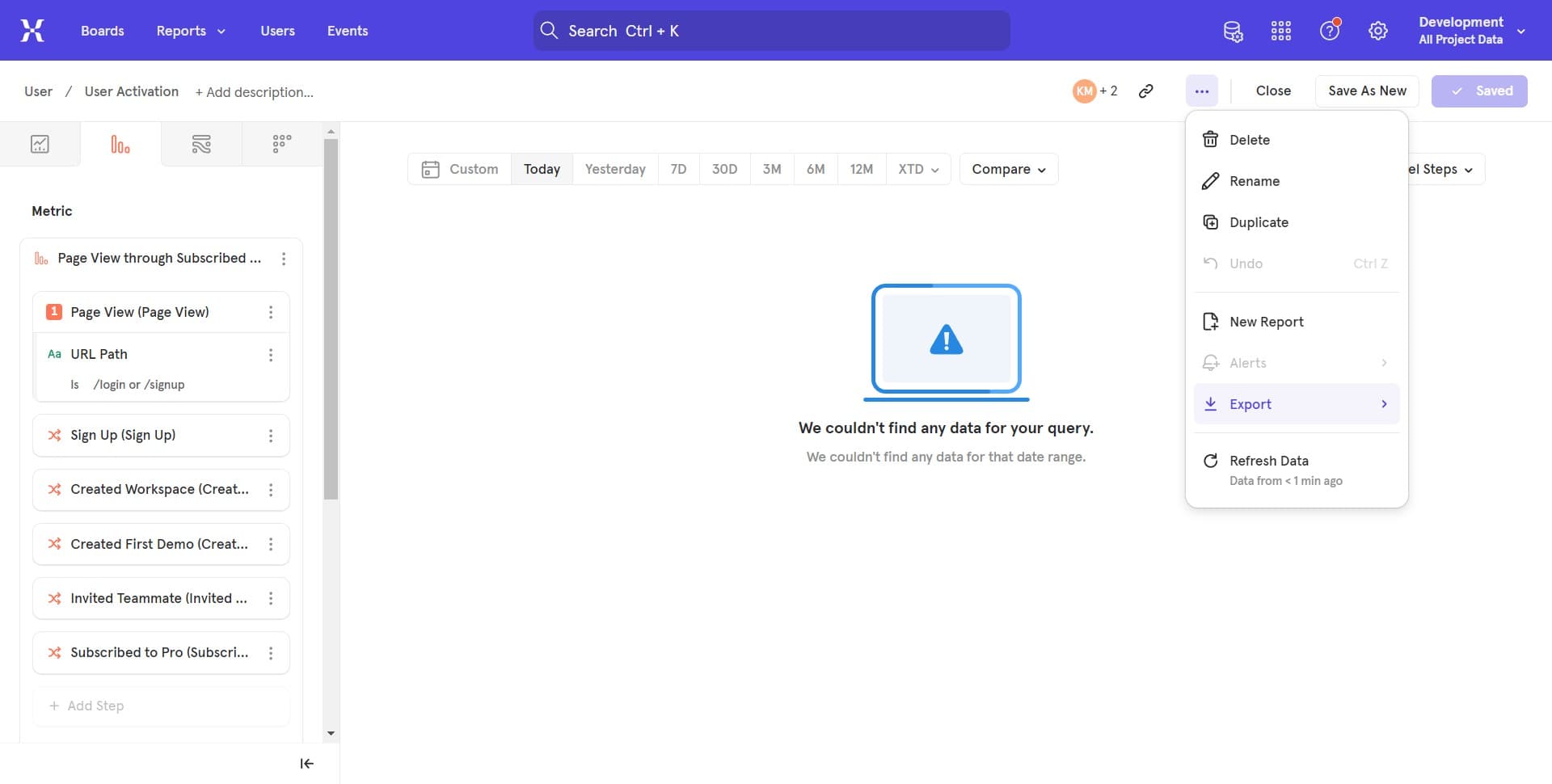
Continue by clicking the highlighted area to refine your export parameters. This step allows you to specify the data range, events, and other filters for your PDF report.
- 4
Click here
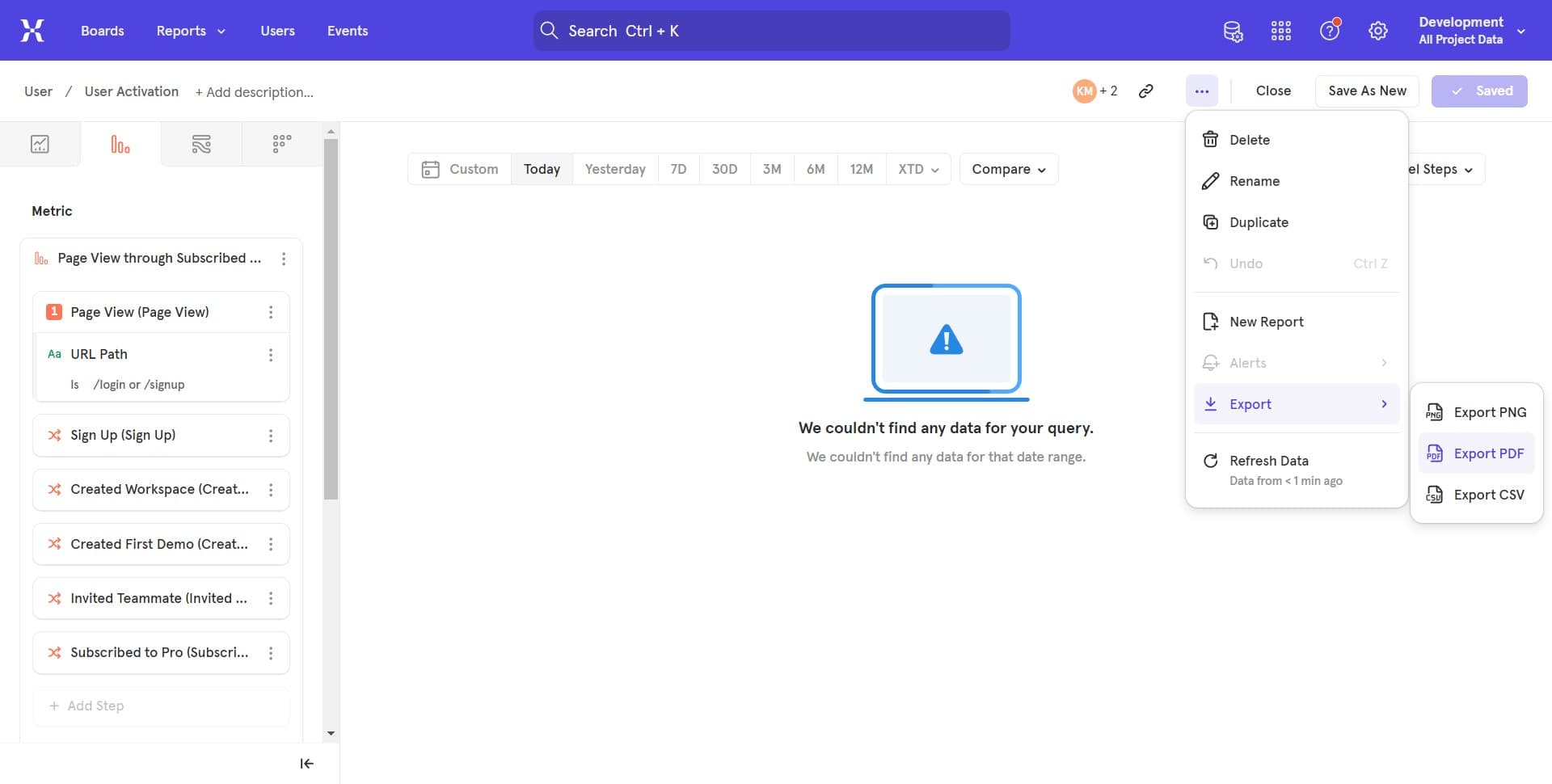
Complete the export process by clicking the final button to generate and download your PDF file. Your event data will now be compiled into a professional PDF document ready for sharing.
Frequently asked questions
Common questions about how to export mixpanel event into pdf.
You can export event data, user properties, funnel analysis, retention metrics, and custom cohort information from Mixpanel to PDF. The specific data available depends on your current view and the filters you apply before exporting.
Mixpanel may impose limits on the amount of data that can be exported in a single PDF file. If your dataset is too large, consider narrowing your date range, filtering specific events, or exporting in multiple batches.
Mixpanel does not natively support scheduled automatic PDF exports through the standard interface. However, you can use Mixpanel's API or third-party automation tools to create custom workflows for regular exports.
Mixpanel's PDF export generates a standard report format with limited customization options built into the platform. For more advanced customization, consider using Mixpanel's API to extract data and generate PDFs with custom branding using external tools.
While PDF is ideal for sharing and archival, consider exporting to CSV or JSON format if you need to perform additional analysis or import the data into other tools. Most Mixpanel exports offer multiple format options.