How to publish a site in Webflow

Publishing your Webflow site makes it live and accessible to your audience on your chosen domain. This guide walks you through the essential steps to get your site online quickly and efficiently.
Quick summary
In this tutorial, you'll learn how to publish a Webflow site by accessing the Designer, navigating to publish settings, selecting your target domains, and completing the upload process. By the end, your site will be live and ready for visitors.
Why this matters
Publishing is the final step that transforms your design work into a live web presence. Getting this right ensures your site is accessible to users, maintains proper domain configuration, and keeps your content updated across your chosen hosting environment.
Step-by-step guide
- 1
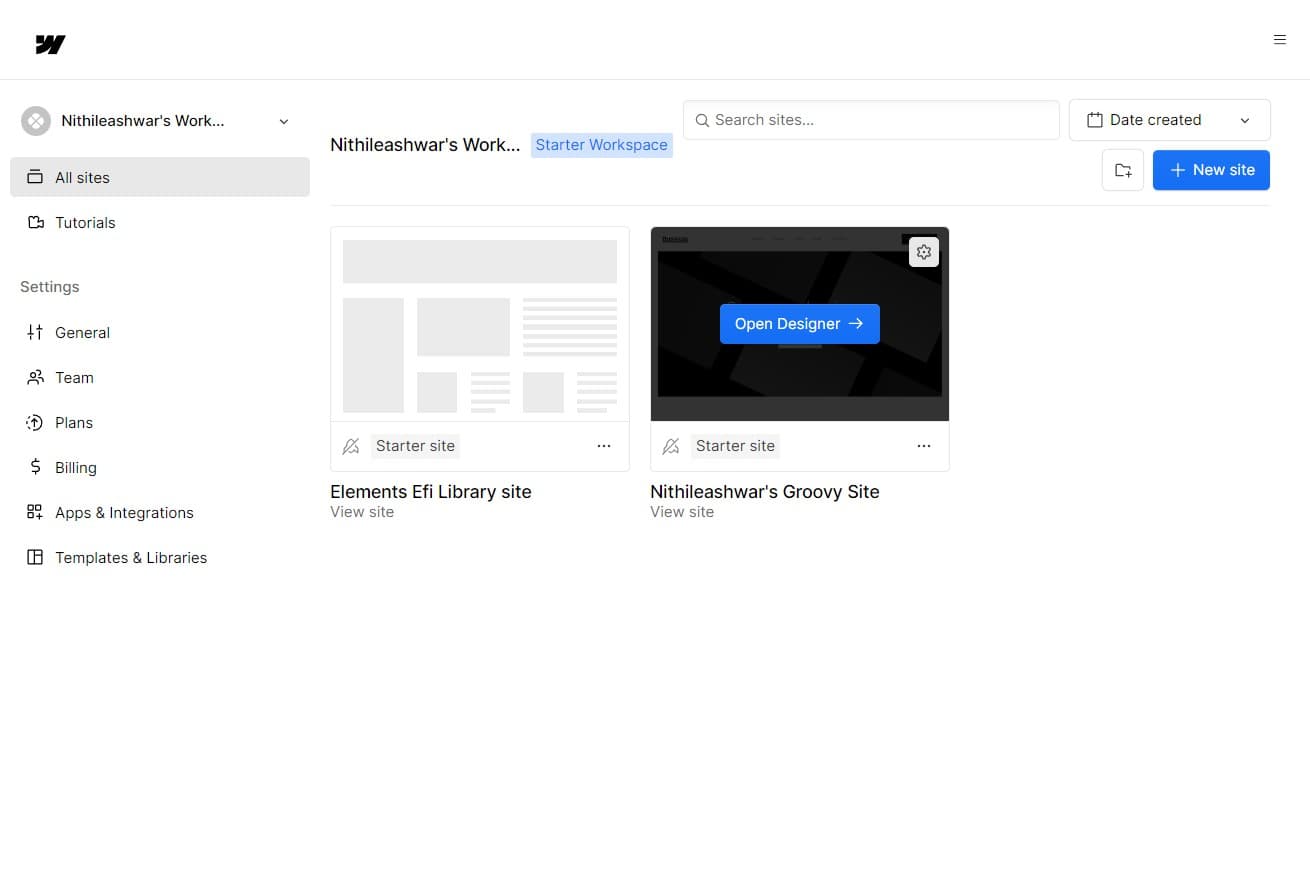
Open the Designer
Click on the 'Open Designer' button to enter the Webflow design workspace. This is where you'll access all the publishing and deployment tools for your site.
- 2
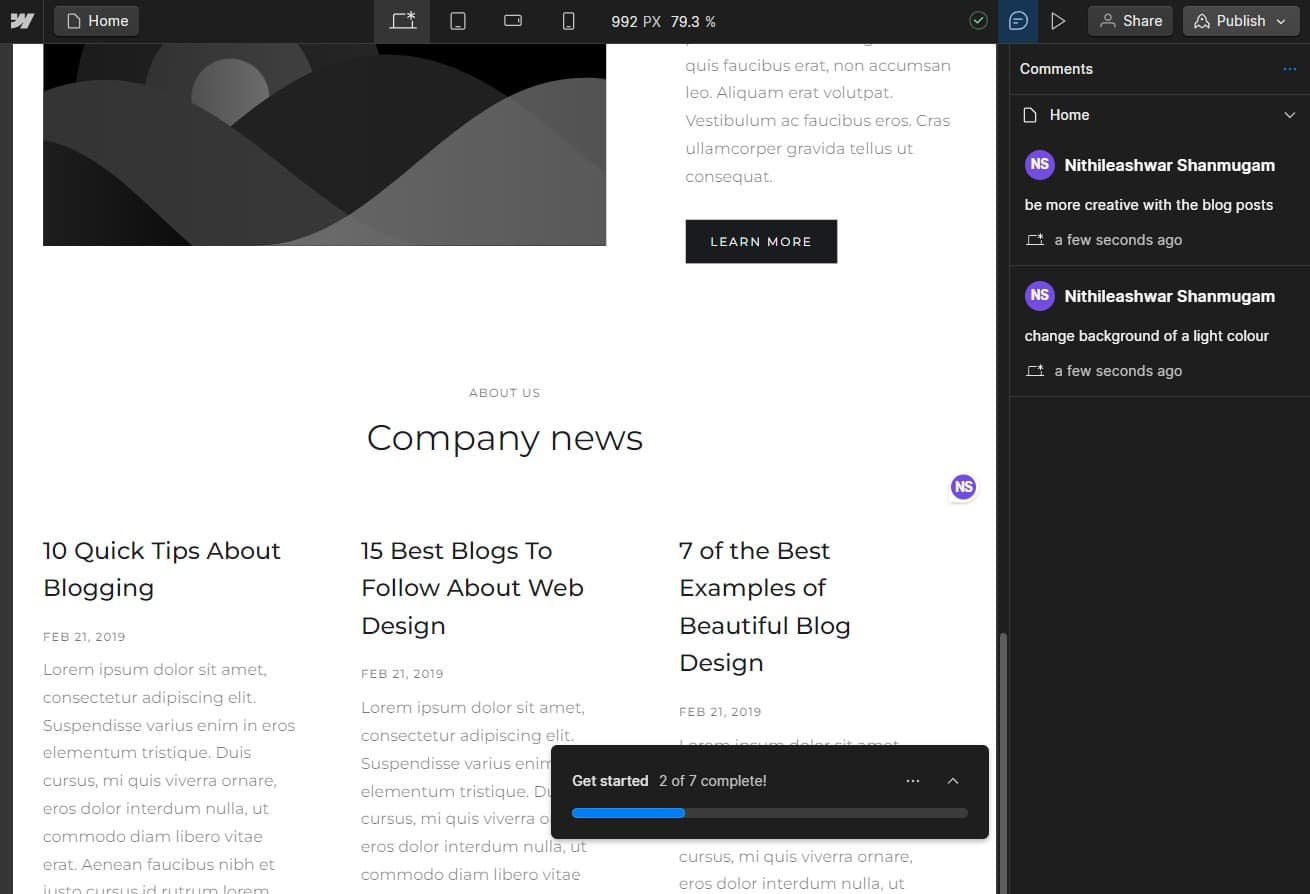
Navigate to publish settings
Click the indicated area to access the publish menu. This section contains all the options you need to configure how and where your site will be published.
- 3
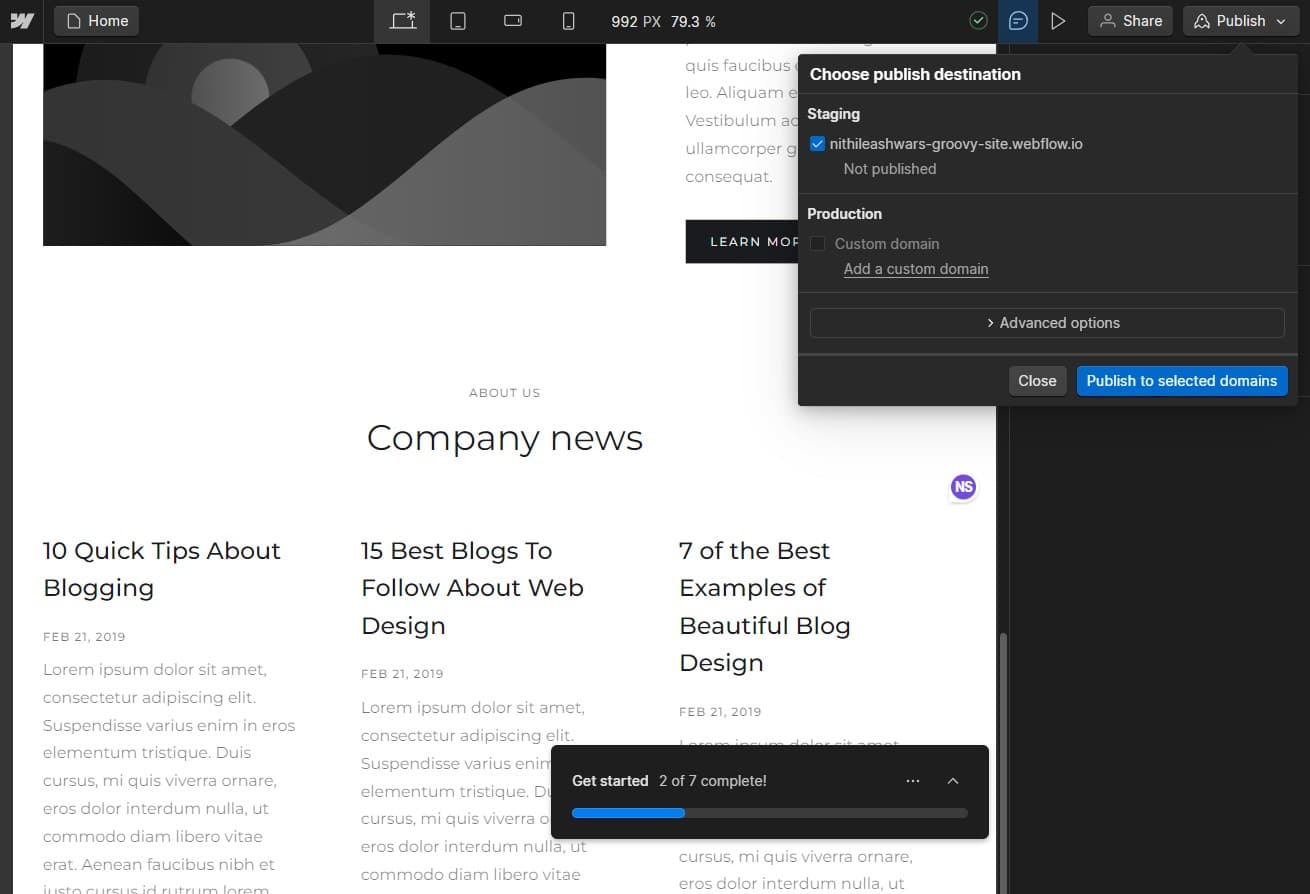
Select publish to domains
Click on 'Publish to selected domains' to proceed with publishing your site to your configured domain(s). This action prepares your site for deployment to your chosen hosting location.
- 4
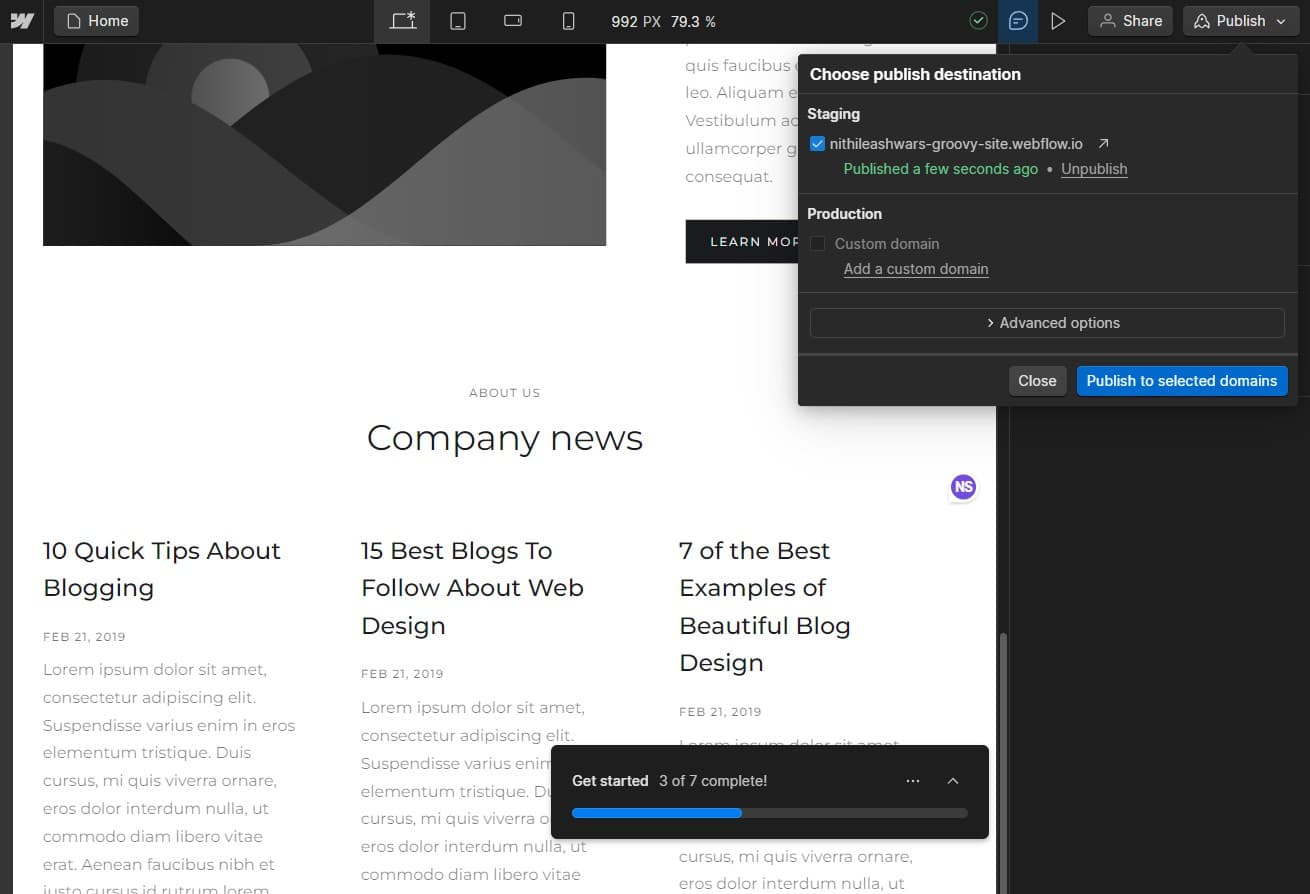
Confirm publishing options
Click the indicated area to review and confirm your publishing settings. Verify that all domains and configurations are correct before proceeding to upload.
- 5
Upload your site
Click the 'Upload' button to finalize the publishing process. Your site will now be deployed to the selected domain(s) and become live for your audience.

Frequently asked questions
Common questions about how to publish a site in webflow.
Most Webflow sites go live within a few seconds to a few minutes after you click publish. DNS propagation may take up to 48 hours if you've recently changed domain settings, but your site is typically accessible almost immediately after upload completes.
Yes, Webflow allows you to publish to multiple domains from the same project. You can select which domains to publish to during the 'Publish to selected domains' step, and all selected domains will receive the updated site content.
Publishing changes will immediately update your live site with the new content and design. Visitors will see the updated version right away. Make sure you've tested all changes before publishing to avoid displaying incomplete or broken content.
No, you can publish to a free Webflow subdomain (yoursite.webflow.io) without connecting a custom domain. However, connecting a custom domain gives your site a more professional appearance and is recommended for business sites.
Webflow doesn't have a built-in scheduled publishing feature in the standard workflow. However, you can prepare your site and publish it manually whenever you're ready. Some advanced users work around this limitation using external automation tools.