How to Check Which Version of ChatGPT You Are Using

Vimal Kumar
Vimal Kumar·
How to Check Which Version of ChatGPT You Are Using
Interactive demo powered by Supademo

1. To kick off, click on "Click to edit the hotspot".

2. To kick off, click on "Click to edit the hotspot".

3. You can see the ChatGPT model if you have ChatGPT Plus. In other cases, you will see it as ChatGPT.

4. Create a Supademo in seconds

This interactive demo/guided walkthrough on How to Check Which Version of ChatGPT You Are Using was created using Supademo.


How to Check Which Version of ChatGPT You Are Using : Step-by-Step Guide

Begin by locating the area labeled "Click to edit the hotspot" on your screen. This is where you’ll start customizing your interaction points—simply click here to open the editing options and make your changes.
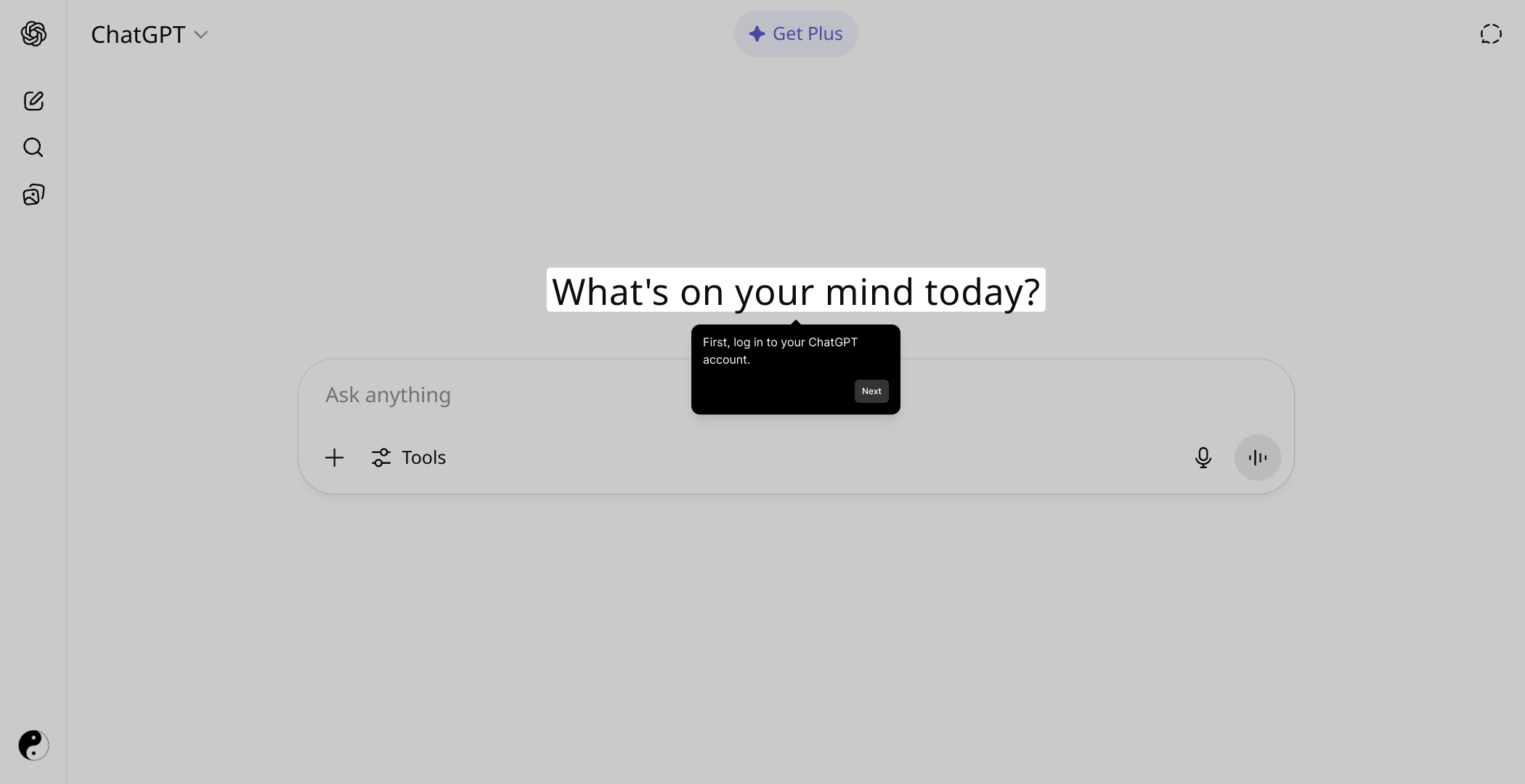
1

Next, after opening the hotspot editor, you’ll want to select the specific hotspot to modify. Clicking on "Click to edit the hotspot" again will allow you to fine-tune the details and ensure your hotspots are set up exactly how you want them.
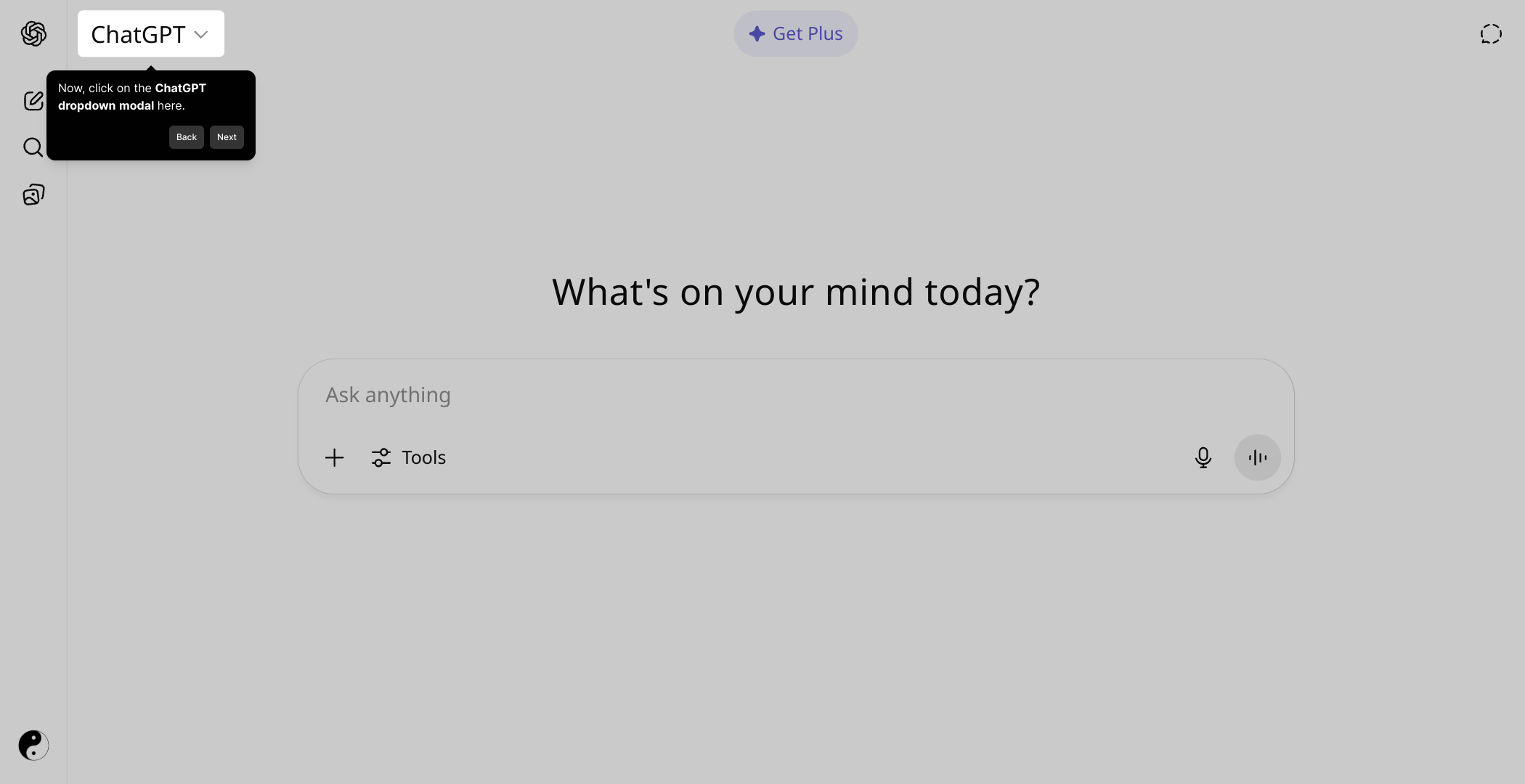
2

At this point, you will see the available ChatGPT models. If you’re a ChatGPT Plus subscriber, the upgraded model option will appear here. Otherwise, you’ll find the standard ChatGPT model ready to use, allowing you to select the best AI assistant for your needs.
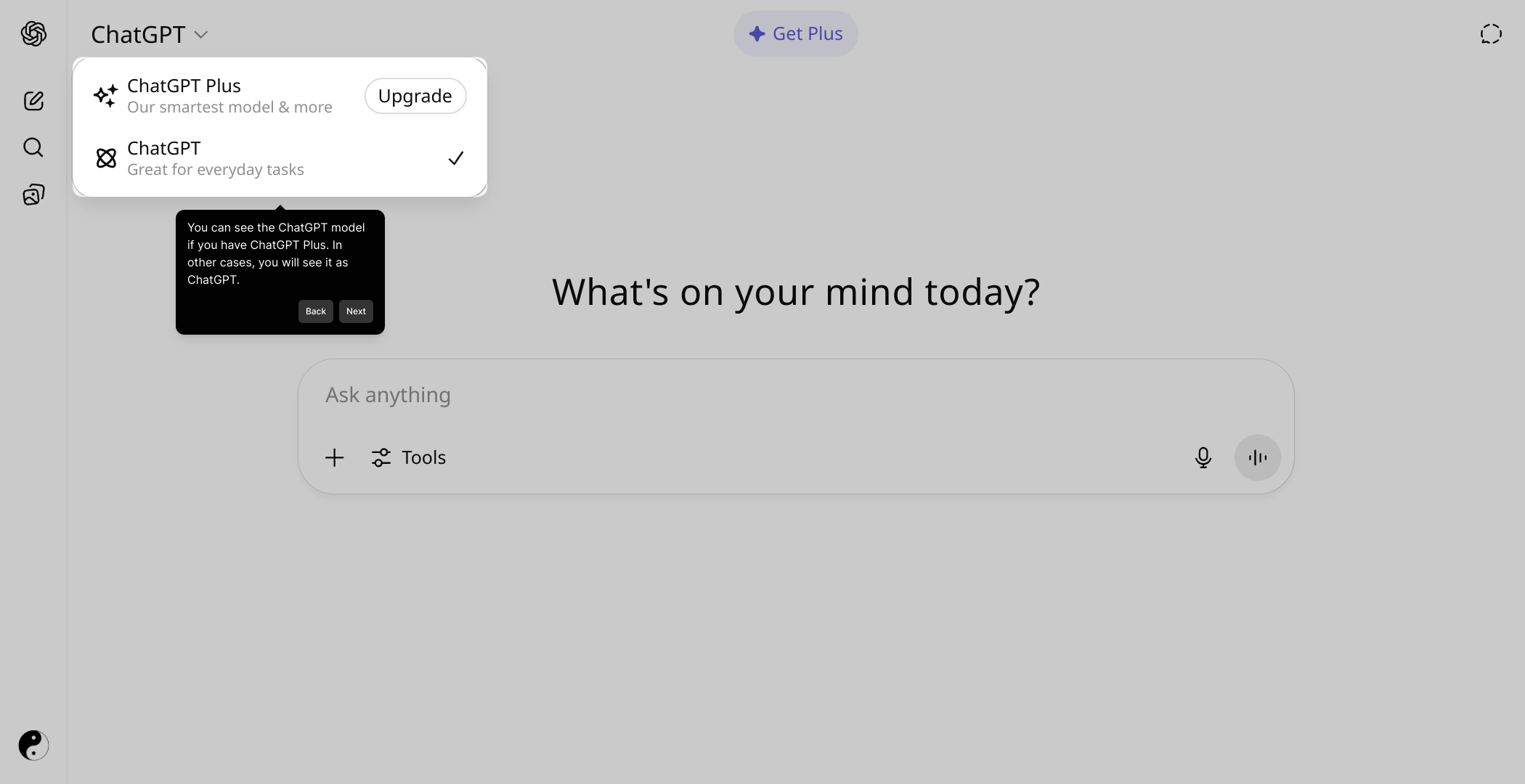
3

Finally, with everything set up, you’re ready to create your Supademo quickly and effortlessly. Use the provided tools to build your interactive demo, enabling you to showcase features in just seconds.

4

Create your own interactive demos in < 5 mins with Supademo

You can create your own interactive product demo in minutes using Supademo. Drive growth, scale enablement, and supercharge product-led onboarding with Supademo. Sign up for free here with no credit card required.


FAQs

Commonly asked questions about this topic.

How can I tell which version of ChatGPT I am using?

You can check your ChatGPT version by looking at the model selector within the app, usually visible if you have ChatGPT Plus. The version or model name is typically displayed near the chat input or settings. Non-Plus users will generally see only the default ChatGPT.

Do I need to be a ChatGPT Plus subscriber to see the model version?

Yes, ChatGPT Plus subscribers have access to model options like GPT-4, which are displayed in the version selector. Free users usually see the default ChatGPT label without detailed version information.

Where exactly is the model/version information located in ChatGPT?

Model information is generally found near the chat input area or in the sidebar's model selection dropdown. It shows whether you are using GPT-3.5, GPT-4, or other available options depending on your subscription.

Can I switch between different ChatGPT versions?

If you have ChatGPT Plus, you can switch between different versions like GPT-3.5 and GPT-4 by selecting the desired model from the dropdown menu in the interface.

What if I don’t see any version number in my ChatGPT app?

If there’s no visible version, you are likely using the free version of ChatGPT, which defaults to a single model without version switching or explicit version display.

Is there a way to check the version on mobile devices?

Yes, the ChatGPT mobile app also shows the model details if you are a Plus subscriber. Look for the model selector or version information within the chat interface or settings on your phone.

Does the version information affect how I interact with ChatGPT?

Yes, knowing your version helps because GPT-4 offers enhanced performance and features compared to GPT-3.5. Choosing the right model can impact response quality and capabilities.

How often does OpenAI update ChatGPT versions?

OpenAI regularly updates and improves ChatGPT models. Version updates and new features are rolled out periodically, so it’s beneficial to check the model version to stay current.

Can I see version details in the ChatGPT web app?

Yes, the web app displays your model version clearly if you’re a Plus subscriber. Look for the model dropdown or version indicator near the top or side of your chat window.

What should I do if I'm unsure about my ChatGPT subscription or version?

Check your account settings or subscription page on OpenAI’s website or app. These areas will show your current plan (free or Plus), which determines the models and versions available to you.

Vimal Kumar

Vimal Kumar

Product Operations Associate

Vimal Kumar helps build and grow Supademo’s team and GTM efforts, with a focus on figuring out growth levers and improving product traction.

More from the blog

How to Add Products to Shopify

How to Add Products to Shopify

Learn step-by-step how to add products to your Shopify store effortlessly, including tips on product details, images, pricing, and inventory management to boost your online sales.

Vimal Kumar
Vimal KumarDec 17, 2025
How to Deactivate Your Shopify Store

How to Deactivate Your Shopify Store

Learn step-by-step how to deactivate your Shopify store easily, including important considerations and tips to pause or close your shop without losing data.

Vimal Kumar
Vimal KumarDec 17, 2025
How to Remove 'Powered by Shopify'

How to Remove 'Powered by Shopify'

Learn how to easily remove the 'Powered by Shopify' text from your online store with step-by-step instructions and tips to customize your Shopify storefront.

Vimal Kumar
Vimal KumarDec 17, 2025
How to Create a Shopify Account

How to Create a Shopify Account

Learn step-by-step how to create a Shopify account quickly and easily, set up your online store, and start selling your products in no time.

Vimal Kumar
Vimal KumarDec 17, 2025
How to Create a Stripe Account

How to Create a Stripe Account

Learn how to create a Stripe account quickly and easily with our step-by-step guide, perfect for beginners looking to start accepting online payments.

Vimal Kumar
Vimal KumarDec 17, 2025
How to Contact Stripe Support

How to Contact Stripe Support

Learn the easiest ways to contact Stripe support for quick assistance with your payment processing, account issues, and technical questions.

Vimal Kumar
Vimal KumarDec 16, 2025