
Overview:
Streamline your workflow in Apollo.io by effortlessly managing your contacts through a step-by-step guide on deleting contacts from your sequences. Enhance user experience and simplify navigation by removing unwanted contacts, ensuring a seamless and efficient contact management process. This guide empowers you with a straightforward approach to optimize your contact lists within Apollo.io, promoting clarity and efficiency in your outreach strategies.
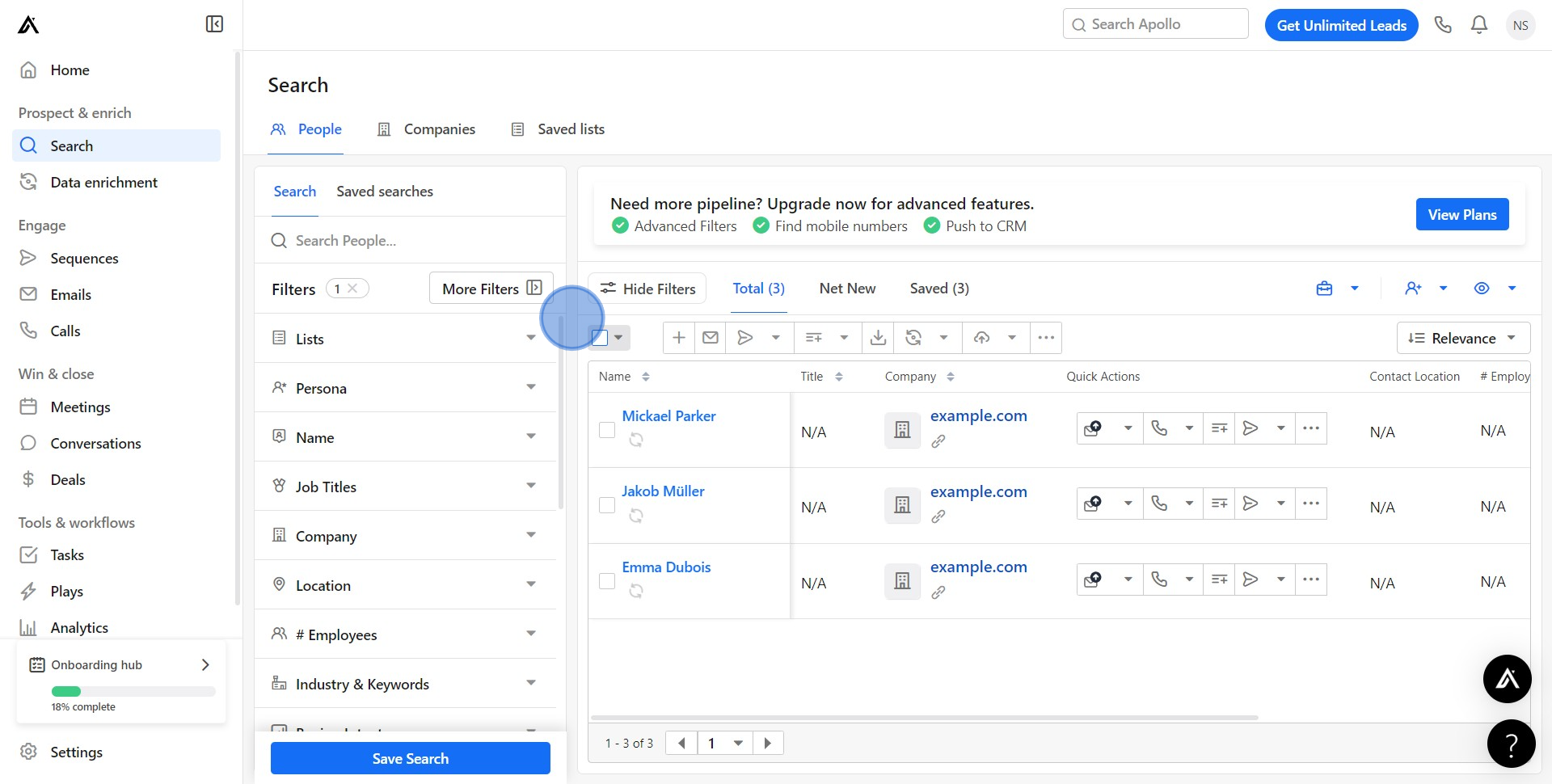
1. Begin by engaging the checkbox to display the contact options.
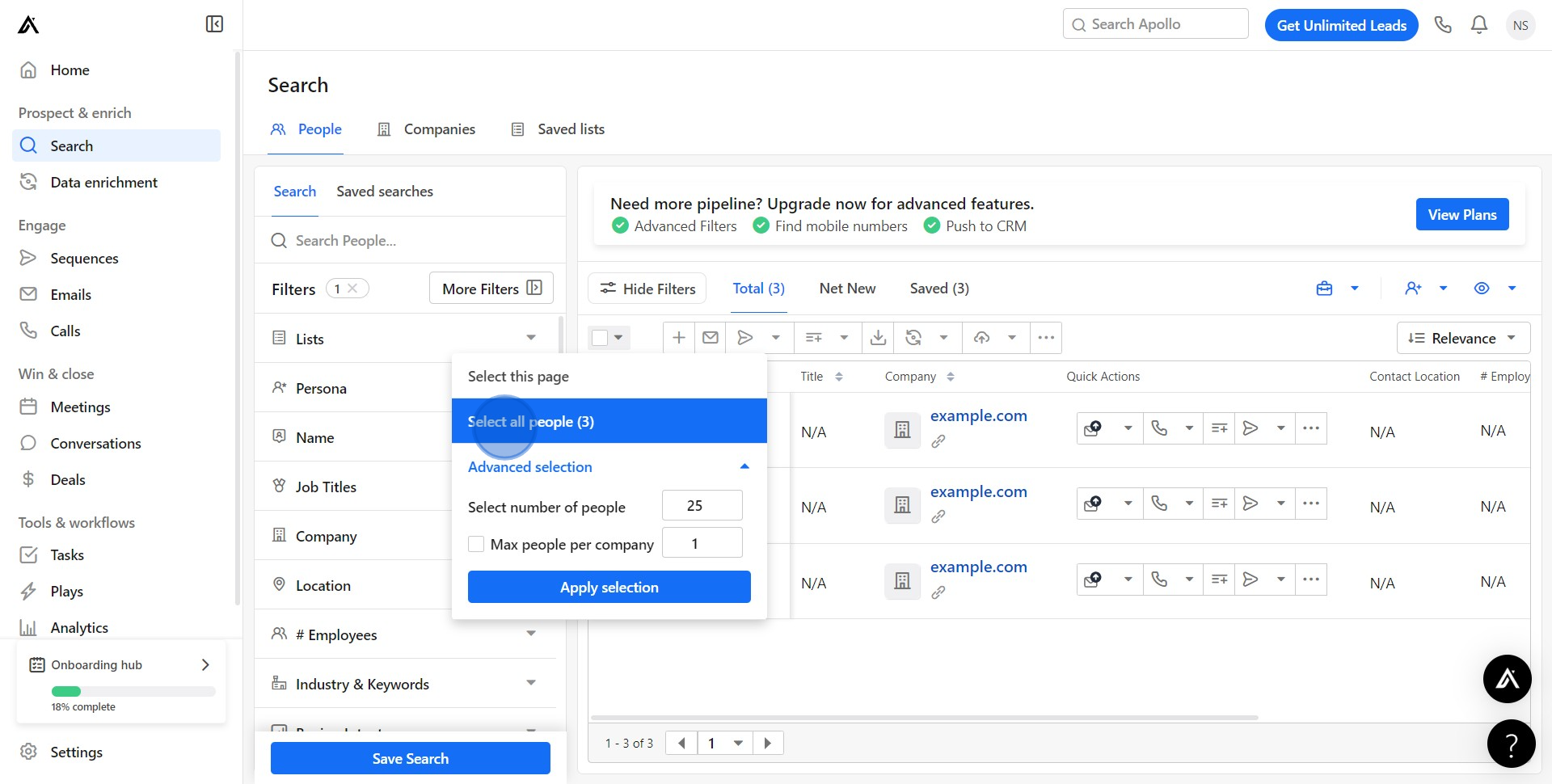
2. From the expanded list, choose to select all people.
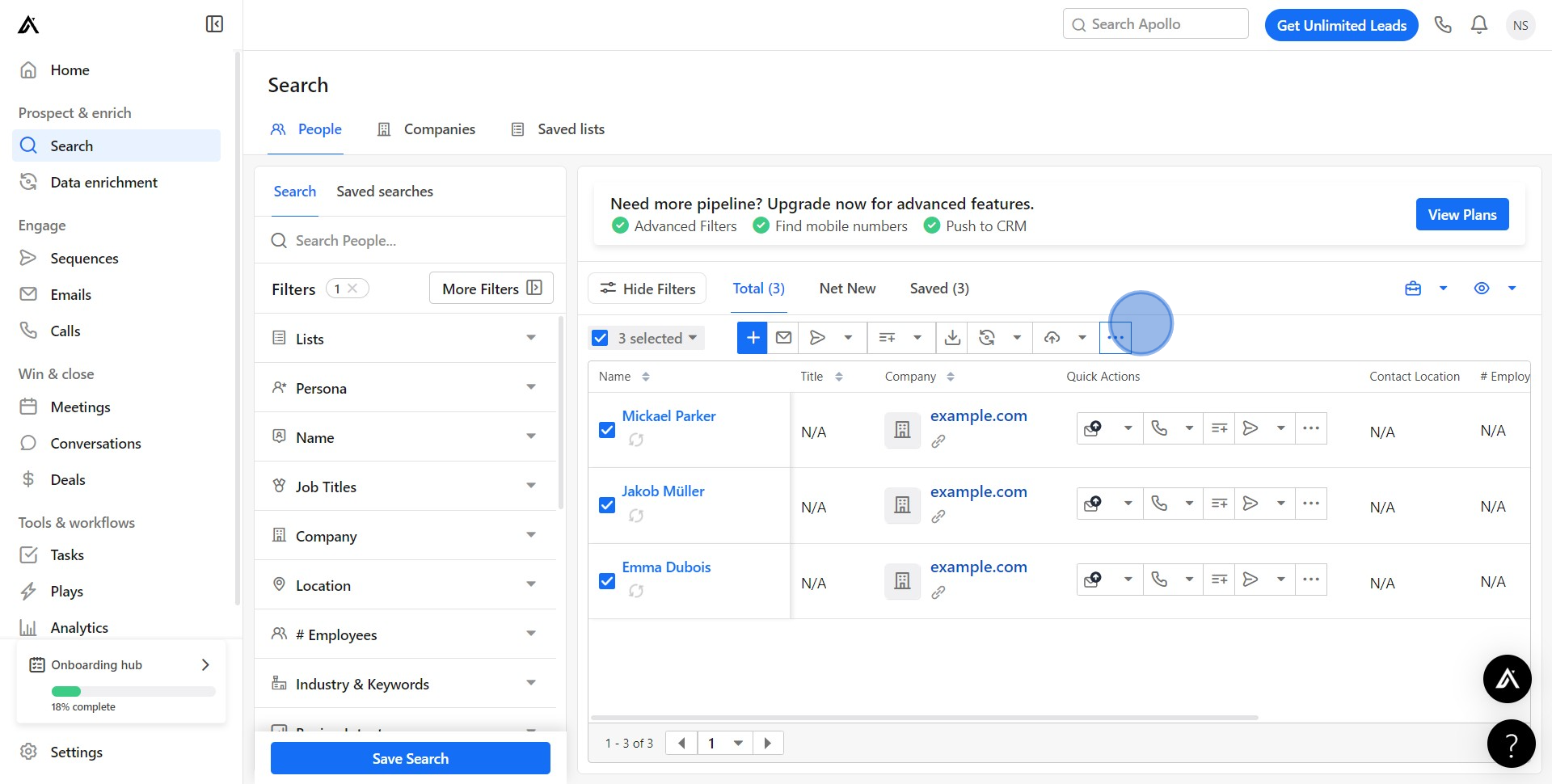
3. Locate and click on the icon indicating additional options.
4. From the dropdown list, select the option to delete.
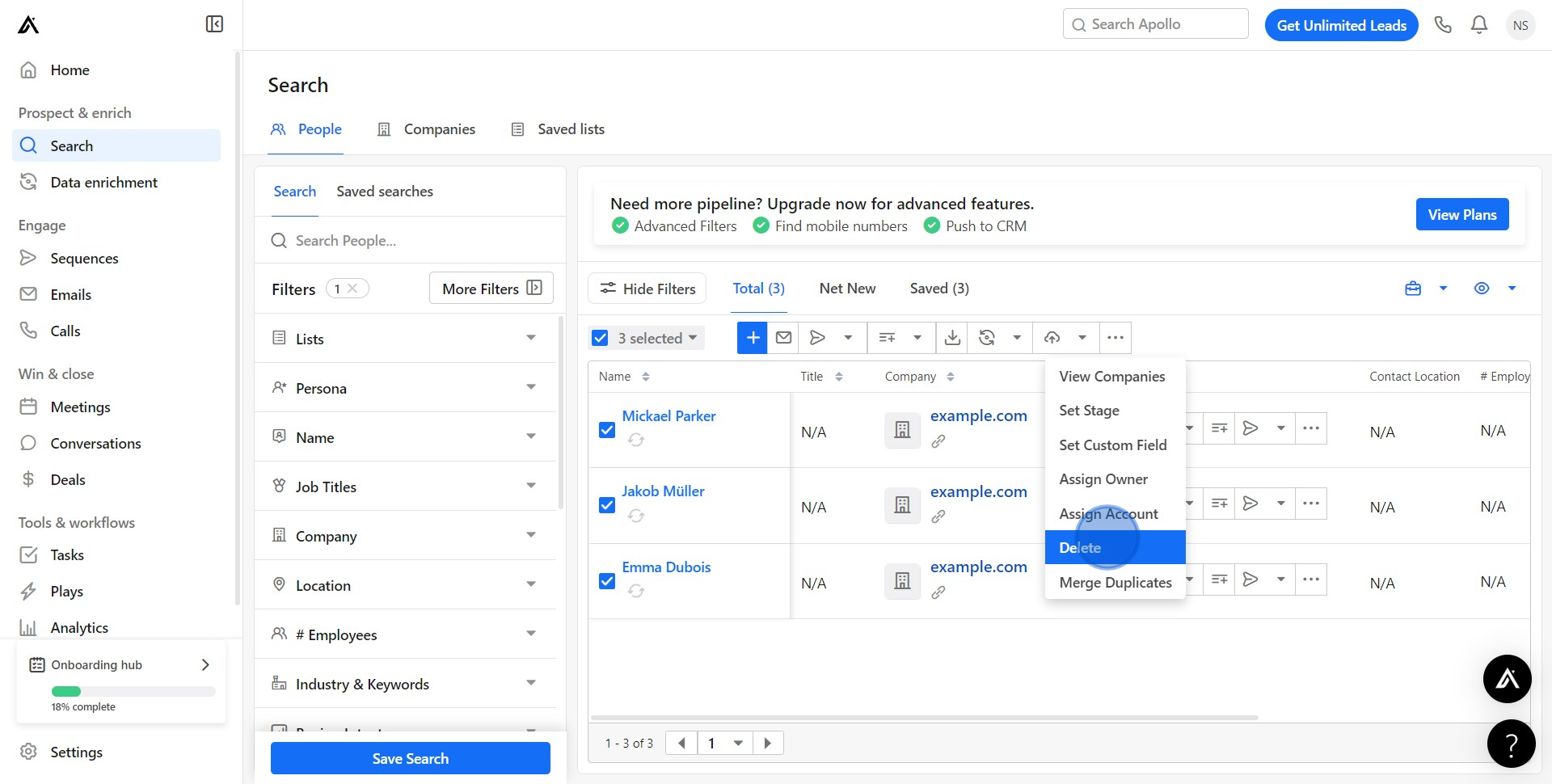
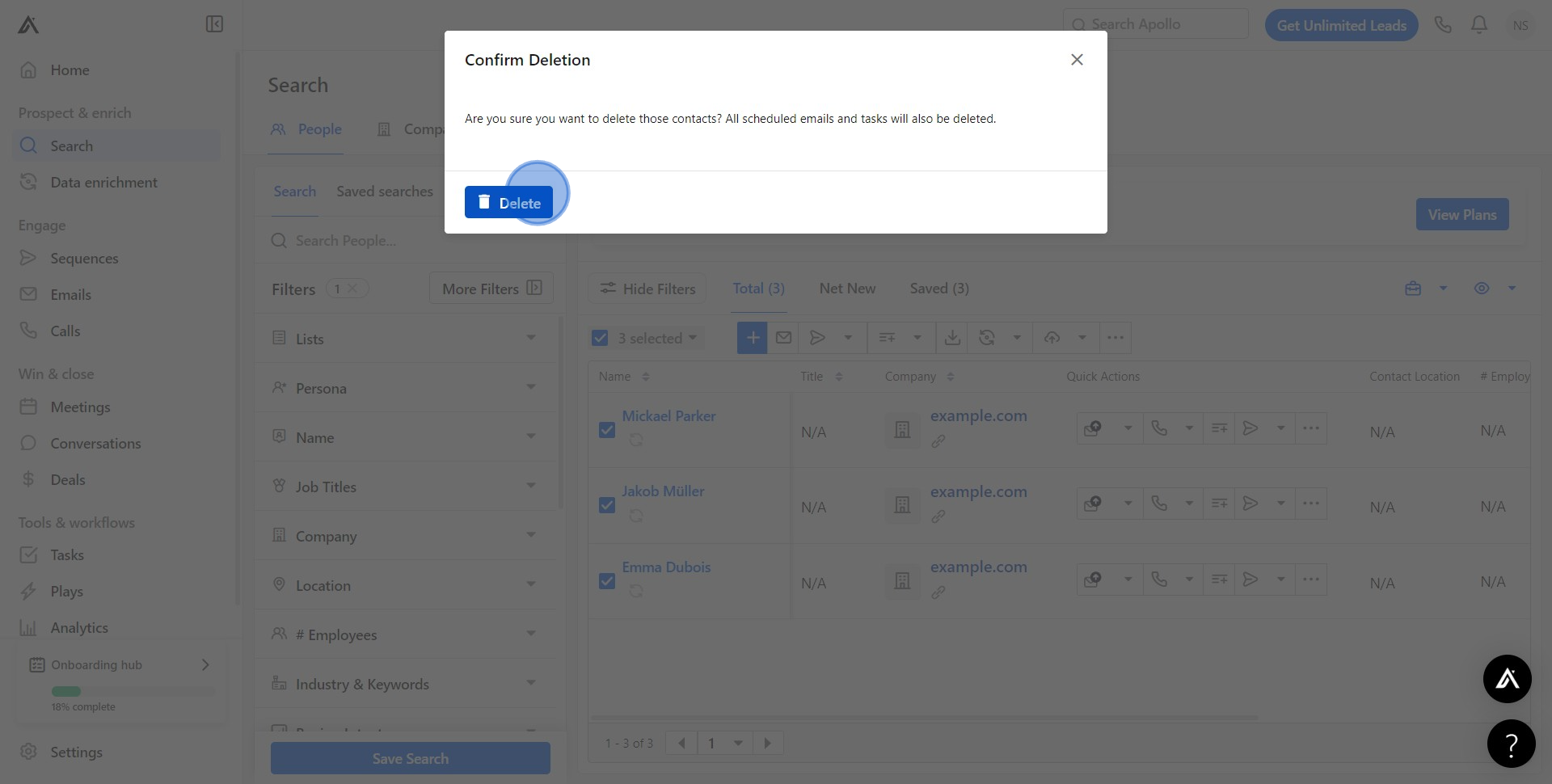
5. Confirm your choice by clicking 'delete' again.
Create your own step-by-step demo
Scale up your training and product adoption with beautiful AI-powered interactive demos and guides. Create your first Supademo in seconds for free.
Frequently Asked Questions about how to delete contacts from your sequence in apollo.io
Commonly asked questions about this topic.
How can I work with team members on Apollo.io contact management?
What removal strategies work best for Apollo.io sequences?
Is Apollo.io suitable for enterprise-scale deleting contacts from your sequence?
What should a well-structured contacts from your sequence include?
What are best practices for deleting contacts from your sequence effectively?
How do I bulk delete multiple contacts from an Apollo.io sequence?
What common mistakes should I avoid when deleting contacts from your sequence?

Content Marketer
Nithil is a startup-obsessed operator focused on growth, sales and marketing. He's passionate about wearing different hats across startups to deliver real value.






