Supademo AI

Edit and personalize demo data instantly with AI

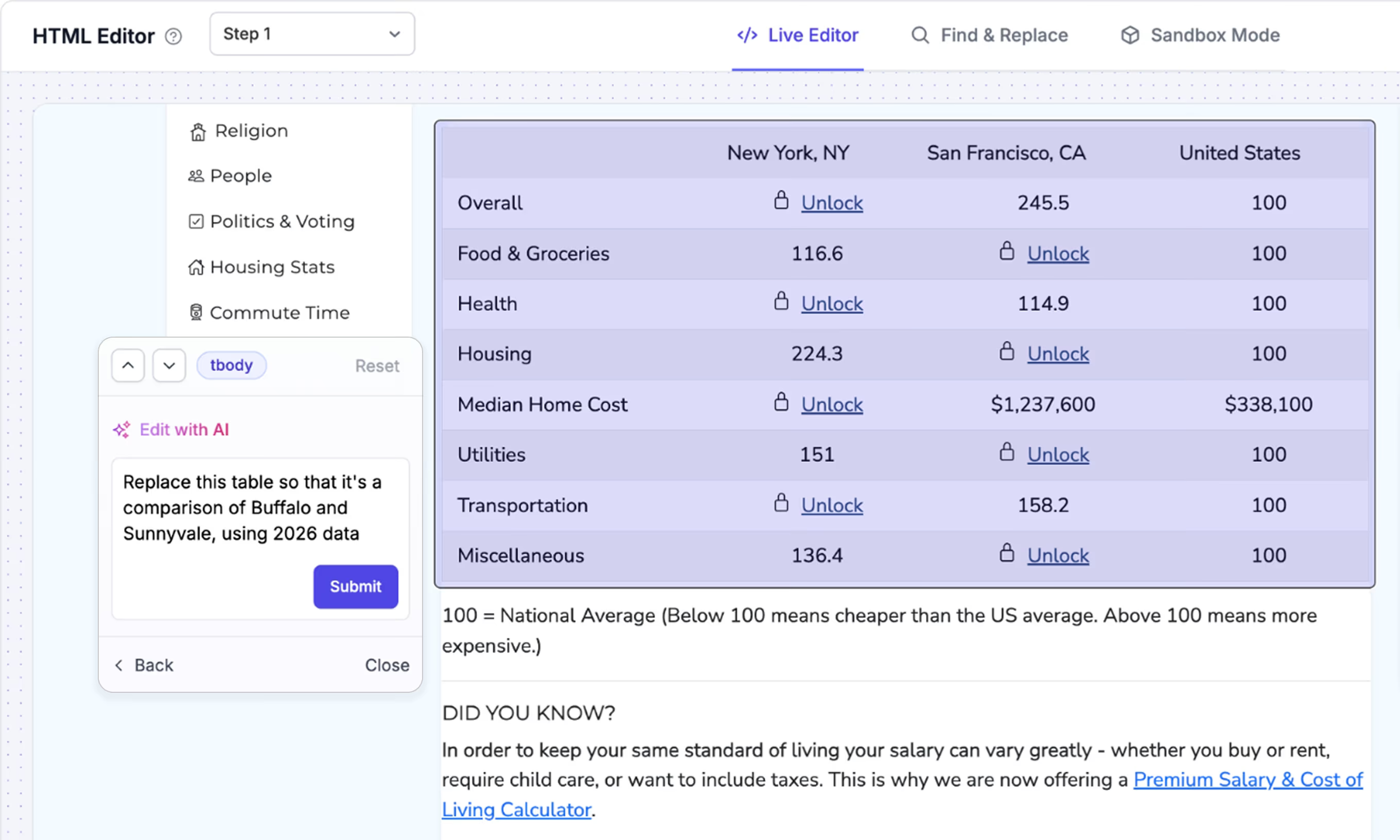
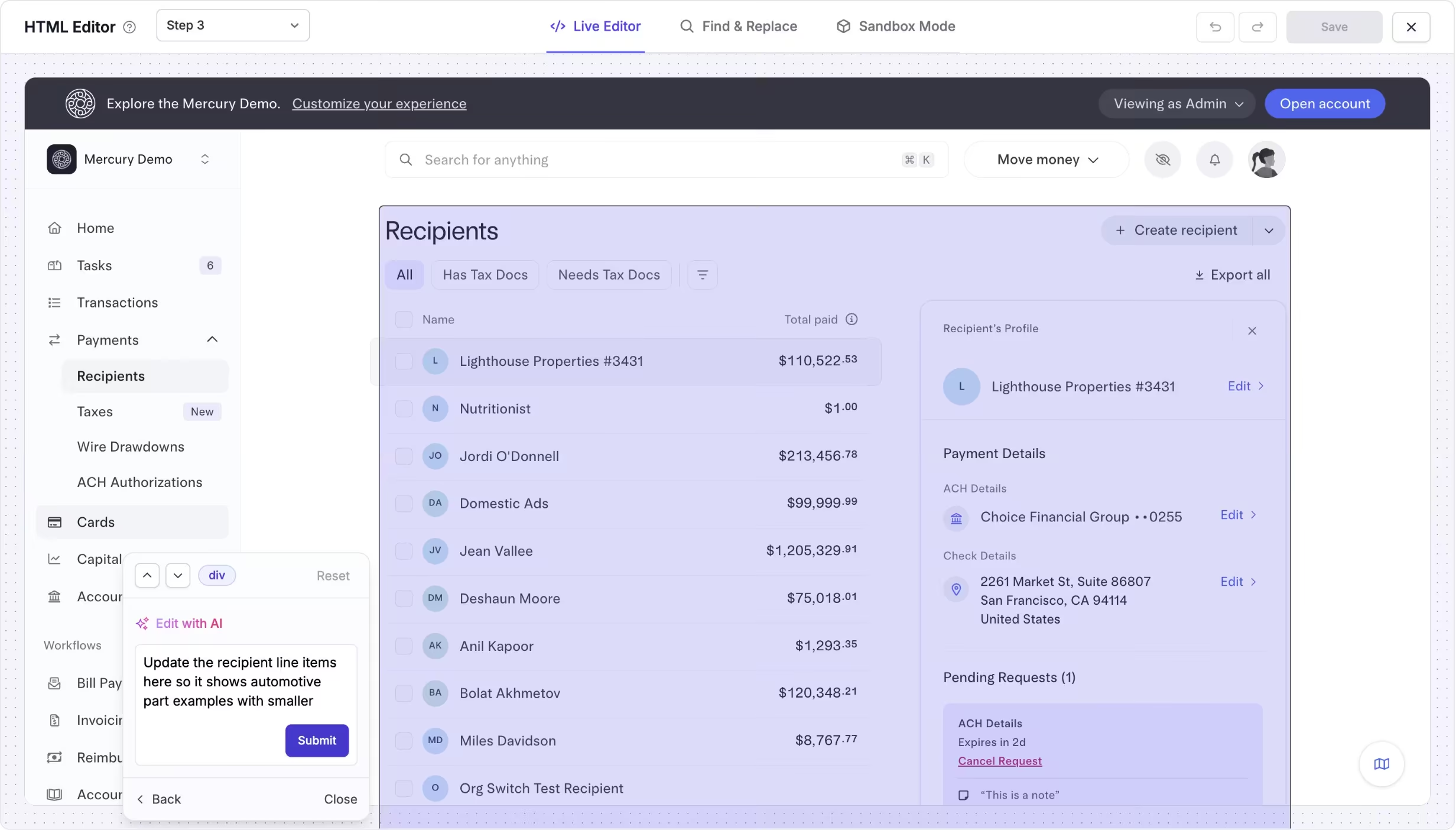
Transform one base demo into tailored, high-impact versions in seconds. Update data, text, structure, and visuals using AI instead of manual rebuilding.

Edit and personalize demo data instantly with AI feature

Turn one demo into dozens of tailored versions

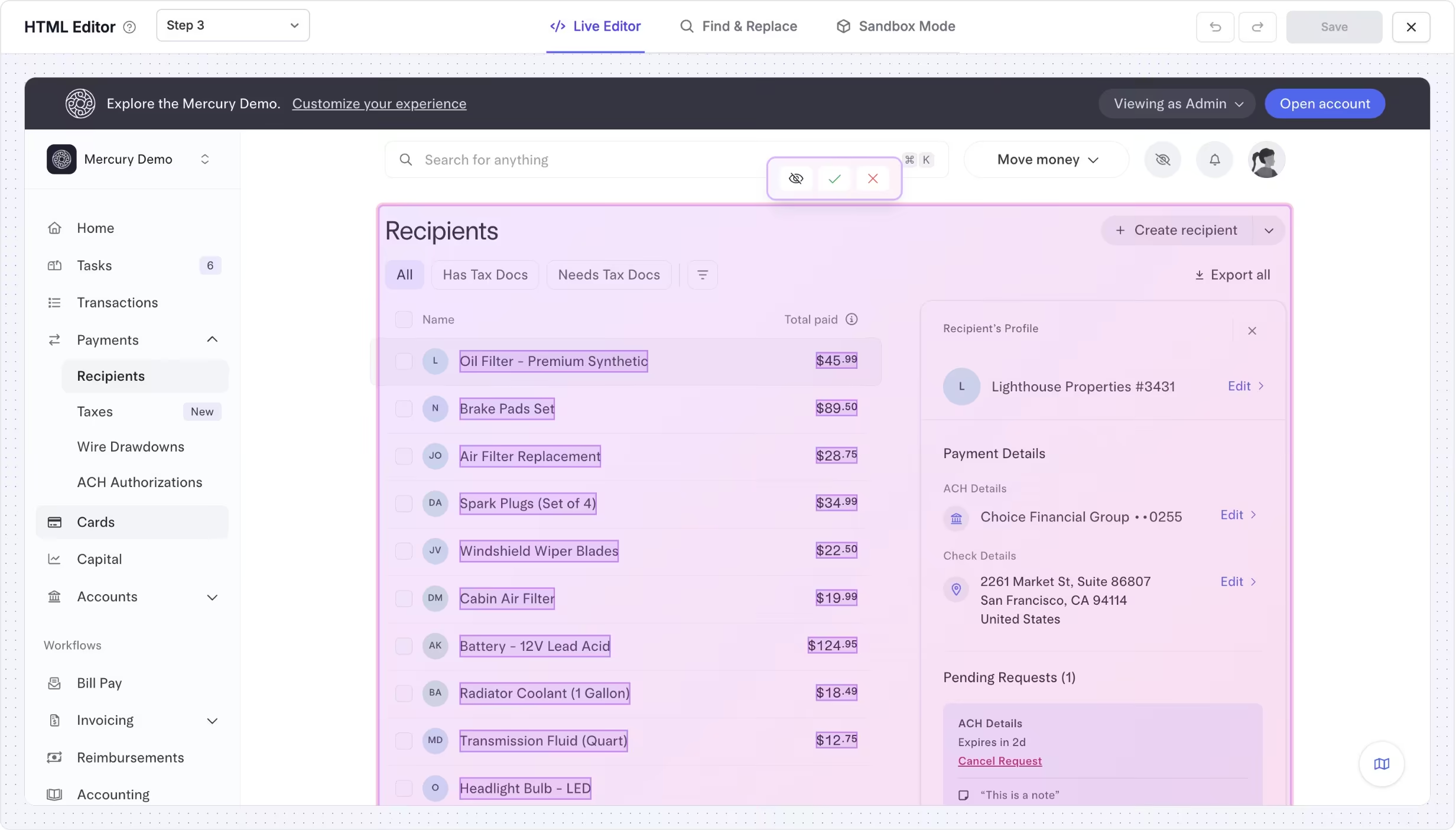
AI Demo Data Editing lets you instantly modify interactive demos using simple prompts. Update charts, change table data, rewrite text, swap personas, and tailor flows for different audiences.

Start with one master demo and generate targeted, high-impact versions automatically. One source of truth, personalized experiences at scale.
Try AI demo editing
Turn one demo into dozens of tailored versions

Personalize for any industry, role, or use case

Customize demos by industry, buyer role, company size, use case, or sales stage without re-recording. What used to take hours of manual editing now takes seconds.

Sales, marketing, pre-sales, and customer success teams all benefit from instant demo personalization that keeps content consistent and production time low.

See personalization examples
Personalize for any industry, role, or use case

Try the AI demo editing product tour

See how a single base demo can be transformed with AI prompts to update data, messaging, structure, and visuals in just a few clicks.

FAQs

Commonly asked questions about edit and personalize demo data instantly with ai. Have other questions? Reach out and our team will be happy to help.

FAQ illustration

What is AI Demo Data Editing?

AI Demo Data Editing lets you modify interactive demos using AI prompts and assisted edits instead of manual rebuilding. You can change text, numbers, visuals, and flow structure quickly from a single base demo.

What types of elements can AI edit?

AI can update on-screen text, UI labels, tables, charts, datasets, callouts, screenshots, sections, and flow order. It can also personalize company names, personas, and industry context.

Do I need to re-record my demo to personalize it?

No. AI Demo Data Editing is designed to avoid re-recording. You start with a base demo and generate personalized variants through AI edits.

How fast are AI edits applied?

Most AI edits are applied in seconds. You can review the changes, make adjustments, and publish updated versions immediately.

When should I use AI editing instead of cloning demos?

Use AI editing when the structure is similar but the data, persona, industry, or messaging needs to change. It is ideal for personalization, localization, and scenario variants without duplicating work.

What is the main impact of AI demo editing?

AI demo editing turns demos into reusable building blocks instead of static assets. Teams can move from one demo per product to one demo per audience, while keeping production time low and consistency high.