Typewriter Effect
Animate text into input fields so viewers instantly know what to enter during an interactive demo.
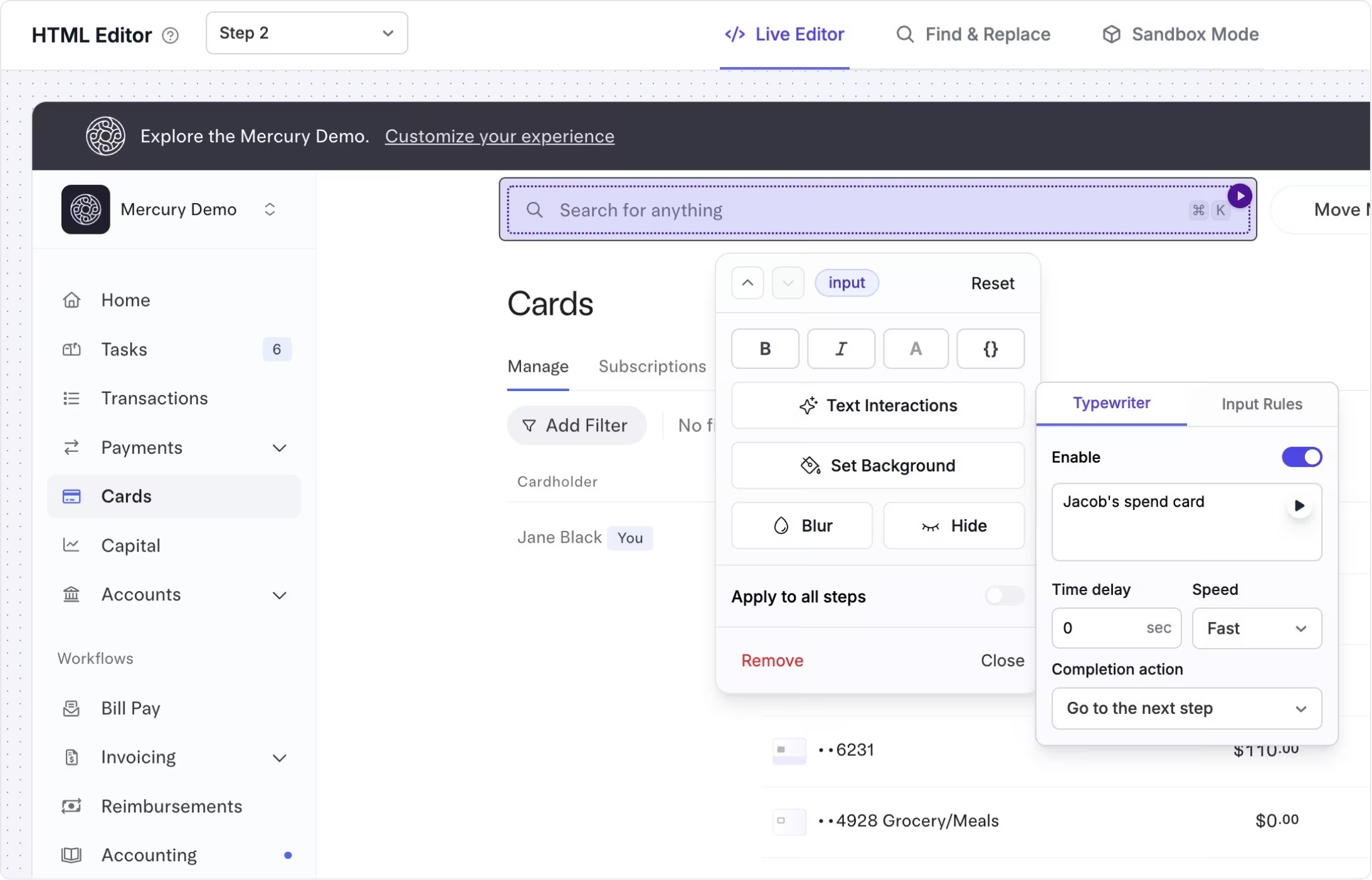
Show exactly what to type
The typewriter effect automatically types text into input fields, character by character, just like a real user.
It removes guesswork in demos that include forms, searches, or setup steps by clearly showing the expected input instead of leaving viewers to infer it.
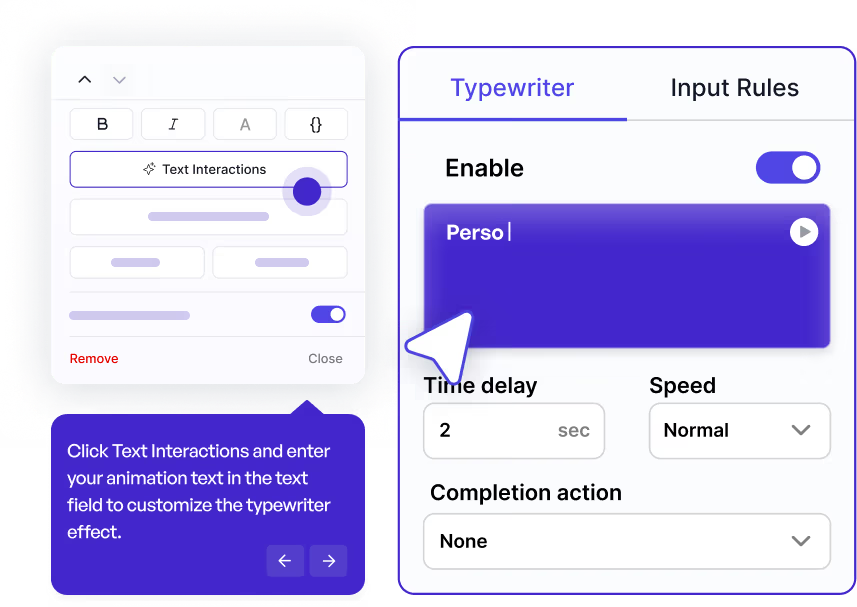
Guide form-based and search-driven flows
Teams use the typewriter effect in onboarding tours, product walkthroughs, and sales demos where accurate input matters.
It helps keep demos moving, reduces confusion around required fields, and creates a more realistic, polished experience.
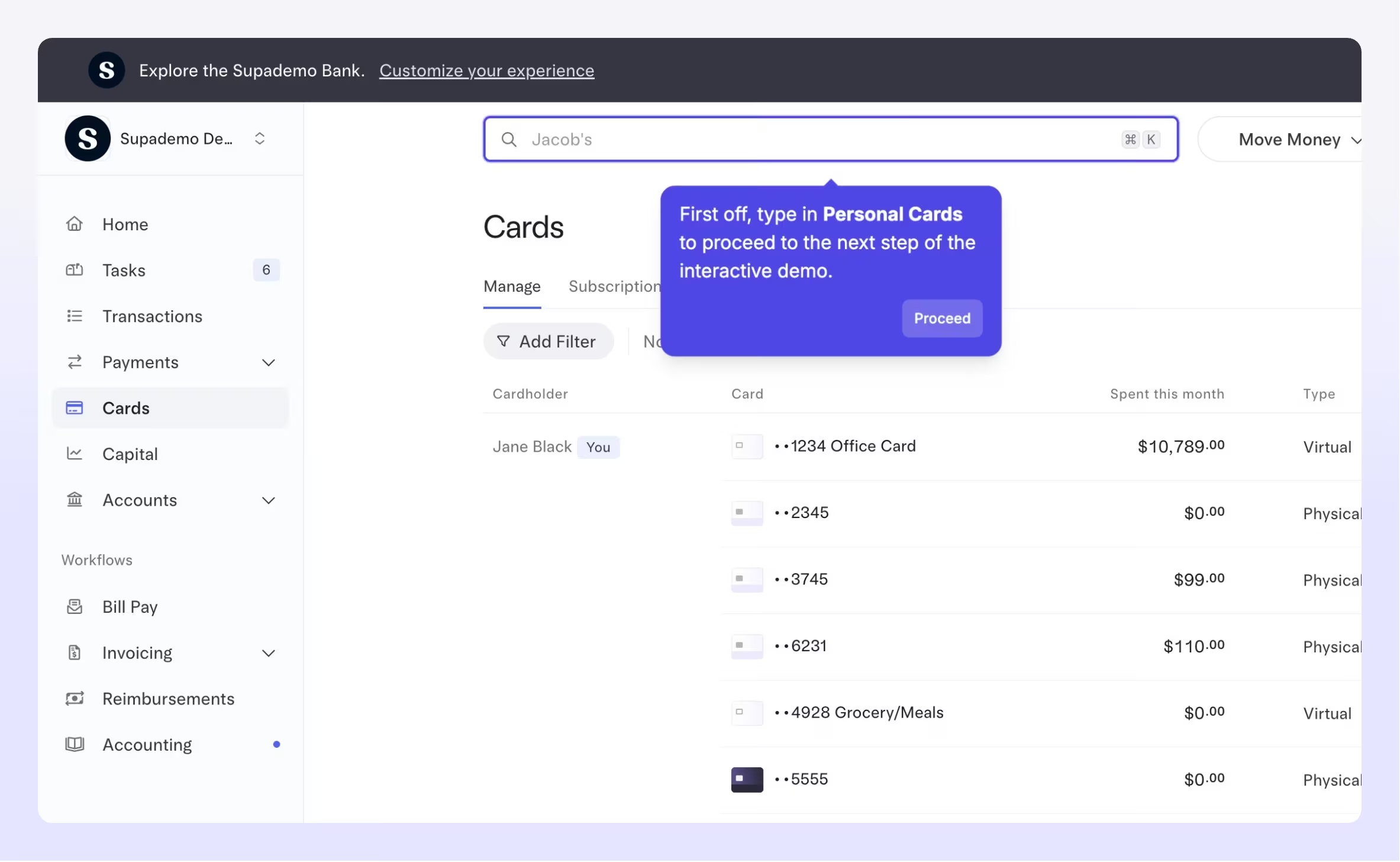
Emulate typing on HTML interactive demos
See how the typewriter effect guides viewers through input fields in a real Supademo.
Explore More Features
FAQs
Commonly asked questions about typewriter effect. Have other questions? Reach out and our team will be happy to help.

The typewriter effect is a demo animation that types text into input fields character by character. It helps viewers clearly see what to enter during form-based or search-driven steps in an interactive demo.
Use the typewriter effect when accurate input matters, such as onboarding flows, setup steps, search demos, or forms. It's especially useful when you want to reduce confusion and guide viewers through the exact actions they should take.
Yes. You can apply the typewriter effect across multiple input fields in a single demo, allowing you to create realistic, step-by-step flows that feel natural and easy to follow.