Forms
Capture lead details and qualification info directly inside an interactive demo, right when viewers are most engaged.
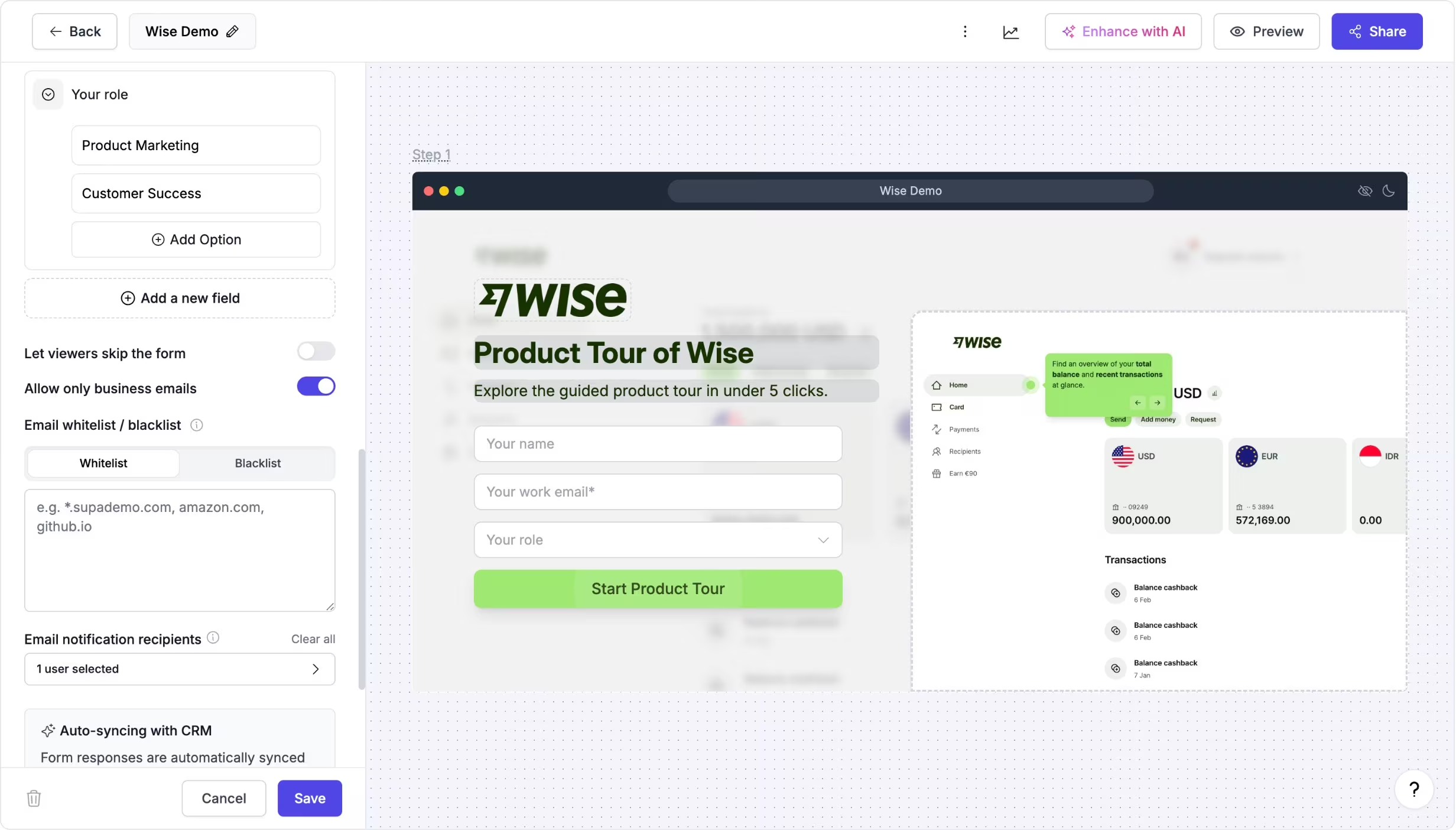
Collect lead data inside your interactive demo
Forms are a Chapter type that lets you add native lead capture to any interactive demo. Place a form at the beginning, middle, or end to collect details like name, email, company, or custom questions.
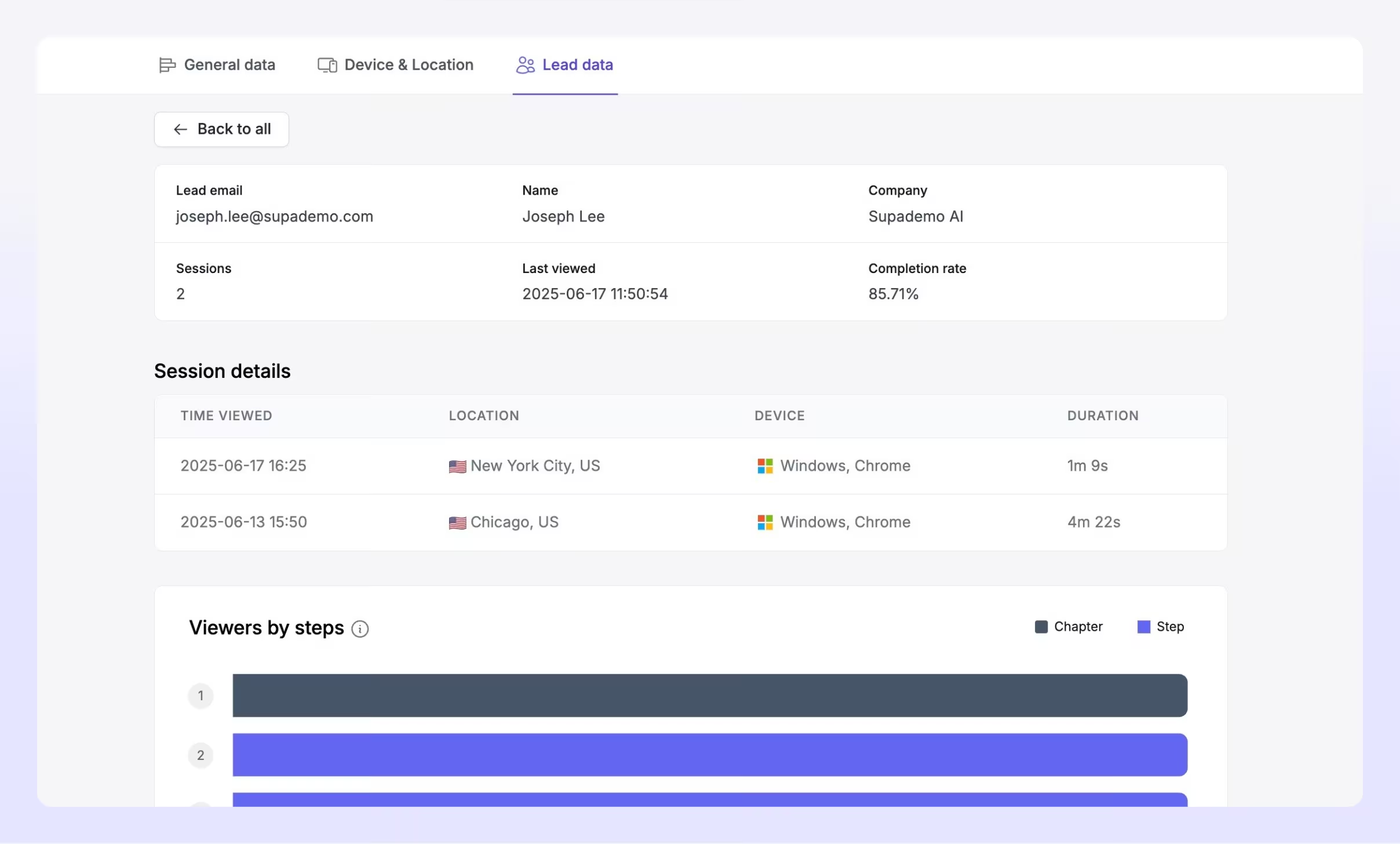
Responses are saved inside Supademo so you can track who engaged and follow up with the right context.
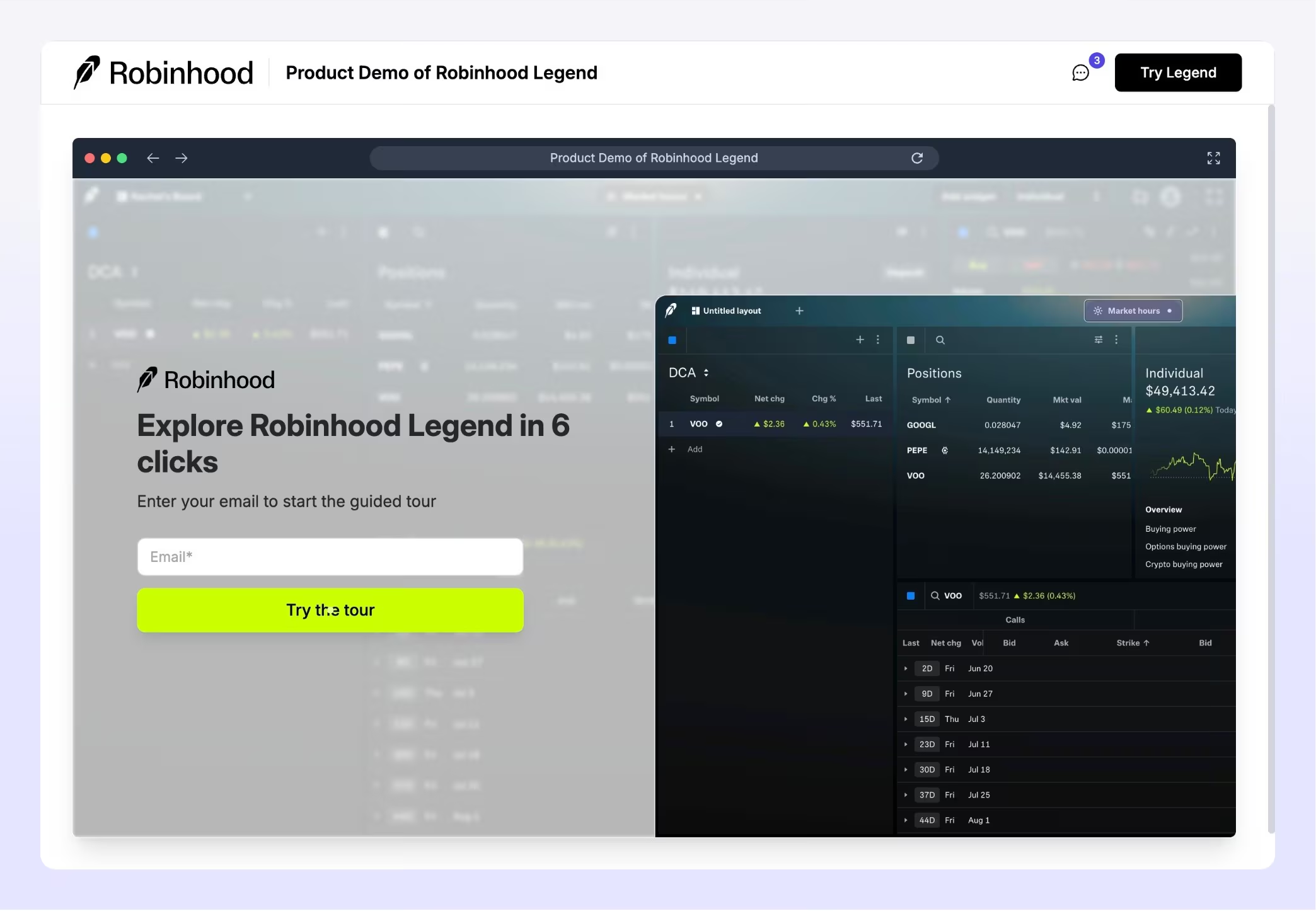
Capture intent when viewers are most engaged
Teams use forms to turn high-intent interactive demo engagement into pipeline. Common use cases include gating a demo before showing sensitive steps, qualifying inbound interest on marketing pages, collecting onboarding details before a training flow, or capturing "request access" info inside a product walkthrough.
Forms also pair well with personalization, using viewer inputs to tailor what they see next.
Experience instantly, interactively
Explore how to add a form to your interactive demo so you can see how lead capture would look like for viewers.
Explore More Features
FAQs
Commonly asked questions about forms. Have other questions? Reach out and our team will be happy to help.

Yes. Forms are a chapter type you can add anywhere in an interactive demo to collect viewer information.
Yes. You can use a form chapter to gate access so viewers submit details before proceeding to the next steps.
Form submissions are saved in Supademo so you can view leads and connect engagement to specific interactive demo activity. If you've set up integrations, you can also sync lead data to your CRM, e.g., HubSpot and Salesforce.